Social Media Scheduling Tools: Complete Guide for 2026 (How to Choose, Set Up, and Actually Save Time)
Learn how to choose and use social media scheduling tools with a step-by-step workflow, checklists, best practices, examples, and research-backed stats. 2026 guide.

Author
Social media feels free until you add up the time: switching tabs, hunting for images, rewriting captions, remembering when to post, and fixing mistakes you could have avoided.
And the job keeps growing. DataReportal reports 5.24 billion active social media user identities worldwide at the start of 2025. (source)
Social media scheduling tools help you post to that audience regularly without spending all day in publishing screens.
This guide covers: - What social media scheduling tools are (and what they’re not) - How to choose the right scheduler for your platforms, post types, and workflow - A step-by-step operating system you can copy (planning → batching → QA → scheduling → engagement) - Best practices and common mistakes (including what to automate and what not to) - A tool stack that includes native schedulers and third-party options (with honest tradeoffs)
Most articles on this topic are tool roundups. This one spends more time on how to set up any scheduler so it works: platform limits, checking posts before they go out, planning engagement, bulk scheduling, and account security. That way your process holds up even if you switch tools.
What are social media scheduling tools?
Social media scheduling tools are apps that let you plan, queue, and publish posts at a future date/time across one or more social networks.
Depending on the platform and tool, publishing happens in one of two ways:
- Auto-publish (API publishing): the tool publishes for you at the scheduled time.
- Reminder/notification publishing: the tool sends a notification and you manually publish.
Scheduling tool vs content calendar vs “social media management platform”
These terms get mixed together. Here’s a simple way to separate them:
- Social media scheduling tool: Focuses on getting posts published on time.
- Social media content calendar: The planning layer (what goes out, where, and when). Many schedulers include a calendar view; some teams keep calendars in spreadsheets/Notion/Asana and publish elsewhere.
- Social media management platform: Usually broader: scheduling, analytics, listening, inbox and approvals (features vary by vendor).
If you don’t know which you need, start with a scheduler and a simple calendar template. Upgrade only when you can name the bottleneck (e.g., “client approvals are chaos” or “we need cross-channel reporting”).
Why scheduling matters in 2026 (beyond “saving time”)
1) Social media is where attention is
People spend a lot of time on social. Backlinko’s compiled industry stats report 2 hours and 21 minutes per day on social media globally (users aged 16+). (source)
Small improvements in consistency and timing add up over a few months.
2) The tools are getting more professional, quickly
The social media management market is frequently reported as a high-growth category. A MarketsandMarkets estimate (published via PRNewswire) projects growth from $17.5B (2022) to $51.8B (2027) at a 24.2% CAGR. (source)
With more tools and more competition, expectations are higher. A planned workflow beats scrambling every day.
3) You can’t build consistency without a pipeline
To schedule a week of posts, you first have to answer: - What are we posting next week? - Who owns creation and QA? - What do we do when something changes?
Answering those questions is what makes your posting repeatable instead of random.
Do scheduled posts get less reach? (The myth + what actually affects performance)
A common fear (especially on Reddit): “Does using a scheduler kill reach?”
Hootsuite ran an experiment on Instagram scheduling and summarized that publishing through third-party tools does not inherently hurt performance (“the answer is no”). (source)
What actually hurts performance more often: - Posting at times your audience isn’t online - Cross-posting identical copy everywhere - Ignoring engagement (no replies/comments after posting) - Publishing content that becomes out-of-context due to news cycles - Over-automating without quality control
So the scheduler is rarely the problem. The process around it usually is.
How to choose social media scheduling tools (a checklist)
Feature lists help, but decide your non-negotiables first.
Step 1: List your must-have platforms AND post types
Don’t stop at “Instagram.” Be specific:
- Instagram: single-image feed, carousels, Reels, Stories?
- TikTok: video, photo carousel?
- LinkedIn: personal profile vs company page, video?
- X: images and video?
- Threads/Bluesky: text and media constraints?
Tools that support the same platform often support very different post types.
Step 2: Decide your publishing requirement (auto-publish vs reminders)
If you manage clients or multiple brands, auto-publish is often essential. If you’re solo and only post occasionally, reminders may be fine.
Step 3: Decide how you want to plan: queue, calendar, or hybrid
You’ll see two common scheduling models:
- Queue-based scheduling: You define posting “slots” (e.g., Mon/Wed/Fri 10am) and add posts into categories/queues.
- Calendar-based scheduling: You place specific posts on specific dates/times.
Hybrid approach (recommended): - Use a calendar for campaigns, launches, and time-sensitive content. - Use queues for evergreen posts and repurposed assets.
Step 4: Bulk scheduling needs (yes/no)
If you batch content weekly or monthly, bulk scheduling becomes a major time saver.
For example, HubSpot’s documentation notes you can schedule up to 300 posts per bulk upload (within their tool). (source)
You don’t need HubSpot specifically. It’s just a useful benchmark for what bulk upload can look like, and it’s worth comparing tools on.
Step 5: Consider platform limitations that can break scheduling
No tool can get around a platform’s own rules, so a scheduler is only reliable if it handles your formats within those rules.
Examples you should plan around: - TikTok carousel specs often require multiple images. TikTok’s carousel ad specs show min 2 images (max varies by use case). (source) - Threads API rate limits exist. Meta’s Threads API documentation states Threads profiles are limited to 250 API-published posts within a 24-hour moving period. (source)
Even if you never hit these limits, knowing they exist helps you diagnose “why didn’t it publish?” moments.
Step 6: Security and permissions (often overlooked)
Scheduling tools connect through OAuth or access tokens. That’s convenient, and it’s also one more way into your accounts.
At minimum, your tool should support safe operational practices like: - Role-based access (where possible) - Easy disconnection/revocation of accounts - Clear visibility into which accounts are connected
And your team should follow basics: - Use 2FA on all social accounts - Don’t share passwords in Slack - Revoke access when contractors roll off
(Broader token security risks are widely discussed in security literature; for example Cloud Security Alliance outlines OAuth token vulnerabilities.) (source)
What a “good” social media scheduling workflow looks like (copy/paste this system)
A tool won’t make you consistent by itself. This workflow takes about a week to set up.
Step 1: Do a 30-minute channel audit
Create a simple grid:
| Channel | Goal | Primary formats | Frequency | Owner | Notes |
|---|---|---|---|---|---|
| Awareness | Reels + carousels | 4/wk | You | Visual consistency | |
| Leads/authority | Text + image | 3/wk | You | Professional tone | |
| X | Top-of-funnel | Text + images | 5/wk | You | Needs repurposing |
| TikTok | Awareness | Video + photo carousel | 3/wk | You | Batch filming |
Once it’s written down, you can stop trying to do everything equally on every platform.
Step 2: Define 3–5 content pillars (so you stop “starting from zero”)
Examples of strong pillars: - Education (how-to, frameworks, tips) - Proof (results, case studies, testimonials) - Perspective (opinions, takes, lessons learned) - Product/service (use cases, FAQs, comparisons) - Community (questions, prompts, behind-the-scenes)
If you manage clients, define pillars per client plus an “agency pillar library” you can reuse (e.g., seasonal promos, FAQs, myth-busting series).
Step 3: Build a weekly calendar template (the simplest “content calendar”)
Use a structure like this:
| Day | IG | X | TikTok | |
|---|---|---|---|---|
| Mon | Carousel (education) | POV post | 2 posts | Video tip |
| Tue | Reel (BTS) | — | 3 posts | — |
| Wed | Static (offer) | Carousel (framework) | 2 posts | Photo carousel |
| Thu | Carousel (proof) | — | 3 posts | — |
| Fri | Reel (community) | Lesson learned | 2 posts | Video BTS |
Leave 10–20% blank for reactive posts and timely updates.
Step 4: Batch by “idea,” not by platform (fastest repurposing method)
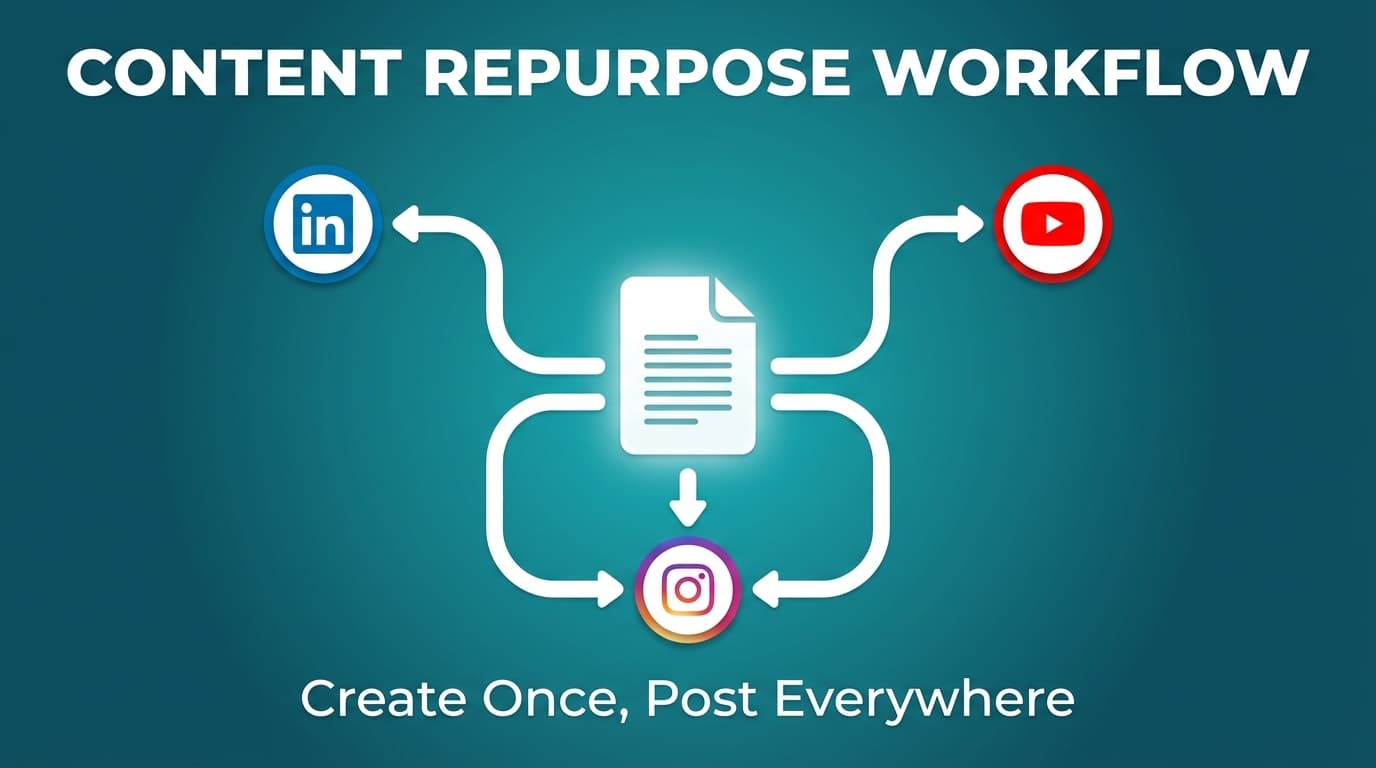
Don’t write one Instagram caption, then one LinkedIn post, then one tweet. Do this instead:
1 idea → 4 formats.
Example idea: “5 mistakes people make with social scheduling” - IG carousel: 5 slides + CTA - LinkedIn: story + expanded explanation - X: 5 short posts spread across the week - TikTok: 30–45 second video with hook + examples
You publish more and don’t burn out as fast.
Step 5: Run a pre-schedule QA checklist (prevents the most painful mistakes)
Caption QA - Strong first line/hook - One clear CTA (comment/save/click) - No broken links - Brand voice fits the platform
Media QA - Correct dimensions and safe margins - File size and duration within limits - Accessibility: add alt text where possible (platform dependent)
Context QA - Is anything likely to look tone-deaf next week? - Does it reference “today” or “this morning” (which might be wrong at publish time)?
Step 6: Schedule, then schedule engagement time too
Scheduling tools publish your posts. You still have to show up and talk to people.
A lightweight engagement plan: - 15–30 minutes/day: respond to comments, reply to DMs, comment on others’ posts - 10 minutes/day: scan for news/trends that affect your scheduled queue
This aligns with guidance like “schedule content but check in regularly to interact.” (source)
Platform-specific scheduling notes (the constraints that break posts)
You don’t need to memorize every platform rule, but you should know the common ones that cause failed posts.
Instagram scheduling basics (what you can schedule)
Instagram supports scheduling for Reels, photos, and carousel posts inside the Instagram app for professional accounts. (source)
Implementation note: If your tool requires a business/creator account connection (common), that’s usually because Meta requires it, not because the tool is being difficult.
TikTok photo carousels: minimum image count matters
TikTok’s own carousel specs (in their ads documentation) show a minimum of 2 images for carousel content. (source)
Even if you’re posting organic content, this “min 2” idea is a practical guardrail: don’t plan TikTok “single image” posts as a carousel format.
Threads API publishing limits (if your scheduler uses the API)
Meta’s Threads API documentation states a limit of 250 API-published posts within a 24-hour moving period. (source)
Most small brands won’t hit this, but agencies bulk-posting across many accounts should know about API limits and rate caps.
15 best practices for social media scheduling tools
-
Schedule content, but stay present - Use scheduling for consistency; stay flexible for community and trends.
-
Avoid identical cross-posting - Keep the idea and change the format.
-
Use “series” content so there’s less to decide - Example: “Tuesday teardown,” “Friday framework,” “Myth vs fact.”
-
Keep a reusable hook library - Save openings that perform well; rewrite them for new topics.
-
Create a standard naming convention for assets -
Client_Platform_Pillar_Date_V1is boring, but it saves hours. -
Batch production as well as scheduling - Film 3 TikToks in one session; design 4 carousels in one session.
-
Don’t over-optimize posting times - Use benchmarks as a starting point, then test.
-
Always leave calendar space - Reactive content is often your best content.
-
Build a “pause protocol” - Know who pauses scheduled content during emergencies/news cycles.
-
Use bulk scheduling carefully - Bulk saves time but makes mistakes easier to miss, so check before you schedule.
-
Schedule engagement windows - Put it on the calendar so it actually happens.
-
Use native analytics as your source of truth - Scheduler analytics (if available) can be helpful, but native insights are the baseline.
-
Plan your CTA mix - Most posts shouldn’t be selling. Rotate CTAs: save, comment, click, share.
-
Treat captions like UX - Make them easy to skim: short paragraphs, bullets, one clear CTA.
-
Document platform constraints for your team - A one-page “publishing cheat sheet” prevents repeated mistakes.
Common mistakes to avoid (and how to fix them)
Mistake 1: “Set it and forget it”
Why it hurts: scheduled posts can become out-of-context quickly.
Fix: a daily 2-minute review: - Scan the next 24–48 hours of scheduled posts - Pause anything risky - Add one reactive post when needed
Mistake 2: Posting the same content everywhere
Why it hurts: platforms reward different behaviors and formats.
Fix: keep the idea consistent; change the format: - LinkedIn: narrative + insight - Instagram: visual-first + tight copy - X: fast, frequent, punchy - TikTok: hook + demonstration + payoff
Mistake 3: Bulk scheduling without QA
Why it hurts: one wrong link or wrong account selection can cascade.
Fix: adopt a bulk QA checklist: - Verify account + platform - Verify media order (especially carousels) - Verify links/UTMs - Verify time zones
Mistake 4: Choosing a tool for features you won’t use
Why it hurts: complexity leads to low adoption.
Fix: choose based on non-negotiables: - Platforms and post types - Auto-publish vs reminders - Bulk scheduling (if you batch) - Workflow fit
Tools to help with social media scheduling (with honest tradeoffs)
Instead of a long roundup, here are the main kinds of tools and when each makes sense.
Category 1: Native scheduling tools (good starting point)
- Instagram in-app scheduling for pro accounts (Reels/photos/carousels) (source above)
- Meta Business Suite for Facebook/Instagram scheduling (Meta docs vary; check current permissions and availability)
- YouTube Studio for uploads/scheduling
Best for: single-platform focus, low budgets, minimal workflow needs.
Tradeoff: cross-platform planning and repurposing can be harder.
Category 2: Third-party scheduling platforms (broad coverage)
Examples of high-ranking roundups (useful for seeing what tools exist): - Sprout Social list: https://sproutsocial.com/insights/social-media-scheduling-tools/ - Blogging Wizard list (long-form): https://bloggingwizard.com/best-social-media-scheduling-tools/
Best for: multi-network publishing, teams, agencies.
Tradeoff: pricing and learning curve can increase.
Category 3: PostQuickAI (multi-platform scheduling + AI creation + analytics + agent automation)
If making and scheduling posts is what takes you too long, PostQuickAI covers the whole process: AI text/image/video generation, server-side scheduled auto-publishing, cross-platform post-level analytics, and agent control (MCP server, Claude Skills marketplace, AGENTS.md drop-in) so Claude, Cursor, Codex or ChatGPT can run it for you.
What PostQuickAI supports: - Server-side scheduled publishing (posts can publish even if your browser/laptop is off). - Scheduling/auto-publishing across multiple platforms, including: - Instagram: feed single-image, carousels, Reels (video), and Stories. - Facebook Pages: text, photo, carousel, video, and Stories publishing. (Pages, not personal profiles.) - LinkedIn: text, image, multi-image, and video. (Requires selecting posting target: personal vs organization.) - X: text, images (up to 4), and video. - TikTok: video + photo carousel posts (photo posts require at least 2 images). - YouTube: video uploads (with Shorts eligibility detection). - Threads: text, image, carousel, and video (video may fall back to text if processing fails). - Bluesky: text, images (up to 4), and video.
AI features: - AI caption generation grounded in your brand voice and audience - AI image generation/editing from a catalog of current image models - An assistant in the composer for tone changes, proofreading, and shorter rewrites (you accept or discard each suggestion) - Hashtag generator tool - AI video generation from a catalog of video models (credit-based; short-form clips) - Cross-platform post-level analytics (dashboard + REST API + MCP) - Auto-gen and YOLO mode for hands-off content + publishing
Agent control:
- Official MCP server: @postquickai/mcp exposing 40+ tools to Claude, Cursor, Codex, ChatGPT, Gemini CLI, Copilot, and any MCP-compatible agent
- Claude Skills marketplace with opinionated workflows
- Drop-in AGENTS.md snippet for any agent that reads it
- Bearer-auth REST API documented at /developers
Pricing: plans are $15/month (Basic), $39/month (Pro) and $99/month (Ultra). API access (REST API + MCP + Skills + AGENTS.md) is included in every plan. Your first plan starts with a 7-day free trial (card required).
Helpful free tool: If you’re Instagram-first and care about grid aesthetics, PostQuickAI also offers a free Instagram Feed Planner / grid preview tool (no login required).
Link: /tools/instagram-feed-planner
Limitations to know before you buy:
PostQuickAI does not offer a social inbox or automated DM/comment replies, so pair it with a dedicated inbox tool if you need those. Instagram Stories and Facebook Stories scheduling are supported. (Cross-platform post-level analytics are shipped, in the dashboard and via the API/MCP.)
Example workflows you can copy
Workflow A: Solo creator (IG + TikTok + LinkedIn)
Goal: post consistently without burnout.
Weekly batch (2–3 hours) 1. Pick 3 ideas (from your pillar list) 2. Turn each idea into: - 1 TikTok video or carousel - 1 IG Reel or carousel - 1 LinkedIn post 3. Schedule everything for the week 4. Put engagement windows on your calendar
Daily (20 minutes) - Reply to comments - Comment on 5 relevant posts - Save 1 idea for next batch day
Workflow B: Agency manager (5 clients, 4 platforms each)
Goal: reduce context switching and prevent errors.
Weekly - Monday: themes + approvals (internal or client) + campaign mapping - Tuesday: production (design + copy) - Wednesday: QA + schedule - Daily: 15 minutes engagement per client account (split across team)
Non-negotiable: account labeling + a pause protocol. One wrong account selection is a client relationship problem, not a minor bug.
Your “scheduler decision matrix” (printable)
Score each tool 1–5:
| Criteria | Weight | Score | Notes |
|---|---|---|---|
| Supports my platforms | 3 | ||
| Supports my post types (video, carousel) | 3 | ||
| Auto-publish reliability | 3 | ||
| Calendar/queue usability | 2 | ||
| Bulk scheduling | 2 | ||
| Media/asset workflow | 1 | ||
| Security & account controls | 2 | ||
| Budget fit | 3 |
Rule: rule out any tool that can’t reliably publish the post types you actually use. Nothing else matters if publishing fails.
Key takeaways
- Social media scheduling tools work best when you pair them with a simple system: pillars → batching → QA → scheduling → engagement.
- Scheduling itself isn’t proven to reduce reach; “set-and-forget,” weak content, and poor engagement habits do more damage.
- Choose tools based on platform + post-type support, auto-publish needs, bulk scheduling needs, and workflow fit.
- Plan for platform constraints (like TikTok carousel minimum images and Threads API publishing limits) so you don’t debug at publish time.
- If you want multi-platform scheduling with AI-assisted creation, PostQuickAI is one option. It schedules Stories and has post analytics, but no social inbox. Pricing starts at $15/mo with a 7-day free trial on your first plan (card required). (See /pricing.)
FAQ
What is a social media scheduling tool?
A social media scheduling tool is software that lets you draft and plan posts in advance, then publish them later, either automatically (via APIs) or through reminders.
Does scheduling affect reach?
Not inherently, based on available evidence and experiments. For example, Hootsuite reports that third-party scheduling didn’t hurt Instagram performance in their experiment. (source)
In practice, reach is more affected by content quality, timing for your audience, and engagement behavior after posting.
Is it better to schedule posts or post in real time?
A hybrid approach usually wins: - Schedule evergreen and campaign content for consistency. - Post in real time for trends, community moments, and time-sensitive updates.
What’s the difference between a scheduler and a planner?
A scheduler focuses on publishing posts at specific times. A planner (content calendar) focuses on deciding what you’ll publish and organizing it across platforms, usually before anything is scheduled. Many tools do both. Either way, plan first and schedule second.
What is the 30/30/30 rule for social media?
It’s a common rule-of-thumb for content balance (definitions vary), often dividing your mix into three buckets (e.g., original content, curated content, and engagement/community). Use it as a starting guideline, then adjust based on goals and platform behavior.
How many images can you use in a TikTok carousel, and do you need at least 2?
TikTok carousel specifications vary by context, but TikTok’s carousel ad specs state a minimum of 2 images. (source)
For scheduling, the practical lesson is: don’t plan TikTok “single image” carousel posts.
Are there limits to how much you can publish on Threads via scheduling tools?
Yes, API-based publishing has limits. Meta’s Threads API documentation states profiles are limited to 250 API-published posts within a 24-hour moving period. (source)
Can you schedule Instagram Reels, photos, and carousels?
Yes. Instagram’s help documentation states professional accounts can schedule Reels, photos, and carousel posts inside the Instagram app. (source)