How to Plan Instagram Feed Content for the Next 30 Days: Complete Guide for 2026
Learn how to plan Instagram feed content for the next 30 days with a simple system, a 30-day calendar example, and research-backed format guidance (Reels vs. carousels). Includes tools and scheduling tips for 2026.

Author
Instagram still reaches a huge audience: Instagram ads reached 1.74 billion users according to DataReportal’s Essential Instagram Stats (Jan 2025). (Source: https://datareportal.com/essential-instagram-stats)
None of that helps when it’s the 28th, your content calendar is empty, and you’re posting something just to post.
This guide gives you a repeatable, 30-day Instagram feed planning system you can use if you’re:
- a solo creator trying to stay consistent without burning out, or
- an agency/social media manager juggling multiple client accounts and approvals.
This guide covers:
- A step-by-step process to plan the next 30 days of feed posts (without guessing every day)
- A realistic posting mix (Reels, carousels, photos) based on performance research
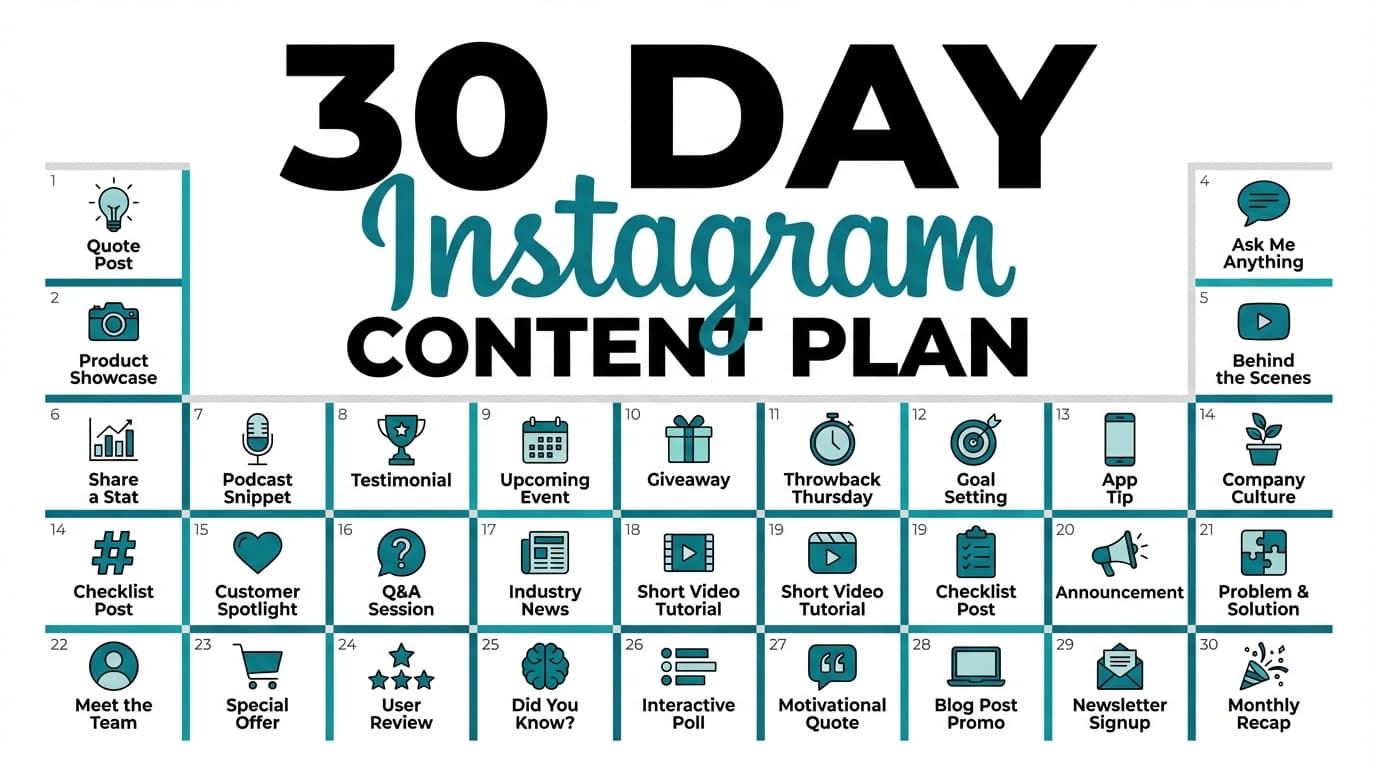
- A full 30-day calendar example you can copy and customize
- A batching workflow that turns the plan into scheduled posts quickly
- Common mistakes that make monthly plans fall apart (and how to avoid them)
What “planning your Instagram feed content for 30 days” actually means
A 30-day Instagram plan is more than 30 random ideas. It answers these questions in advance:
- What themes do we post about? (content pillars)
- Who are we posting for? (one primary audience + one secondary)
- What actions do we want? (save, share, DM, click, buy)
- What formats do we use? (Reels vs carousels vs photos) and why
- When do we publish each piece? (calendar + production deadlines)
- How do we keep the feed cohesive visually? (grid planning)
If your plan doesn’t cover those, you’ll still be improvising every day, just with a nicer spreadsheet.
Why a 30-day Instagram plan matters in 2026 (with data)
Planning ahead does more than keep you organized. It’s how you keep getting reach, engagement, and sales month after month.
1) Different formats win for different goals (reach vs engagement)
Buffer analyzed Instagram post types and found:
- Reels get 36% more reach than other post types
- Carousels get 12% more engagement than other post types
(Source: https://buffer.com/resources/instagram-reach-engagement-analysis/)
Implication: plan Reels for discovery and carousels for deeper engagement (saves, shares, swipes) on purpose, rather than posting whatever you feel like that day.
2) Engagement rates are low, so small improvements matter
Rival IQ reports an overall median Instagram engagement rate of 0.43% (for brands). (Source: https://www.rivaliq.com/blog/social-media-industry-benchmark-report-2024/)
When the baseline is under 1%, doing the basics well makes the difference: - better hooks - better structure - better consistency - and a format mix that matches your goals.
3) Carousels can be a reliable “engagement engine”
Socialinsider’s Instagram benchmarks highlight carousels as top performers, citing ~0.55% average engagement rate for carousels and broader engagement pressure over time. (Source: https://www.socialinsider.io/social-media-benchmarks/instagram)
Implication: if you only post Reels (or only photos), you’re probably missing engagement you could get.
4) Native scheduling has limits, and planning keeps you inside them
Instagram scheduling guidance (via Meta/Instagram help) notes you can schedule up to 25 posts per day and up to 75 days in advance. (Source: https://help.instagram.com/439971288310029/)
Planning 30 days ahead fits inside that window, which helps if you batch create content.
5) Most brands don’t post daily, so you don’t need to either
Many resources summarize typical brand posting patterns as roughly ~5 posts/week (varies by industry and size), often based on benchmark datasets. For example, SocialBee references a “~20 posts/month” pattern and breaks down format mix from benchmark research. (Source: https://socialbee.com/blog/instagram-content-calendar-template/)
Implication: a strong 30-day plan can be 3–5 feed posts/week (plus Stories if you use them), not necessarily 30 feed posts. Aim for consistency and quality without burning out.
How to plan Instagram feed content for the next 30 days: step-by-step
Step 1: Choose your 30-day goal (one goal, one metric)
Without one clear goal for the month, the posts you plan won’t add up to anything.
Pick one primary goal:
- Grow reach (top-of-funnel): optimize for reach and shares
- Build trust (mid-funnel): optimize for saves, comments, and DMs
- Drive sales/leads (bottom-funnel): optimize for clicks, DMs, and conversions
Then choose one primary metric:
- Reach goal → reach per post (especially Reels)
- Trust goal → saves + shares per post (carousels shine here)
- Sales goal → link clicks / DMs / purchases attributed (track consistently)
Pro tip: Write this in one sentence:
“In the next 30 days, we want to _ by _.”
Example:
“In the next 30 days, we want to increase qualified inquiries by increasing DMs from non-followers.”
Step 2: Lock in 3–5 content pillars (and define what “good” looks like)
Content pillars are your repeatable themes. With them, you don’t have to rethink your strategy every Monday.
Choose 3–5 pillars:
- Education / How-to (teach your audience)
- Proof / Social proof (results, testimonials, case studies)
- Behind-the-scenes / Process (how it’s made, day-in-the-life)
- Authority / POV (hot takes, myths, frameworks)
- Promotion (offers, product, services, launches)
Now make each pillar specific.
Bad: - “Education” Good: - “Education: 60-second tutorials on meal prep for busy nurses” - “Proof: client transformations + meal plan screenshots” - “BTS: grocery haul + how I batch cook Sundays”
Pro tip: For each pillar, define: - 5 recurring post ideas - 3 recurring hooks (“Most people get this wrong…”) - 1 clear CTA (“Save this”, “DM me ‘PLAN’”)
Step 3: Decide your posting frequency (and make it realistic)
Start with what you can sustain.
Common patterns: - 3 posts/week (great for solo creators) - 4–5 posts/week (common for businesses/teams) - Daily feed posts (only if you have production capacity)
If you manage multiple accounts, standardize: - 3 posts/week per client minimum - add extra posts during promos or campaigns
Pro tip: Choose your frequency first, then plan content to match. Don’t plan 30 posts and hope they’ll somehow get made.
Step 4: Choose a format mix (Reels vs carousels vs photos) based on your goal
Use research to guide your mix:
- If you want reach: lean into Reels
Buffer: Reels see 36% more reach on average. (Source: https://buffer.com/resources/instagram-reach-engagement-analysis/) - If you want engagement: lean into carousels
Buffer: carousels see 12% more engagement. (Source: same as above) - Photos still work, especially for brand/aesthetic/storytelling, but don’t rely on photos alone if growth is the goal.
A practical 30-day mix (for 4 posts/week = ~16 posts/month): - 6 Reels (discovery) - 6 Carousels (saves/shares) - 4 Photos (brand + storytelling + offers)
If you’re posting 3x/week (~12 posts): - 4 Reels - 5 Carousels - 3 Photos
Step 5: Map your month using a simple content cadence (so it doesn’t feel random)
A “cadence” is just a repeatable weekly rhythm.
Example cadence (4 posts/week):
- Mon: Educational carousel (save-worthy)
- Wed: Reel (top-of-funnel)
- Fri: Proof/testimonial (photo or carousel)
- Sun: Behind-the-scenes or POV (photo or Reel)
That mix gives followers something useful, brings in new people, builds trust, and sells a little.
Optional: use a content mix rule (lightly)
You’ll see rules like “4-1-1” or “80/20.” They’re useful when you start out, but they aren’t laws.
A simple version: - 70–80% value / relationship / proof - 20–30% promotion
If you’re launching, promotion goes up. If you’re rebuilding trust, it goes down.
Step 6: Build your “Idea Bank” (so you’re never stuck again)
Before you place posts on a calendar, build an idea bank of 40–60 ideas.
Use these prompts:
Education - “3 mistakes you’re making with _” - “The checklist I use before _” - “Do this instead of ____”
Proof - “Before/after: ____” - “Client result breakdown: what we changed” - “My process in 5 steps”
Behind-the-scenes - “A real day doing _” - “What I’m working on this week” - “How I plan _”
Promotion - “What you get when you buy/book ____” - “FAQ about my offer” - “Behind the offer: who it’s for / not for”
Pro tip: Pull ideas from: - your best-performing posts (sort by saves/comments) - FAQs you get in DMs - Reddit threads in your niche (real pain points)
Step 7: Turn ideas into a 30-day calendar (with production deadlines)
Now schedule your month with two layers:
1) Publishing calendar (what goes live and when)
2) Production calendar (when you create/film/design it)
Example production deadlines: - Reels: script Monday, film Tuesday, edit Wednesday, schedule Thursday - Carousels: outline + copy Monday, design Tuesday, schedule Wednesday
This prevents last-minute creation.
Step 8: Plan your grid aesthetic (only after you plan your strategy)
A feed that looks good together helps, but it won’t drive growth on its own.
Use grid planning to: - avoid posting 6 dark images in a row - balance text-heavy carousels with lifestyle photos - keep brand colors consistent
If you want a visual way to do this, use a grid preview tool and drag-and-drop your upcoming posts into order.
Tool tip: PostQuickAI has an Instagram feed planner tool where you can preview your grid and rearrange upcoming posts before you schedule them.
/tools/instagram-feed-planner
Step 9: Schedule everything (so the plan actually happens)
The plan isn’t finished until the posts are scheduled or ready to publish.
Native scheduling limits (so you plan around them)
Instagram scheduling guidance notes: - up to 25 scheduled posts per day - up to 75 days in advance (Source: https://help.instagram.com/439971288310029/)
If you want a simpler workflow (especially for teams), using a scheduler can help.
PostQuickAI note: - Supports scheduling/auto-publishing Instagram single-image feed posts - Supports Instagram carousel posts (multi-image) - Supports Instagram Reels (video) - Supports Instagram Stories auto-publishing (image or video) /instagram-scheduler
Pricing note: PostQuickAI is a paid subscription; plans start at $15/month, and your first plan starts with a 7-day free trial (card required).
/pricing
A ready-to-copy 30-day Instagram feed plan (example calendar)
Below is a 30-day example built around 4 posts/week (16 posts). Adjust the pillars and CTAs for your niche.
The pillars used in this example
- P1 Education
- P2 Proof
- P3 Behind-the-scenes
- P4 Promotion
Week 1 (Posts 1–4)
| Day | Format | Pillar | Topic idea | CTA |
|---|---|---|---|---|
| Mon | Carousel | Education | “Stop doing ___: do this instead (5 steps)” | Save this |
| Wed | Reel | Education | “3 mistakes with ___ (quick demo)” | Follow for more |
| Fri | Photo | Proof | Screenshot/testimonial + 3-bullet context | Comment “INFO” |
| Sun | Carousel | BTS | “How I plan my week (template)” | DM “PLAN” |
Week 2 (Posts 5–8)
| Day | Format | Pillar | Topic idea | CTA |
|---|---|---|---|---|
| Mon | Carousel | Education | “The checklist I use before ___” | Save + share |
| Wed | Reel | BTS | “Behind the scenes: how I create ___” | Ask a question |
| Fri | Carousel | Proof | “Case study: before/after + what changed” | Save |
| Sun | Photo | Promotion | “Offer spotlight: who it’s for + 3 outcomes” | DM “READY” |
Week 3 (Posts 9–12)
| Day | Format | Pillar | Topic idea | CTA |
|---|---|---|---|---|
| Mon | Carousel | Authority | “Unpopular opinion: ___ is overrated” | Comment your take |
| Wed | Reel | Education | “Do this in 60 seconds: ___” | Follow |
| Fri | Photo | BTS | “A real moment/story + lesson learned” | Share to Stories |
| Sun | Carousel | Promotion | “FAQ carousel: price, process, timeline” | DM “FAQ” |
Week 4 (Posts 13–16)
| Day | Format | Pillar | Topic idea | CTA |
|---|---|---|---|---|
| Mon | Carousel | Education | “10 ideas for ___ (steal these)” | Save |
| Wed | Reel | Proof | “Results montage + 1 key insight” | Comment “RESULTS” |
| Fri | Carousel | Proof | “Objection handling: ‘I tried ___ and it didn’t work’” | Share |
| Sun | Photo | Promotion | “Last call / limited spots / reminder” | DM “LAST” |
Bonus: 14 micro-content prompts to fill the gaps (optional)
Use these if you want to add extra posts without heavy production:
- Quick tip graphic (photo)
- “Myth vs truth” mini-carousel (3 slides)
- One-slide testimonial (photo)
- Before/after (photo)
- “Tools I use” carousel
- “What I’d do if I started over” Reel
- “3 lessons learned this week” carousel
- “Behind the scenes: workspace” photo
- “Common questions I get” carousel
- “Mistake of the week” Reel
- “Client win” photo
- “Process in 5 steps” carousel
- “React to a trend (in your niche)” Reel
- “You don’t need ; you need ” carousel
How to batch-create 30 days of content (without doing 30 days of work)
A good batching day has three outcomes: 1) content outlined 2) assets created or filmed 3) posts scheduled
A realistic batching schedule (for ~16 feed posts)
Block 1 (60–90 min): Planning - pick goal + pillars - choose cadence - map topics to week/day
Block 2 (2–3 hours): Create assets - film 4–6 Reels in one session - design 4–6 carousel templates (then duplicate)
Block 3 (1–2 hours): Write + refine captions - write captions in batches by pillar (education captions together) - add CTAs + hashtags (keep a reusable set)
Block 4 (60–90 min): Schedule - upload, add captions, choose dates/times - double-check thumbnails/covers (especially Reels) - verify grid order visually
Where PostQuickAI can help: - Use AI tools to generate or rewrite captions, adjust tone, and proofread before scheduling. - Use the Instagram scheduler for single-image posts, carousels, and Reels. - Use the feed planner to preview/reorder the grid. Links: /instagram-scheduler and /tools/instagram-feed-planner
12 best practices for planning your Instagram feed for the next 30 days
-
Plan for results as well as looks
A cohesive grid doesn’t compensate for unclear messaging or weak hooks. -
Use Reels for discovery, carousels for depth
Buffer’s data supports Reels for reach and carousels for engagement.
Source: https://buffer.com/resources/instagram-reach-engagement-analysis/ -
Write stronger hooks than you think you need
Your first line (or first slide) must earn attention. -
Design carousels for “swipe momentum”
- Slide 1: promise - Slides 2–8: steps/examples - Last slide: recap + CTA (save/share/DM) -
Create 2–3 reusable templates
Template your carousel design and Reel cover style to speed up production. -
Make your CTAs match the post goal - Education: “Save this” - Proof: “Comment ‘INFO’” - BTS: “What do you want to see next?” - Promo: “DM me ‘READY’”
-
Audit your last 90 days before planning the next 30 Sort by saves, shares and comments as well as likes.
-
Batch by format, not by date Film all Reels together; design all carousels together.
-
Add one “community” post per week Q&A, unpopular opinion, or a relatable story invites comments and DMs.
-
Leave 10–15% of the calendar flexible Trends, timely moments, and last-minute wins need space.
-
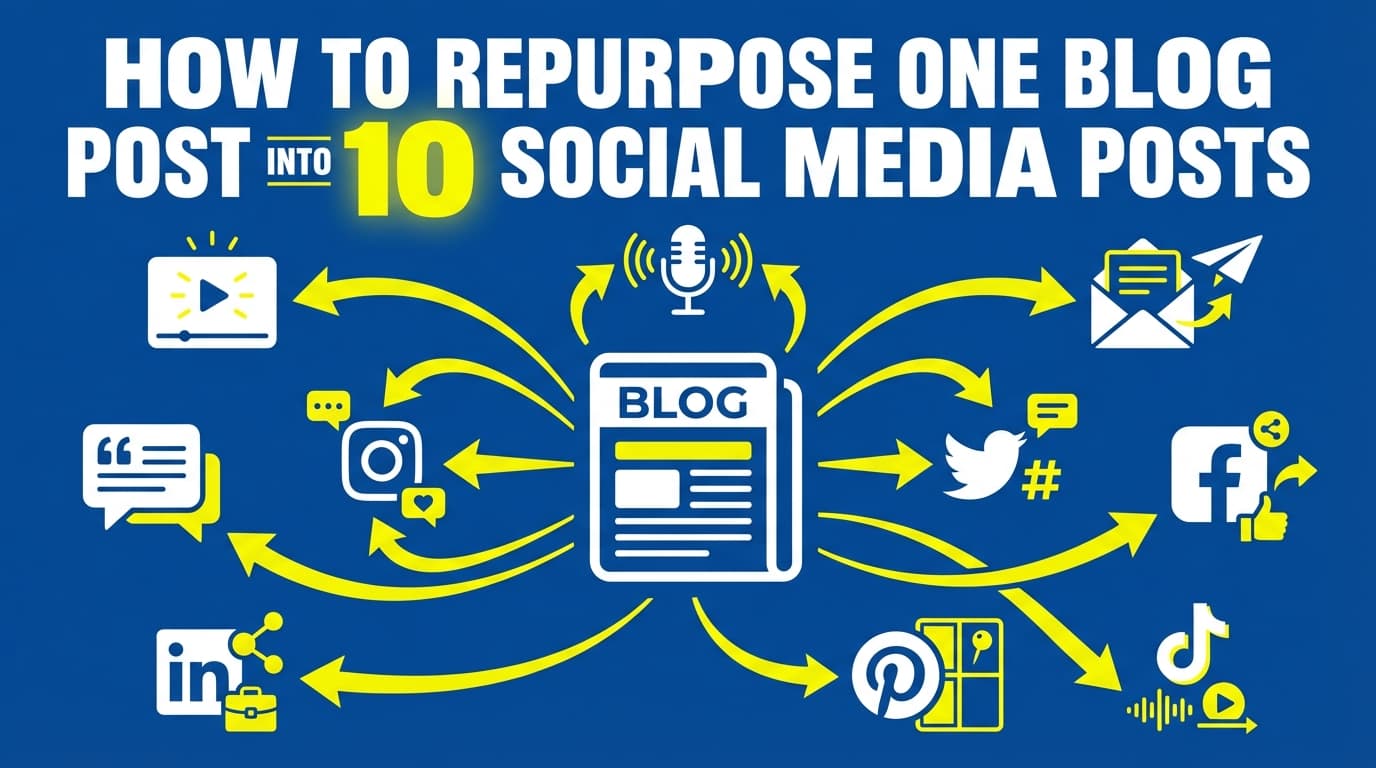
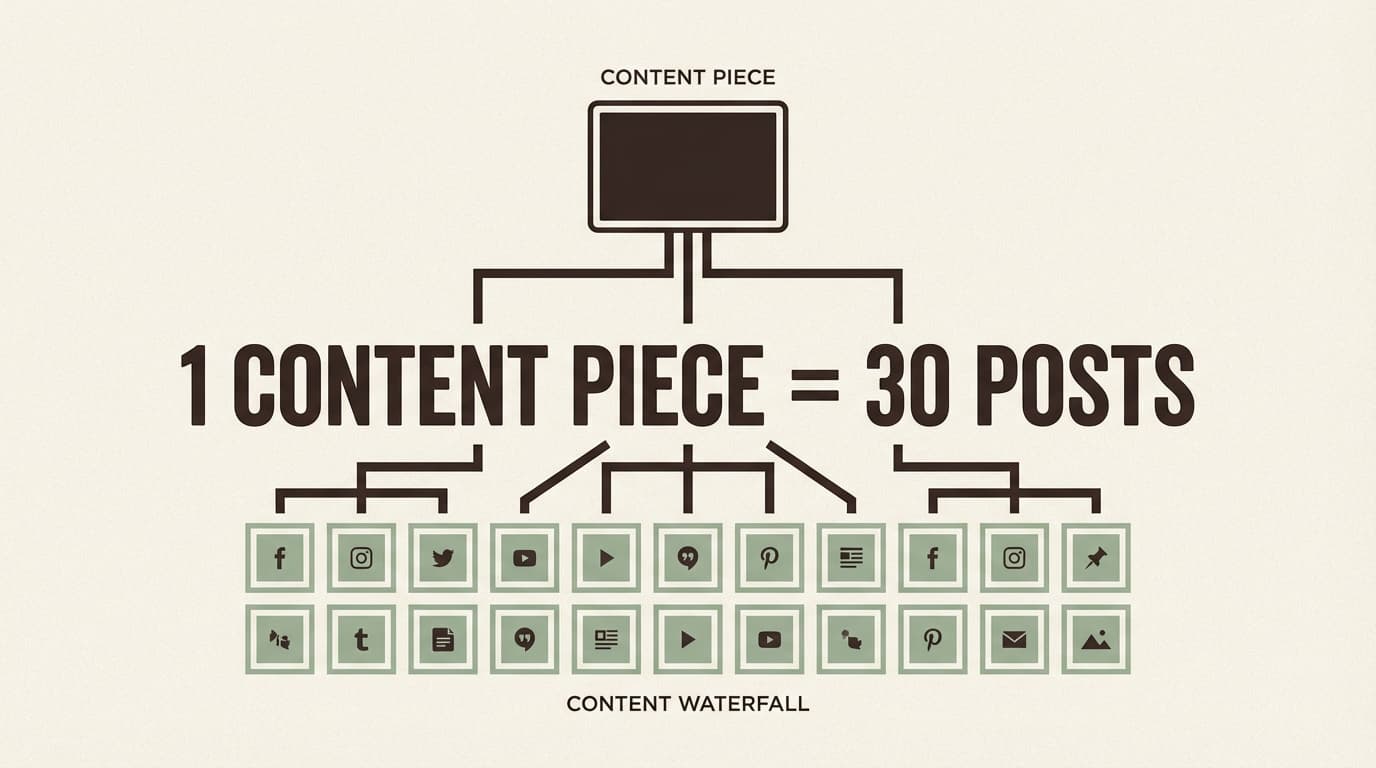
Plan repurposing (so one idea becomes 3 posts) Example: - Reel: 3 mistakes - Carousel: checklist - Photo: personal story + lesson
-
Document your plan so it’s repeatable If you’re an agency, you want something you can reuse for every client.
Common mistakes that break 30-day plans
Mistake 1: Planning 30 posts when you can only produce 10
Fix: plan at your sustainable frequency (3–5/week), then add optional prompts.
Mistake 2: Making every post “educational”
Fix: mix education with proof, BTS, and promotion so the month feels human.
Mistake 3: Ignoring production time
Fix: add production deadlines (script/film/edit/design) into your calendar.
Mistake 4: Posting random formats without purpose
Fix: choose a format mix based on your goals (reach vs engagement).
Source: Buffer analysis above.
Mistake 5: Over-promoting (or under-selling)
Fix: decide your value-to-promo ratio for the month, then commit.
Mistake 6: Forgetting the grid order until it’s too late
Fix: preview your next 9–12 posts in a grid planner before scheduling.
Tools to help you plan Instagram feed content for the next 30 days
You don’t need a huge tech stack. Pick one tool per job:
Planning + calendar
- Notion / Google Sheets: quick calendar planning, approvals, checklists
- Trello / Asana: production pipeline (script → film → edit → schedule)
Design
- Canva: templates for carousels + Reel covers
Native scheduling
- Instagram scheduling / Meta tools: works within platform limits; Instagram scheduling guidance notes up to 25 posts/day and up to 75 days in advance.
Source: https://help.instagram.com/439971288310029/
Scheduling + grid preview (optional)
- PostQuickAI:
- Schedule/auto-publish Instagram single-image feed posts, carousels, and Reels
- Use AI tools to generate/adjust/proofread captions (helpful for batching)
- Preview and rearrange posts with the Instagram feed planner
Links: /instagram-scheduler, /tools/instagram-feed-planner
Pricing note: paid plans start at $15/month. Link: /pricing
Key takeaways
- Plan your next 30 days by deciding: goal → pillars → cadence → format mix → calendar → batching → scheduling
- Use a research-backed mix: Reels for reach, carousels for engagement (Buffer data)
- Build a plan you can produce, not a plan that looks impressive in a spreadsheet
- Preview your grid before you schedule so your feed stays cohesive without obsessing over perfection
- Scheduling is what turns the plan into posts that go out on time, especially when you batch create
FAQ (based on common “People Also Ask” questions)
How far ahead can I schedule content on Instagram?
Instagram’s scheduling guidance notes you can schedule up to 25 posts per day and up to 75 days in advance (for supported content types like posts and Reels).
Source: https://help.instagram.com/439971288310029/
What is the 4-1-1 rule on Instagram?
The “4-1-1” rule is a content mix guideline: 4 value posts, 1 soft promo, 1 direct promo. It isn’t an official Instagram rule. It’s a handy way to keep your feed from getting too salesy while you still promote regularly.
Do carousel posts get more engagement than Reels?
In Buffer’s analysis, carousels generated 12% more engagement than other post types, while Reels generated 36% more reach.
Source: https://buffer.com/resources/instagram-reach-engagement-analysis/
Practical takeaway: use Reels to get discovered, then use carousels to earn saves/shares.
How often should I post on Instagram if I’m planning 30 days ahead?
A common sustainable range is 3–5 feed posts per week, depending on your production capacity and goals. For many brands that’s enough to stay consistent without giving up quality, especially if you mix formats and batch-create.
Can I schedule Instagram Stories?
Scheduling capabilities vary by tool and account setup. This guide focuses on feed posts and Reels (which Instagram’s scheduling guidance explicitly covers).
If you use PostQuickAI, it schedules and auto-publishes Instagram Stories, alongside feed posts, carousels, and Reels.
What’s the easiest way to plan Instagram feed content for the next 30 days?
Use this minimal version:
1) Pick 3 pillars
2) Choose 3 posts/week
3) Assign each day a pillar (Mon educate, Wed reel, Fri proof)
4) Batch create in one session
5) Schedule everything so the plan runs without daily stress