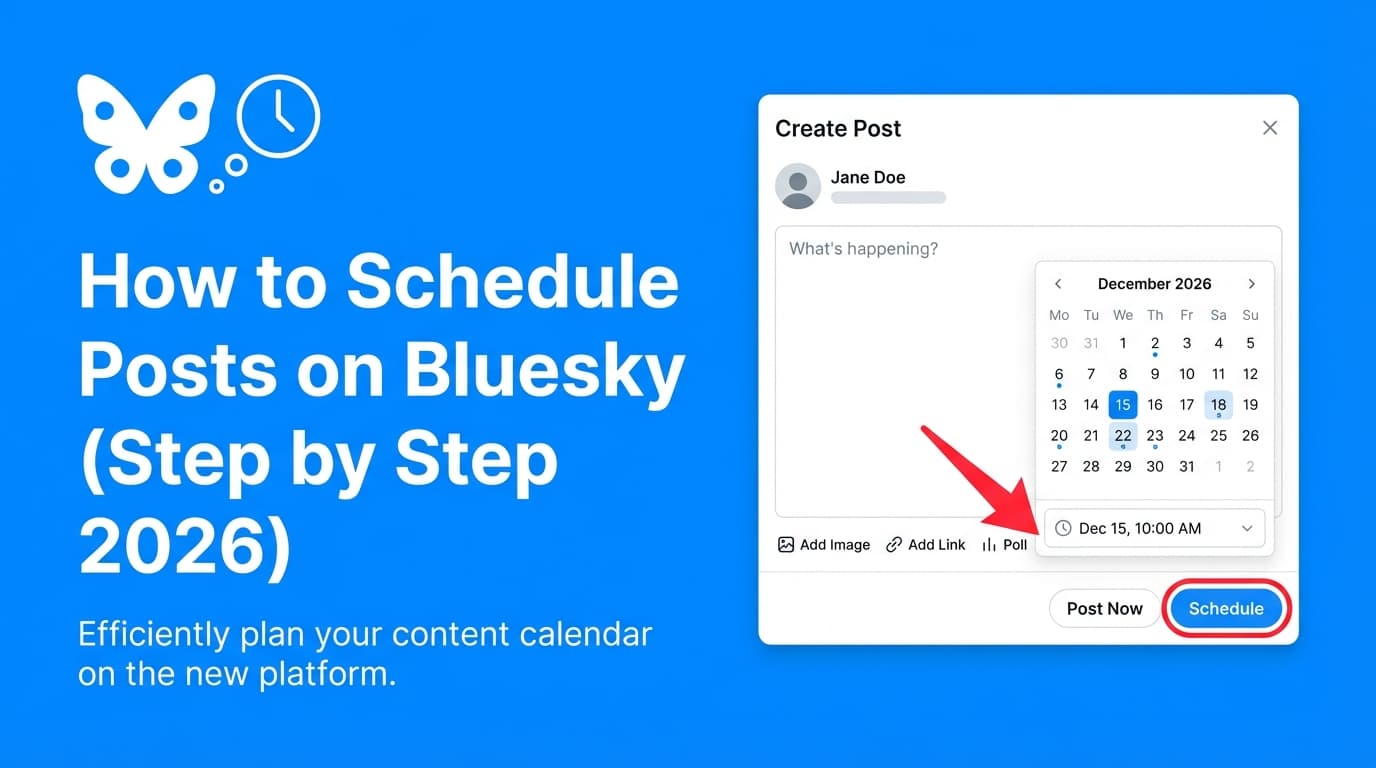
How to Schedule Posts on Bluesky (Step-by-Step 2026): Complete Guide (Tools, Limits & Best Practices)
Learn how to schedule posts on Bluesky step by step in 2026. Includes current post limits (300 characters), video rules, a batching workflow, and tool options.

Author
Bluesky isn’t “small” anymore: multiple trackers put the network at ~40M+ users (for example, Backlinko reports 40.2 million users, and Jaz’s Bluesky index shows 41M+ users). That’s a big enough audience to plan for properly, especially if you already cross-post from X or Threads or manage several brands.
Sources: Backlinko Bluesky stats (backlinko.com/bluesky-statistics), Jaz Bluesky stats (bsky.jazco.dev)
But Bluesky still doesn’t offer a built-in post scheduler in its official app/website, so if you want consistency, you need a workflow and (usually) a third-party tool.
Sources: SocialPilot + Metricool both explicitly state there’s no native scheduling (socialpilot.co, metricool.com)
This guide covers: - The simplest way to schedule Bluesky posts (even if you don’t want a tool) - A step-by-step workflow using a third-party scheduler (including app password setup) - 2026 Bluesky posting limits you must plan around (text, images, video) - Best practices and common mistakes (based on what users complain about) - Tool options (including PostQuickAI) and how to choose
What does “scheduling posts on Bluesky” mean?
Scheduling means writing a post now and setting it to publish automatically later (e.g., tomorrow at 9:00 AM), without you needing to be online.
Because Bluesky doesn’t have native scheduling today, scheduling typically happens via: 1. A third-party scheduler (recommended for reliability + scale) 2. Manual “poor man’s scheduling” (notes + reminders + copy/paste)
Why scheduling Bluesky posts matters in 2026
1) Bluesky moves fast, so steady posting matters
If you only post when you “have time,” you’ll disappear for weeks. Scheduling lets you: - batch content (create 10–30 posts in one sitting) - maintain a daily cadence - stay present across time zones
2) Bluesky has hard limits, and planning avoids last-minute failures
Two big ones to plan around:
-
Text limit: Bluesky post length is 300 characters (more precisely, 300 Unicode grapheme clusters).
Source: Bluesky docs on intent links (docs.bsky.app) -
Video constraints changed over time: Bluesky introduced video in 2024 with daily caps; later it expanded video length.
- Video launch post notes a daily cap of 25 videos / 10 GB per day (at the time of announcement).
Source: Bluesky blog “Share video on Bluesky!” (bsky.social/about/blog/09-11-2024-video) and coverage like The Verge - Bluesky later expanded max video length to up to 3 minutes (reported by TechCrunch).
Source: TechCrunch (techcrunch.com/2025/03/10/..)
3) Scheduling gets teams out of publishing tabs
If you manage social for one or more brands, you want to plan once and have posts go out all week. You need a scheduler for that.
Before you schedule: Bluesky limits & requirements you should know (2026)
These limits break scheduled posts more than anything else, so check them before you batch.
Bluesky text limit (2026)
- 300 characters per post
Source: Bluesky docs (docs.bsky.app)
Practical tip: When cross-posting from Threads/LinkedIn, write a “short version” first, then link out.
Bluesky images per post
Many schedulers (and Bluesky itself) support up to 4 images per post.
Examples of sources referencing the 4-image limit: Sprinklr’s Bluesky publishing guidelines and other tooling documentation
Practical tip: Build a repeatable format: - 1 image = announcement - 2–4 images = mini-carousel (steps, screenshots, before/after, quote cards)
Bluesky video basics (fast rules)
Video rules have changed over time, so check in the app if you’re close to a limit. What’s documented:
- Bluesky introduced video with a daily cap of 25 videos / 10 GB (at announcement).
Source: Bluesky blog + The Verge coverage (bsky.social,theverge.com) - Max video length later expanded to up to 3 minutes.
Source: TechCrunch (techcrunch.com)
Practical tip: If your scheduler supports Bluesky video, test with one video first (format, length, and size), then batch.
Account connection & security: use an app password
Many third-party tools connect to Bluesky using your handle + app password (not your main password).
- Bluesky provides an App Passwords page in settings.
Source: Bluesky settings (bsky.app/settings/app-passwords) - AT Protocol documentation describes app passwords as a way to reduce risk when logging into third-party apps.
Source: AT Protocol specs (atproto.com/specs/xrpc)
How to schedule posts on Bluesky (step by step 2026)
You have two practical approaches:
- Manual scheduling (no tool): best if you post rarely
- Third‑party scheduler: best if you want consistency, batching, or cross-posting
Option A: Schedule Bluesky posts without a scheduler (manual workaround)
You still post by hand, but it works if you only need the occasional future post.
Step 1: Write your posts in a notes doc
Create a simple template:
- Post text (≤300 chars)
- Link (if any)
- Media filename(s)
- Target date/time + timezone
Step 2: Set a reminder (calendar + notification)
Add a calendar event or phone reminder with: - exact publish time - the post text copied into the description - the media attached (if your system allows) or a link to the media folder
Step 3: Copy/paste into Bluesky and publish
At reminder time: - open Bluesky - paste text - attach media - post
Pro tip: If you manage multiple clients, this approach breaks down fast. It’s fine for a solo creator and painful for an agency.
Option B: Schedule Bluesky posts with a third-party scheduler (recommended)
Tools such as Hootsuite, SocialBee, Metricool, SocialPilot and Buffer all work the same basic way:
1) connect Bluesky
2) compose a post
3) choose date/time
4) schedule
5) review/edit queued posts
The steps below work with most schedulers, using PostQuickAI as the example.
Step-by-step: schedule a Bluesky post with PostQuickAI
PostQuickAI supports scheduling and auto-publishing to Bluesky text posts, image posts (up to 4 images), and video posts, and connects via handle + password (using an app password is recommended).
Pricing: PostQuickAI is a paid subscription for the core scheduler with a 7-day free trial on your first plan (card required). Plans start at $15/month.
Step 1: Create a Bluesky app password (recommended)
- Log in to Bluesky on web or mobile.
- Go to Settings → App Passwords (or directly:
https://bsky.app/settings/app-passwords). - Create a new app password and name it (e.g., “PostQuickAI”).
- Copy it and store it securely (password manager).
Sources: Bluesky app password settings (bsky.app), AT Protocol explanation (atproto.com)
If you ever want to revoke access, you can delete the app password without changing your main password.
Step 2: Connect your Bluesky account in your scheduler
In PostQuickAI (or any scheduler), connect Bluesky using:
- your handle (e.g., yourname.bsky.social)
- your app password
Troubleshooting tip: If login fails, it’s often because: - you pasted the wrong password (main password vs app password) - there’s an extra space at the end - the app password was revoked or regenerated
Step 3: Choose your post type (text, images, or video)
Before you write anything, decide what you’re scheduling:
- Text-only: fastest, easiest to batch
- Image post: ideal for mini-tutorials, screenshots, receipts
- Video: best for demos and announcements (test once before batching)
Remember: Many workflows assume up to 4 images per post on Bluesky. If you try to attach more, you may need to split into multiple posts.
Step 4: Write the post (with Bluesky constraints in mind)
Use this Bluesky-friendly structure:
- Hook (1 line): clear point of view
- Value (1–2 lines): what the reader gets
- CTA (1 line): question or “reply with…”
Example (fits 300 chars):
If your Bluesky posts keep “falling off,” you probably don’t need more ideas. You need a posting system.
I batch 15 posts in 45 minutes using a simple template. Want the template? Reply “SYSTEM”.
Pro tip: If you’re cross-posting from X, rewrite instead of pasting. Bluesky users tend to respond to direct posts that start a conversation.
Step 5: Add media (optional)
- For images: pick up to 4 images
- For video: upload your video file
Video best practice: schedule one video first, confirm it publishes cleanly, then batch.
Step 6: Select date/time (and confirm timezone)
This is where most scheduling mistakes happen.
Checklist: - Are you scheduling in your timezone or the client’s? - Are you aiming for your audience’s active hours? - Is this post tied to an event launch (and needs precision)?
Practical approach (if you don’t have Bluesky-specific analytics):
- Start with midweek late morning to afternoon as a baseline, then adjust based on replies/likes.
(Most “best time” advice for Bluesky comes from tool vendors’ estimates, so treat it as a starting point.)
Step 7: Review your scheduled queue/calendar
Before you walk away, do a “pre-flight check”: - no broken links - no unfinished “TBD” - correct media attached - no duplicates - spacing/line breaks look right
Step 8: Schedule (and keep a “pause plan”)
Good schedulers let you edit or delete scheduled posts before they publish. Even if yours does, you should still have a plan for: - breaking news - a brand crisis - a sudden shift in tone (“read the room” moments)
Hootsuite explicitly recommends leaving room for in-the-moment posting and pausing scheduled content if “vibes change.”
Source: Hootsuite’s Bluesky scheduling guide (blog.hootsuite.com/schedule-bluesky-posts/)
A batching workflow you can copy (the “30 posts in 60 minutes” system)
If you manage a brand or several clients, the time savings come from scheduling a week (or a month) at once.
1) Build 3–5 Bluesky content “buckets”
Pick repeatable categories:
- Proof: results, screenshots, mini case studies
- Teach: quick tips, checklists, short tutorials
- Opinion: a clear POV (respectful, specific)
- Behind-the-scenes: process, tools, decisions
- Conversation starters: polls aren’t native everywhere; use questions
2) Write 10 hooks first (no scheduling yet)
Hooks take the longest to write, so start with them. Examples:
- “Unpopular opinion: scheduling doesn’t make you sound fake. Scripts do.”
- “If you’re cross-posting to Bluesky, stop doing this one thing…”
- “Here’s the 3-line template I use for posts that get replies.”
3) Turn each hook into a post using a template
Template:
- Hook
- One insight
- One example
- One question
4) Schedule with spacing (don’t “wallpaper” the feed)
Start simple: - 1 post/day for 2 weeks, then increase if engagement supports it - Keep gaps for real-time posts and replies
5) Recycle what worked (carefully)
Reposting evergreen tips is normal. Just: - update the first line - change the example - avoid posting the same text verbatim every time
Best practices for scheduling posts on Bluesky (2026)
These come up again and again in tool guides and user discussions.
1) Write for replies as well as likes
Bluesky growth often comes from conversation. End with a specific question:
- “What would you add?”
- “Do you agree?”
- “Want the template?”
2) Don’t over-hashtag
Hashtag “rules” are not universally standardized across sources. A safe best practice is to use a few relevant hashtags rather than stuffing many.
3) Respect the 300-character constraint Instead of forcing long posts: - split into a short thread by replying to yourself - post a concise version + link to the long-form source
4) Test video scheduling before you commit
Because video limits and tool support can differ, do one test run first. Also remember Bluesky has had published daily caps around video uploads (e.g., 25 videos / 10 GB at launch).
Source: Bluesky blog (bsky.social)
5) Keep a “pause switch” for sensitive moments Scheduled posts still need someone watching. If something changes fast (news, brand issues), pause them.
Common mistakes to avoid (and how to fix them)
Mistake 1: Thinking Bluesky has native scheduling
Many users search for “schedule posts on Bluesky” expecting a built-in feature. Today, you’ll need a third-party scheduler.
Sources: SocialPilot + Metricool + Hootsuite guides
Fix: Pick a tool (or use reminders). Then standardize your workflow.
Mistake 2: Not using an app password for third-party tools
Using your main password increases risk and makes revoking access harder.
Fix: Create a dedicated app password and revoke it anytime.
Sources: bsky.app app password settings, AT Protocol (atproto.com)
Mistake 3: Scheduling cross-posts that don’t fit Bluesky culture
Copying an X post that relies on quote tweets, long threads, or heavy context can land flat.
Fix: Rewrite the first line for Bluesky: - clearer context - more conversational CTA - fewer assumptions
Mistake 4: Ignoring image/video limits until upload time
Finding out at upload time can waste a whole batching session.
Fix: Keep a “media spec” checklist: - Images: plan around up to 4 images/post - Video: test one post, confirm it publishes and plays
Mistake 5: Over-scheduling and under-engaging
A scheduled calendar doesn’t replace interaction.
Fix: Pair your schedule with a simple engagement habit: - 10 minutes/day replying thoughtfully - 2–3 comments on other posts in your niche - welcome new followers (publicly, not spammy)
Tools to help you schedule posts on Bluesky
Below are common categories of tools people use. Always confirm the latest features and pricing on the vendor’s site.
Scheduling tools (third-party)
-
PostQuickAI: Schedule and auto-publish Bluesky text, image (up to 4 images), and video posts. Connect using handle + password (use an app password). Paid plans start at $15/month.
/bluesky-scheduler and /pricing -
Hootsuite: Publishes a step-by-step Bluesky scheduling guide and supports scheduling via their platform.
Source:blog.hootsuite.com/schedule-bluesky-posts/ -
SocialBee: A long-form guide + scheduler positioning for Bluesky.
Source:socialbee.com/blog/how-to-schedule-posts-on-bluesky/ -
Metricool: Guide + scheduling workflow for Bluesky.
Source:metricool.com/schedule-bluesky-social-posts/ -
SocialPilot: Step-by-step guide (desktop/mobile angle).
Source:socialpilot.co/blog/schedule-post-on-bluesky -
Buffer: Announced Bluesky scheduling support and partnered publicly with Bluesky in 2024.
Source: Bluesky blog (bsky.social/about/blog/07-30-2024-schedule-and-crosspost-with-buffer)
Planning tools (manual)
If you’re not ready for a scheduler: - Google Sheets / Notion (content calendar + post templates) - Notes app + Calendar reminders (manual posting)
Key takeaways
- Bluesky doesn’t have native post scheduling right now, so you’ll need a third-party scheduler (or a manual reminder workflow).
- Plan around Bluesky constraints: 300-character limit and practical media limits like up to 4 images per post (commonly supported).
- For security, use a Bluesky app password when connecting any third-party tool.
- Batching is what keeps you consistent: write 10–30 posts, then schedule them across the week.
FAQ (People Also Ask + real user questions)
Can you schedule posts in advance on Bluesky?
Not natively in the official Bluesky app/website. You can schedule posts using a third-party scheduler (or use reminders to post manually).
Sources: SocialPilot, Metricool, Hootsuite guides
Does Bluesky have a built-in scheduler?
No. Several Bluesky scheduling guides note there’s no built-in scheduling feature at this time.
Sources: SocialPilot + Metricool
What is the best scheduler for Bluesky?
“Best” depends on what you need: - Just Bluesky posting: pick a simple scheduler with reliable publishing - Cross-posting + calendar workflow: choose a tool that supports multiple networks - Video scheduling: confirm the tool supports Bluesky video and test first
(Always verify current capabilities and pricing on each vendor site.)
How do I create an app password on Bluesky?
Go to Bluesky Settings → App Passwords (or https://bsky.app/settings/app-passwords), create a password for the specific app, and use that in the tool instead of your main password.
Sources: bsky.app, AT Protocol docs
What is the character limit on Bluesky?
Bluesky posts have a 300-character limit (documented in Bluesky developer docs).
Source: docs.bsky.app
How many images can you post on Bluesky?
Many Bluesky publishing guides and tools document up to 4 images per post.
Source examples: Sprinklr Bluesky publishing guidelines and other platform/tool docs
Can you schedule Bluesky video posts?
Some schedulers support scheduling Bluesky video, but support varies by tool, so test with one video first. Bluesky also introduced video with daily upload caps (e.g., 25 videos / 10 GB per day at launch).
Sources: Bluesky blog (bsky.social), The Verge coverage (theverge.com)
How do you automate Bluesky posts without being spammy?
Use automation for consistency, but keep authenticity by:
- scheduling your baseline content (tips, announcements)
- leaving space for real-time posts
- replying and engaging daily
- pausing scheduled content when circumstances change
Source: Hootsuite best-practice guidance on leaving room and pausing if needed