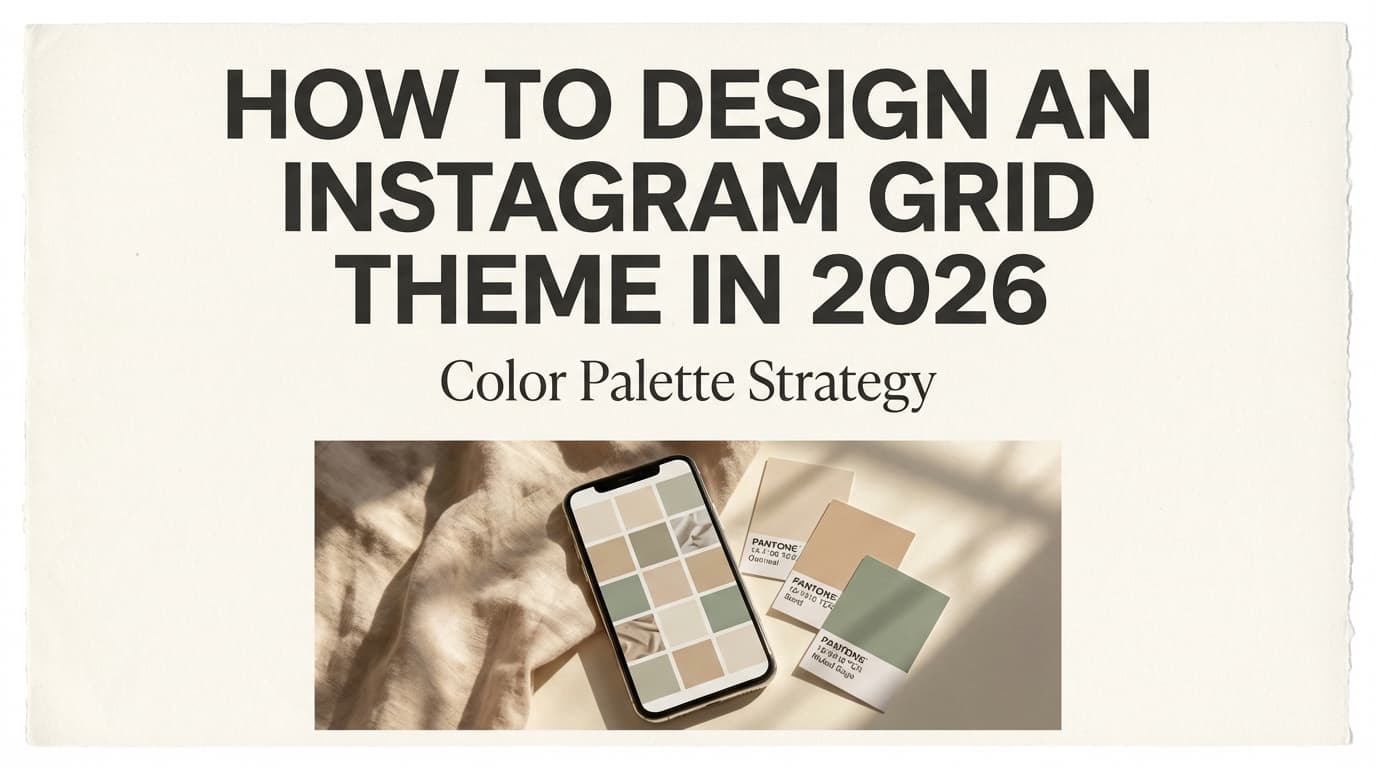
How to Design an Instagram Grid Theme in 2026: Color Palette Strategy Guide
Learn how to design a cohesive Instagram grid theme with color palette strategies, layout patterns, and visual consistency tips for 2026.

Author
Your grid is more than a mood board. It’s where profile visitors decide whether to follow or buy. With 2 billion monthly active users reported as of April 2024 (via Hootsuite’s roundup of platform stats), small improvements to how your profile looks at first glance add up. Source: Hootsuite Instagram statistics.
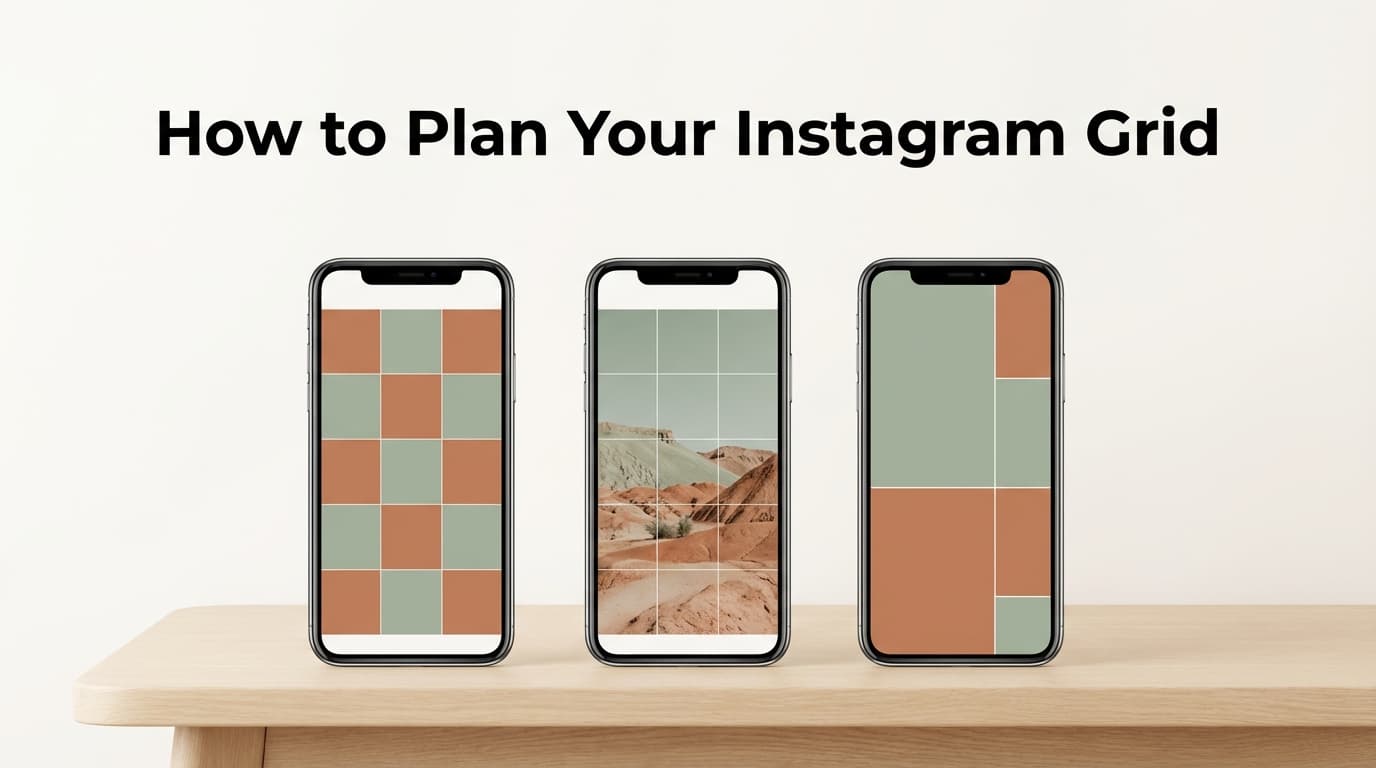
In 2026 there’s a catch: the profile grid now shows taller, vertical previews instead of the classic squares. Your old square templates can crop awkwardly, especially if your palette relies on thin borders, edge gradients, or text near the margins. Source: Kapwing’s breakdown of the new grid layout and Planoly’s guide.
This guide gives you a color palette strategy you can reuse every month without getting stuck on the same beige preset forever.
This guide covers: - A practical 3-layer palette system (brand colors → content colors → “post-to-post glue”) - How to make your palette look cohesive on the new vertical grid (without redesigning everything) - A step-by-step workflow to plan your next 9–15 posts with consistency and variety - Best practices, mistakes to avoid, and tools (including a free grid preview planner)
What is an Instagram grid theme (and what “color palette strategy” actually means)?
An Instagram grid theme is the repeatable visual system that makes your profile feel consistent at a glance. It covers: - Color palette (the main “signature”) - Lighting + edit style (brightness, contrast, warmth, grain) - Typography + layout rules (how you place text, margins, cover styles) - Content mix (photos vs carousels vs quote graphics vs Reels covers)
Most people think they have a color palette strategy (“I use pastels”), but a real one is more specific:
A palette strategy defines roles (primary / secondary / neutrals / accents), usage rules (how often and where each color appears), and constraints (how you keep posts readable and grid-safe).
In 2026, those constraints have to cover vertical-grid cropping and mobile readability as well as whether the 3x3 looks pretty.
Why Instagram grid themes still matter in 2026 (even if people say “the grid is dead”)
You’ll see plenty of hot takes like “Stop caring about your grid.” In practice:
- The grid matters most for first impression (new visitors deciding to follow, click, or DM).
- Your theme matters most when you’re selling something visual or trust-based (design, fashion, beauty, hospitality, coaches, agencies, creators).
And the platform behavior supports this:
- Half of Instagram users interact with brands at least once a day, according to Sprout Social’s Instagram stats roundup referencing its 2024 Social Media Content Strategy research. Source: Sprout Social Instagram stats
- A widely cited stat is that 90% of Instagram users follow at least one business (commonly referenced in marketing roundups). Source: WordStream Instagram statistics
Most people find your content in the feed (Reels, Explore, recommended posts). But once someone taps your name, your profile is your storefront, and a consistent palette makes it easier to take in at a glance.
The 2026 constraint: designing for the vertical grid (3:4 previews) without getting cropped
Many creators are now planning around a taller grid preview rather than classic squares. Two practical implications:
-
Text and key elements need a “safe zone.”
If your headline, logo, or product is near the edges, it can get clipped in grid preview. Source: Kapwing’s grid size/dimensions explainer and Planoly’s vertical grid guide. -
Your palette has to survive cropping.
A theme that relies on thin borders or edge gradients can look inconsistent when the edges disappear.
What to do (practical rule): - Keep your “signature color moments” (accent blocks, corner shapes, label tags) closer to the center of the design. - Use the edges for decoration only.
Sizing tip (baseline): - Many sizing guides still recommend 1080 × 1350 (4:5) for portrait feed posts, and Hootsuite’s image size guide includes portrait post sizing guidance and grid preview considerations. Source: Hootsuite social media image sizes guide
Instagram’s formats and interface change, so the safest approach is:
Design mobile-first, keep critical elements centered, and preview your grid before posting.
How to design an Instagram grid theme in 2026: Step-by-step (color palette strategy)
Step 1: Start with a “palette anchor” (your brand truth, not your mood board)
Pick one anchor color that’s already true for your brand: - A product color (packaging) - A logo color - A recurring environment color (e.g., a café’s wood tones) - A wardrobe color you naturally wear on camera
Rule: Your anchor should show up in your grid even when you’re busy. If you have to force it, you won’t keep it up.
Quick check: - Look at your last 30 posts. - Which 1–2 colors show up naturally? That’s your best anchor candidate.
Step 2: Build a 4-part palette (roles > random hex codes)
Instead of “pick 5 cute colors,” use roles:
- Primary (1 color): the signature
- Secondary (1–2 colors): supports variety
- Neutrals (2–3 colors): background + breathing room
- Accent (1 color): sparingly for “pop” (CTAs, highlights, icons)
Roles let you stay consistent without looking repetitive.
Pro tip: If your content includes people, your neutrals should complement skin tones. A neutral that’s too gray/green can make faces look sickly.
Step 3: Apply the “60–30–10” balance (so your grid doesn’t look chaotic)
A classic guideline is the 60–30–10 rule: - ~60% dominant color presence (often neutrals + primary vibe) - ~30% secondary color - ~10% accent
It isn’t a formula for every post. Use it to balance the grid as a whole. Source: design guidance is widely documented; one accessible explainer: Wix’s 60-30-10 rule guide
How it looks on Instagram: - 60%: your backgrounds, lighting, negative space - 30%: recurring supporting colors (props, overlays, templates) - 10%: the “signature pop” (a bright label tag, a button color, a frame)
Step 4: Choose a “glue” edit style (the fastest way to look cohesive)
Feeds that look cohesive usually get there through consistent editing more than a perfect palette.
Pick a glue style you can repeat: - Warm + airy (higher exposure, softer shadows) - Cool + crisp (clean whites, higher clarity) - Film grain + muted tones - High contrast + bold saturation
Commit to 3 consistent settings: - Temperature (warm/cool) - Contrast curve (soft/hard) - Saturation level (muted/bright)
Do that and the palette mostly takes care of itself.
Step 5: Make your palette readable
If you use text on graphics (carousels, quotes, announcements), contrast matters.
A common accessibility baseline: WCAG contrast ratio of at least 4.5:1 for normal text (and 3:1 for large text). Source: UCLA Brand accessibility (WCAG contrast guidance)
Instagram-specific benefit: readable slides get saved/shared more because people can actually consume them.
Simple rule: - Dark text on a light background or light text on a dark background. Avoid mid-tone on mid-tone.
Step 6: Design for the vertical grid safe zone (center-weight your templates)
If you create templates in Canva/Figma/Photoshop:
- Put your headline, face, product, or focal object in the center “safe area.”
- Keep decorative frames and gradients toward edges.
Then preview the grid before you post (because what looks fine on a single post can break in a 3-column grid).
Step 7: Create 3 “post types” so your palette scales beyond 9 posts
A palette breaks when every post tries to do everything.
Instead, define 3 repeatable post types:
- Photo-first posts
- Natural colors + consistent edit - Template/graphic posts (carousels, tips, promos)
- Controlled backgrounds + typography + consistent accent usage - Bridge posts (the most useful of the three)
- Minimal posts designed mainly to connect color transitions (e.g., neutral background + small accent tag)
Bridge posts are how you shift from “summer brights” to “fall neutrals” without your grid looking like a brand reset.
Step 8: Plan a 9-post “grid sprint”
Design your next 9 posts as a unit:
- 3 photo-first
- 3 educational carousels
- 2 community/story posts
- 1 bridge post
Now map colors: - Each row should have one recurring neutral - Each row should include one accent moment - Avoid stacking the same dominant color in a column unless you’re doing an intentional “color column” theme
Step 9: Batch-create your palette assets (so consistency doesn’t depend on willpower)
Create a small “palette kit”: - 5–10 background blocks (solid + subtle gradients) - 8 icon shapes (in your accent color) - 2 text styles (headline + body) - 1 cover layout for carousels - 1 Reel cover layout
The kit doesn’t need to be beautiful. It needs to be quick to reuse.
Color palette strategy templates (with examples you can copy)
Below are role-based palettes (not trend names). Swap hex codes to match your brand.
Template A: Clean + modern (great for service businesses)
- Primary: #111827 (near-black)
- Secondary: #2563EB (blue)
- Neutrals: #F9FAFB, #E5E7EB
- Accent: #F59E0B (amber)
Works well with: white space, clean typography, high readability.
Template B: Warm lifestyle (great for creators, cafés, wellness)
- Primary: #7C2D12 (clay)
- Secondary: #F97316 (warm orange)
- Neutrals: #FFF7ED, #E7E5E4
- Accent: #14532D (deep green)
Works well with: wood, food, skin tones, natural light.
Template C: Soft pastel (great for beauty, fashion, feminine brands)
- Primary: #BE123C (raspberry)
- Secondary: #FBCFE8 (pink)
- Neutrals: #FFF1F2, #FAFAFA
- Accent: #7C3AED (violet)
Watch-outs: ensure text contrast (don’t use light pink text on white).
Template D: Bold contrast (great for edgy brands, streetwear, creators)
- Primary: #0B0F19 (ink)
- Secondary: #22C55E (electric green)
- Neutrals: #F3F4F6, #111827
- Accent: #E11D48 (hot pink)
Works well with: strong type, punchy hooks, high contrast.
Best practices (2026-specific) for a cohesive Instagram grid theme
-
Design for grid preview first, then individual posts
Preview your next 9 posts before you publish. The grid is where cohesion is judged. -
Keep your accent color rare
The accent stands out because you rarely use it. If everything pops, nothing does. -
Use neutrals as your dominant “60%”
Neutrals are what keep the grid calm when your content topics vary. -
Make one color the “recurring signature”
Example: always include a small corner tag in your accent color, or a consistent background tone. -
Prioritize readability for carousels
If carousels are part of your strategy, benchmark data suggests they can be strong engagement drivers, though results vary by study and account size.
- Socialinsider reports carousel average engagement rate benchmarks (methodology-dependent). Source: Socialinsider Instagram benchmarks
- Sprout Social cites carousel vs photo engagement rates in its roundup (also methodology-dependent). Source: Sprout Social Instagram stats -
Don’t let the grid kill your creativity
Use the system to make fewer decisions, and still leave room to experiment. Try “seasonal capsules” instead of full rebrands.
Common mistakes to avoid (and how to fix them)
Mistake 1: Choosing palette colors that don’t exist in your real content
If your palette is all dusty rose and beige, but your life/products are neon, your feed will always feel inconsistent.
Fix: pull your palette from your existing photos (or products), then refine.
Mistake 2: Too many “statement backgrounds”
If every post has a bold background, your grid becomes noisy.
Fix: assign bold backgrounds only to one content type (e.g., promo posts), and keep educational posts neutral.
Mistake 3: Text too close to the edges
With the vertical grid, text near the edges often gets cropped.
Fix: keep text centered and add margin rules (e.g., 10–12% padding).
Mistake 4: Mixing warm and cool edits randomly
Even the “same color” looks different under different color temperature edits.
Fix: lock one temperature direction (warm or cool), then let your secondary colors create variety.
Mistake 5: Inconsistent blacks and whites
If one template uses pure white (#FFFFFF) and another uses creamy white (#FFF7ED), the grid can look unintentionally mismatched.
Fix: define your white and your black as part of the palette.
Tools to help you design (and maintain) an Instagram grid theme in 2026
Palette tools (choose your colors fast)
- Canva Color Palette Generator (upload an image → get palette): https://www.canva.com/colors/color-palette-generator/
- Coolors (generate/refine palettes quickly): https://coolors.co/
- Figma color resources (for exploring combos): https://www.figma.com/resource-library/color-combinations/
Editing tools (make your “glue” style consistent)
- Lightroom (presets / batch editing)
- VSCO (filters)
- Photoshop (for brands that need precise control)
Grid preview + planning tools (make sure the 3x3 works)
-
PostQuickAI Free Instagram Feed Planner (grid preview): plan and rearrange your next posts visually before publishing.
/tools/instagram-feed-planner
Pricing note: This tool is free and needs no signup. -
PostQuickAI Instagram Scheduler: when you’re ready to execute, you can schedule and auto-publish Instagram feed posts (single image), carousels, and videos, and publish Reels via the video publishing pipeline.
/instagram-scheduler
Note: It auto-publishes Instagram Stories too.
Pricing note: The scheduling app has paid plans starting at $15/month, and your first plan starts with a 7-day free trial (card required).
/pricing
A simple 30-minute workflow: design a grid theme for the next 9 posts
- Pick your anchor color (2 minutes)
- Define roles (primary/secondary/neutral/accent) (5 minutes)
- Choose your glue edit style (5 minutes)
- Create 1 carousel cover template + 1 Reel cover template (10 minutes)
- Drop your next 9 drafts into a grid preview tool and rearrange until the rows feel balanced (8 minutes)
If you do nothing else: preview the next 9. Most grid problems come from post order rather than color.
Key takeaways
- A strong 2026 Instagram grid theme comes from giving colors roles and rules instead of picking random hex codes.
- Design for vertical grid previews by keeping critical elements in a center safe zone.
- Use neutrals as your dominant base, and keep accents rare so they stand out.
- For text-based graphics, follow WCAG contrast guidance (4.5:1 for normal text) to improve readability.
- Preview your next 9 posts before publishing to keep your palette balanced across rows and columns.
FAQ (People Also Ask–style)
How do I design for the new Instagram grid?
Design with center-weighted layouts: keep headlines, faces, logos, and key objects away from the edges, and preview your 3x3 before posting. Resources discussing the shift to a taller grid preview: Kapwing and Planoly.
Is the Instagram grid 4:5 or 3:4 in 2026?
Many guides describe the profile grid preview as moving toward a taller (often cited as 3:4-like) look, while 4:5 (e.g., 1080×1350) remains a commonly recommended portrait feed size in sizing guides. Source: Hootsuite image sizes guide plus grid-format discussions like Kapwing.
How many colors should an Instagram palette have?
For most brands: 4–7 total (1 primary, 1–2 secondary, 2–3 neutrals, 1 accent). If you use more, your grid usually loses its “signature.”
What’s the easiest way to make my Instagram feed look cohesive?
Pick one consistent edit style (temperature/contrast/saturation) and one consistent neutral background tone, then use an accent color sparingly for recognition.
Do Instagram grid aesthetics still matter?
They matter most for first impressions (profile visitors deciding whether to follow, click, or DM). If your brand is visual (design, fashion, beauty, food), the grid is still a meaningful trust signal.
What tool can I use to preview my Instagram grid before posting?
A grid preview / feed planner lets you upload drafts and rearrange them into a 3x3 view to check balance and consistency. If you want a no-friction option, try PostQuickAI’s free Instagram Feed Planner: /tools/instagram-feed-planner.
Can PostQuickAI schedule Instagram Stories?
Yes. PostQuickAI schedules and publishes Instagram feed posts (single image), carousels, videos, Reels, and Stories.