-in-2026.png&w=3840&q=75)
How to Automate Posts on X (Twitter) in 2026: Complete Guide (Scheduling, RSS, and Safe Automation)
Learn how to automate posts on X (Twitter) in 2026 using native scheduling, schedulers, RSS, and no-code workflows, without getting flagged for spam. Includes limits (280 characters, 140s video), best practices, and a weekly system.

Author
Automating posts on X can save you a lot of time in 2026, if you still sound like a person, avoid duplicate content, and leave room to reply in real time.
X is still big enough to matter, and crowded enough that posting irregularly costs you. For context:
- About one-in-five U.S. adults say they use X (formerly Twitter) (Pew Research Center, Jan 2024): https://www.pewresearch.org/internet/2024/01/31/americans-social-media-use/
- DataReportal reports X’s ad audience figures can change meaningfully, including a change of 33.0 million (-5.3%) between Jan 2024 and Jan 2025 (based on X’s ad tools): https://datareportal.com/essential-x-stats
Audiences move around, and the accounts that keep growing usually post on a plan.
This guide covers: - What “automation” on X actually means (and what crosses the line) - The 4 best ways to automate posts in 2026 (native scheduling, schedulers, RSS, no-code/API) - A step-by-step weekly workflow you can copy - Best practices that prevent spam signals (especially duplicate content) - Tools, limits, and troubleshooting - FAQ answers based on real search behavior (People Also Ask–style)
What is “automation” on X (and what it isn’t)?
Automation (safe, normal)
In a marketing/creator context, “automating posts on X” usually means: - Writing posts in batches - Scheduling them to publish automatically at specific times - Optionally auto-posting new content from a source (like an RSS feed) - Reusing evergreen ideas with variation so you’re not rewriting from scratch every week
Automation (risky / often spammy)
This typically includes: - Automated DMs - Auto-replies to mentions - Mass liking/retweeting/following - Posting identical or near-identical content repeatedly or across multiple accounts
X’s own automation guidance is clear that spammy automation is not allowed. Their help center states:
“You may not send automated posts or Direct Messages that are spam, or otherwise engage in spamming activity.”
Source: https://help.x.com/en/rules-and-policies/x-automation
And on duplicate content specifically, a developer community thread summarizes enforcement direction like this:
“Posting identical Tweets over multiple hours or days, or scheduling duplicate content for future publication, is still a violation of our rules.”
Source: https://devcommunity.x.com/t/tweeting-multiple-times-on-twitter/105300
So automating your posts is fine and automating spam isn’t. The rest of this guide covers safe posting automation.
Why automating X posts matters in 2026
1) Consistency is hard, and batching helps
Most people who stall on X know what to post. The trouble is that: - they post in bursts - then they disappear - then they restart from scratch
Automation turns posting into a routine instead of a burst.
2) Native scheduling exists, but you may outgrow it
Multiple reputable guides cite that X’s native scheduler allows scheduling far out:
- Sprout Social: “With X’s tool, you can schedule posts out as far in advance as 18 months.” https://sproutsocial.com/insights/how-to-schedule-tweets/
- Buffer references the same 18-month window and notes exceptions (e.g., polls). https://buffer.com/resources/how-to-schedule-tweets/
That’s plenty of runway, but native scheduling still doesn’t handle teams, approvals, or several accounts.
3) The platform’s mechanics reward being present and timely
Scheduling helps you show up at the right times. But you still need: - live replies - real-time commentary - opportunistic posts when news breaks in your niche
A good automation system leaves room for that.
Key X limits to know before you automate (2026)
Automation breaks easily if you ignore platform limits. These catch people out most often:
Character count (for most posts)
X’s documentation states:
- “In most cases, the text content of a Tweet can contain up to 280 characters…”
Source: https://docs.x.com/fundamentals/counting-characters
Video length for non-Premium accounts
X’s help center states:
- “If you aren't a Premium subscriber, you can still upload videos up to 140 seconds long…”
Source: https://help.x.com/en/using-x/premium-longer-videos
Scheduling availability (native)
Many guides report native scheduling is primarily available via desktop web (and not always exposed in mobile apps consistently). Examples: - ScheduleThreads guide notes native scheduling is only available on desktop in their walkthrough (third-party): https://www.schedulethreads.com/how-to-schedule-tweets-on-x-twitter-the-ultimate-guide
The interface and account features change, so treat this as usually true rather than guaranteed.
Duplicate content risk
If you automate and reuse content, duplicate content is your biggest risk. Use variation and spacing (more on this later).
How to automate posts on X (Twitter) in 2026: the 4 best methods
Pick the method that matches your complexity level. You can also combine them.
Method 1: X native scheduling (best for: simple solo scheduling)
When it’s enough - You run one account - You schedule a few posts at a time - You don’t need approvals or a shared calendar
Typical flow (desktop web) 1. Log in to X on desktop web 2. Create a post 3. Click the calendar/schedule icon 4. Select date/time 5. Confirm/schedule
How far ahead? Many sources cite up to 18 months (see Sprout Social and Buffer above).
Where to view scheduled posts (native) Most guides point to a “Scheduled posts” area you reach from the composer. For example, Metricool’s guide discusses viewing scheduled posts via the scheduling interface: https://metricool.com/schedule-twitter/
If you can’t find scheduled posts in your interface, it’s often because: - you’re on mobile - you’re in a different composer experience - you’re using a restricted surface (some users report differences between X.com and other interfaces)
Method 2: Use a scheduler (best for: batching + calendar + multi-account)
This is the most practical path for: - agencies managing multiple client accounts - creators who batch content weekly - teams that need approvals
Where PostQuickAI fits
If you want a dedicated scheduler, PostQuickAI supports scheduling and auto-publishing to X (Twitter) for: - Text posts - Image posts (up to 4 images per post) - Video posts (up to 512MB)
Thread publishing: PostQuickAI supports both single X posts and native X thread publishing as a linked reply chain.
Pricing: plans start at $15/month (see /pricing).
Get started here: /x-scheduler
If you need help writing variants (to avoid duplicate content), PostQuickAI also has AI writing tools like caption generation and tone rewriting, which help you phrase the same idea several ways.
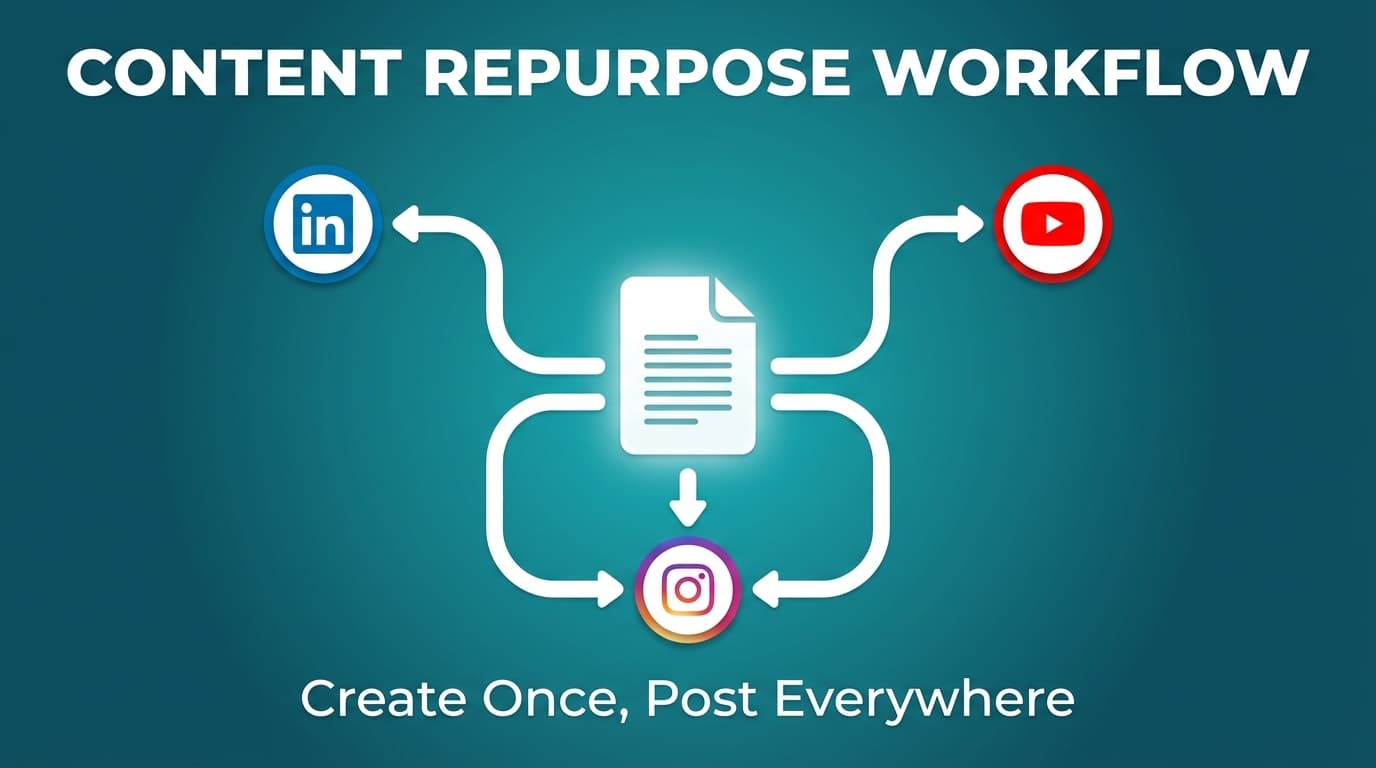
Method 3: RSS automation (best for: blogs, news, releases)
RSS automation posts to X when a feed updates. It suits: - blogs - podcasts - YouTube uploads (via feeds) - release notes / changelogs
Common tool categories: - RSS → X tools (e.g., dlvr.it: https://dlvrit.com/rss-to-twitter/) - General automation platforms (e.g., IFTTT RSS → X: https://ifttt.com/connect/feed/twitter)
The risk: RSS automation can look like spam if it posts too frequently or without context. The best practice is to: - throttle frequency - add templated commentary (“why this matters”) - avoid posting every minor update
Method 4: No-code or API workflows (best for: advanced pipelines)
If you’re technical (or work with a dev/ops person), you can automate via: - Google Sheets / Airtable → scheduled post queue - CMS webhooks → draft creation - a content database → calendar population - n8n/Make/Zapier-style orchestrations
These are flexible, and also the easiest to set up wrong (duplicate posts, wrong time zone, broken links).
Always cross-check against X automation rules: https://help.x.com/en/rules-and-policies/x-automation
The best automation strategy in 2026: scheduled posts plus live replies
A lot of automation advice covers the scheduled posts and forgets the part where you show up in person.
The model that works
- Baseline content is scheduled (evergreen, educational, product updates, curated links).
- Human content happens live (replies, conversations, real-time POV).
- Measurement + iteration updates next week’s baseline.
You post consistently and still don’t sound like a bot.
How to automate posts on X in 2026: Step-by-step workflow (copy this)
This workflow suits: - creators - founders - agency social media managers - small teams
Step 1: Set your “automation boundaries” (so you don’t get flagged)
Before you write anything, decide: - No engagement automation (no auto-replies/DMs) - No duplicate posting (no identical tweets repeated day after day) - A reuse policy (how you’ll recycle evergreen content safely)
A good starter reuse policy: - don’t repost the same text verbatim - change the hook + example + CTA - space repeats out (weeks, not hours)
That fits X’s anti-spam guidance and its duplicate-content warnings (see the devcommunity thread above).
Step 2: Choose 3–5 content “buckets”
Automation works better when your content has a structure. Pick buckets you can produce every week.
Here are examples that work across niches:
- How-to / framework - “Here’s the 3-step process I use to ___”
- Mistake / myth-busting - “Most people get ___ wrong. Here’s the fix.”
- Proof / lesson learned - “We tried ___ for 30 days. Result: ___”
- Curated commentary - “3 links worth your time this week + why.”
- Offer (light) - “If you’re stuck on ___, here’s a checklist.”
Agency tip: define buckets with the client so approvals are faster.
Step 3: Batch-write 20–40 posts (in 60–120 minutes)
Batching is where automation starts to pay off.
A realistic weekly batch for most teams: - 15–25 posts drafted - 10–15 posts scheduled - the rest saved as drafts for flexibility
A simple drafting template (fill-in-the-blanks)
Template A (How-to): - Hook: “If you want , stop doing .” - Steps: “Do this instead: 1) ___ 2) ___ 3) ___” - CTA: “Want my checklist? Reply ‘checklist’.”
Template B (Myth): - Myth: “Myth: ” - Reality: “Reality: ” - Example: “Here’s a real example: ___” - CTA: “Agree or disagree?”
Template C (Curated): - “3 resources for ___: 1) ___: why it’s useful 2) ___: the main takeaway 3) ___: when to use it”
Avoiding “same post syndrome”
For each core idea, write 2–3 variants: - Variant 1: short + blunt - Variant 2: story + example - Variant 3: checklist
This reduces duplicate-content risk and keeps your feed fresh.
Step 4: Add media (optional, but worth it)
Media can help scheduled posts perform better, and it breaks up a feed that would otherwise be all text.
Common media choices: - single image with a headline - 2–4 image “mini-carousel” (example + steps) - short video (under non-Premium limits if applicable)
Keep your posts within X’s limits (e.g., non-Premium video length 140 seconds per X help center: https://help.x.com/en/using-x/premium-longer-videos).
Step 5: Schedule your baseline posts (native or scheduler)
Option A: Native scheduling (simple)
Use X’s schedule icon on desktop web, pick dates, and confirm.
Option B: Scheduler workflow (recommended for batching)
A scheduler is better when you want: - a calendar view - consistency across time zones/accounts - a faster “draft → schedule → publish” loop
PostQuickAI can schedule and auto-publish to X (text, images up to 4, and video up to 512MB).
Start here: /x-scheduler
Pricing note: plans start at $15/month: /pricing.
Step 6: Leave “flex slots” (the human layer)
If you schedule every slot, you’ll either: - miss timely opportunities, or - constantly shuffle scheduled posts (which defeats the purpose)
Rule of thumb: leave 20–30% of your weekly slots unscheduled.
Examples of what flex slots are for: - reacting to industry news - replying with a thoughtful thread (manually) - a quick behind-the-scenes update - clarifying something people asked in replies
Step 7: Daily 10-minute maintenance
Automation takes the pressure off producing posts. You still need to show up.
Daily checklist (10 minutes): - check mentions - reply to 2–5 relevant comments - save 1–2 new post ideas from conversations - if a scheduled post is suddenly inappropriate (news/context), pause it
Best practices for X automation in 2026 (the “don’t get flagged” edition)
1) Never schedule duplicate posts verbatim
If you want to reuse an idea, reuse the idea and rewrite the text.
A safe rewrite checklist: - change the first line hook - change the example - change the CTA - change formatting (one-liner vs bullets vs mini-story)
This is especially important given duplicate-content enforcement guidance discussed in X’s ecosystem (e.g., devcommunity thread: https://devcommunity.x.com/t/tweeting-multiple-times-on-twitter/105300).
2) Space out posts (and don’t “burst” identical formats)
Even if you publish frequently, vary the format: - alternate text-only and media posts - alternate educational and conversational posts - mix short and longer posts (within limits)
3) Make RSS automation editorial, not automatic
If you auto-post every feed item, you’ll train people to ignore you.
Best practices for RSS → X: - post only “featured” items (tagged category) - cap at 1–3 posts/day - include a short, human summary before the link - rotate templates to avoid identical phrasing
4) Use timing data as a starting point
Timing studies are directional. Your audience might behave differently.
Example: Metricool’s X study materials discuss global usage patterns and often highlight late-day activity; their “best time” summaries commonly reference 9 p.m. as a strong slot in their reporting (see related Metricool pages, such as: https://metricool.com/twitter-study/).
The better approach: pick 2–3 posting windows and test for 2 weeks.
5) Build an “evergreen library” you can safely recycle
Instead of recycling by copying old posts, create an evergreen library with variations:
For each evergreen topic, write: - 3 hooks - 3 examples - 3 CTAs
That’s 27 unique combinations without repeating yourself.
Common mistakes when automating X posts (and how to fix them)
Mistake 1: Confusing automation with engagement
Scheduling posts does not build relationships by itself.
Fix: schedule baseline, then show up in replies daily.
Mistake 2: Scheduling “today/tomorrow” language
Scheduled posts can misfire badly when they include time-relative language.
Fix: remove: - “today” - “tomorrow” - “this morning” - “right now”
Replace with: - specific dates, or - timeless phrasing
Mistake 3: Not knowing where scheduled posts live (native)
People often schedule a post once, then can’t find it again.
Fix: use a scheduler with a clear calendar view, or ensure you know the native path to “scheduled posts” in your interface (which can vary).
Mistake 4: Assuming threads will be automated cleanly
Thread scheduling is tool-dependent.
Fix: Decide upfront: - Manual threads (recommended for high-stakes threads) - A tool that explicitly supports thread publishing - Or post single updates consistently (simpler, often enough)
Note: PostQuickAI supports both single X posts and native thread publishing, where each part posts as a linked reply.
Mistake 5: Overposting low-value automated content
Automation makes it easy to publish more, and more isn’t always better.
Fix: raise the quality floor: - if a post doesn’t teach, entertain, or provoke thoughtful discussion, don’t schedule it
Tools to help with X automation (honest, use-case based)
Native X scheduler
Best for: basic scheduling without additional tooling.
Limitations: not built for workflow, approvals, or multi-account operations.
PostQuickAI (planning + scheduling + AI-assisted drafting)
Best for: people who want to batch-create and schedule single X posts reliably.
Accurate X capabilities: - schedule and auto-publish text posts - schedule and auto-publish image posts (up to 4 images) - schedule and auto-publish video posts (up to 512MB)
Useful supporting tools: - AI caption drafting (to generate variations) - tone rewriting (to avoid repetitive voice)
Start: - X scheduler: /x-scheduler - Pricing: /pricing (plans start at $15/month; 7-day free trial on your first plan, card required)
Optional free tools you can use alongside your workflow: - AI caption tool: /tools/caption-generator - Hashtag tool: /tools/hashtag-generator
RSS automation tools
Best for: publications, blogs, changelogs. - dlvr.it (RSS distribution): https://dlvrit.com/rss-to-twitter/ - IFTTT feed → X: https://ifttt.com/connect/feed/twitter
No-code automation (advanced)
Best for: custom pipelines and ops-heavy teams. Considerations: - monitoring - de-duplication - compliance with X automation/spam rules
A realistic weekly posting plan (that automation makes easy)
If you’re not sure what cadence to automate, start here:
The “light but consistent” plan (solo/founder)
- 4–6 scheduled baseline posts/week
- 2–3 flex posts/week (manual)
- daily replies (10 minutes)
The “growth” plan (creator/operator)
- 10–14 scheduled baseline posts/week (1–2/day)
- 3–5 flex posts/week
- daily replies + 1 thread/week (manual)
The “agency client-safe” plan
- 8–12 scheduled baseline posts/week
- approvals baked in before scheduling
- weekly reporting + content refresh
7-day implementation plan (do this once, then repeat weekly)
Day 1: Strategy - choose 3–5 buckets - set automation boundaries (no duplicates, no DM automation) - pick cadence
Day 2: Draft - write 15–25 drafts - create 2 variants for your best 5 ideas
Day 3: Media - create 4–8 visuals or short clips - ensure videos fit X limits for your account type (non-Premium: up to 140 seconds per X help center)
Day 4: Schedule - schedule baseline posts - leave 20–30% flex slots
Day 5: Engage - reply to comments/mentions - collect new post ideas from conversations
Day 6: Audit - scan scheduled posts for anything time-sensitive - remove “today/tomorrow” phrasing
Day 7: Refresh - rewrite top evergreen posts into new variants - add them back to your library (not as duplicates)
Key takeaways
- X allows scheduling and automation, but spammy automation is prohibited (X automation rules: https://help.x.com/en/rules-and-policies/x-automation).
- Avoid automation that creates duplicate or near-duplicate content; reuse ideas with variation (see devcommunity guidance: https://devcommunity.x.com/t/tweeting-multiple-times-on-twitter/105300).
- Native scheduling can work for basics; a scheduler is better for batching, calendars, and multi-account workflow.
- Know key limits: 280 characters (docs.x.com) and non-Premium video length up to 140 seconds (help.x.com).
- What lasts is scheduled posts for the baseline plus real replies from you.
FAQ (based on common searches / People Also Ask patterns)
Can you automate Twitter (X) posts?
Yes. Most people mean scheduling posts to publish automatically (native scheduling, schedulers, RSS automation, or no-code workflows). Just avoid spammy automation. X states you may not send automated posts/DMs that are spam: https://help.x.com/en/rules-and-policies/x-automation
How do I schedule tweets automatically?
You have four practical options: 1. Schedule natively on X (commonly via desktop web composer) 2. Use a scheduler (best for batching and calendar workflows) 3. Use RSS automation (auto-share new blog posts/releases) 4. Build a no-code/API pipeline (advanced)
How far in advance can you schedule posts on X?
Multiple reputable guides state X’s tool can schedule up to 18 months in advance: - Sprout Social: https://sproutsocial.com/insights/how-to-schedule-tweets/ - Buffer: https://buffer.com/resources/how-to-schedule-tweets/
Where do I find scheduled posts on X?
The location can vary by interface, but many guides describe accessing scheduled posts from the composer/scheduling flow (often on desktop web). If you can’t reliably find/manage them, a scheduler with a calendar view can make this easier.
Can you schedule posts on X mobile?
Native scheduling is often described as desktop-first in many guides, while third-party schedulers may offer mobile-friendly workflows. If mobile scheduling is essential, verify your exact workflow in-app and/or choose a scheduler.
Do scheduled posts get less engagement?
There’s a lot of debate and anecdotal reports. The most consistent, evidence-based guidance across major scheduling platforms is that content quality, timing, and consistency matter more than whether it was scheduled. Treat “scheduled posts perform worse” as a hypothesis to test for your account rather than a guaranteed rule.
What’s the character limit on X?
X’s documentation says in most cases posts can contain up to 280 characters: https://docs.x.com/fundamentals/counting-characters
What’s the non-Premium video length limit on X?
X’s help center states that if you aren’t Premium, you can still upload videos up to 140 seconds: https://help.x.com/en/using-x/premium-longer-videos
Is it safe to auto-post from RSS to X?
It can be, if you do it responsibly: - throttle frequency - avoid duplicate templates - add commentary - don’t auto-post every minor update
This aligns with X’s emphasis on avoiding spammy automation behaviors: https://help.x.com/en/rules-and-policies/x-automation
-setup-guide.png&w=3840&q=75)