AI Social Media: Complete Guide for 2026 (Workflow + Prompts + Best Practices)
Learn AI social media with a practical, repeatable workflow. Includes key 2024–2025 stats, platform-safe best practices, real prompt templates, common mistakes, and tools to create + schedule posts in 2026.

Author
There are now 5.04 billion active social media user identities worldwide (start of 2024). At the same time, the “typical” social media user spends 2 hours and 23 minutes per day on social platforms.
Sources: DataReportal / We Are Social
- https://wearesocial.com/us/blog/2024/01/digital-2024-5-billion-social-media-users/
- https://datareportal.com/reports/digital-2024-deep-dive-the-time-we-spend-on-social-media
That’s a lot of content to compete with every day.
If you manage several accounts at an agency, or you’re a solo marketer trying to post regularly, AI social media tools can help you run a repeatable system and get good drafts quickly. Used carelessly, they also produce generic “AI slop” that doesn’t sound like your brand.
This guide covers: - What “AI social media” means (and what it doesn’t) - A step-by-step workflow to plan, write, design, and schedule content with AI - Copy/paste prompts for hooks, carousels, scripts, and repurposing - Best practices and the mistakes that lead to embarrassing posts - Tools that help, including what PostQuickAI does and doesn’t do
What is AI social media?
AI social media is the use of artificial intelligence to support social media work across the full lifecycle of content:
- Strategy support: clarifying positioning, content pillars, messaging angles
- Ideation: generating post ideas, hooks, and series
- Writing & editing: drafting captions, rewriting in your voice, proofreading, tightening
- Creative production: generating images (and sometimes short videos), creating variations
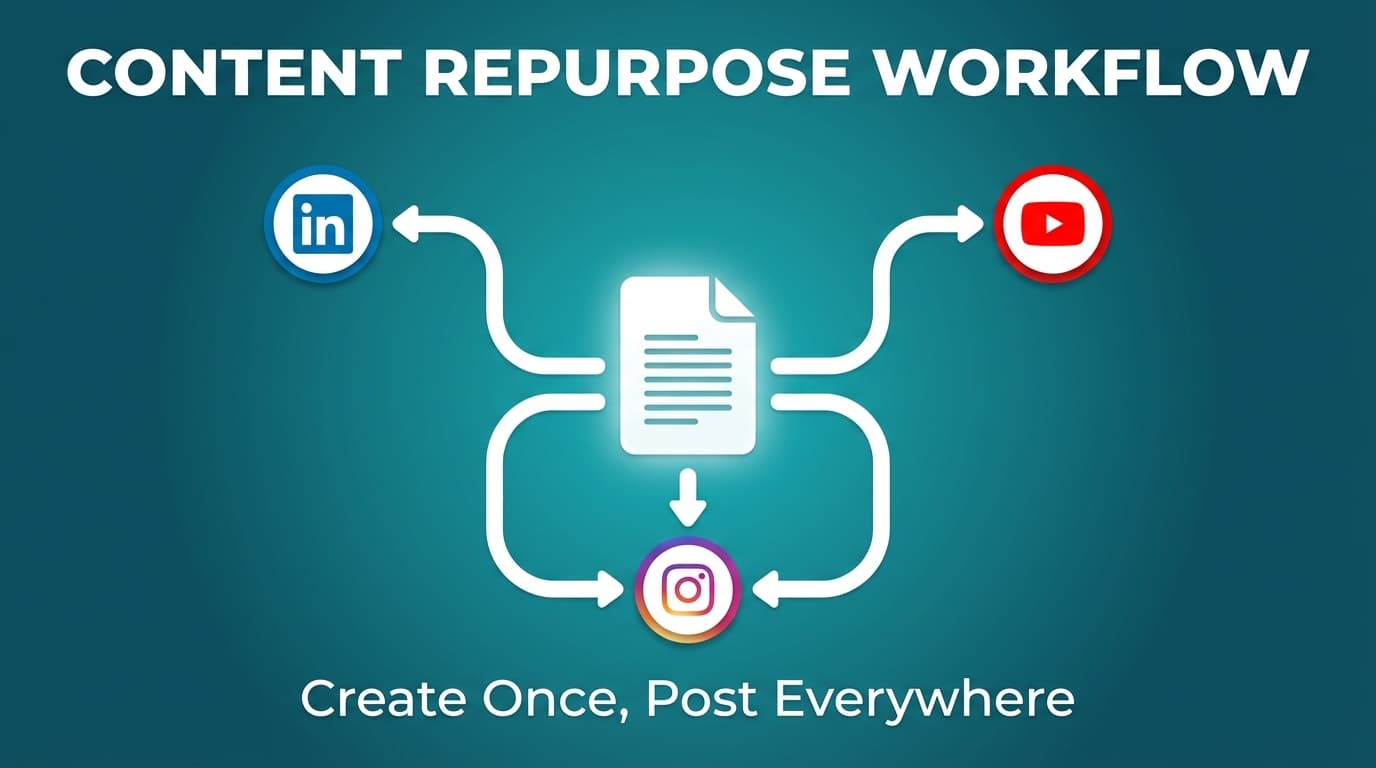
- Repurposing: turning one idea into multiple posts or multiple platform formats
- Publishing operations: building a content calendar, scheduling, and auto-publishing
What AI social media is not
- A guaranteed growth hack
- A replacement for strategy, taste, or brand knowledge
- A fully autonomous engagement machine (e.g., auto-replies and DM bots)
In practice, what works is a person deciding what to say, AI speeding up the drafting, and a person checking the result before it goes out.
Why AI social media matters in 2026 (with research-backed context)
1) Your audience is huge, and their attention is limited
- 5.04B active social media user identities at the start of 2024
https://wearesocial.com/us/blog/2024/01/digital-2024-5-billion-social-media-users/ - 2h 23m/day average daily social media usage
https://datareportal.com/reports/digital-2024-deep-dive-the-time-we-spend-on-social-media
What this means for you: Posting once in a while won’t get you far. You need a steady system that produces content people want to respond to.
2) AI adoption is already mainstream (your competitors aren’t waiting)
- McKinsey reported 65% of respondents said their organizations are regularly using gen AI in at least one business function (early 2024).
https://www.mckinsey.com/capabilities/quantumblack/our-insights/the-state-of-ai-2024 - HubSpot reports that 71% of social media marketers use AI tools (as presented on their Social Trends report landing page).
https://www.hubspot.com/startups/reports/social-trends
What this means for you: Everyone can produce posts faster now. Audiences have also seen plenty of generic AI captions, so the bar for quality has gone up too.
3) Labels, disclosure, and provenance are becoming part of the job
The major platforms are labeling AI-generated or AI-altered content more clearly:
- Meta announced broader labeling of AI-generated content (“Made with AI”), beginning May 2024.
https://about.fb.com/news/2024/04/metas-approach-to-labeling-ai-generated-content-and-manipulated-media/ - TikTok announced new labels and requires disclosure for realistic AI-generated content (AIGC).
https://newsroom.tiktok.com/en-us/new-labels-for-disclosing-ai-generated-content - YouTube introduced disclosure requirements for “altered or synthetic” realistic content.
https://blog.youtube/news-and-events/disclosing-ai-generated-content/ - The EU notes that certain AI-generated content should be clearly labeled (AI Act context).
https://digital-strategy.ec.europa.eu/en/policies/regulatory-framework-ai
What this means for you: Using AI is no longer a secret advantage, and people increasingly expect you to be open about it.
4) Compliance risk is real (especially around fake proof)
The FTC finalized rules banning fake reviews/testimonials and explicitly references AI-generated fake reviews as part of enforcement context.
- FTC press release (Aug 2024): https://www.ftc.gov/news-events/news/press-releases/2024/08/federal-trade-commission-announces-final-rule-banning-fake-reviews-testimonials
- Rule Q&A: https://www.ftc.gov/business-guidance/resources/consumer-reviews-testimonials-rule-questions-answers
What this means for you: Don’t let AI make up testimonials, reviews, or results. Only publish proof you can back up.
How to use AI for social media: a step-by-step system (that works for agencies and solo marketers)
The goal of this workflow is to produce more content with less stress while still sounding like your brand.
Step 1: Start with a “Brand Voice + Claims Pack” (so AI doesn’t hallucinate)
Before you generate a single caption, create a 1–2 page document you can reuse in prompts.
Brand Voice + Claims Pack template - Audience: Who is this for? (Be specific) - Positioning: What do you want to be known for? - Offer: What are you selling/trying to drive? (product, service, lead gen, community) - Proof: 3–10 facts you can safely claim (case studies, certifications, real stats) - Non-negotiables: words you never use, topics you avoid, compliance rules - Voice: 3 adjectives (e.g., “clear, witty, slightly skeptical”) - Examples: 3 great past posts + 3 posts you hate (and why)
Prompt to generate a Voice Pack draft
You are a brand strategist.
Brand: [brand]
Audience: [audience]
Offer: [offer]
Differentiators: [bullets]
Draft a “Brand Voice + Claims Pack” with: voice rules, taboo list, proof checklist, and 10 sample lines that sound like us.
Pro tip: AI does far better when you give it constraints. If you only do one step properly, make it this one.
Step 2: Build content pillars (3–5 only)
Teams often try to talk about everything. Then the AI produces generic content because the input was too broad.
Example pillar set (B2B service) 1. Strategy / education 2. Proof / results 3. Process / behind the scenes 4. Objections / myth-busting 5. Community / conversation
Prompt
Create 5 content pillars for [brand]. For each pillar, provide:
- what it includes
- who it helps
- what we never say (avoid clichés and risky claims)
- 10 post ideas with a suggested format (text / image / carousel / short video concept)
Step 3: Create an “Idea Bank” in batches (not daily)
Instead of waking up and asking AI for ideas every day, do one weekly session to generate enough ideas for the next 2–4 weeks.
Idea Bank columns - Pillar - Hook (first line) - Format (text / image / carousel / video concept) - CTA - “Proof needed” (what evidence is required) - “Asset needed” (image, screenshot, clip, quote)
Prompt (idea bank that’s actually usable)
Generate 30 post ideas for [platform], aligned to these pillars: [pillars].
Output as a table with columns: Hook (≤12 words), Angle, Format, CTA, Proof needed.
Avoid these phrases: [list].
Avoid made-up stats or claims.
Step 4: Turn ideas into drafts (platform-specific, not copy/paste)
A common AI mistake is writing one caption and pasting it everywhere. Your core idea can stay the same, but the packaging should change.
Practical formatting guidance by platform (high-level)
- LinkedIn: strong POV + clear structure + credibility (examples and specifics)
- Instagram: hook + skimmable caption + strong visual packaging
- X (Twitter): one sharp idea + short lines + punchy phrasing
- Facebook Pages: relatable context + clear value + friendly tone
- TikTok: script structure + on-screen beats + caption as support (not the main event)
Prompt (one idea → platform-ready variants)
Core idea: [idea].
Write platform-specific drafts for: LinkedIn, Instagram, X, Facebook Page, TikTok caption + video script outline.
Constraints:
- No invented statistics
- Include 1 concrete example per platform
- End with a soft CTA
- Provide a recommended format (text / image / carousel / video)
Step 5: Rewrite in your brand voice (this is where “AI slop” becomes publishable)
Use AI to write the draft, then use it again to edit.
The 4-pass editing stack 1. Proofread pass (clarity + grammar) 2. Concise pass (remove fluff and repetition) 3. Voice pass (match your tone) 4. Specificity pass (add real details, examples, boundaries)
PostQuickAI supports:
- An assistant in the composer: ask it to draft, proofread, shorten, or change the tone in your brand voice
- Changes to text you wrote show as suggestions you accept or discard
Helpful internal tools: - /tools/caption-generator - /tools/hashtag-generator
Note on scope: PostQuickAI does ship cross-platform post-level analytics in the dashboard (and via the REST API and MCP). It does not include DM automation, comment auto-replies, or a unified social inbox, so pair it with a dedicated inbox tool if you need those.
Step 6: Add the human layer AI can’t do for you (the “proof + personality” step)
Posts that do well often contain one of these: - a real example (“Here’s what we changed…”) - a behind-the-scenes detail - a specific number you can substantiate - a strong POV that matches your brand
A simple “humanization checklist” - Add one sentence that only you could write - Add one example from your work - Remove one generic line AI tends to use - Verify every claim (especially results, testimonials, “studies show…”)
Step 7: Create visuals (use AI responsibly)
You have three options for visuals: 1. Templates (fast and consistent) 2. Original photos/video (most authentic) 3. AI-generated images (fast, but require more QA)
PostQuickAI supports AI image generation.
Visual QA checklist - Any obvious AI artifacts (hands, text, logos)? - Does it match brand style? - Could it be misleading (deepfake risk)? - Are you complying with platform labeling expectations where relevant?
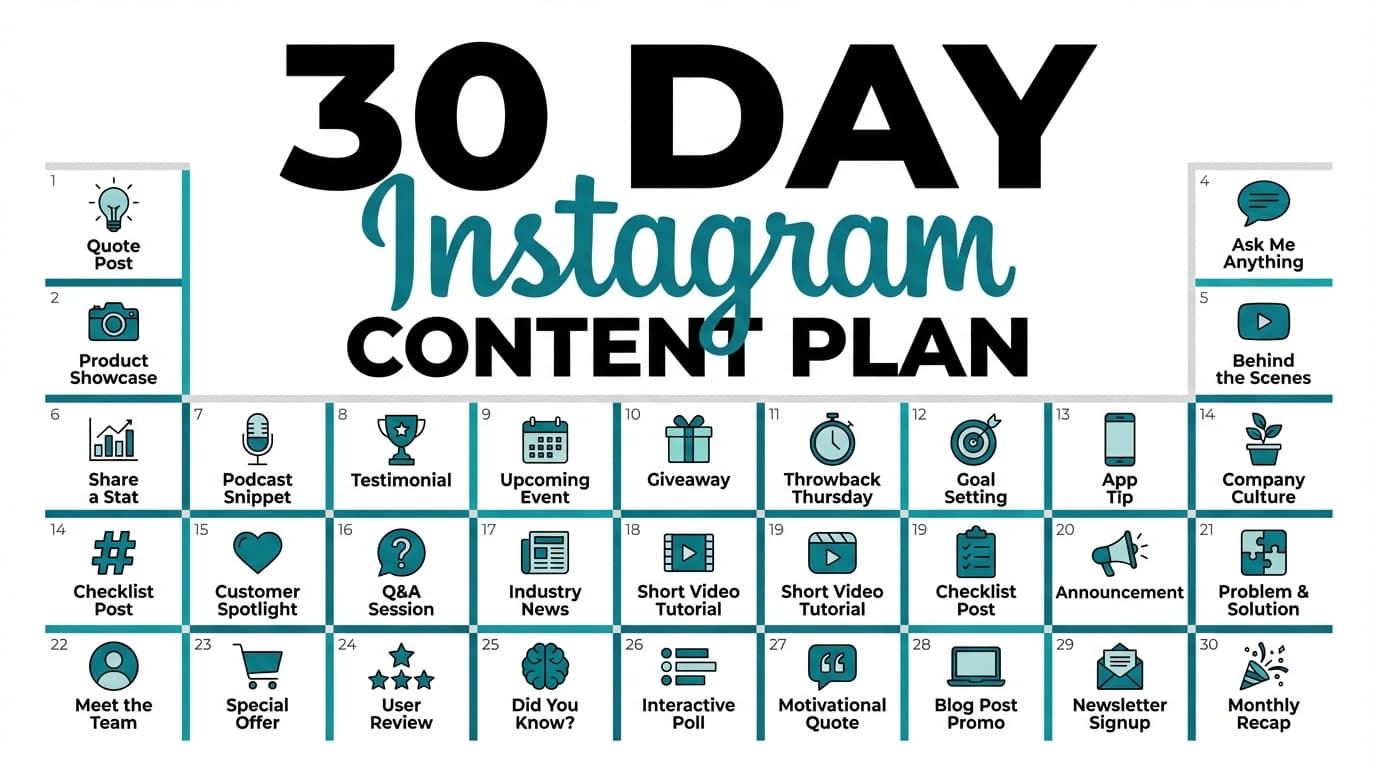
Step 8: Plan a content calendar (then schedule it)
A calendar is what turns a list of ideas into posts that go out.
A simple weekly plan (works for most brands) - 2 educational posts - 1 proof post (case study/testimonial/behind-the-scenes metrics) - 1 personality or POV post - 1 product/offer post (demo, FAQ, objection handling)
For Instagram: plan your grid visually before scheduling
- Instagram feed planner tool: /tools/instagram-feed-planner
It's free and doesn't require a login.
Step 9: Schedule and auto-publish (where supported)
Posting regularly is much easier when you schedule ahead.
PostQuickAI supports server-side scheduled publishing (posts can publish even if your laptop is off).
Accurate platform coverage (high-level) - Instagram: feed posts, carousels, Reels, and Stories - Facebook Pages: text, images, carousels, video, and Stories (Pages, not personal profiles) - LinkedIn: text, image, multi-image, video (documents/polls/newsletters/articles not supported) - TikTok: video, and photo posts as carousels (requires 2+ images); no text-only posts - YouTube: video uploads (no Community posts) - X (Twitter): text, images (up to 4), video, and native thread publishing (linked reply chain) - Threads: text, image, carousel, video, and native multi-post thread publishing (linked reply chain) - Bluesky: text, images (up to 4), video (limits apply)
Relevant product pages: - /instagram-scheduler - /facebook-scheduler - /linkedin-scheduler - /x-scheduler - /tiktok-scheduler - /bluesky-scheduler
The AI Social Media Prompt Library (copy/paste templates)
The more specific your constraints, the better the output.
Prompt 1: Hook generator (that avoids cringe)
Generate 25 hooks for this topic: [topic].
Audience: [audience].
Voice: [3 adjectives].
Rules:
- No “Stop scrolling”
- No hype words
- Max 10 words each
- 30% contrarian, 30% curiosity, 40% direct benefit
Output as a numbered list.
Prompt 2: Carousel outline (Instagram/LinkedIn)
Create a 7-slide carousel outline for: [topic].
Slide 1 = bold claim. Slides 2–6 = steps/framework with examples. Slide 7 = recap + CTA.
Then write:
- a 2-line caption hook
- skimmable body (bullets)
- CTA
Avoid vague language and invented data.
Prompt 3: “Rewrite in our voice” (the fastest quality upgrade)
Rewrite this post in our brand voice.
Voice rules: [paste from your Voice Pack].
Post: [paste].
Requirements:
- Keep meaning the same
- Add 1 specific example
- Remove filler
Provide 3 versions: concise, bold, and friendly.
Prompt 4: Repurpose one idea into a week of posts
Take this core idea: [idea].
Create a 5-post weekly series:
- Day 1: myth-bust
- Day 2: how-to
- Day 3: example/case
- Day 4: checklist
- Day 5: founder POV
For each: Hook, body, CTA, format recommendation, proof needed.
Prompt 5: Proof & compliance checker (don’t skip this)
Review this post for:
- unverifiable claims
- risky promises (health/finance/legal)
- misleading proof (fake reviews/testimonials)
- “sounds like AI” phrasing
Provide: flagged lines + safer rewrites + what proof is needed.
Post: [paste].
Prompt 6: Platform conversion (one message, different packaging)
Convert this message into:
1) a LinkedIn post (professional, structured)
2) an Instagram caption (hook + skimmable + CTA)
3) an X post (short, punchy)
4) a TikTok script outline (hook, beats, CTA)
Message: [paste].
Keep the meaning consistent; no new claims.
Prompt 7: 10 headline-style first lines for short-form video
Write 10 opening lines for a 15–30 second video about: [topic].
Audience: [audience].
Each must be:
- ≤ 9 seconds spoken
- concrete (avoid buzzwords)
- curiosity-driven
Provide a matching on-screen text line for each.
Prompt 8: Hashtag set generation (use with judgment)
Generate 3 hashtag sets for this post: [paste].
Sets:
- broad (high volume)
- niche (high intent)
- community/brand (repeatable)
Max 12 hashtags each. Avoid irrelevant tags.
(You can also use an in-app hashtag tool such as /tools/hashtag-generator.)
How to keep AI social media from sounding like AI (the “quality system”)
Using AI isn’t what sinks most posts. Using it without a way to judge the output is.
The 10-point AI post quality rubric
Score each draft 0–2:
- Hook strength (clear, specific)
- One idea only (not a mashup)
- Audience clarity (who is it for?)
- Specificity (examples, details)
- Voice match (sounds like the brand)
- Truthfulness (no invented claims)
- Structure (scannable formatting)
- CTA quality (not pushy, but clear)
- Platform fit (format matches channel)
- Redundancy check (not repeating your last 3 posts)
Rule: Only schedule posts that score 16/20+.
13 best practices for AI social media in 2026
- Treat AI like a junior writer. It drafts fast and needs supervision.
- Constrain the task. “Write 1 LinkedIn post, 130–180 words, add 1 example.”
- Write “proof needed” into your workflow. If proof doesn’t exist, don’t post it.
- Use variation sets. Write the same idea from 5 angles so you don’t repeat yourself.
- Create templates for your best-performing formats. (How-to, myth-bust, checklist, story.)
- Use AI to repurpose, and don’t spam. Turn one strong idea into a few good posts.
- Keep a human review step. Especially for regulated niches.
- Plan the calendar before you generate. AI fills slots better than it invents strategy.
- Use AI for editing as much as writing. Proofreading, tightening and voice passes make a big difference.
- Keep visuals consistent. Templates and brand colors look better than a random mix of styles.
- Schedule ahead for consistency. Then you can focus on engagement and community.
- Know platform disclosure expectations. Meta/TikTok/YouTube have clear signals here.
Sources: Meta (https://about.fb.com/news/2024/04/metas-approach-to-labeling-ai-generated-content-and-manipulated-media/), TikTok (https://newsroom.tiktok.com/en-us/new-labels-for-disclosing-ai-generated-content), YouTube (https://blog.youtube/news-and-events/disclosing-ai-generated-content/) - Document your “AI rules.” A short internal policy prevents mistakes across the team.
Example policy: Stanford marketing/communications AI guidelines
https://ucomm.stanford.edu/policies-and-guidance/ai-guidelines-marketing-and-communications
Common mistakes to avoid (and how to fix them)
Mistake 1: Publishing raw AI output
Why it’s a problem: It’s usually generic and repetitive, and it makes your brand look lazy.
Fix: Add a “humanization step” + run the 4-pass editing stack.
Mistake 2: Letting AI invent stats, results, or testimonials
Why it’s a problem: You can mislead audiences and create compliance risk.
Fix: Use a “proof needed” column and only publish what you can substantiate.
Mistake 3: Copy/pasting the same post to every platform
Why it’s a problem: Each platform rewards different structure and tone.
Fix: Keep the idea; change the packaging with platform conversion prompts.
Mistake 4: Over-automating “engagement”
Why it’s a problem: Auto-replies can backfire and aren’t supported by many scheduling-focused tools.
Fix: Automate drafting and scheduling. Keep human engagement human.
Mistake 5: Ignoring AI labels/disclosure expectations
Why it’s a problem: Platforms label AI content and in some cases require you to disclose it.
Fix: Build a simple rule: “If it looks realistic and is AI-generated or altered, label/disclose per platform policy.”
Sources:
- Meta: https://about.fb.com/news/2024/04/metas-approach-to-labeling-ai-generated-content-and-manipulated-media/
- TikTok: https://newsroom.tiktok.com/en-us/new-labels-for-disclosing-ai-generated-content
- YouTube: https://blog.youtube/news-and-events/disclosing-ai-generated-content/
Tools to help with AI social media (honest recommendations)
PostQuickAI (AI creation + scheduling + analytics + agent automation)
PostQuickAI is useful if you want a workflow that combines: - AI caption generation with brand voice and audience controls - An assistant in every composer that rewrites, proofreads, shortens, or changes tone; you accept or discard each suggestion - AI image generation and editing from a catalog of current image models - Short-form AI video generation from a catalog of video models, using monthly video credits - Cross-platform analytics in the dashboard (and via API/MCP) - Scheduling + server-side publishing to Twitter/X, Threads, Bluesky, LinkedIn, Facebook, Instagram (feed/Reels/carousels), Pinterest, TikTok, and YouTube - Agent-native control: @postquickai/mcp MCP server, Claude Skills marketplace, and AGENTS.md drop-in for Claude, Cursor, Codex, ChatGPT, Gemini CLI, and Copilot - Multi-client content groups and an Auto-gen / YOLO publishing mode for hands-off workflows
Pricing:
- Plans are $15/month Basic, $39/month Pro and $99/month Ultra.
- API access (REST API + MCP + Skills + AGENTS.md) is included in every plan. Your first plan starts with a 7-day free trial (card required).
See: /pricing
Free tool note: - The Instagram feed planner is free and needs no login: /tools/instagram-feed-planner
Other tools (stack-style)
- Canva: strong for templates and consistent visual systems
https://www.canva.com/features/ai-social-media-post-generator/ - CapCut / Descript: practical for short-form video editing workflows
- Dedicated social listening tools: PostQuickAI ships post-level cross-platform analytics, but if you need full social listening / brand-mention monitoring you may want a dedicated tool alongside it.
A practical 30-day AI social media rollout plan
Week 1: Foundations
- Build your Brand Voice + Claims Pack
- Choose 3–5 pillars
- Create 5 content templates
- Decide posting cadence (start realistic)
Week 2: Batch production
- Generate 30 ideas
- Draft 10–15 posts
- Create or source visuals
- QA using the 10-point rubric
Week 3: Schedule and publish consistently
- Schedule 2–3 weeks of content
- Keep a simple tracking sheet (post topic, hook, format, results)
Week 4: Iterate
- Identify your top 3 posts
- Repurpose each into 5 new angles
- Tighten prompts based on what worked
- Improve hooks and first lines (they matter most)
Key takeaways
- AI social media works best as a system: strategy → ideas → drafts → edits → proof → schedule.
- Check every claim AI writes, and only publish proof you can back up.
- Platforms are moving toward more disclosure and labeling, not less.
- Scheduling means you post on a plan instead of whenever you find time.
- PostQuickAI handles AI-assisted creation, scheduling, and cross-platform post-level analytics. Pair it with a dedicated social inbox if you need DM/comment management.
FAQ (based on common SERP questions)
Is there an AI for social media?
Yes. AI tools can help you brainstorm, draft captions, generate variations, proofread, adjust tone, and create visuals. Some tools also help you schedule posts so you can publish consistently.
What social media has the most AI?
Most major platforms heavily use AI for recommendations, ads, and ranking. For marketers, the more useful question is how to use AI to shape content for each platform, since each one rewards different formats.
Do you have to label AI-generated content on TikTok?
TikTok has introduced labels and requires people to disclose realistic AI-generated content (AIGC).
Source: https://newsroom.tiktok.com/en-us/new-labels-for-disclosing-ai-generated-content
Does Instagram/Facebook label AI-generated content?
Meta announced broader labeling for AI-generated content (“Made with AI”), starting May 2024.
Source: https://about.fb.com/news/2024/04/metas-approach-to-labeling-ai-generated-content-and-manipulated-media/
What is the best way to use AI for social media without sounding robotic?
Use AI for drafts and variations, then: - add one real example (from your work) - remove clichés and filler - run a concise rewrite - adjust tone using your Brand Voice Pack - score it with a quality rubric before scheduling
What is the 50/30/20 rule for social media?
You’ll see different versions, but the most common interpretation is a content mix guideline (for example):
- 50% value/education/entertainment
- 30% community/relationship content
- 20% promotional content
Treat it as a starting point and adjust it to your business and how your audience responds.