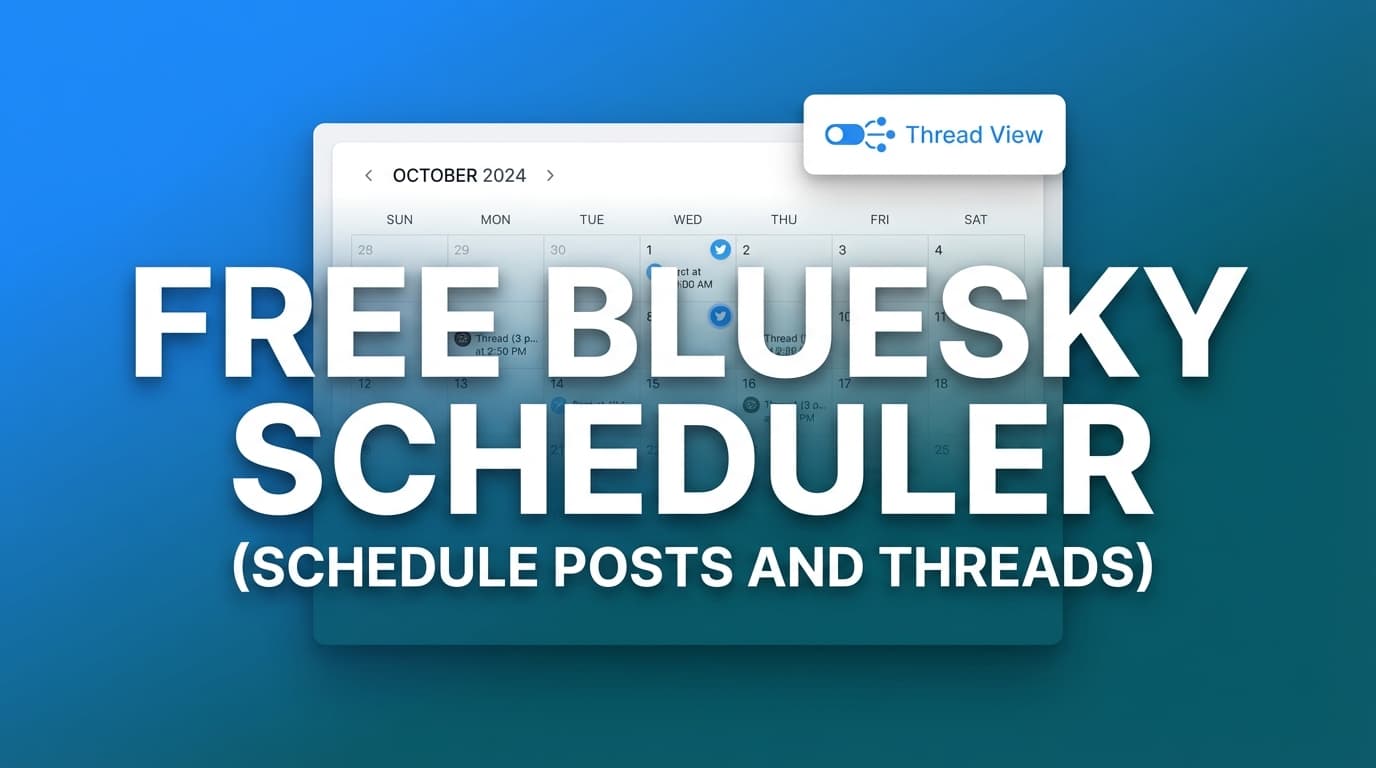
Free Bluesky Scheduler Schedule Posts And Threads

Free Bluesky Scheduler

Looking for a free Bluesky scheduler? PostQuickAI offers a 7-day free trial with full Bluesky scheduling—plan your posts, schedule them on a calendar, and auto-publish server-side.

Schedule text posts and images to Bluesky, or cross-post the same content to X, Threads, LinkedIn, and more—all from one dashboard.

Text Posts Up to 4 Images Cross-Post Calendar View

7-day free trial · No credit card required · Plans from $8/month

What "Free" Means

PostQuickAI offers a 7-day free trial with full access to Bluesky scheduling and all features. After the trial, plans start at $8/month. There's no permanently free tier, but the trial lets you test everything before deciding.

Why Schedule Bluesky Posts?

Bluesky is growing fast. A scheduler helps you maintain presence, post at optimal times, and manage your social media without constant attention.

  • Post at Optimal Times

    Schedule posts to go live when your followers are most active, even if you're not online at that time.

  • Plan Ahead

    Use the calendar view to see your week or month of content. Batch create posts and schedule them out.

  • Cross-Post Everywhere

    Schedule the same post to Bluesky, X, Threads, LinkedIn, and more. Maximize your reach with one workflow.

  • Server-Side Publishing

    Posts publish automatically without keeping your browser open. Set it and forget it.

How to Schedule Bluesky Posts

1

Connect Your Bluesky Account

Enter your Bluesky handle and an app password. App passwords are created in Bluesky settings and keep your main password secure.

2

Create Your Post

Write your content and add up to 4 images. Use the AI Caption Generator if you need help with writing.

3

Enable Bluesky (+ Other Platforms)

Select Bluesky as a platform. Want to cross-post? Enable X, Threads, LinkedIn, etc. for the same post.

4

Pick a Date & Time

Use the calendar to schedule your post. Check the calendar view to maintain consistent posting.

5

Auto-Publish

Your post publishes server-side at the scheduled time. No need to be online.

What You Can Schedule to Bluesky

Text Posts

Perfect for:

  • • Thoughts and opinions
  • • Updates and announcements
  • • Questions for your followers
  • • Quick tips and insights

Image Posts (Up to 4)

Great for:

  • • Screenshots and graphics
  • • Photos and artwork
  • • Infographics
  • • Multi-image stories

Cross-Post Bluesky Content Everywhere

Schedule the same post to multiple platforms. PostQuickAI adjusts for character limits automatically.

Pricing After Free Trial

Try free for 7 days, then choose a plan:

$8/mo

Basic

$20/mo

Pro

See Full Plan Details

Full Guide

Free Bluesky Scheduler (Schedule Posts and Threads): Plan & Auto‑Publish from a Calendar

If you’re searching for a free Bluesky scheduler to schedule posts (and “threads”), you’re usually trying to solve one problem: post consistently without being online at the exact moment you want to publish.

PostQuickAI is a Bluesky scheduler that lets you: - schedule Bluesky text posts - schedule Bluesky image posts (up to 4 images) - schedule Bluesky video posts - publish automatically at the scheduled time via server-side scheduled publishing

Important pricing note (so there’s no confusion): PostQuickAI is a paid product with a 7-day free trial. Plans start at $8/month. You can view pricing any time at /pricing.

About “threads” in this keyword: people often mean multi-post thread/reply chains on Bluesky. PostQuickAI schedules single Bluesky posts (text/images/video). It does not auto-publish a connected Bluesky reply-chain thread as one “thread object.”
If you need a multi-post sequence, you can schedule the posts individually (as separate scheduled posts).
If you meant Threads (Meta), PostQuickAI also has a dedicated Threads scheduler: /threads-scheduler.

CTA: Connect your Bluesky account → /connect/bluesky


Why Choose PostQuickAI for Bluesky Scheduling?

A lot of tools say “Bluesky scheduling,” but the details matter—especially if you care about reliability, media constraints, and a workflow that makes it easy to keep showing up.

Reliable scheduled publishing (server-side auto‑publishing)

When you schedule a post in PostQuickAI, it’s published by the backend at your chosen time—so your post can go live even if: - your browser tab is closed - your laptop is off - you’re in a different time zone

That’s the entire point of scheduling: set it once, then let it publish.

Built around a visual content calendar

PostQuickAI includes a Calendar view (/dashboard/calendar) so you can quickly see what’s scheduled (and when), spot gaps, and plan a week of Bluesky content in one sitting—without digging through drafts.

Supports the Bluesky formats you actually use

PostQuickAI supports: - Text posts - Image posts (including multi-image posts, up to 4 images) - Video posts

It also enforces Bluesky’s practical constraints (like the max images limit), so you don’t find out at publish time that your post can’t be sent.

Writing help when you’re stuck (without “magic” claims)

PostQuickAI includes AI-powered writing tools to speed up creation and editing, including: - Caption generation (tool page: /tools/caption-generator) - Hashtag generation (tool page: /tools/hashtag-generator) - Proofread / rewrite / tone adjustment / make concise - Tone analysis

You stay in control—use the AI for a draft, then edit before scheduling.

Content Groups for multi-brand work

If you manage multiple brands or clients, PostQuickAI supports Content Groups to keep calendars and content separated: - Basic plan: 5 Content Groups
- Pro plan: Unlimited Content Groups


How PostQuickAI’s Bluesky Scheduler Works

Step 1: Connect your Bluesky account (securely)

Go to /connect/bluesky and enter: - your Bluesky handle (e.g., username.bsky.social) - an App Password (recommended for third-party tools)

Using an app-specific password is a common best practice when connecting external publishing tools.

Step 2: Create your Bluesky post (text, images, or video)

Draft your post content, then choose what you’re posting:

  • Text post: write your post and schedule it
  • Image post: attach images (PostQuickAI will use up to 4 images max for Bluesky)
  • Video post: attach a video and schedule it

Optional: generate a draft caption first via /tools/caption-generator, then paste/edit and schedule.

Step 3: Choose a date and time

Pick the exact time you want it published. The post is saved with a scheduled status and appears on your calendar.

Step 4: Auto‑publish at the scheduled time (and get confirmation)

At the scheduled time, PostQuickAI publishes your post to Bluesky server-side. PostQuickAI can also send a confirmation email when scheduled posts publish successfully.


Key Features for “Free Bluesky Scheduler” Searchers (and What’s Actually Included)

Feature What It Does Why It Matters
Server-side auto‑publishing Publishes your scheduled Bluesky post at your chosen time Posts go out even if your browser is closed
Bluesky text scheduling Schedule plain-text posts Stay consistent with quick updates
Bluesky image scheduling (up to 4) Schedule image posts; if you attach more than 4, the first 4 are used Avoid failed posts due to platform limits
Bluesky video scheduling Schedule video posts to Bluesky Plan launches, demos, and announcements ahead of time
Calendar view See scheduled content in a visual calendar (/dashboard/calendar) Plan your week/month faster
Content Groups Separate brands/clients into different groups Cleaner workflows for agencies and multi-brand operators
AI writing tools Generate captions, hashtags, and help with proofreading/tone Write faster without sacrificing quality

“Schedule Posts and Threads” on Bluesky: What You Can (and Can’t) Do

The word “threads” causes confusion because it can mean two different things:

1) Bluesky “threads” = reply chains / multi‑post sequences

Many schedulers market “thread scheduling” as: write a multi-post chain and the tool publishes each post as a reply to the previous one.

PostQuickAI does not currently auto-publish a connected Bluesky reply-chain as one scheduled thread.
What you can do: - Schedule single Bluesky posts reliably (text/images/video). - If you want a multi-post sequence, schedule each post as its own scheduled post (not automatically connected as replies).

If your use case requires true reply-chain automation, make sure the tool explicitly supports that on Bluesky before you rely on it.

2) Threads = Meta’s Threads platform

If you meant Threads (by Instagram/Meta), PostQuickAI supports scheduling for Threads too: - Threads scheduler page: /threads-scheduler - Supported post types include text, images (including carousels), and video (per platform constraints)


Free Bluesky Scheduler vs. “Free Plan” Tools: What to Look For

A lot of people want a “free Bluesky scheduler,” but the tradeoffs usually show up in one of these places:

Where “free” schedulers often fall short

  • Publishing limits (caps on how many scheduled posts you can have at once)
  • Media restrictions (some tools restrict video, or limit attachments)
  • Workflow friction (no calendar-first planning; harder to see gaps)
  • Reliability (if scheduling depends on your device/session, posts may not publish if you’re offline)

Where PostQuickAI focuses

PostQuickAI is built around: - server-side scheduled publishing - calendar planning - real Bluesky media support (text, images up to 4, video) - a clear trial-to-paid path (7-day free trial, then paid plans)

So while PostQuickAI isn’t “free forever,” it’s designed for people who want scheduling to be dependable—especially when consistency matters.


Best Practices: How to Schedule Bluesky Posts Without Killing Engagement

Scheduling helps you show up consistently, but Bluesky still rewards posts that feel human. A simple framework:

1) Batch write, then space posts out

Instead of dumping content all at once: - write 5–10 posts in one session - schedule them across the week in your calendar view

2) Mix formats intentionally

A practical weekly mix could be: - 2–3 text posts (quick opinions, updates, questions) - 1–2 image posts (screenshots, visuals, proof, assets) - 1 video post (demo, announcement, clip)

PostQuickAI supports scheduling all three post types on Bluesky.

3) Keep image posts within Bluesky limits

Bluesky image posts support up to 4 images. If you attach more, PostQuickAI uses the first 4 to comply with platform limits.

4) Use AI to draft faster—but edit before scheduling

Use: - Caption Generator (/tools/caption-generator) for first drafts - Hashtag Generator (/tools/hashtag-generator) if you want help brainstorming tags - proofreading/tone tools to clean up writing

Then edit for clarity and “you-ness” before scheduling.


Pricing

PostQuickAI is a paid product with a 7-day free trial (monthly plans).
Plans start at: - Basic: $8/month (or $7.50/month billed annually) - Pro: $20/month (or $16.67/month billed annually)

See full plan details here: /pricing


Frequently Asked Questions

Is PostQuickAI a free Bluesky scheduler?

PostQuickAI is not free forever. It’s a paid product with a 7-day free trial, and plans start at $8/month. See /pricing for details.

Can I schedule posts on Bluesky with PostQuickAI?

Yes. You can create a post, choose a date/time, and PostQuickAI will auto-publish to Bluesky at the scheduled time (server-side).

Can I schedule Bluesky threads (reply-chain threads) with PostQuickAI?

PostQuickAI schedules single Bluesky posts (text, images, video). It does not currently auto-publish a connected Bluesky reply-chain thread as a single scheduled thread.
If you want a multi-post sequence, you can schedule each post separately as its own scheduled item.

What types of Bluesky posts can I schedule?

You can schedule: - Text posts - Image posts (including multi-image posts, up to 4 images) - Video posts

How many images can I include in a scheduled Bluesky post?

Bluesky supports up to 4 images per post. PostQuickAI enforces this by using the first 4 images if more are attached.

Do I need to keep my browser open for scheduled posts to publish?

No. Scheduled publishing runs server-side, so posts can publish even if your browser is closed.

How do I connect my Bluesky account?

Go to /connect/bluesky, enter your Bluesky handle, and use an app-specific password from your Bluesky settings.

Does PostQuickAI support other platforms besides Bluesky?

Yes. In addition to Bluesky, PostQuickAI supports scheduling for X (Twitter), Threads, Instagram, Facebook, LinkedIn, TikTok, and YouTube.


Get Started with PostQuickAI Today

If you’re searching for a “free Bluesky scheduler,” the fastest way to see if PostQuickAI fits your workflow is to try it: connect your account, schedule a few posts on the calendar, and let the system publish them automatically.

  • Connect your Bluesky account: /connect/bluesky
  • See pricing (7-day free trial): /pricing
  • Scheduling Threads (Meta) instead? /threads-scheduler

Frequently Asked Questions

PostQuickAI offers a 7-day free trial that includes Bluesky scheduling. After the trial, plans start at $8/month. There's no permanently free tier, but the trial gives you full access to test the features.

You can schedule text posts and posts with up to 4 images. Video support on Bluesky is limited based on the platform's current capabilities.

PostQuickAI supports creating and scheduling multi-part content. For threaded conversations on Bluesky, you would create each post and schedule them in sequence.

No. PostQuickAI publishes server-side. Once you schedule a post, it will publish at the scheduled time automatically.

Yes. Enable multiple platforms when creating a post, and PostQuickAI will publish to all of them at the scheduled time. Great for posting to Bluesky, X, Threads, and LinkedIn together.

In PostQuickAI, you'll authenticate with your Bluesky handle and an app password (not your main password). This is Bluesky's standard method for third-party app authorization.

Yes. The AI Caption Generator creates caption variations, and the AI Hashtag Generator helps with relevant tags—though Bluesky uses hashtags differently than other platforms.

After 7 days, you can choose to subscribe ($8/month Basic or $20/month Pro) or your account will be limited. No credit card is required to start the trial.

Start Your Free Bluesky Scheduler Trial

7 days free to schedule Bluesky posts, cross-post to other platforms, and test all features. No credit card required.