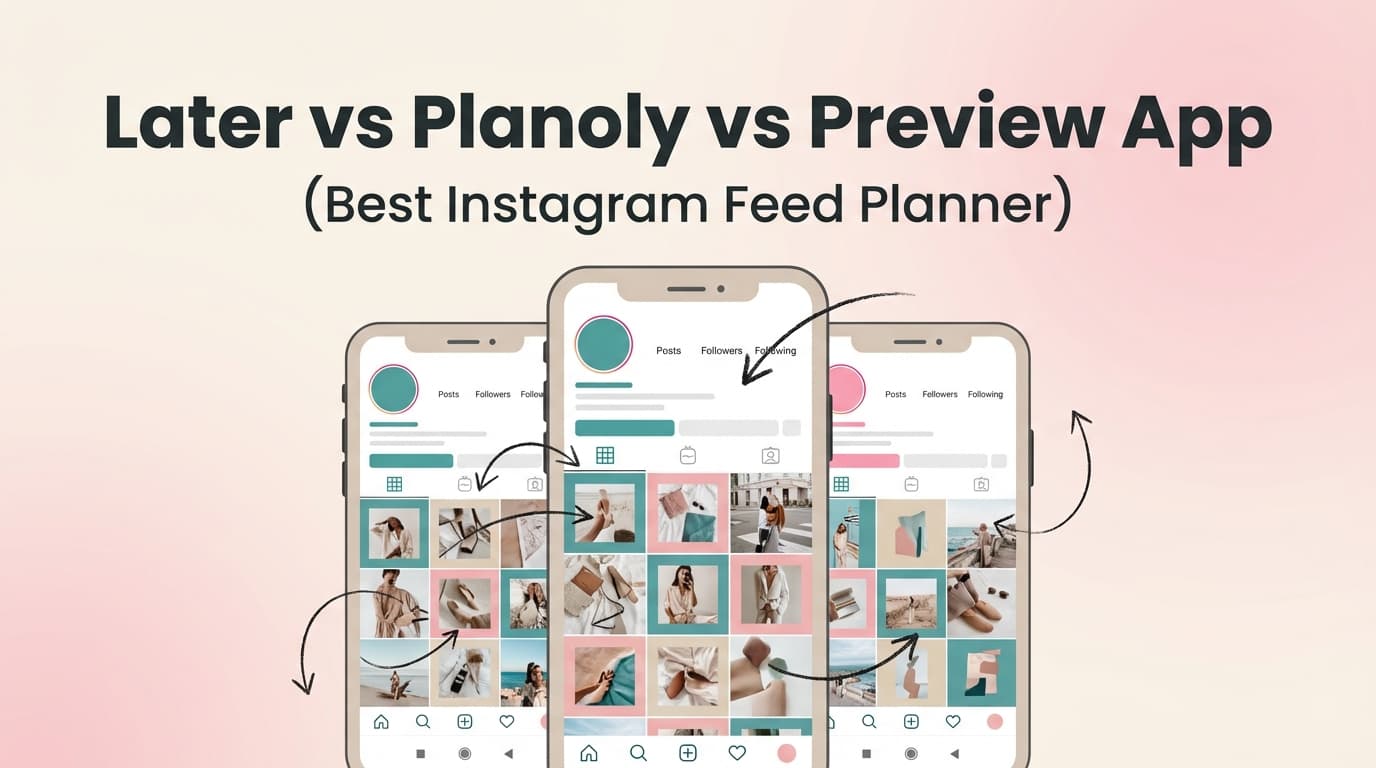
Instagram Feed Planner Comparison

PostQuickAI vs Later vs Planoly vs Preview App: Which Instagram Feed Planner Is Right for You?

If you’re comparing Later vs Planoly vs Preview App, you’re likely asking one question: which tool makes it easiest to plan a great-looking Instagram grid and stay consistent without spending hours every week? This guide breaks down where each tool shines and where it falls short.

Later Vs Planoly Vs Preview App Best Instagram Feed Planner

Quick Verdict

  • Choose Preview App if you want a mobile-first grid preview with strong aesthetic tools and mostly plan for Instagram and TikTok.
  • Choose Later if you want a broader social media management suite, especially Link in Bio and analytics.
  • Choose Planoly if you want a creator-friendly planner with a creator-store angle and clear tiered pricing.
  • Choose PostQuickAI if you want a fast Instagram scheduler + free no-login grid planning with AI-assisted creation.

TL;DR Comparison

FeaturePostQuickAILaterPlanolyPreview App
Instagram grid previewYes (free tool, no login)Yes (Visual Planner)Yes (planner workflow)Yes (core focus)
Drag-and-drop planningYesYesYesYes
Instagram schedulingPosts, carousels, ReelsScheduling + auto-publishScheduling (plan-based)Scheduling listed
Link in bioNot a headline featureCore featureNot core positioningNot core positioning
AnalyticsNot analytics-firstCore featureSome analytics by planAnalytics positioned
AI help for contentAI generation positioningAI credits/add-onsSome AI mentioned (verify)Not a primary differentiator
Best forQuick planning + AI speedSocial marketing workflowsCreator planning + monetizationAesthetic-first planning

Note: This comparison reflects what each brand publicly advertises on its pages. If a feature isn’t listed clearly, it may still exist but isn’t a core promise.

PostQuickAI Overview

PostQuickAI positions itself as an AI-powered scheduling and planning tool with a visual workflow and consistency features like streaks. Two pages are especially relevant here: the free Instagram Feed Planner tool and the Instagram Scheduler page.

  • Free Instagram feed planner and grid preview (no login required).
  • Instagram scheduling for posts, carousels, and Reels.
  • AI-driven workflow for faster creation and planning.

Key Strengths

  • Free grid preview without a subscription.
  • AI-assisted workflow that reduces time-to-post.
  • Scheduling + planning in one place.

Limitations

  • Not positioned as an enterprise suite with heavy team workflows.
  • Link-in-bio and analytics are not headline features.

Competitor Overviews

Later Overview

Later is a social media scheduling platform that highlights Schedule & Publish, Link in Bio, Analytics, and Content Creation tools. It uses plan tiers (Starter, Growth, Scale) and a 14-day free trial with add-ons for social sets, users, and AI credits.

Key Strengths

  • Link in Bio and analytics are core product pillars.
  • Suite-like workflow beyond grid planning.

Limitations

  • Pricing complexity with add-ons.
  • Reliability and support frustrations show up in reviews.

Planoly Overview

Planoly is a creator-focused planner with Social Planner and Creator Store packaging. It offers tiered pricing that scales from solo to growing creators.

Key Strengths

  • Creator-oriented packaging and clear tiers (Starter, Growth, Pro).
  • Visual planning remains a core value proposition.

Limitations

  • Reviews cite reliability and Instagram connection frustrations.

Preview App Overview

Preview App is an aesthetic-first planner known for mobile-first grid planning. It emphasizes feed preview, filters, and hashtag tools, with a free plan for one Instagram account and paid plans per account.

Key Strengths

  • Mobile-first grid planning and visual editing tools.
  • Free plan for one Instagram account (per FAQ snippet).

Limitations

  • Per-account pricing can add up with multiple brands.
  • App store reviews sometimes mention stability issues.

Feature-by-Feature Comparison

1) Instagram Feed Planning

Preview App is strongest for aesthetics-first grid planning. PostQuickAI is best if you want a free, fast grid check. Later is best if you want grid planning as part of a broader scheduling suite.

2) Scheduling & Auto-Publishing

Later is the most scheduling-first suite, Planoly is strong for creators, and PostQuickAI is a strong alternative when you want scheduling plus AI-driven creation.

3) Link in Bio

Later is the clear winner for link-in-bio workflows. Planoly focuses more on creator-store style monetization; PostQuickAI and Preview App do not position link-in-bio as a headline feature.

4) Analytics & Reporting

Later positions analytics as a core feature, while Planoly and Preview App offer analytics depending on plan. PostQuickAI is not analytics-first in its public positioning.

5) AI Assistance

PostQuickAI positions AI as central to its workflow, while Later sells AI credits, and Planoly/Preview App mention AI more lightly. If AI drafting matters, PostQuickAI is the strongest option.

Pricing Comparison (Verified Where Publicly Clear)

Plan / ToolPostQuickAILaterPlanolyPreview App
Free planFree grid planner (no login)14-day trial14-day trialFree for one Instagram account
Entry paid tierCheck current pricing pageStarter (monthly/annual shown)Starter $16/mo (or $14 annual)Pricing varies by plan
Mid tierCheck current pricing pageGrowth tierGrowth $28/mo (or $24 annual)
Higher tierCheck current pricing pageScale tierPro $43/mo (or $37 annual)

Pricing can vary by region and billing frequency. Use each vendor’s pricing page for the latest numbers.

Who Should Choose PostQuickAI?

  • Want a fast Instagram workflow with AI-assisted creation.
  • Like using a free, no-login grid preview tool before scheduling.
  • Prefer a lightweight workflow instead of a full suite.

Who Should Choose Later?

  • Want Link in Bio as a core part of your workflow.
  • Need analytics as a first-class feature.
  • Prefer a suite-like scheduling experience.

Who Should Choose Planoly?

  • Want creator-native planning with monetization workflows.
  • Prefer clear tiered pricing and a 14-day trial.

Who Should Choose Preview App?

  • Care most about aesthetic grid planning on mobile.
  • Want a free plan for a single Instagram account.

Switching to PostQuickAI

  • Expect to re-upload media and recreate your grid plan.
  • Start by using PostQuickAI as a grid preview companion, then migrate scheduling.
  • Learning curve is low for grid planning, moderate for scheduling workflows.

Frequently Asked Questions

It depends on your workflow. Later is strongest for link-in-bio and analytics, Planoly is creator-focused with clear tiers, Preview is best for aesthetic-first mobile grid planning, and PostQuickAI wins for quick planning + AI-assisted scheduling with a free grid preview.

For pure aesthetics, Preview App is often the strongest grid planner. For marketing workflows across planning, publishing, and analytics, Later is a top pick. For creator-first planning, Planoly is strong. For fast planning + AI creation, PostQuickAI is compelling.

Preview App can be free for one Instagram account. Planoly starts lower than many suites, Later typically starts higher, and PostQuickAI offers a free grid planner plus paid scheduling plans.

All three position themselves as scheduling tools, but auto-publish, format support, and plan limits vary. If Reels or carousels are critical, confirm exact format support on your plan before subscribing.

Full Guide

PostQuickAI vs Later vs Planoly vs Preview App: Which Instagram Feed Planner Is Right for You?

If you’re comparing Later vs Planoly vs Preview App, you’re probably trying to answer one simple question:

“Which tool makes it easiest to plan a great-looking Instagram grid and stay consistent without spending hours every week?”

This page breaks down the differences honestly—where each tool is strong, where it’s limited, and which one to pick depending on how you work (mobile-first vs desktop, solo creator vs team, aesthetics vs analytics).

Quick Verdict:
- Choose Preview App if your top priority is a mobile-first grid preview + aesthetics (filters/presets) and you mainly plan for Instagram/TikTok.
- Choose Later if you want a more complete social media management suite, especially if you care about Link in Bio and more robust marketing workflows.
- Choose Planoly if you’re a creator who wants planning + a creator-store angle (selling products/links) and a planner built around creator workflows.
- Choose PostQuickAI if you want a fast, modern Instagram scheduler + free no-login grid planning, and you like the idea of using AI to speed up content creation and keep momentum.


TL;DR Comparison

Feature PostQuickAI Later Planoly Preview App
Instagram grid preview ✅ Yes (free tool, no login required) ✅ Yes (visual planner in platform) ✅ Yes (planner-style workflow) ✅ Yes (core focus)
Drag-and-drop planning ✅ Yes (grid tool) ✅ Yes ✅ Yes ✅ Yes
Instagram scheduling ✅ Yes (posts, carousels, Reels) ✅ Yes ✅ Yes ✅ Yes (feature listed by Preview)
Link in bio Not prominently advertised on product pages ✅ Yes (“Link in Bio”) Not core positioning on pricing page Not core positioning
Analytics Not clearly positioned as analytics-first ✅ Yes (“Analytics”) Some analytics depending on plan (see Planoly pricing) Some analytics (positioned as a feature)
AI help for content ✅ Yes (AI-powered content generation positioning) AI features/credits (Later sells AI credits/add-ons) Some AI mentioned in community discussions; verify in product Not a primary differentiator
Best for Quick planning + scheduling + AI speed All-around social marketing workflows Creator planning + monetization workflows Aesthetic-first grid planning (mobile)

Note: This comparison reflects what each brand publicly advertises on their own pages (plus review themes). If a feature isn’t listed clearly, it may still exist—but it’s not part of their main promise.


PostQuickAI Overview

PostQuickAI positions itself as an AI-powered scheduling and planning tool with a visual workflow and consistency features like streaks. Two PostQuickAI pages are especially relevant to this comparison:

  • Free Instagram Feed Planner & Grid Preview: a drag-and-drop 3×3 grid preview you can use without logging in (useful if you just want to check layout before posting).
  • Instagram Scheduler page: focuses on planning and auto-publishing posts, carousels, and Reels, plus AI-assisted content creation.

Key Strengths

  • Free grid preview (no login): Great if you want a quick visual check before committing to a post sequence.
  • Instagram scheduling focus: The Instagram scheduler page is explicit about scheduling posts, carousels, and Reels.
  • AI-driven workflow: Positioned around reducing time-to-post (creation + planning), not just moving blocks around a calendar.

Limitations (being candid)

  • Not positioned as an “enterprise suite”: If you need deep team workflows, approvals, or heavy reporting, Later is typically the more established “suite” category player.
  • Link-in-bio and analytics are not the headline features: If those are must-haves, you’ll want to confirm PostQuickAI’s current depth before committing.

Competitor Overviews (Later, Planoly, Preview App)

Later Overview

Later is a widely known social media scheduling platform that positions itself as “social media management made easy,” highlighting: - Schedule & Publish - Link in Bio - Analytics - Content creation tools

Later also has a structured, detailed pricing page with plan tiers (Starter/Growth/Scale) and an FAQ section.

Key Strengths (verified) - Link in Bio is a core product pillar (prominently featured as a section on Later’s scheduler page). - Analytics is a core product pillar (also featured on the scheduler page). - More “suite-like” positioning than pure grid preview apps (it’s not just feed aesthetics).

Limitations (from review themes) - Reviews commonly mention pricing add-ons and occasional reliability/UX frustrations (e.g., glitchy setup or feature limitations depending on plan).


Planoly Overview

Planoly is a creator-focused planning tool with pricing categories that include Creator Store and Social Planner, signaling a mix of planning and creator monetization workflows.

Key Strengths (verified) - Creator-oriented packaging: Pricing is organized around creator needs (including “Creator Store” alongside “Social Planner”). - Clear tiering for solo vs growing creators: Starter/Growth/Pro are clearly presented on pricing and help docs.

Limitations (from review themes) - A recurring theme in reviews is publishing reliability and Instagram connection issues (reported by users on third-party review pages/forums). As with any IG tool, API/account connection changes can affect performance.


Preview App Overview

Preview App is an aesthetic-first planner that emphasizes planning your Instagram feed on desktop and mobile, and it’s known primarily as a feed preview / grid planner style tool.

Key Strengths (verified) - Mobile-first grid planning is central to the product positioning (feed preview is the brand). - Preview’s site states you can manage one Instagram account for free, with paid plans needed for additional accounts (per their FAQ snippet in search results).

Limitations (from review themes) - App Store reviews commonly mention stability/UI issues (crashes, layout issues on certain devices) and confusion around subscriptions for multiple accounts.


Feature-by-Feature Comparison

1) Instagram Feed Planning (Grid Preview & Aesthetic Control)

PostQuickAI:
- Offers a free Instagram grid preview tool with drag-and-drop and a simple 3×3 preview workflow.
- Strong choice if you want a quick layout check without committing to a subscription.

Later:
- Strong visual planning workflow inside a broader scheduler—better if your grid preview is part of a bigger multi-post, multi-platform plan.

Planoly:
- Historically known for visual planning; pricing and product structure suggest it remains creator-centric for organizing posts.

Preview App:
- This is Preview’s core differentiator: aesthetic-first planning. If your primary need is grid look/feel (themes, presets, visual consistency), Preview usually feels “native” to that job.

Winner: Preview App (for aesthetics-first grid planning).
Best “free quick grid check” experience: PostQuickAI (no-login feed planner).


2) Scheduling & Auto-Publishing

PostQuickAI:
- Explicitly supports scheduling posts, carousels, and Reels on Instagram.

Later:
- Scheduling is a core pillar, alongside analytics and link-in-bio—better for users who want scheduling plus adjacent marketing functions.

Planoly:
- Scheduling is central to the Social Planner offering; plan details vary by tier.

Preview App:
- Preview markets scheduling as part of its feature set, but many users choose it primarily for planning rather than heavy operational scheduling.

Winner: Later (if you want “scheduler + marketing suite”).
Strong alternative if you mainly want IG scheduling + planning: PostQuickAI.


PostQuickAI:
- Not a highlighted feature on the key pages reviewed. If link-in-bio is critical, confirm current support.

Later:
- Link in Bio is a prominently advertised module and a major reason people choose Later.

Planoly:
- Planoly’s packaging includes “Creator Store,” which may matter more than classic link-in-bio depending on your business model (products, affiliate-style setups).

Preview App:
- Not positioned as link-in-bio-first (it’s mainly feed planning + tools).

Winner: Later (clear, core positioning around Link in Bio).


4) Analytics & Reporting

PostQuickAI:
- Not positioned as analytics-first in the reviewed pages (scheduler + planning + AI are the emphasis).

Later:
- Analytics is explicitly called out as a major product section.

Planoly:
- Analytics may be available depending on plan; the pricing structure suggests tier-based feature access.

Preview App:
- Mentions analytics as part of its toolset, but it’s not as suite-positioned as Later.

Winner: Later (most “analytics-forward” positioning).


5) AI Assistance (Captions, Ideas, Faster Creation)

PostQuickAI:
- Strong AI positioning (AI scheduling + AI-powered content generation messaging). If you want speed—drafting captions, generating post ideas, and moving from “blank page” to scheduled post—this is the main appeal.

Later:
- Later sells AI credits/add-ons and references AI in pricing add-ons, suggesting AI usage is metered and may vary by tier.

Planoly / Preview App:
- Not positioned as AI-first on the pricing pages analyzed. Some users discuss AI features around Planoly, but treat that as something to verify in-product if it matters to you.

Winner: PostQuickAI (AI is central to the value proposition).


Pricing Comparison (Verified Where Publicly Clear)

Pricing changes often (and can vary by region/billing frequency), so use this as a snapshot.

Plan / Tool PostQuickAI Later Planoly Preview App
Free plan ✅ Free feed planner tool available (no login) 14-day free trial (per pricing page CTA) 14-day free trial (per pricing page) ✅ Free for 1 Instagram account (per Preview FAQ snippet)
Entry paid tier Check current pricing page Starter advertised (monthly/annual shown) Starter $16/mo (or $14/mo billed annually) Pricing shown on Preview’s pricing page/in-app (varies)
Mid tier Check current pricing page Growth tier Growth $28/mo (or $24/mo billed annually)
Higher tier Check current pricing page Scale tier Pro $43/mo (or $37/mo billed annually)

Value takeaways: - Later can become costly as you scale users/social sets and add-ons—worth it if you’ll actually use analytics + link-in-bio + suite features. - Planoly pricing is straightforward for creators choosing a tier that matches number of users/social sets. - Preview App is attractive if you only need planning for one account (free) and your workflow is mobile-first. - PostQuickAI is best value when you want planning + scheduling + AI speed, and you like a lightweight workflow rather than a big suite.


Who Should Choose PostQuickAI?

You’ll prefer PostQuickAI if you: - Want a fast Instagram workflow: plan your grid, write faster with AI, and schedule posts without overcomplicated tooling. - Like using a free, no-login grid preview tool to sanity-check layout before posting. - Care about consistency and momentum (PostQuickAI emphasizes a streak/consistency-style approach).


Who Should Choose Later?

You’ll prefer Later if you: - Want Link in Bio as a core part of your Instagram marketing workflow. - Need analytics as a first-class feature, not an afterthought. - Prefer a more established “social media management suite” that goes beyond just grid planning.


Who Should Choose Planoly?

You’ll prefer Planoly if you: - Want a tool that feels creator-native (planning + creator monetization angle via “Creator Store” packaging). - Need a straightforward planner with plans that scale from solo to small team.


Who Should Choose Preview App?

You’ll prefer Preview App if you: - Are heavily focused on aesthetic grid planning and prefer a mobile-first workflow. - Want a simple tool to plan one Instagram account for free (then upgrade only if you need multiple accounts or premium features).


Switching to PostQuickAI (from Later, Planoly, or Preview)

Most Instagram planning tools don’t offer a perfect one-click migration because scheduled posts and media libraries are often structured differently.

Here’s the practical, low-stress approach: - Captions/hashtags: Export or copy from your existing planner and paste into PostQuickAI as you schedule upcoming content. - Media: Download your ready-to-post assets from your current workflow (Drive/Dropbox/local) and upload into PostQuickAI as needed. - Start with the grid: Use PostQuickAI’s free feed planner to recreate your next 9 posts visually, then schedule from there.

Learning curve:
- If you’re coming from Preview: expect more “scheduler” concepts (timing, publishing workflow).
- If you’re coming from Later: expect a lighter experience focused on speed and creation.


FAQ

Is PostQuickAI better than Later, Planoly, or Preview App?

It depends on what “better” means for you: - If you want Link in Bio + analytics + suite workflows, Later is hard to beat. - If you want creator-focused planning + monetization packaging, Planoly may be the better fit. - If you want aesthetic-first grid planning on mobile, Preview App is often the most natural. - If you want quick creation + scheduling + a free no-login grid preview, PostQuickAI is a strong choice.

Which is the best Instagram feed planner overall?

For pure feed aesthetics: Preview App is often the best dedicated grid planner experience.
For marketing workflows across planning + publishing + analytics/link-in-bio: Later.
For creator workflows and planning structure: Planoly.
For fast planning + scheduling plus AI to speed up creation: PostQuickAI.

Which tool is cheapest?

  • Preview App can be the cheapest if you only need one Instagram account (free tier per Preview’s FAQ snippet).
  • Planoly publishes clear entry pricing (Starter tier) on its pricing/help pages.
  • Later generally starts higher (suite positioning) and can grow with add-ons.
  • PostQuickAI pricing should be confirmed on its pricing page for the most current rates.

Do Later, Planoly, and Preview App all support Instagram scheduling?

All three position themselves as supporting scheduling/publishing workflows, but the exact capabilities (auto-publish vs notifications, formats supported, limits per plan) can vary by plan and Instagram account type. If you post lots of Reels/carousels, confirm format support on your intended tier before subscribing.