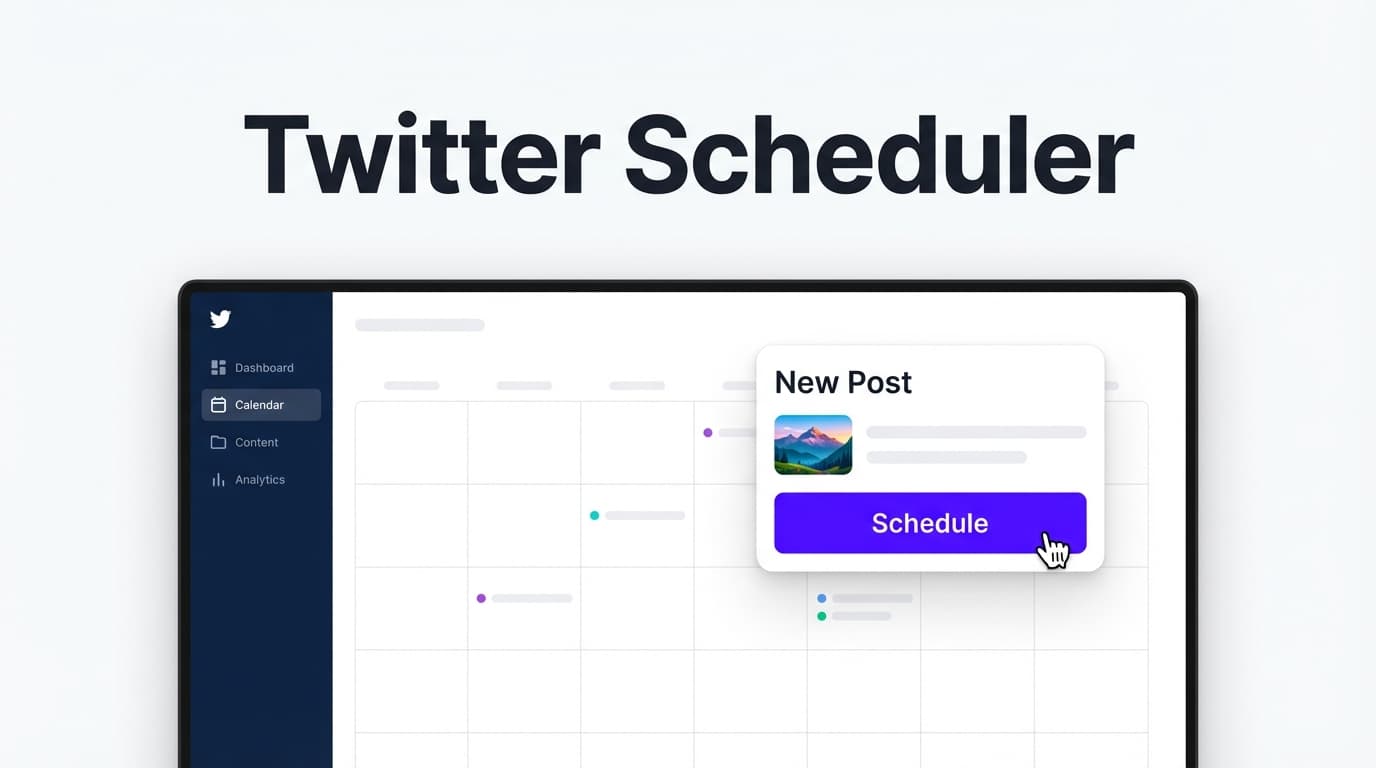
X (Twitter) Scheduling

Twitter Scheduler: Plan & Auto-Publish Tweets on X (Without Being Online)

If you’re searching for a twitter scheduler, you’re probably trying to solve the real problem: consistency. Writing one great tweet is easy. Showing up every day (at the right times, with the right mix of text + visuals) is what’s hard.

PostQuickAI is a Twitter scheduler (X scheduler) built for server-side scheduled publishing—so your posts can publish automatically at the scheduled time even if your laptop is closed. Schedule text posts, images (up to 4), or video—and optionally use Auto-Gen Workflow (scheduled draft generation) or YOLO Mode (generate + publish automatically when you’re ready for hands-free posting).

Server-side publishing included. Plans start at $8/month.

Twitter Scheduler
  • Schedule and auto-publish X posts server-side (no browser required)
  • Publish text, images (up to 4 per post), and video (512MB limit enforced)
  • Plan on a visual calendar and batch your week in one sitting
  • Speed up drafts with AI tools like the caption and hashtag generators
  • Enable Auto-Gen Workflow or YOLO Mode when you want deeper automation

Want to compare alternatives? See our comparison at /comparisons/buffer.

Why Choose PostQuickAI for a Twitter Scheduler (X Scheduler) Use Case?

Most “schedule tweets” tools sound the same until you use them. The difference is whether the tool actually fits your workflow: do you want a simple, reliable calendar-based scheduler, help creating posts faster, or a way to manage multiple brands without mixing content? PostQuickAI is designed for that exact reality.

1) True scheduled publishing (server-side)

A twitter scheduler isn’t very helpful if it depends on your browser staying open. PostQuickAI supports server-side scheduled publishing, so you schedule once and it publishes automatically at the scheduled time—even if you’re offline.

2) Post the formats that actually perform on X

X is no longer “text-only” for most niches. With PostQuickAI’s Twitter scheduler, you can publish text posts, image posts (including multi-image posts up to 4 images), and video posts (512MB limit enforced).

3) Optional automation modes: Auto-Gen Workflow + YOLO Mode

Use Auto-Gen Workflow to generate drafts on a schedule using your instructions, or enable YOLO Mode to generate and publish automatically to selected platforms (including X). These modes are optional—use them only when you want more automation.

4) Built for multi-brand work (Content Groups)

PostQuickAI supports Content Groups so you can separate brands/clients cleanly: Basic includes 5 Content Groups, and Pro includes unlimited Content Groups.

How PostQuickAI’s Twitter Scheduler Works

Step 1: Connect your X (Twitter) account

Connect your account so PostQuickAI can publish on your behalf. This enables auto-publishing (scheduled posts can go live without you being online).

Step 2: Create your tweet (manual or AI-assisted)

Write your post yourself—or speed up the first draft using PostQuickAI’s AI tools, including the AI Caption Generator. Improve clarity with proofreading, tone analysis/adjustment, make concise, or custom edit. The goal is not “AI writes everything.” The goal is: you get to a strong draft faster, then you keep control.

Step 3: Add media (optional)

Publish more engaging posts with images (up to 4 per post) or video (512MB limit enforced).

Step 4: Choose your date/time and schedule

Pick the exact time you want the post to publish. PostQuickAI will handle publishing at the scheduled time via server-side scheduling.

Step 5 (Optional): Turn on automation

Use Auto-Gen Workflow to generate drafts automatically based on your instructions, or enable YOLO Mode if you want PostQuickAI to generate + publish automatically to selected platforms.

Key Features for a Twitter Scheduler

FeatureWhat it doesWhy it matters
Server-side scheduled publishingPublishes your scheduled posts automatically at the scheduled timeYour posts can go live even if you’re offline
X text postingPublish text-only postsClean, fast, and perfect for daily consistency
X image publishing (up to 4)Attach up to 4 images to a postMore visual impact without changing your workflow
X video publishingPublish video posts (512MB limit enforced)Add motion content when it fits your strategy
Visual content calendarSee scheduled and posted items by datePlan a week/month at a glance and avoid gaps
AI Caption GeneratorGenerates multiple caption options you can editFaster hooks, clearer writing, less blank-page friction
AI tone tools + proofreadingAnalyze/adjust tone, proofread, make concise, or custom editKeeps your voice consistent and professional
Auto-Gen Workflow (optional)Generates posts on a schedule using your instructionsMaintain output when you’re busy
YOLO Mode (optional)Generates and publishes automatically to selected platformsTrue hands-free automation when you want it
Content GroupsSeparate brands/clients into distinct groupsClean multi-brand/client management

What You Can (and Can’t) Automate on X With PostQuickAI

What PostQuickAI automation does mean

  • Posts that publish automatically at your scheduled time (twitter scheduler core use case)
  • Auto-Gen Workflow that generates drafts on a schedule
  • YOLO Mode that can generate and publish automatically (when enabled)

What PostQuickAI automation does NOT mean

  • Auto-replies, DM automation, comment automation, or “engagement bots”
  • Guaranteed reach, impressions, or virality (X controls distribution)

Twitter Scheduler Best Practices (So Scheduled Posts Don’t Feel “Scheduled”)

1) Batch your writing, then leave room for real-time moments

Schedule your evergreen and repeatable formats (tips, frameworks, opinion-backed lessons). Leave space to post live when something timely happens in your niche.

  • 60–80% scheduled (repeatable, durable topics)
  • 20–40% manual (timely posts, replies, current events)

2) Use repeatable formats that are easy to create in batches

  • Point → Why → Example
  • Mini-frameworks: “3 mistakes…”, “My checklist for…”
  • Weekly themes: specific “types” of posts per weekday
  • Visual explainers: image posts (up to 4) for step-by-step breakdowns

If you’re using Auto-Gen Workflow, these formats are also easier to describe in instructions (so drafts come out closer to what you want).

3) Add visuals intentionally (not randomly)

Because PostQuickAI supports up to 4 images per X post, you can create simple “carousel-style” image posts within X’s constraints. Good uses include:

  • Step-by-step processes (1 step per image)
  • Before/after comparisons
  • “Mistakes vs fixes”
  • Mini case studies

4) Schedule for consistency—then do your engagement manually

A scheduler handles publishing. Growth still often comes from what happens after publishing: replying, starting conversations, and following up with clarifications or examples.

Twitter Scheduler Limits & Posting Notes

  • Images on X: supported, up to 4 images per post
  • Video on X: supported, 512MB max file size enforced

Thread note: Native X thread publishing as a single composed thread is not a core supported feature in PostQuickAI. If you want to post a “thread-like” sequence, you can schedule multiple individual posts and publish them in sequence manually (for example, by numbering them).

Twitter Scheduler vs Native Scheduling on X

X has native scheduling options in some contexts, and for some users that’s enough. But most people searching “twitter scheduler” want more control and a smoother workflow.

Native X scheduling is fine if…

  • You only schedule occasionally
  • You don’t need to manage multiple brands/clients
  • You don’t want AI-assisted creation/editing
  • You don’t need automation modes

PostQuickAI is a better fit if…

  • You want a calendar workflow to plan a full week/month
  • You want server-side scheduled publishing you can trust
  • You want to create faster using AI caption generation, tone analysis/adjustment, and proofreading
  • You want optional automation via Auto-Gen Workflow and YOLO Mode
  • You manage multiple brands and need Content Groups

Twitter Scheduler vs “Thread-First” Tools

Some tools position themselves around threads. If you primarily need “compose a thread as one object and schedule it as a thread,” PostQuickAI isn’t trying to be the most thread-centric product.

PostQuickAI focuses on reliable scheduling + auto-publishing, posting the core formats that most teams use daily (text, images, video), optional automation (Auto-Gen Workflow + YOLO Mode), multi-brand organization (Content Groups), and AI assistance that helps you draft and refine faster.

If your content strategy is built around threads, you can still work in a thread-like way by scheduling a sequence of posts—just be aware it isn’t “native thread publishing as one composed thread.”

Use Cases: Who This Twitter Scheduler Is For

For creators and founders: stay consistent without living on X

  • Batch 10–20 posts
  • Schedule them across the week
  • Spend your time on replies and relationship-building

For agencies and operators: separate client brands with Content Groups

  • Keep each client’s drafts, scheduled posts, and assets separate
  • Scale up to more clients on Pro (Unlimited Content Groups)

For multi-platform teams: cross-post from one workflow

PostQuickAI supports scheduling and publishing across multiple networks (including X), so you can adapt and cross-post your best ideas without rewriting from scratch every time.

Pricing

PostQuickAI is a paid product with a 7-day free trial (monthly plans).

Basic: $8/mo (or $7.50/mo billed annually) — includes 5 Content Groups, 2 GB storage, 100 AI image generations/month, 10 monthly video credits, unlimited text generation, unlimited Auto-Gen runs.

Pro: $20/mo (or $16.67/mo billed annually) — includes unlimited Content Groups, 10 GB storage, 25 monthly video credits, and higher AI image limits.

See full details here: /pricing.

Frequently Asked Questions

Common questions about scheduling tweets, automation, and PostQuickAI’s X publishing capabilities.

Frequently Asked Questions

A twitter scheduler is a tool that lets you plan tweets (X posts) in advance and publish them automatically at a scheduled date/time—so you don’t have to post manually every day.

Yes. Connect your X account, create your post, choose a date/time, and PostQuickAI will publish it automatically at the scheduled time.

No. PostQuickAI supports server-side scheduled publishing, so your scheduled posts can publish even if you’re offline.

Yes. PostQuickAI supports X image publishing, including multi-image posts (up to 4 images per post).

Yes. X video publishing is supported. The publishing flow enforces a 512MB size limit.

PostQuickAI focuses on single X posts. You can schedule multiple individual posts and publish them in sequence manually (for example, by numbering them), but native thread publishing as a single composed thread is not a core supported feature.

In PostQuickAI, automated Twitter posts can mean scheduled posts that auto-publish at a set time, Auto-Gen Workflow that generates drafts on a schedule, or YOLO Mode that can generate and publish automatically to selected platforms (including X). It does not mean DM/comment auto-replies or engagement bots.

Yes. PostQuickAI includes AI tools to generate caption options and improve drafts (tone analysis/adjustment, proofreading, concise rewrites, and custom edits). It also supports Auto-Gen Workflow and YOLO Mode for more automation if you want it.

PostQuickAI includes a 7-day free trial, then paid plans starting at $8/month.

Get Started With a Twitter Scheduler That Actually Keeps You Consistent

If you’re ready to stop relying on “I’ll post when I have time,” PostQuickAI gives you a simple, reliable system: write or generate a batch of posts, schedule them on a visual calendar, auto-publish to X server-side, and use Auto-Gen Workflow or YOLO Mode when you want more automation.

Full Guide

Twitter Scheduler: Plan & Auto-Publish Tweets on X (Without Being Online)

If you’re searching for a twitter scheduler, you’re probably trying to solve the real problem: consistency. Writing one great tweet is easy. Showing up every day (at the right times, with the right mix of text + visuals) is what’s hard.

PostQuickAI is a Twitter scheduler (X scheduler) built for server-side scheduled publishing—so your posts can publish automatically at the scheduled time even if your laptop is closed. Schedule text posts, images (up to 4), or video—and optionally use Auto-Gen Workflow (scheduled draft generation) or YOLO Mode (generate + publish automatically when you’re ready for hands-free posting).

CTA: Start with a 7-day free trial, connect your X account, and schedule your next week of posts.


Why Choose PostQuickAI for a Twitter Scheduler (X Scheduler) Use Case?

Most “schedule tweets” tools sound the same until you use them. The difference is whether the tool actually fits your workflow:

  • Do you want a simple, reliable calendar-based scheduler you can trust?
  • Do you want help creating posts faster (without sounding generic)?
  • Do you need to manage multiple brands or clients without mixing content?

PostQuickAI is designed for that exact reality. You can schedule tweets (X posts) in advance, attach media, and let our system publish them server-side—plus you can speed up creation with built-in AI writing and editing tools.

1) True scheduled publishing (server-side)

A twitter scheduler isn’t very helpful if it depends on your browser staying open. PostQuickAI supports server-side scheduled publishing, which means:

  • You schedule the post once
  • It publishes automatically at the scheduled time
  • You don’t need to be online when it goes live

This is especially useful if you’re posting across time zones, scheduling early-morning posts, or batching a full week at once.

2) Post the formats that actually perform on X

X is no longer “text-only” for most niches. Visual posts often outperform plain text when they’re used intentionally.

With PostQuickAI’s Twitter scheduler, you can publish:

  • Text posts
  • Image posts (including multi-image posts up to 4 images)
  • Video posts (with an enforced 512MB size limit)

3) Optional automation modes: Auto-Gen Workflow + YOLO Mode

If you want more than basic scheduling, PostQuickAI includes two automation features:

  • Auto-Gen Workflow: generates drafts on a schedule using your instructions (brand, topics, tone, audience)
  • YOLO Mode: can generate and publish automatically to selected platforms (including X) for a hands-free workflow

These are optional—use them only if/when you want more automation.

4) Built for multi-brand work (Content Groups)

If you manage more than one brand (agency, consultant, operator, multi-project creator), organization is the difference between “productive” and “chaos.”

PostQuickAI supports Content Groups so you can separate brands/clients cleanly: - Basic: includes 5 Content Groups - Pro: includes Unlimited Content Groups


How PostQuickAI’s Twitter Scheduler Works

Step 1: Connect your X (Twitter) account

Connect your account so PostQuickAI can publish on your behalf. This enables auto-publishing (scheduled posts can go live without you being online).

Step 2: Create your tweet (manual or AI-assisted)

Write your post yourself—or speed up the first draft using PostQuickAI’s AI tools:

  • Generate multiple caption options with the AI Caption Generator (see: /tools/caption-generator)
  • Improve clarity with proofreading
  • Check and refine voice with tone analysis and tone adjustment
  • Tighten writing with make concise
  • Apply a specific rewrite request using custom edit

The goal is not “AI writes everything.” The goal is: you get to a strong draft faster, then you keep control.

Step 3: Add media (optional)

To publish more engaging posts, attach media:

  • Images: single or multi-image posts (up to 4 images per post)
  • Video: supported (with a 512MB size limit enforced)

Step 4: Choose your date/time and schedule

Pick the exact time you want the post to publish. PostQuickAI will handle publishing at the scheduled time via server-side scheduling.

Step 5 (Optional): Turn on automation

If you want to go beyond scheduling:

  • Use Auto-Gen Workflow to generate drafts automatically based on your instructions
  • Use YOLO Mode if you want PostQuickAI to generate + publish automatically to selected platforms (including X)

Key Features for a Twitter Scheduler

Feature What It Does Why It Matters
Server-side scheduled publishing Publishes your scheduled posts automatically at the scheduled time Your posts can go live even if you’re offline
X text posting Publish text-only posts Clean, fast, and perfect for daily consistency
X image publishing (up to 4) Attach up to 4 images to a post More visual impact without changing your workflow
X video publishing Publish video posts (512MB limit enforced) Add motion content when it fits your strategy
Visual content calendar See scheduled and posted items by date Plan a week/month at a glance and avoid gaps
AI Caption Generator Generates multiple caption options you can edit Faster hooks, clearer writing, less blank-page friction
AI tone tools + proofreading Analyze/adjust tone, proofread, make concise, or custom edit Keeps your voice consistent and professional
Auto-Gen Workflow (optional) Generates posts on a schedule using your instructions Maintain output when you’re busy
YOLO Mode (optional) Generates and publishes automatically to selected platforms True hands-free automation when you want it
Content Groups Separate brands/clients into distinct groups Clean multi-brand/client management

What You Can (and Can’t) Automate on X With PostQuickAI

A lot of tools use the word “automation” loosely. Here’s what PostQuickAI means by it.

What PostQuickAI automation does mean

  • Posts that publish automatically at your scheduled time (twitter scheduler core use case)
  • Auto-Gen Workflow that generates drafts on a schedule
  • YOLO Mode that can generate and publish automatically (when enabled)

What PostQuickAI automation does NOT mean

To be clear, PostQuickAI does not claim: - Auto-replies, DM automation, comment automation, or “engagement bots” - Guaranteed reach, impressions, or virality (X controls distribution)


Twitter Scheduler Best Practices (So Scheduled Posts Don’t Feel “Scheduled”)

A twitter scheduler helps with consistency—but content quality still matters. These practices work well specifically when you’re scheduling ahead of time:

1) Batch your writing, then leave room for real-time moments

Schedule your evergreen and repeatable formats (tips, frameworks, opinion-backed lessons). Leave space to post live when something timely happens in your niche.

A practical weekly approach: - 60–80% scheduled (repeatable, durable topics) - 20–40% manual (timely posts, replies, current events)

2) Use repeatable formats that are easy to create in batches

Scheduling works best when you’re not reinventing the wheel every post. Try formats like:

  • Point → Why → Example
  • Mini-frameworks: “3 mistakes…”, “My checklist for…”
  • Weekly themes: specific “types” of posts per weekday
  • Visual explainers: image posts (up to 4) for step-by-step breakdowns

If you’re using Auto-Gen Workflow, these formats are also easier to describe in instructions (so drafts come out closer to what you want).

3) Add visuals intentionally (not randomly)

Because PostQuickAI supports up to 4 images per X post, you can create simple “carousel-style” image posts (within X’s constraints). Good uses include:

  • Step-by-step processes (1 step per image)
  • Before/after comparisons
  • “Mistakes vs fixes”
  • Mini case studies

4) Schedule for consistency—then do your engagement manually

A scheduler handles publishing. Growth still often comes from what happens after publishing: - Replying - Starting conversations - Following up with clarifications or examples

Scheduling buys you time to do the parts of X that can’t be automated well.


Twitter Scheduler Limits & Posting Notes (So You Don’t Get Surprised)

When you’re choosing a twitter scheduler, the “limits” matter because they affect how you plan content.

With PostQuickAI: - Images on X: supported, up to 4 images per post - Video on X: supported, 512MB max file size enforced

If your workflow depends on something like “publish a full thread as one composed thread,” that’s important too:

  • Native X thread publishing as a single composed thread is not a core supported feature in PostQuickAI.
    If you want to post a “thread-like” sequence, you can schedule multiple individual posts and publish them in sequence manually (for example, by numbering them).

Twitter Scheduler vs Native Scheduling on X

X has native scheduling options in some contexts, and for some users that’s enough. But most people searching “twitter scheduler” want more control and a smoother workflow.

Native X scheduling is fine if…

  • You only schedule occasionally
  • You don’t need to manage multiple brands/clients
  • You don’t want AI-assisted creation/editing
  • You don’t need automation modes

PostQuickAI is a better fit if…

  • You want a calendar workflow to plan a full week/month
  • You want server-side scheduled publishing you can trust
  • You want to create faster using:
  • AI caption generation
  • tone analysis/adjustment
  • proofreading + concise rewrites
  • You want optional automation:
  • Auto-Gen Workflow
  • YOLO Mode
  • You manage multiple brands and need Content Groups

Twitter Scheduler vs “Thread-First” Tools

Some tools position themselves around threads. If you primarily need “compose a thread as one object and schedule it as a thread,” PostQuickAI isn’t trying to be the most thread-centric product.

PostQuickAI focuses on: - Reliable scheduling + auto-publishing - Posting the core formats that most teams use daily (text, images, video) - Optional automation (Auto-Gen Workflow + YOLO Mode) - Multi-brand organization (Content Groups) - AI assistance that helps you draft and refine faster

If your content strategy is built around threads, you can still work in a thread-like way by scheduling a sequence of posts—just be aware it isn’t “native thread publishing as one composed thread.”


Use Cases: Who This Twitter Scheduler Is For

For creators and founders: stay consistent without living on X

If you’re building in public, teaching, or selling a product/service: - Batch 10–20 posts - Schedule them across the week - Spend your time on replies and relationship-building

For agencies and operators: separate client brands with Content Groups

Agencies need organization and repeatability. With Content Groups: - Keep each client’s drafts, scheduled posts, and assets separate - Scale up to more clients on Pro (Unlimited Content Groups)

For multi-platform teams: cross-post from one workflow

PostQuickAI supports scheduling and publishing across multiple networks (including X), so you can adapt and cross-post your best ideas without rewriting from scratch every time.


Pricing

PostQuickAI is a paid product with a 7-day free trial (monthly plans).

  • Basic: $8/mo (or $7.50/mo billed annually)
    Includes 5 Content Groups, 2 GB storage, 100 AI image generations/month, 10 monthly video credits, Unlimited text generation, Unlimited Auto-gen runs

  • Pro: $20/mo (or $16.67/mo billed annually)
    Includes Unlimited Content Groups, 10 GB storage, 25 monthly video credits, and higher AI image limits

See full details here: /pricing


Frequently Asked Questions

What is a twitter scheduler?

A twitter scheduler is a tool that lets you plan tweets (X posts) in advance and publish them automatically at a scheduled date/time—so you don’t have to post manually every day.

Can PostQuickAI schedule tweets automatically?

Yes. Connect your X account, create your post, choose a date/time, and PostQuickAI will publish it automatically at the scheduled time.

Do I need to keep my laptop open for scheduled tweets to publish?

No. PostQuickAI supports server-side scheduled publishing, so your scheduled posts can publish even if you’re offline.

Can I schedule tweets with images?

Yes. PostQuickAI supports X image publishing, including multi-image posts (up to 4 images per post).

Can I schedule tweets with video?

Yes. X video publishing is supported. The publishing flow enforces a 512MB size limit.

Does PostQuickAI support X (Twitter) threads?

PostQuickAI focuses on single X posts. You can schedule multiple individual posts and publish them in sequence manually (for example, by numbering them), but native thread publishing as a single composed thread is not a core supported feature.

What are “automated Twitter posts” in PostQuickAI?

In PostQuickAI, “automated Twitter posts” can mean: - Scheduled posts that auto-publish at a set time (core scheduler) - Auto-Gen Workflow, which can generate drafts on a schedule - YOLO Mode, which can generate and publish automatically to selected platforms (including X)

It does not mean DM/comment auto-replies or engagement bots.

Can PostQuickAI generate tweets for me?

Yes. PostQuickAI includes AI tools to generate caption options and improve drafts (tone analysis/adjustment, proofreading, concise rewrites, and custom edits). It also supports Auto-Gen Workflow and YOLO Mode for more automation if you want it.

Is PostQuickAI free?

PostQuickAI includes a 7-day free trial, then paid plans starting at $8/month.


Get Started With a Twitter Scheduler That Actually Keeps You Consistent

If you’re ready to stop relying on “I’ll post when I have time,” PostQuickAI gives you a simple, reliable system:

1) Write (or generate) a batch of posts
2) Schedule them on a visual calendar
3) Auto-publish to X server-side—no laptop required
4) Use Auto-Gen Workflow or YOLO Mode when you want more automation

Start your 7-day free trial and schedule your next week of tweets on X.