Social Media Scheduling

Social Media Scheduler: Plan Once, Auto-Publish Everywhere (Without Keeping Your Laptop On)

PostQuickAI is a social media scheduler built for creators, small teams, and multi-brand operators who want a faster create → schedule → publish workflow. Plan your week in a visual content calendar, write better posts with built-in AI helpers, and auto-publish server-side so content goes live even when you’re offline.

Supported networks: Instagram, Facebook Pages, LinkedIn, X, TikTok, YouTube, Threads, and Bluesky.

Social Media Scheduler

Why Choose PostQuickAI for Social Media Scheduling?

Most “social media scheduler” searches come from a simple moment: you’re tired of daily manual posting and want a dependable calendar you can actually plan with. PostQuickAI delivers reliable scheduled publishing, clear platform support by post type, and tools that help you get from idea to scheduled post faster without pretending a bot will run your brand.

1) Server-side auto-publishing

Scheduling isn’t helpful if it depends on your browser tab staying open. PostQuickAI runs scheduled publishing server-side, so your content can publish at the scheduled time even if your laptop is closed.

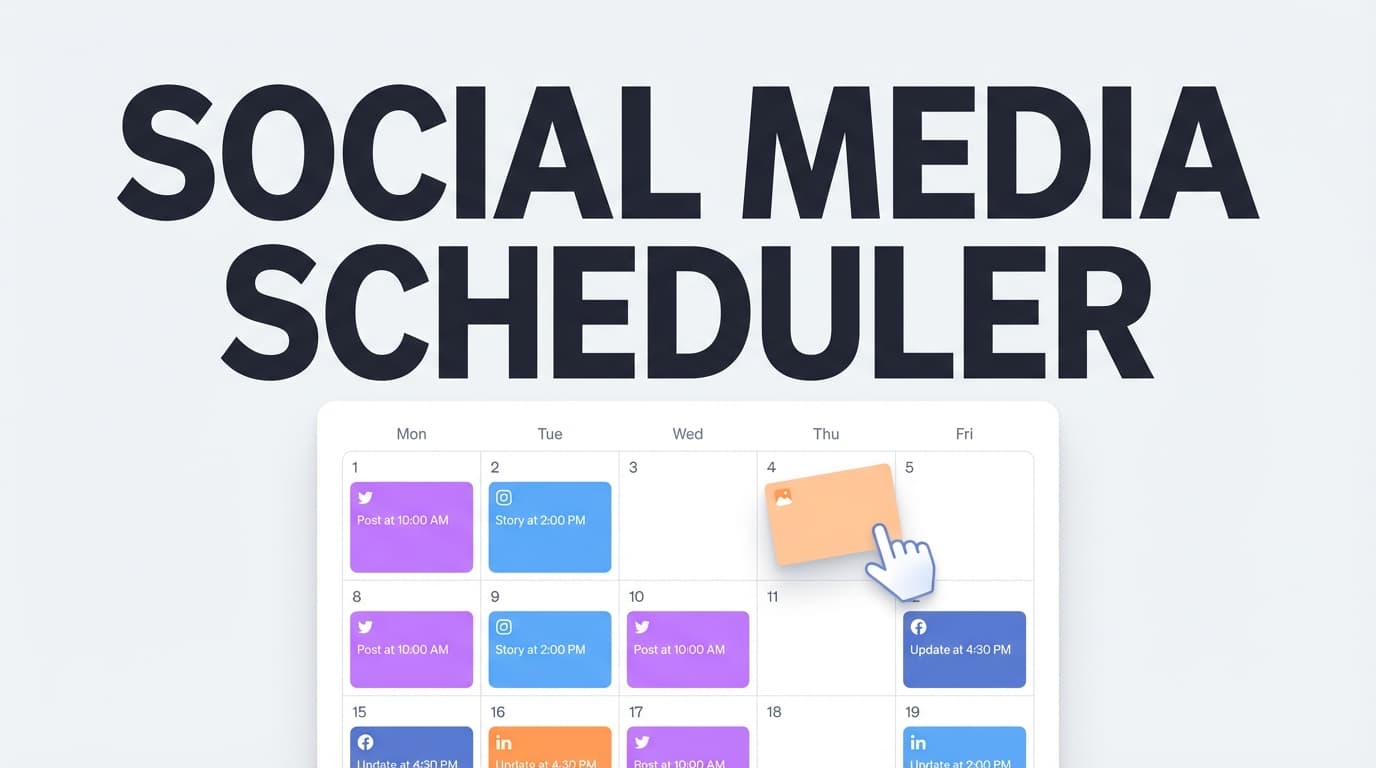
2) A visual content calendar

  • Spot gaps in your posting cadence
  • Avoid stacking similar posts back-to-back
  • Plan a week or month at a glance

3) Multi-brand organization with Content Groups

Separate client work cleanly with Content Groups.

  • Basic: 5 Content Groups
  • Pro: Unlimited Content Groups

4) Built-in AI helpers (optional)

  • AI caption generation
  • Hashtag generation
  • Proofreading
  • Tone analysis + tone adjustment
  • Make concise + custom edits
  • AI image generation (multiple model options)
  • AI video generation (credit-based; short outputs)

You stay in control of what gets scheduled and published.

Supported Platforms & What You Can Schedule

Platform support is only useful when it’s specific. Here’s what PostQuickAI supports today, including important constraints.

Instagram scheduling (Feed + Reels)

Supported: feed single-image posts, carousel posts, Reels publishing.

Not supported: Instagram Stories scheduling/publishing.

Facebook scheduling (Pages)

Supported: text posts, single-image photo posts, multi-image posts, video posts, page selection.

Not supported: Facebook Stories scheduling.

LinkedIn scheduling (Profile + Company Pages)

Supported: text posts, image posts (single + multi-image), video posts, target selection (personal vs organization).

Not supported: documents, polls, newsletters, articles.

X (Twitter) scheduling

Supported: text posts, image posts (up to 4 images), video posts (512MB max).

Not supported: native thread publishing as a single composed thread object.

TikTok scheduling

Supported: video posts and photo carousel posts (requires 2+ images).

Not supported: text-only posts and single-image photo posts.

YouTube scheduling

Supported: YouTube video uploads/publishing with Shorts eligibility detection.

Not supported: YouTube Community posts.

Threads scheduling

Supported: text posts, image posts, carousels (2–10 images), video posts (fallback to text-only if video processing fails).

Not supported: native multi-post thread chains.

Bluesky scheduling

Supported: text posts, image posts (up to 4 images), video posts (Bluesky limits apply).

How PostQuickAI’s Social Media Scheduler Works

  1. Connect your accounts. Instagram requires Business/Creator accounts; LinkedIn requires a profile vs organization target selection.
  2. Create your post. Draft manually or generate/refine with AI tools. Attach images or videos as needed.
  3. Choose platforms. Select where to publish and respect platform-specific format constraints.
  4. Schedule on the calendar. Your post appears on the content calendar for visual planning.
  5. Auto-publish server-side. Posts go live automatically at the scheduled time.

Key Features for Social Media Scheduling

FeatureWhat it doesWhy it matters
Server-side scheduled publishingPublishes at the scheduled time from the backendReliable publishing without keeping a browser open
Visual content calendarShows scheduled + published posts by datePlan campaigns, avoid gaps, keep cadence
Cross-platform schedulingSchedule one idea across multiple networksConsistency without duplicating work
Format-aware platform supportClear support for carousels, video, Reels, etc.Fewer failed publishes and surprises
Content GroupsSeparate brands/clients into different groupsCleaner multi-brand workflows
AI Caption GeneratorGenerates caption options you can editFaster drafting while staying in control
Hashtag GeneratorSuggests hashtagsFinish posts faster
Proofread + tone toolsRefine clarity and voice before schedulingHigher-quality posts with less rewriting
AI image generationGenerate social images (multiple models)Speed up creative production
AI video generationGenerate short videosQuick creative variations without full production

Use Cases: Who This Social Media Scheduler Is Built For

Agencies & multi-client operators

  • Content Groups to separate each client/brand
  • Calendar view to see what’s scheduled across the week
  • Platform guardrails like LinkedIn target selection

Creators & small businesses

  • Draft faster with caption and tone tools
  • Keep a consistent cadence by scheduling in batches
  • Optionally plan your Instagram aesthetic with the Instagram Feed Planner

Social Media Scheduler vs Native Scheduling

Native scheduling exists on some platforms, but it’s typically platform-by-platform and lacks a clean multi-platform workflow.

Native tools are fine when

  • You only post on one network
  • You don’t need a calendar view across multiple platforms
  • You don’t need to organize multiple brands/clients

A dedicated scheduler helps when

  • You want one calendar for multiple platforms
  • You want server-side publishing without manual reminders
  • You want clear format support (carousels, video, Reels)
  • You want writing help built into the same workflow

Pricing

PostQuickAI includes a 7-day free trial. Plans start at $8/month.

Basic

$8/month

$7.50/month billed annually

  • 5 Content Groups
  • 2 GB storage
  • 100 AI image generations/month
  • 10 monthly video credits
  • Unlimited text generation
  • Unlimited Auto-gen runs

Pro

$20/month

$16.67/month billed annually

  • Unlimited Content Groups
  • 10 GB storage
  • 25 monthly video credits
  • Higher AI image generation limits

See full plan details: /pricing

Frequently Asked Questions

PostQuickAI supports scheduling and publishing for Instagram, Facebook Pages, LinkedIn, X (Twitter), TikTok, YouTube, Threads, and Bluesky.

Yes. Scheduled publishing runs server-side, so posts can publish at the scheduled time even if your laptop is off.

No. Instagram Stories scheduling/publishing is not supported. PostQuickAI supports Instagram feed posts, carousels, and Reels.

No. Facebook Stories scheduling is not supported. PostQuickAI supports Facebook Page posting (text, photo, multi-image, and video).

Yes. PostQuickAI supports LinkedIn publishing to personal profiles and organization/company pages. You choose the target before posting.

No. LinkedIn documents, polls, newsletters, and articles are not supported for publishing via PostQuickAI.

Yes, with an important constraint: TikTok photo posts require at least 2 images. TikTok text-only posts are not supported.

PostQuickAI focuses on scheduling single X posts. Native “publish a composed thread as one thread object” is not a core supported feature. You can still schedule multiple individual posts and publish them in sequence manually.

PostQuickAI is built primarily for creation, scheduling, and publishing workflows. It is not positioned as a full analytics suite.

AI video generation is credit-based, and generated videos are 8 seconds. Available models include Google Veo 3.1 variants and OpenAI Sora 2 variants.

Get Started with PostQuickAI Today

Start the 7-day free trial, connect your accounts, and schedule your next week of posts in one sitting.

Platform schedulers: Instagram · LinkedIn · X · Facebook.

Full Guide

Social Media Scheduler: Plan Once, Auto‑Publish Everywhere (Without Keeping Your Laptop On)

PostQuickAI is a social media scheduler built for creators, small teams, and multi‑brand operators who want a faster “create → schedule → publish” workflow. Plan your week in a visual content calendar, write better posts with built‑in AI helpers, and auto‑publish server‑side—so your content goes live even when you’re offline.

Supported networks: Instagram, Facebook Pages, LinkedIn (profile + company pages), X (Twitter), TikTok, YouTube, Threads, and Bluesky.
7‑day free trial included. Plans start at $8/month.


Why Choose PostQuickAI for Social Media Scheduling?

Most “social media scheduler” searches come from a simple moment: you’re tired of daily manual posting and you want a dependable calendar you can actually plan with.

PostQuickAI is designed around that reality—reliable scheduled publishing, clear platform support by post type, and tools that help you get from idea to scheduled post faster (without pretending a bot will run your brand).

1) Server‑Side Auto‑Publishing (Posts Publish Even If You’re Offline)

Scheduling isn’t helpful if it depends on your browser tab staying open. PostQuickAI uses server‑side scheduled publishing, so your content can publish at the scheduled time even if your laptop is closed.

2) A Visual Content Calendar (Not Just a Queue)

A queue is fine—until you’re managing launches, time zones, or multiple platforms. PostQuickAI gives you a calendar‑first workflow so you can: - spot gaps in your posting cadence - avoid stacking similar posts back-to-back - plan a week (or month) at a glance

3) Multi‑Brand Organization with Content Groups

If you manage multiple clients, brands, or product lines, organization becomes the bottleneck. PostQuickAI supports Content Groups so you can separate work cleanly. - Basic: 5 Content Groups
- Pro: Unlimited Content Groups

4) Built‑In AI Helpers (Optional, But Great for Speed)

When writing slows you down, PostQuickAI includes AI tools to draft and refine content faster: - AI caption generation - Hashtag generation - Proofreading - Tone analysis + tone adjustment - Make concise rewriting - Custom edit rewriting - AI image generation (multiple model options) - AI video generation (credit-based; generated videos are short—see FAQ)

You stay in control of what gets scheduled and published.


Supported Platforms & What You Can Schedule (Clear, Specific Coverage)

A good social media scheduler is only as good as its platform support. Here’s what PostQuickAI supports today, including important constraints.

Instagram scheduling (Feed + Reels)

Supported - Feed single‑image posts
- Carousel (multi‑image) posts
- Reels (video) publishing

Not supported - Instagram Stories scheduling/publishing

Facebook scheduling (Pages)

Supported (Facebook Pages) - Text posts - Single‑image photo posts - Multi‑image posts - Video posts
- Page selection when you manage multiple Pages

Not supported - Facebook Stories scheduling

LinkedIn scheduling (Profile + Company Pages)

Supported - Text posts - Image posts (single + multi‑image) - Video posts - Target selection is supported and required: publish to Personal (profile) or Organization (company page)

Not supported - Documents, polls, newsletters, articles

X (Twitter) scheduling

Supported - Text posts - Image posts (up to 4 images) - Video posts (max 512MB)

Not supported - Publishing a composed X thread as one “native thread” object (you can still schedule multiple individual posts)

TikTok scheduling

Supported - TikTok videos - TikTok photo carousel posts (requires 2+ images)

Not supported - TikTok text‑only posts - TikTok single‑image photo posts (TikTok photo posts require at least 2 images)

YouTube scheduling

Supported - YouTube video uploads/publishing - Shorts eligibility detection (if a video doesn’t qualify as a Short, it publishes as a normal video)

Not supported - YouTube Community posts

Threads scheduling

Supported - Text posts - Image posts - Carousel posts (2–10 images) - Video posts (with fallback to text-only if video processing fails)

Not supported - Publishing a multi‑post “thread” as one linked thread chain (single post publishing is supported)

Bluesky scheduling

Supported - Text posts - Image posts (up to 4 images) - Video posts (Bluesky limits apply)


How PostQuickAI’s Social Media Scheduler Works

Step 1: Connect Your Accounts

Connect the social accounts you want to publish to (e.g., Instagram, X, LinkedIn, TikTok). Some platforms have specific requirements: - Instagram scheduling typically requires a Business or Creator account connection through Meta permissions. - LinkedIn requires choosing where you’ll publish (profile vs organization).

Step 2: Create Your Post (Text, Images, Carousel, or Video)

Draft your content in PostQuickAI: - write your caption manually, or generate/refine it with AI tools - attach images (single or multi‑image where supported) - upload a video (for supported platforms)

Step 3: Choose Platforms + Respect Format Fit

Select the platforms you want to publish to. PostQuickAI supports cross‑platform scheduling, but each platform has its own constraints. Examples: - TikTok photo posts require 2+ images - X supports up to 4 images - Bluesky supports up to 4 images - Threads carousels support 2–10 images

Step 4: Schedule on the Calendar

Pick a date/time. Your post appears on your content calendar so you can see what’s planned.

Step 5: Auto‑Publish Server‑Side (No Laptop Required)

At publish time, PostQuickAI publishes your scheduled content server‑side. You don’t need to keep a tab open.


Key Features for Social Media Scheduling

Feature What It Does Why It Matters
Server‑side scheduled publishing Publishes at the scheduled time from the backend Reliability (no “keep browser open”)
Visual content calendar Shows scheduled + published posts by date Plan campaigns, avoid gaps, keep cadence
Cross‑platform scheduling Schedule one idea across multiple networks Consistency without duplicating work
Format-aware platform support Clear support for carousels, video, Reels, etc. Fewer failed publishes and surprises
Content Groups Separate brands/clients into different groups Cleaner multi‑brand workflows
AI Caption Generator Generates caption options you can edit Faster drafting (you stay in control)
Hashtag Generator Suggests hashtags Helps you finish posts faster
Proofread + tone tools Refine clarity and voice before scheduling Higher-quality posts, less rewriting
AI image generation Generate social images (multiple models) Speed up creative production
AI video generation (credits) Generate short videos Useful for quick creative variations

Use Cases: Who This Social Media Scheduler Is Built For

Agencies & multi‑client operators

If you manage multiple clients, the biggest risk is “everything blurring together.” PostQuickAI helps with: - Content Groups to separate each client/brand - a calendar view to see what’s scheduled across the week - platform guardrails (e.g., LinkedIn target selection) to reduce mistakes

Creators & small businesses

If you’re doing the work yourself, speed matters: - draft faster with caption + tone tools - keep a consistent cadence by scheduling in batches - optionally plan your Instagram aesthetic using the Instagram Feed Planner (grid preview tool)


Social Media Scheduler vs. Native Scheduling (And Why People Still Choose a Dedicated Tool)

Native scheduling exists on some platforms—but it’s usually platform-by-platform, and it rarely gives you a clean multi‑platform workflow.

Native tools are fine when…

  • you only post on one network
  • you don’t need a calendar view across multiple platforms
  • you don’t need to organize multiple brands/clients

A dedicated scheduler helps when…

  • you want one calendar for multiple platforms
  • you want server‑side publishing without manual reminders
  • you want clear format support (carousels, video, Reels, etc.)
  • you want writing help (caption drafts, tone adjustments, proofreading) built into the same workflow

Pricing

PostQuickAI includes a 7‑day free trial. Plans start at $8/month.

  • Basic: $8/mo (or $7.50/mo billed annually)
    Includes 5 Content Groups, 2 GB storage, 100 AI image generations/month, 10 monthly video credits, unlimited text generation, unlimited Auto‑gen runs.
  • Pro: $20/mo (or $16.67/mo billed annually)
    Includes Unlimited Content Groups, 10 GB storage, 25 monthly video credits, and higher AI image generation limits.

See full plan details: /pricing


Frequently Asked Questions

What platforms does PostQuickAI support as a social media scheduler?

PostQuickAI supports scheduling and publishing for: Instagram, Facebook Pages, LinkedIn, X (Twitter), TikTok, YouTube, Threads, and Bluesky.

Does scheduled publishing work if my computer is off?

Yes. Scheduled publishing runs server‑side, so posts can publish at the scheduled time even if your laptop is off.

Can I schedule Instagram Stories?

No. Instagram Stories scheduling/publishing is not supported. PostQuickAI supports Instagram feed posts (single image), carousels, and Reels.

Can I schedule Facebook Stories?

No. Facebook Stories scheduling is not supported. PostQuickAI supports Facebook Page posting (text, photo, multi‑image, and video).

Can I post to a LinkedIn company page as well as my personal profile?

Yes. PostQuickAI supports LinkedIn publishing to personal profiles and organization/company pages. You choose the target before posting.

Does PostQuickAI support LinkedIn documents, polls, newsletters, or articles?

No. LinkedIn documents, polls, newsletters, and articles are not supported for publishing via PostQuickAI.

Can I schedule TikTok photo posts?

Yes—with an important constraint: TikTok photo posts require at least 2 images. TikTok text-only posts are not supported.

Can I schedule an X (Twitter) thread?

PostQuickAI focuses on scheduling single X posts. Native “publish a composed thread as one thread object” is not a core supported feature. You can still schedule multiple individual posts and publish them in sequence manually.

Does PostQuickAI include analytics dashboards?

PostQuickAI is built primarily for creation + scheduling + publishing workflows. It is not positioned as a full analytics suite.

How does AI video generation work?

AI video generation is credit‑based, and generated videos are 8 seconds. Available models include Google Veo 3.1 variants and OpenAI Sora 2 variants.


Get Started with PostQuickAI Today

If you’re looking for a social media scheduler that’s clear about what it supports—and built for a reliable calendar workflow—PostQuickAI is ready.

  • Start the 7‑day free trial
  • Connect your accounts
  • Schedule your next week of posts in one sitting

Next steps: - Start here: /pricing - Platform schedulers: /instagram-scheduler, /linkedin-scheduler, /x-scheduler, /facebook-scheduler - Plan your Instagram aesthetic first: /tools/instagram-feed-planner