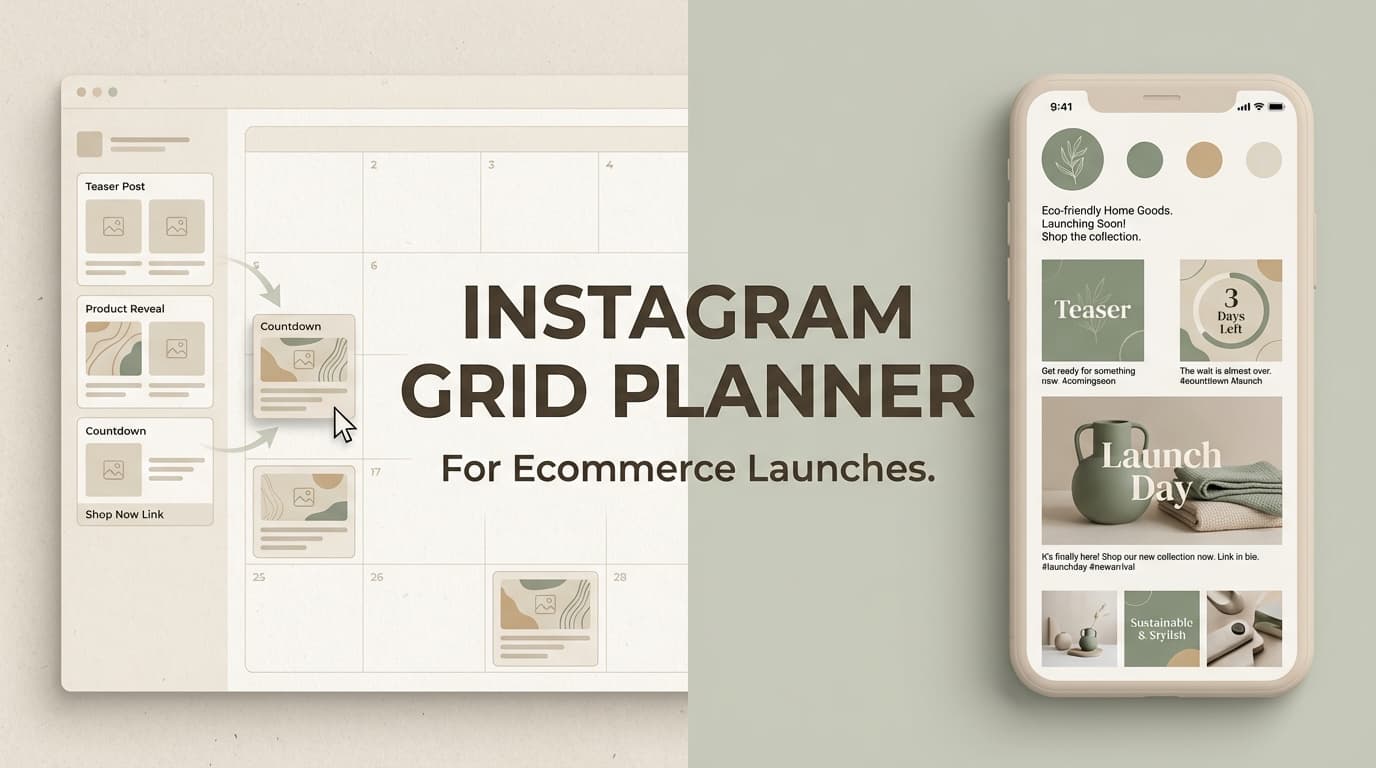
Planning a product launch on Instagram? PostQuickAI helps e-commerce brands schedule and auto-publish product posts, carousels, and Reels with AI-generated captions.
Plan your launch calendar, schedule teaser content, and let posts go live automatically—so you can focus on your products.
Plans start at $8/month · 7-day free trial included
Brands that post consistently see higher engagement. Scheduling ensures you never miss optimal posting times, even during busy launch periods.
Plan teaser posts, launch day content, and follow-up campaigns in advance. See your entire launch timeline on a calendar.
Auto-publishing means your posts go live while you handle orders, customer service, and other launch-day priorities.
Cross-post product launches to Instagram, TikTok, Facebook, and more from one dashboard. Reach customers on every platform.
Everything e-commerce brands need to plan and execute Instagram product launches:
See your entire launch campaign on a calendar. Schedule teaser posts, launch day content, customer testimonials, and restock announcements.
Schedule up to 10 images per carousel—perfect for product features, color variants, size guides, or step-by-step tutorials.
Schedule Reels showing products in action. Unboxings, demos, before/after, and behind-the-scenes content—all auto-published.
Generate 3 caption variations for product posts. Choose promotional, informative, or casual tones. Add CTAs automatically.
AI generates relevant hashtags for your niche—product category tags, trending tags, and brand-specific tags for discoverability.
Here's how e-commerce brands can structure a product launch using PostQuickAI's calendar scheduling:
Schedule sneak peek posts, behind-the-scenes production content, "something big is coming" teasers
Product detail reveals, countdown posts, early access signup announcements, influencer previews
Product announcement post, carousel with all features, Reel demo, Stories (multiple throughout the day)
Customer testimonials, user-generated content reposts, FAQ posts, additional product angles
Product styling ideas, use case tutorials, restock announcements, seasonal promotions
High-quality product shots, lifestyle images, flat lays—schedule them all
Multiple angles, color options, size guides, feature breakdowns
Unboxings, demos, tutorials, before/after transformations
Don't limit your product launch to Instagram. PostQuickAI schedules to:
Start with a 7-day free trial—no credit card required:
Basic
Great for small shops
Pro
For growing brands
A product launch on Instagram isn’t just a content calendar problem—it’s a grid problem.
During launch week, new visitors don’t just watch a Reel. They click through to your profile and judge your brand in seconds. If your newest posts look random (or overly promotional), you lose trust and you lose clicks.
PostQuickAI gives ecommerce brands a simple launch workflow:
Most grid planners help you “make it pretty.” Ecommerce brands need the grid to do three things at once:
PostQuickAI is built around the specific tools you need for a launch-ready workflow.
PostQuickAI’s Instagram Feed Planner is a grid preview tool where:
For ecommerce launches, this is ideal for planning in “rows of 3” (teaser row → reveal row → proof row → offer row).
Use it here: /tools/instagram-feed-planner
When it’s time to post, PostQuickAI supports Instagram scheduling and auto-publishing for:
Important limitation (so you can plan correctly): - Instagram Stories publishing is not supported in PostQuickAI.
If Stories are part of your launch, you can still plan/schedule your feed + Reels in PostQuickAI and run Stories separately.
Launch week usually means multiple post types (teaser, reveal, benefits, FAQs, UGC, last-call). PostQuickAI includes:
Use these to get solid first drafts fast, then refine the final copy in your brand voice.
If you manage multiple product lines or brands, PostQuickAI supports Content Groups to separate work.
From the pricing page: - Basic includes 5 Content Groups - Pro includes Unlimited Content Groups
This helps you keep launches clean and compartmentalized (assets, captions, schedules).
Open the tool: /tools/instagram-feed-planner
In the planner:
Launch tip for ecommerce: Plan in full rows of three posts. Most visitors evaluate your profile at the “row” level, not post-by-post.
A clean ecommerce launch grid usually follows a sequence like:
In the grid planner, assign each tile a “job,” not just a visual style. If you can explain what each post is for, your launch will feel intentional instead of spammy.
Use PostQuickAI’s tools to speed up the writing part:
This is especially useful for carousel-heavy launches where you need multiple angles (features, objections, how-to, proof).
When your grid plan looks right, schedule the actual posts here:
/instagram-scheduler
Workflow (what happens in practice):
| Feature | What It Does | Why It Matters for Product Launches |
|---|---|---|
| Instagram Feed Planner | Grid preview with newest-posts-first layout, drag-and-drop reordering, 3–12 rows | Plan a launch sequence that looks cohesive and intentional the moment people land on your profile |
| Instagram Scheduler | Schedule and auto-publish feed posts (single image), carousels, video feed posts, and Reels | Launch day gets busy—scheduling keeps the rollout consistent without manual posting |
| AI Caption Generator | Generates 3 caption options per request | Faster caption production for teasers, reveals, FAQs, proof posts, and reminders |
| Hashtag Generator | Generates hashtag suggestions | Helps you build repeatable hashtag sets per product category/collection |
| Content Groups | Organize work by brand/client/product line | Keeps multiple launches from colliding (especially for agencies and multi-brand operators) |
| Clear limitations | No Instagram Stories publishing | Lets you plan a realistic launch plan without tool surprises mid-campaign |
These templates are designed specifically for ecommerce launch behavior: attention → profile visit → evaluation → click.
Row 1: Teaser (build curiosity) 1. Problem / desire statement (graphic or lifestyle) 2. Close-up detail (texture/material/ingredient) 3. Date/time announcement (simple and branded)
Row 2: Reveal (make it obvious what’s launching) 4. Product hero shot (clean) 5. Carousel: features / what’s included / variants 6. Lifestyle shot: product in use
Row 3: Proof + action 7. Review / UGC quote graphic 8. FAQ or objection post (shipping, sizing, care, returns, ingredients) 9. Offer / “Now live” reminder
Use the Feed Planner to visually balance the row (e.g., don’t stack three text-heavy graphics in a row unless that’s your brand style).
If you have multiple SKUs/variants:
This keeps the grid clean while still giving enough product detail for buying decisions.
When creators/UGC are the conversion engine:
You’re essentially making your profile grid act like a landing page.
The problem: Launch weeks get chaotic. If you post reactively, you end up with: - inconsistent visuals - repetitive promos - a scrambled story (teaser after reveal, or offer before benefits)
What PostQuickAI changes: You preview your grid first, then schedule the rollout so your story unfolds in order.
Spreadsheets can work, but they don’t show the grid the way customers see it.
What PostQuickAI changes: The Feed Planner shows a true grid-style preview (newest posts at top-left), and drag-and-drop makes it easy to test sequences.
Some tools only preview; you still need a separate workflow to schedule and publish.
What PostQuickAI changes: You can use the free grid preview tool to decide the plan, then schedule feed posts, carousels, and Reels in PostQuickAI’s Instagram Scheduler.
(Important: the grid preview tool is a quick planner—it does not currently save layouts inside the tool. Plan your sequence, then schedule your posts accordingly.)
PostQuickAI is a subscription product.
See plan details and limits on the pricing page: /pricing
Instagram shows your profile grid, but it doesn’t provide a dedicated drag-and-drop planner to test your upcoming launch layout.
PostQuickAI’s Instagram Feed Planner lets you upload images, preview your grid with newest posts at the top-left, and drag-and-drop to plan a launch sequence before publishing.
Yes. In PostQuickAI’s Feed Planner, you can preview 3–12 rows (9–36 tiles). This is helpful for multi-week launches or collection drops.
Yes. Use /instagram-scheduler to schedule and auto-publish: - single-image feed posts - carousel posts - video feed posts - Reels publishing
No. Instagram Stories publishing is not supported in PostQuickAI.
The Feed Planner is an image-based grid preview tool (built for uploading images). If you want to plan Reels visually, upload and arrange cover images/thumbnails in the planner, then schedule the Reel in the Instagram Scheduler.
Yes. To schedule via the Instagram API, you’ll need an Instagram Business or Creator account to connect through Meta/Facebook permissions.
Yes. Scheduled publishing runs server-side, so your posts can publish even when you’re offline.
Yes. PostQuickAI's calendar-based scheduling helps you plan product launch campaigns across Instagram and other platforms. Schedule teaser posts, launch day content, and follow-up posts in advance.
Absolutely. PostQuickAI supports Instagram carousels with up to 10 images—perfect for showcasing product features, collections, or before/after shots.
PostQuickAI focuses on scheduling and auto-publishing rather than visual grid preview. You see your posts on a calendar view. For visual grid planning, you may combine a grid preview tool with PostQuickAI for scheduling.
Yes. PostQuickAI lets you schedule the same content to Instagram, TikTok, Facebook, LinkedIn, X, Threads, YouTube, and Bluesky—reaching customers wherever they are.
The AI Caption Generator creates 3 caption variations based on your product description. Choose tones like professional, casual, or promotional. The AI Hashtag Generator finds relevant product and niche hashtags.
Yes. 7-day free trial with full access to all features. No credit card required to start. Plans start at $8/month after the trial.
Yes. Schedule Instagram Reels with auto-publishing. Perfect for product demos, unboxings, and behind-the-scenes content.
Yes. PostQuickAI requires Instagram Business or Creator accounts for auto-publishing (due to Instagram API requirements). Most e-commerce brands already have Business accounts.
Plan your product launch calendar, generate AI captions, and let PostQuickAI handle auto-publishing.