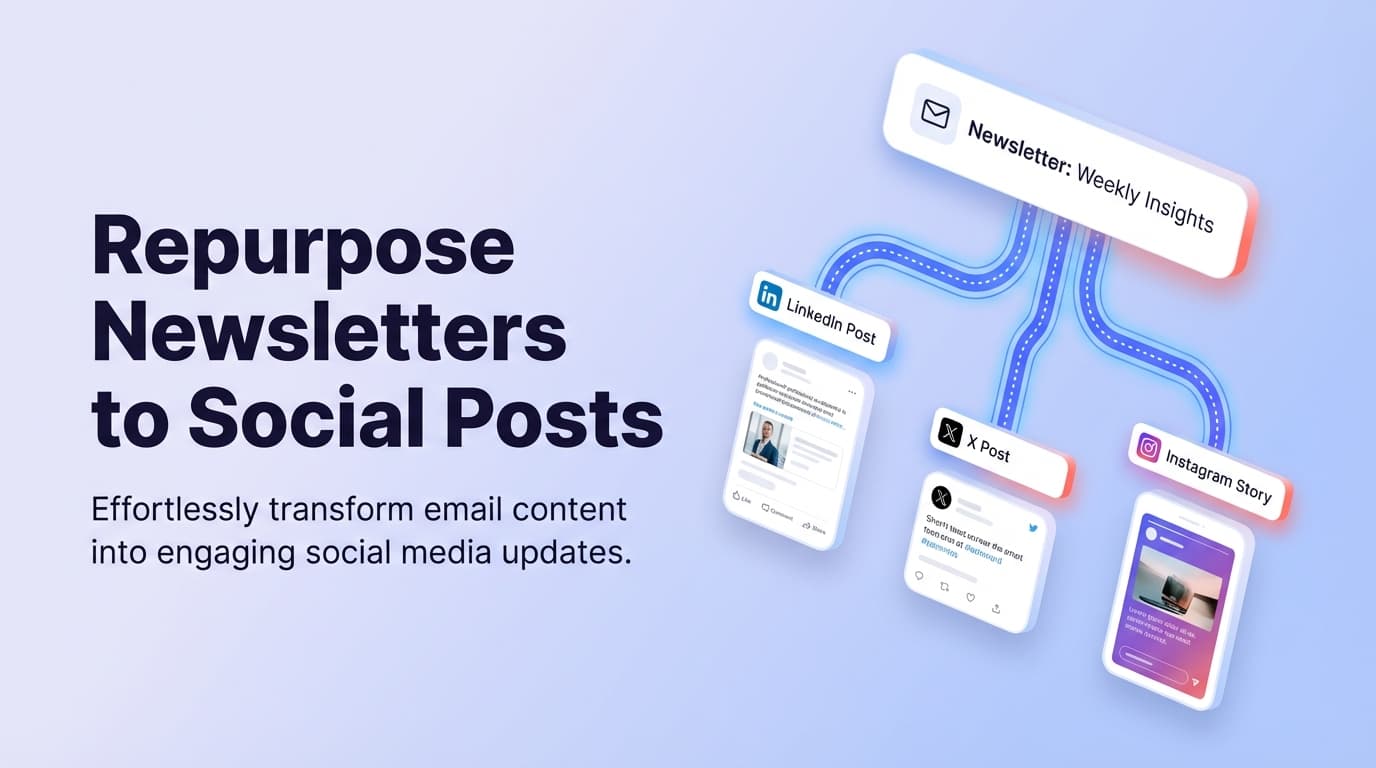
Content Repurposing Tool For Newsletters To Social Posts
Newsletter → Social Posts

Content Repurposing Tool for Newsletters to Social Posts

Turn One Newsletter into a Week of Posts (and Ship Them)

Your newsletter is already your highest-signal content. PostQuickAI helps you adapt newsletter content into social captions fast, then schedule and auto-publish server-side.

AI Editing Tools Server-side Publishing Cross-posting

Why Choose PostQuickAI for Newsletter-to-Social Repurposing?

Voice-Preserving Repurposing

The biggest risk is the social version sounding generic. PostQuickAI focuses on preserving your voice:

  • • Proofreading (preserves tone)
  • • Tone analysis + adjustment
  • • Make concise (light/moderate/aggressive)
  • • Custom edit by instruction

Write Once, Distribute Everywhere

After you create social versions, PostQuickAI publishes automatically:

  • • Server-side scheduled publishing
  • • Manual "post now" option
  • • Cross-posting to multiple platforms

What You Can Repurpose

A newsletter is a goldmine of "source material":

A contrarian insight

→ X/Threads post with a clear stance

A mini framework

→ LinkedIn post with bullets + takeaway

A story + lesson

→ Instagram caption with image

A list of tools or steps

→ Carousel-style outline

A result + how you got it

→ Platform-tailored case study

A strong quote

→ Quote graphic caption

How the Newsletter-to-Social Workflow Works

1

Extract "postable moments" from your newsletter

Pull 3–8 snippets: strongest hook, bold claim, framework, lesson learned, result, useful list. This is your "source deck."

2

Generate and refine social-ready drafts

Use AI caption generation for first drafts, or edit what you already wrote:

  • Proofreading to clean it up
  • Make concise to fit the platform
  • Tone adjustment for LinkedIn vs X
  • Custom edit for precise transformations
3

Choose the platform and media type

Text-only (X, Threads, LinkedIn), image post (single or multiple), or video where supported.

4

Schedule it (or publish now)

Server-side scheduled publishing or immediate post. Cross-post to other platforms using the same asset.

5

Repeat weekly with a distribution map

Example weekly cadence from one newsletter:

  • • Day 0: "Big idea" post + CTA to subscribe
  • • Day 1–2: "Framework" post
  • • Day 3: "Story + lesson" post
  • • Day 5: "Most surprising takeaway" post
  • • Day 7: "In case you missed it" recap

Key Features for Newsletter Repurposing

FeatureWhat It DoesWhy It Matters
AI caption generationGenerates captions based on saved brand instructionsFast first drafts without starting from blank
ProofreadingCorrects grammar, spelling, clarity while preserving voicePosts read cleanly without "sounding rewritten"
Tone analysisAnalyzes current tone and suggests alternativesAdapt the same idea across different networks
Tone adjustmentRewrites into a chosen tone while keeping meaningPosts feel native to LinkedIn vs X vs Threads
Make conciseShortens text with light/moderate/aggressive optionsNewsletter paragraphs → scroll-friendly posts
Custom edit by instructionApplies edits based on your exact instructionThe most flexible repurposing: hooks, bullets, CTA changes
Server-side publishingAuto-publishes at scheduled time, even if offlineConsistency without manual posting
Cross-postingSchedule same post to multiple platformsOne workflow to distribute widely
Content GroupsSeparates brands/clients/workspacesEssential for agencies and multi-brand operators

Practical Repurposing Recipes

Templates you can repeat every issue:

Newsletter paragraph → X post

X/Threads
  1. 1. Paste the paragraph
  2. 2. Run Make concise (moderate)
  3. 3. Custom edit: "Rewrite with hook, 2–3 lines, end with question"
  4. 4. Schedule to X

Framework section → LinkedIn post

LinkedIn
  1. 1. Paste framework bullets
  2. 2. Run Tone adjustment to Professional
  3. 3. Run Proofreading
  4. 4. Add CTA linking to newsletter
  5. 5. Schedule to LinkedIn

Story + lesson → Instagram caption

Instagram
  1. 1. Paste story section
  2. 2. Run Make concise (light)
  3. 3. Generate caption options
  4. 4. Attach image
  5. 5. Schedule as Instagram feed post

Key takeaways → Carousel outline

Multi-platform
  1. 1. Extract 5–8 takeaways
  2. 2. Custom edit: "Turn into slide titles + 1–2 lines"
  3. 3. Create carousel images
  4. 4. Generate carousel caption
  5. 5. Schedule

Supported Platforms

X (Twitter)

✓ Text, 4 images, video (512MB)

Learn more →

LinkedIn

✓ Posts (text, images, video)

✗ Newsletters, articles

Learn more →

Instagram

✓ Feed, carousels, Reels

✗ Stories

Learn more →

Threads

✓ Text, carousels (2-10), video

Bluesky

✓ Text, 4 images, video

Facebook Pages

✓ Text, images, video

✗ Stories

TikTok

✓ Video, photos (2+ images)

YouTube

✓ Video uploads

✗ Community posts

PostQuickAI vs. the Alternatives

vs. Manual rewriting

Slow, inconsistent, easy to skip when busy.

PostQuickAI: One workflow with fast editing tools + server-side scheduling.

vs. "One-click repurpose" generators

Fast output but often generic, doesn't solve publishing.

PostQuickAI: Editing controls that preserve voice + built-in publishing.

vs. Schedulers without repurposing tools

Consistent publishing but repurposing becomes the bottleneck.

PostQuickAI: Repurposing + scheduling connected in one tool.

Pricing

Plans start at $8/month. 7-day free trial included.

Basic

$8/month

5 Content Groups, 2 GB storage

Pro

$20/month

Unlimited Content Groups, 10 GB

See Full Pricing

Free tools available (no signup): Caption GeneratorHashtag Generator

Full Guide

content repurposing tool for newsletters to social posts: turn one newsletter into a week of posts (and ship them)

Your newsletter is already your highest-signal content: the story, the insight, the framework, the opinion, the proof.

What’s missing is a repeatable way to turn each issue into platform-ready social posts—without rewriting everything from scratch—and then actually publishing consistently.

PostQuickAI is a content repurposing tool for newsletters to social posts that helps you:

  • Adapt newsletter content into social captions fast using AI tools you control: AI caption generation, proofreading, tone analysis, tone adjustment, “make concise” (light/moderate/aggressive), and custom edits by instruction.
  • Schedule and auto-publish server-side (posts can publish even when you’re offline).
  • Cross-post to multiple platforms from one workflow (where the platform supports the media type).

If you publish a newsletter weekly (or even monthly), PostQuickAI helps you get the full distribution value from every send.


Why choose PostQuickAI for newsletter-to-social repurposing?

Most “newsletter to social” solutions fall into one of two buckets:

1) Generators that output text, but leave you with copy/paste + formatting + scheduling in multiple tools
2) Schedulers that publish, but don’t help much with the repurposing work (tone, length, structure, variations)

PostQuickAI is designed to cover the full path: repurpose → polish → schedule → publish.

Built for “voice-preserving” repurposing (not generic rewrites)

When you repurpose a newsletter, the biggest risk is the social version sounding like: - a watered-down summary, or - a generic AI rewrite that doesn’t sound like you

PostQuickAI includes editing tools that explicitly focus on preserving your voice while adapting the content for social:

  • Proofreading (optionally returns revised content) to clean up spelling/grammar/clarity while maintaining tone
  • Tone analysis to understand how your draft currently reads
  • Tone adjustment to rewrite into a target tone while preserving meaning
  • Make concise with adjustable intensity: light / moderate / aggressive
  • Custom edit by instruction to apply exactly the transformation you want

This is what makes newsletter content repurposable at scale: you don’t need a “perfect prompt.” You need reliable editing controls.

“Write once, distribute everywhere” (with real publishing)

After you create the social versions, PostQuickAI can publish them automatically at scheduled times.

  • Server-side scheduled publishing: posts can publish even if your computer is off
  • Manual “post now” publishing: publish immediately when you’re ready
  • Cross-posting: schedule the same post to multiple platforms (where supported)

That means your distribution doesn’t depend on willpower on a busy day.

Supports real multi-client and multi-brand workflows (Content Groups)

If you’re an agency social media manager, or you run multiple brands, PostQuickAI supports Content Groups to keep everything separated and organized.

  • Basic plan includes 5 Content Groups
  • Pro plan includes unlimited Content Groups

What you can repurpose (newsletter → social) with PostQuickAI

A newsletter is a goldmine of “source material.” In PostQuickAI, you can repurpose:

  • A contrarian insight → an X/Threads post with a clear stance
  • A mini framework → a LinkedIn post with bullets + a takeaway
  • A story + lesson → an Instagram caption for a feed post (paired with an image)
  • A list of tools or steps → a carousel-style outline (then pair with images)
  • A result + how you got it → a platform-tailored case-study post
  • A strong quote → a quote graphic caption (paired with an image)

You can keep everything text-only, or pair your repurposed captions with images/video where appropriate.


How PostQuickAI’s newsletter-to-social workflow works

You don’t need a special integration to get value from newsletter repurposing. The most reliable workflow is simple and repeatable.

Step 1: Extract “postable moments” from your newsletter

Start by pulling 3–8 snippets from your issue. Good candidates:

  • The strongest hook (opening paragraph)
  • A bold claim (one sentence that makes people react)
  • A framework (3–7 bullets)
  • A lesson learned (short story + takeaway)
  • A result (metric + what you changed)
  • A useful list (tools, prompts, templates, questions)

This is your “source deck.”

Step 2: Generate and refine social-ready drafts

Use PostQuickAI’s writing tools to transform each snippet.

Option A: Generate caption options - Use AI caption generation to create an engaging caption draft that matches your desired context and brand instructions.

Option B: Edit what you already wrote (often faster) - Run Proofreading to clean it up - Run Make concise to fit the platform and improve readability - Run Tone adjustment to match where you’re posting (e.g., more professional for LinkedIn) - Use Custom edit by instruction for precise transformations like: - “Rewrite as a short hook + 3 bullet points + one-line takeaway” - “Make this more direct and punchy” - “Turn this into a ‘what I learned’ style post” - “Give me 3 variations with different hooks”

Step 3: Choose the platform and media type

Pick where the post should go and what format you’re using:

  • Text-only (common for X, Threads, LinkedIn)
  • Image post (single image or multiple images on supported platforms)
  • Video (where supported)

Important: PostQuickAI supports scheduling/publishing across multiple platforms, but each platform has constraints (see “Supported platforms & limitations” below).

Step 4: Schedule it (or publish now)

Decide whether to: - Schedule for a specific time (auto-publish server-side), or - Post now

Then optionally cross-post to other platforms using the same asset and caption (adjusted as needed).

Step 5: Repeat weekly with a simple distribution map

A practical weekly cadence from one newsletter issue might look like:

  • Day 0 (send day): “Big idea” post + CTA to subscribe
  • Day 1–2: “Framework” post
  • Day 3: “Story + lesson” post
  • Day 5: “Most surprising takeaway” post
  • Day 7: “In case you missed it” recap

The point isn’t spam. It’s making sure your best idea actually reaches the people who will value it.


Key features for a content repurposing tool for newsletters to social posts

Feature What it does Why it matters for newsletter-to-social repurposing
AI caption generation (instructions-based) Generates captions based on saved brand instructions and context Fast first drafts when you don’t want to start from a blank page
Proofreading (optional revised output) Corrects grammar, spelling, and clarity while preserving voice Helps your posts read cleanly without “sounding rewritten”
Tone analysis Analyzes current tone and suggests alternatives Helps you adapt the same idea across different networks
Tone adjustment Rewrites into a chosen tone while keeping meaning Makes posts feel native to LinkedIn vs X vs Threads
Make concise (light/moderate/aggressive) Shortens text with controllable reduction Turns newsletter paragraphs into scroll-friendly posts
Custom edit by instruction Applies edits based on your exact instruction The most flexible way to repurpose: hooks, bullets, CTA changes, formatting shifts
Server-side scheduled publishing Auto-publishes at your scheduled time, even if offline Consistency without manual posting
Cross-posting Schedule the same post to multiple platforms (where supported) One workflow to distribute widely without re-uploading everywhere
Content Groups Separates brands/clients/workspaces Essential for agencies and multi-brand operators

Supported platforms & limitations (important for accurate planning)

PostQuickAI supports scheduling/publishing across these platforms and media types:

X (Twitter)

  • Text posts: supported
  • Image posts: supported (up to 4 images)
  • Video posts: supported (publishing enforces a 512MB size limit)
  • Threads: scheduling multiple individual posts is possible, but native thread publishing as one composed thread is not a core supported feature

Internal link: /x-scheduler

LinkedIn

  • Text posts: supported
  • Image posts (single + multi-image): supported
  • Video posts: supported
  • Target selection (profile vs organization): supported
  • Not supported: LinkedIn newsletters, articles, polls, documents

Internal link: /linkedin-scheduler

Instagram

  • Feed posts: supported (single image, carousel, video)
  • Reels: supported
  • Not supported: Instagram Stories publishing

Internal link: /instagram-scheduler

Facebook

  • Facebook Page posts (not personal profiles): supported
  • Text, images (single + multi-image), video: supported
  • Not supported: Facebook Stories publishing

Threads

  • Text posts: supported
  • Images (single + carousel): supported (carousel constraints apply; code enforces 2–10 items)
  • Video posts: supported (with fallback to text-only on failure)

Bluesky

  • Text posts: supported
  • Images (single + multi-image): supported (max 4 images)
  • Video posts: supported

TikTok

  • Video posts: supported
  • Photo posts: supported only if you attach 2+ images
  • Not supported: single-photo TikTok posts (requires 2+ images)

YouTube

  • Video uploads/publishing: supported
  • Not supported: YouTube text/community posts

Newsletter-to-social use cases (by persona)

For newsletter creators and founders

You’re already creating the long-form asset. PostQuickAI helps you turn that into the short-form distribution that drives: - more subscribers - more replies - more inbound opportunities

Common workflow: - Repurpose the issue into 3–5 posts - Schedule them over a week - Keep your tone consistent by using Tone Analysis + Tone Adjustment + Proofreading

For agencies and multi-client social media managers

Clients often have newsletters, blogs, or long-form updates that can fuel weeks of social.

PostQuickAI helps you: - separate clients via Content Groups - generate multiple post variants from a single source - schedule across different platforms from one workflow

This is especially helpful when you need consistency without living in 6 different platform tabs.


Practical repurposing recipes (copy/paste workflows)

These aren’t “theories.” They’re templates you can repeat every issue.

Recipe 1: Newsletter paragraph → X post (punchy + direct)

  1. Paste the paragraph into your draft.
  2. Run Make concise (moderate).
  3. Run Custom edit by instruction: “Rewrite with a one-sentence hook, then 2–3 short lines, end with a question.”
  4. Schedule to X (optionally cross-post to Threads).

Notes: - Keep it text-first. - If you add images on X, remember the max 4 images.

Recipe 2: Framework section → LinkedIn post (professional + structured)

  1. Paste the framework bullets.
  2. Run Tone adjustment to “Professional” (or your preferred tone).
  3. Run Proofreading.
  4. Add a clear CTA: “If you want the full breakdown, it’s in this week’s newsletter.”
  5. Schedule to LinkedIn (choose profile vs organization target).

Notes: - PostQuickAI supports LinkedIn posts, not LinkedIn newsletters/articles.

Recipe 3: Story + lesson → Instagram feed caption (paired with one image)

  1. Paste the story section.
  2. Run Make concise (light) (Instagram captions can be longer, but clarity matters).
  3. Use AI caption generation if you want multiple caption options.
  4. Attach an image (single image or carousel).
  5. Schedule as an Instagram feed post.

Notes: - Instagram Stories publishing isn’t supported. - Instagram feed posts and Reels are supported.

  1. Extract 5–8 takeaways from your newsletter.
  2. Use Custom edit by instruction: “Turn this into slide titles + 1–2 lines per slide.”
  3. Create your carousel images (you can use PostQuickAI’s AI image generation and AI image editor if you want to generate or edit visuals).
  4. Use AI caption generation for a carousel caption that encourages swipes and saves.
  5. Schedule as a carousel on supported platforms.

Notes: - For image-heavy platforms, the caption is only half the work; your slide structure matters.


content repurposing tool for newsletters to social posts vs. the alternatives

Alternative A: Manual rewriting (copy/paste + edit in each platform)

Pros: - full control

Cons: - slow and inconsistent - easy to skip posting when busy - hard to maintain weekly distribution

PostQuickAI advantage: one workflow with fast editing tools (concise, tone, proofreading, custom edits) plus scheduling that runs server-side.

Alternative B: “One-click repurpose” generators

Pros: - fast output

Cons: - often generic - doesn’t solve publishing - doesn’t help you keep your voice consistent

PostQuickAI advantage: you can generate drafts, but the real power is the editing controls that preserve voice and adapt for each platform.

Alternative C: Schedulers without strong repurposing tools

Pros: - consistent publishing

Cons: - you still spend most of your time rewriting and formatting - repurposing becomes the bottleneck

PostQuickAI advantage: repurposing + scheduling are connected, so you can go from newsletter excerpt → finished scheduled posts without switching tools.


Pricing

Plans start at $8/month. 7-day free trial included on monthly plans.

  • See pricing: /pricing
  • Basic includes: 5 Content Groups, 2 GB storage, Unlimited text generation (plus additional plan limits shown on the pricing page)
  • Pro includes: Unlimited Content Groups, 10 GB storage (plus additional plan limits shown on the pricing page)

Note: PostQuickAI also offers separate free tools (no signup required), including: - AI Caption Generator: /tools/caption-generator
- Hashtag Generator: /tools/hashtag-generator

(Free tools are separate from the paid scheduling product.)


Frequently asked questions

How do I repurpose newsletter content into social media posts without losing my voice?

Use an editing-first workflow: 1. Extract a short section from your newsletter (not the whole issue). 2. Run Make concise to fit the platform. 3. Run Tone adjustment only if needed (e.g., more professional for LinkedIn). 4. Run Proofreading for polish. 5. Create 2–3 variations with Custom edit by instruction (different hooks, different angles).

This keeps your core ideas intact while making the post feel native.

Can PostQuickAI automatically import my newsletter from beehiiv/Substack/Mailchimp?

PostQuickAI doesn’t require a direct newsletter import for this use case. The most reliable workflow is to copy/paste newsletter highlights (or draft snippets) and repurpose them using the AI editing tools, then schedule and publish.

Can I schedule posts to LinkedIn company pages (not just my profile)?

Yes. PostQuickAI supports LinkedIn target selection (personal profile vs organization/company page) for scheduled posts.

Can I publish LinkedIn newsletters from PostQuickAI?

No. PostQuickAI supports LinkedIn posts (text, images, video), but LinkedIn newsletters/articles/polls/documents are not supported for publishing inside PostQuickAI.

Will my scheduled posts publish if my computer is closed?

Yes. Scheduled publishing runs server-side, so your posts can publish even if you’re offline.

Can I post the same repurposed content to multiple platforms?

Yes. PostQuickAI supports cross-posting (scheduling the same post to multiple platforms), as long as each selected platform supports the media type you’re publishing.

What are the main platform limits I should know?

A few important ones: - X (Twitter): up to 4 images per post; 512MB max video size enforced
- Bluesky: up to 4 images per post
- TikTok photo posts: require 2+ images
- Instagram Stories / Facebook Stories: not supported
- YouTube: video uploads supported; text/community posts not supported

Is there anything I shouldn’t automate?

Avoid anything that implies: - guaranteed outcomes (virality, rankings, engagement guarantees) - auto-replying to comments/DMs or outreach-bot behavior (not what PostQuickAI is for)

A good rule: automate publishing and drafting assistance, but keep final review and engagement human.


Get started with PostQuickAI today

If you’re already writing newsletters, you already have the hardest part: original ideas.

PostQuickAI helps you turn each issue into platform-ready social posts—with voice-preserving AI editing—and then schedule and auto-publish them so distribution actually happens.

  • Try the free tools (no signup): /tools/caption-generator and /tools/hashtag-generator
  • Start scheduling: Plans start at $8/month. 7-day free trial included on monthly plans.
    Pricing: /pricing

Frequently Asked Questions

Use an editing-first workflow: Extract a short section from your newsletter, run Make concise to fit the platform, run Tone adjustment only if needed, run Proofreading for polish, then create 2–3 variations with Custom edit by instruction for different hooks and angles.

PostQuickAI doesn't require a direct newsletter import. The most reliable workflow is to copy/paste newsletter highlights and repurpose them using the AI editing tools, then schedule and publish.

Yes. PostQuickAI supports LinkedIn target selection (personal profile vs organization/company page) for scheduled posts.

No. PostQuickAI supports LinkedIn posts (text, images, video), but LinkedIn newsletters/articles/polls/documents are not supported for publishing inside PostQuickAI.

Yes. Scheduled publishing runs server-side, so your posts can publish even if you're offline.

Yes. PostQuickAI supports cross-posting (scheduling the same post to multiple platforms), as long as each selected platform supports the media type you're publishing.

X (Twitter): up to 4 images, 512MB max video. Bluesky: up to 4 images. TikTok photo posts: require 2+ images. Instagram Stories / Facebook Stories: not supported. YouTube: video uploads supported; text posts not supported.

Ready to Automate Your Social Media?

Join PostQuickAI today and start scheduling your content in minutes.