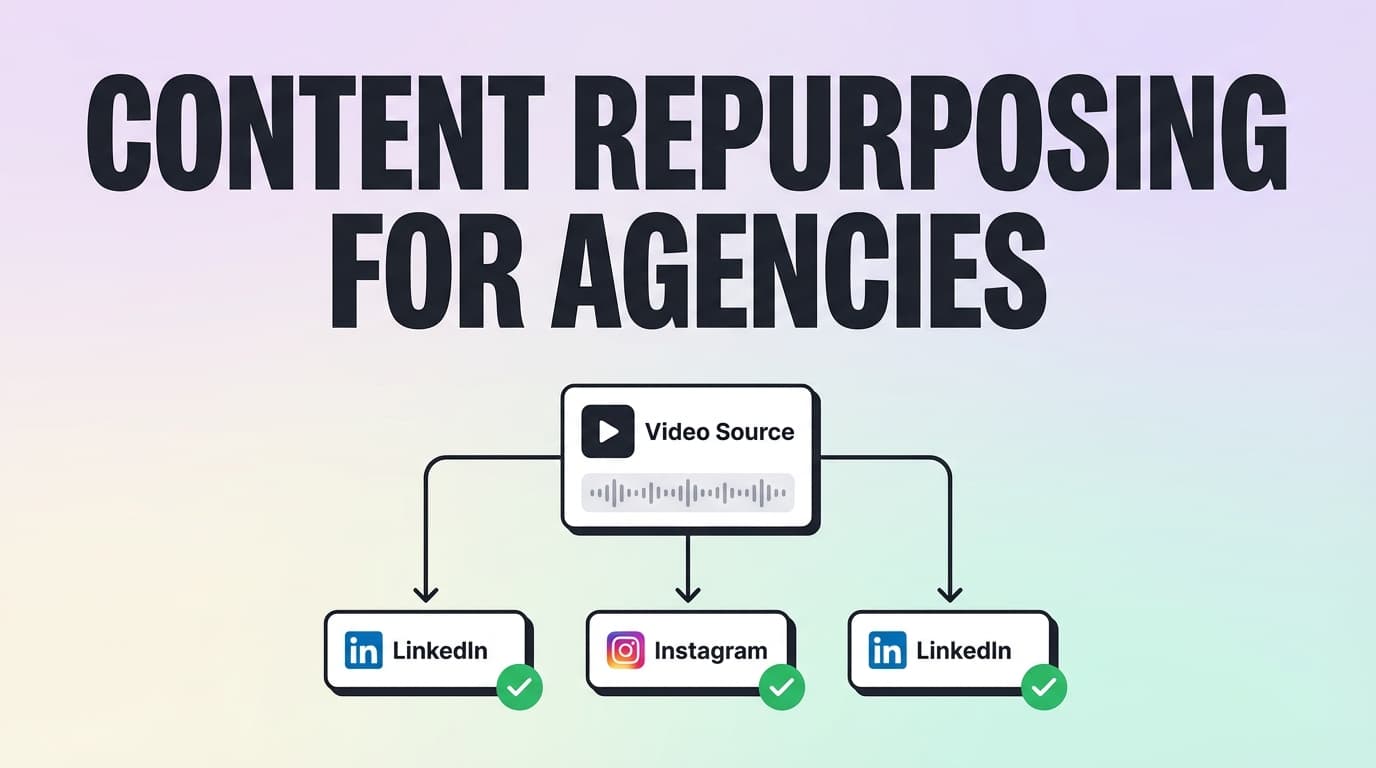
Content Repurposing Tool For Agencies Client Workspaces And Approvals
Built for Agencies

Content Repurposing Tool for Agencies

Client Workspaces & Transparent Limits

PostQuickAI helps agencies repurpose one client idea into multiple platform-ready posts—then schedule and auto-publish across Instagram, LinkedIn, X, Threads, Bluesky, Facebook Pages, TikTok, and YouTube.

Important: PostQuickAI supports client workspaces via Content Groups. It does not currently offer client login or built-in approval workflows.

Why Choose PostQuickAI for Agency Repurposing?

Agency repurposing isn't about "creating more content." It's about delivering consistent output across platforms without multiplying headcount.

Content Groups (Client Workspaces)

Separate clients/brands into distinct workspaces. Each Content Group can be managed separately.

  • Basic: 5 Content Groups
  • Pro: Unlimited Content Groups

Repurpose Once, Publish Everywhere

Draft, create platform variants, attach media, and schedule across supported platforms from the same workflow. No more "platform hop."

Server-side Auto-Publishing

Scheduled publishing runs server-side. Posts publish even if your browser is closed, laptop is off, or team is asleep.

AI Tools for Speed

Caption Generator, Hashtag Generator, Proofreading, Tone Analysis, Auto-Gen Workflow, YOLO Mode. You stay in control.

What "Client Workspaces and Approvals" Means

Here's the honest breakdown:

Repurposing

Create variants, rewrite tone, generate captions/hashtags, cross-post

Client Workspaces

Supported via Content Groups

Client Approvals

Not supported in-app. Keep approvals in your existing process.

How PostQuickAI Works for Agency Repurposing

1

Create a Content Group per client

Set up one Content Group per brand/client. This is your clean separation layer.

Example: "Client A – Local SEO", "Client B – Ecommerce", "Client C – Founder brand"

2

Connect the client's social accounts

Connect supported networks: Instagram, Facebook Pages, LinkedIn, X, Threads, Bluesky, TikTok, YouTube.

3

Create the "source" message once

Define the weekly core: a key offer, POV, case study insight, product feature, or seasonal hook. Build variants from that source.

4

Repurpose into platform-specific variants

Use tone tools, proofreading, caption generation, and hashtag generation to create variants fast.

5

Schedule everything and auto-publish

Batch a full month. Server-side publishing means no "who's around when it posts" dependency.

6

(Optional) Use Auto-Gen + YOLO Mode

For lower-risk content and high-volume needs. Auto-Gen generates drafts on a schedule; YOLO Mode generates + publishes automatically.

Key Features for Agencies

FeatureWhat It DoesWhy It Matters
Content GroupsSeparate brands/clients into workspacesAvoid mix-ups, keep client work clean
Multi-platform schedulingSchedule posts across supported networksRepurpose once, distribute everywhere
Server-side auto-publishingPosts publish even if you're offlineReliable delivery without babysitting
LinkedIn target selectionChoose profile vs company pagePrevent "posted to the wrong destination" mistakes
AI Caption GeneratorGenerates multiple caption optionsFaster platform variants and angle testing
AI Hashtag GeneratorGenerates hashtags based on topicFaster finishing for IG/LinkedIn tagging
Proofreading + Tone toolsImprove clarity + rewrite toneClient-ready polish without extra tools
Auto-Gen WorkflowDraft generation on a scheduleMore output when your team is busy
YOLO ModeAuto-generate + auto-publishHands-free mode when appropriate
Instagram Feed PlannerDrag-and-drop grid previewHelpful for IG-first clients and aesthetics

Supported Platforms

Instagram

Feed + Reels

Stories

Facebook Pages

Text, images, video

Stories, Groups

LinkedIn

Profile or Company Page

X (Twitter)

Text, 4 images, 512MB video

Threads

Threads

Text, carousel (2-10)

Bluesky

Text, 4 images, video

TikTok

Video, photo (2+ images)

Single image

YouTube

Video upload

Agency Repurposing Playbook: 1 idea → 8 posts

1. Pick a weekly "pillar" per client

  • • Offer / promo
  • • Case study proof
  • • FAQ / objection handling
  • • Tips / education
  • • Founder POV

2. Create the source asset once

  • • A short post + image
  • • A carousel outline
  • • A video (client-provided)

3. Repurpose into platform formats

LinkedIn (text)
LinkedIn (image)
X (short hook)
Threads/Bluesky
Instagram single
Instagram carousel
Facebook Page
TikTok video

PostQuickAI vs. Approvals-First Tools

Choose PostQuickAI if:

  • Your team controls publishing
  • Approvals happen outside the tool
  • You need to move fast across platforms
  • You need clear client separation

Choose approvals-first if:

  • Clients must approve inside the tool
  • You need formal approval gates
  • External review links are non-negotiable

Pricing

7-day free trial. No ongoing free tier.

Basic

$8/month

5 Content Groups

Pro

$20/month

Unlimited Content Groups

See Full Pricing

Full Guide

Content Repurposing Tool for Agencies (Client Workspaces & Approvals): repurpose + schedule at scale (with transparent limits)

PostQuickAI helps agencies repurpose one client idea into multiple platform-ready posts—then schedule and auto-publish them across Instagram, LinkedIn, X, Threads, Bluesky, Facebook Pages, TikTok, and YouTube from a single workflow.

It’s built for agency operators who need three things every week: 1) A repeatable repurposing system (not endless rewriting)
2) Clear client/brand separation (so the wrong post never ships)
3) Reliable scheduling (server-side publishing—no “keep a laptop open” nonsense)

One important note up front (so you don’t buy the wrong tool):
PostQuickAI supports client workspaces via Content Groups. It does not currently offer client login or built-in approval workflows.

  • Start your 7‑day free trial: /login
  • See plans (starts at $8/month): /pricing

Why Choose PostQuickAI for Agency Repurposing?

Agency repurposing isn’t about “creating more content.” It’s about delivering consistent output across platforms without multiplying headcount—and without turning approvals into a never-ending email thread.

PostQuickAI’s strengths map to that reality.

Client workspaces (Content Groups) that match agency operations

PostQuickAI uses Content Groups to separate clients/brands into distinct workspaces. This is the core agency feature.

  • Basic plan: 5 Content Groups (good for small agencies or a few retainers)
  • Pro plan: Unlimited Content Groups (better for growing agencies managing many clients)

Each Content Group can be managed separately—so your team can batch content client-by-client instead of mixing everything into one chaotic queue.

Repurpose once, then publish across multiple networks from one workflow

A common agency bottleneck is the “platform hop”: - rewrite for LinkedIn - shorten for X - format for Instagram - upload somewhere else for TikTok - repeat…

PostQuickAI is designed so you can: - draft (manually or AI-assisted), - create platform variants, - attach the right media, - and schedule across supported platforms from the same workflow.

Server-side scheduled publishing (auto-publish even when you’re offline)

Scheduled publishing runs server-side, meaning your posts can publish at the scheduled time even if: - your browser is closed - your laptop is off - your team is asleep

This reduces operational risk for agencies who schedule far ahead and don’t want “someone needs to be online at 9:00am” as a dependency.

Built-in AI tools that speed up repurposing (you stay in control)

PostQuickAI includes practical AI helpers that support repurposing speed:

  • AI Caption Generator (generate multiple caption options)
  • AI Hashtag Generator
  • Proofreading
  • Tone Analysis + Tone Rewrite/Adjustment
  • AI image generation (plan limits apply)
  • Auto-Gen Workflow (optional): generate drafts on a schedule using your instructions
  • YOLO Mode (optional): auto-generate and publish to selected platforms

This is most useful for agencies that want to produce more drafts faster—without outsourcing quality control to an “autopilot” you don’t trust.

Transparent boundary: approvals are not built-in (yet)

If your buying criteria is “clients approve inside the tool,” PostQuickAI is not an approvals-first platform today.

What it is: a fast, affordable system for repurposing + multi-client organization + scheduling.


What “Client Workspaces and Approvals” Means (and how PostQuickAI fits)

People searching “content repurposing tool for agencies (client workspaces and approvals)” usually want one product to handle all three:

  1. Repurposing: turn one idea into multiple posts
  2. Client workspaces: separate every brand/client
  3. Approvals: client sign-off without email chaos

Here’s the honest breakdown:

  • Repurposing: supported (create variants, rewrite tone, generate captions/hashtags, cross-post)
  • Client workspaces: supported via Content Groups
  • Client approvals / client login: not supported in-app

If you’re comfortable keeping approvals in your existing process (email, docs, PM tool), PostQuickAI can still be a strong fit because it removes the daily grind of manual publishing and repetitive rewriting.


How PostQuickAI Works for Agency Repurposing (real workflow)

Step 1: Create a Content Group per client (your workspace structure)

Set up one Content Group per brand/client. This becomes your clean separation layer.

Recommended structure: - “Client A – Local SEO” - “Client B – Ecommerce” - “Client C – Founder brand” - etc.

This is how agencies avoid the most expensive mistake: posting the wrong asset to the wrong client.

Step 2: Connect the client’s social accounts (only supported networks)

PostQuickAI supports scheduling/auto-publishing to:

  • Instagram: feed post (single image / carousel / video) + Reels publishing
  • Not supported: Instagram Stories
  • Note: Instagram carousels typically cap at 10 items
  • Facebook Pages (not profiles): text + images + video, with server-side scheduled publishing
  • Not supported: Facebook Stories
  • X (Twitter): text, images (up to 4), video (UI enforces 512MB)
  • Native “X threads” publishing is not confirmed (do not buy for thread-building)
  • Bluesky: text, images (max 4; extra ignored), video
  • Threads: text, image, carousel (2–10 images), video (with fallback behavior)
  • LinkedIn: publish to personal profile or company page (target selection), text/image/multi-image/video
  • TikTok: video + photo posts (photo posts require 2+ images)
  • YouTube: video upload/publishing (Shorts-specific support is not confirmed—treat as normal YouTube upload)

Step 3: Create the “source” message once (the campaign core)

For each client, define the weekly “source” message: - a key offer - a POV / thought leadership angle - a case study insight - a product feature highlight - a seasonal hook

Then build variants from that source message instead of starting from scratch for every platform.

Step 4: Repurpose into platform-specific variants (fast, controlled)

Inside PostQuickAI, you can repurpose with a practical pattern:

  • Use tone tools to match the brand voice (professional, friendly, concise, etc.)
  • Use proofreading for client-ready polish
  • Use caption generation to produce multiple angles quickly
  • Use hashtag generation where it’s relevant (especially Instagram)

This helps your team ship more drafts without sacrificing editorial control.

Step 5: Schedule everything on the calendar (and auto-publish)

Once each variant is ready, schedule across the channels you manage.

Because publishing is server-side, your agency can batch a full month and stop worrying about “who’s around when it posts.”

Step 6 (Optional): Use Auto-Gen Workflow + YOLO Mode selectively

If a client needs consistent output and your team is at capacity:

  • Auto-Gen Workflow can generate drafts automatically on a schedule (based on your instructions).
  • YOLO Mode can generate + publish automatically to chosen platforms.

For agencies, these are best used when: - content is lower-risk (tips, prompts, light education) - you still spot-check output periodically - you’re optimizing for consistency and bandwidth


Key Features for “Content Repurposing Tool for Agencies” Use Case

Feature What It Does Why It Matters for Agencies
Content Groups Separate brands/clients into workspaces Avoid mix-ups, keep client work clean
Multi-platform scheduling Schedule posts across supported networks Repurpose once, distribute everywhere
Server-side auto-publishing Posts publish even if you’re offline Reliable delivery without babysitting
LinkedIn target selection Choose profile vs company page Prevent “posted to the wrong destination” mistakes
AI Caption Generator Generates multiple caption options Faster platform variants and angle testing
AI Hashtag Generator Generates hashtags based on topic Faster finishing for IG/LinkedIn tagging patterns
Proofreading + Tone tools Improve clarity + rewrite tone Client-ready polish without extra tools
Auto-Gen Workflow (optional) Draft generation on a schedule More output when your team is busy
YOLO Mode (optional) Auto-generate + auto-publish Hands-free mode when appropriate
Instagram Feed Planner (free tool) Drag-and-drop grid preview Helpful for IG-first clients and aesthetics

Agency Repurposing Playbook: “1 idea → 8 posts” without chaos

Agencies win when repurposing is a system—so here’s a repeatable process that aligns with PostQuickAI.

Pick a single weekly “pillar” per client

Choose one pillar (or campaign theme) each week: - Offer / promo - Case study proof - FAQ / objection handling - Tips / education - Founder POV

Create the source asset once

Pick one: - a short post + image - a carousel outline - a video (client-provided or uploaded)

Repurpose into platform formats (example output map)

From the same idea, create:

1) LinkedIn (text): expanded narrative + clearer framing
2) LinkedIn (image): same message with a visual
3) X (text): short hook + one insight + CTA
4) Threads/Bluesky: conversational rewrite
5) Instagram single image: punchy caption + hashtags
6) Instagram carousel: “steps” or “myths vs facts” format
7) Facebook Page: community tone + visual
8) TikTok: video or 2+ image photo post (if photo format)

PostQuickAI helps you draft and schedule these without rebuilding everything from scratch.


PostQuickAI vs approvals-first tools (Planable / HeyOrca / Gain / Sked / SocialPilot-style)

This section exists for one reason: agencies don’t want surprises after onboarding.

If you require approvals inside the platform

Approvals-first platforms typically include: - client approval workflows - external approvers / review links - stakeholder comment threads tied to posts - multi-level approval logic

PostQuickAI does not currently include client logins or a built-in approvals workflow—so it’s not a direct replacement for those tools if approvals are the centerpiece of your operation.

If you primarily need repurposing + workspaces + reliable publishing

PostQuickAI’s sweet spot is: - Content Groups (client workspaces) - AI tools for faster post variants - multi-platform scheduling - server-side auto-publish

In other words: it’s ideal when your agency’s main problem is production and distribution speed, not approvals logistics.

Practical decision rule for agencies

Choose PostQuickAI if: - your team controls publishing (or approvals happen outside the tool) - you want to move fast across multiple platforms - you need clear client separation with scalable workspaces (Content Groups)

Choose an approvals-first platform if: - clients must approve inside the tool - you need formal approval gates and audit trails - external review links are non-negotiable


How agencies handle approvals with PostQuickAI today (without claiming built-in approvals)

If you use PostQuickAI and still need client sign-off, the typical approach is:

1) Draft and prepare the post inside your Content Group
2) Copy/paste the final caption + attach the media in your existing approval channel (email, docs, PM tool)
3) Once approved, schedule and auto-publish via PostQuickAI

This keeps PostQuickAI doing what it does best—repurposing and reliable publishing—while approvals remain in the workflow your clients already follow.


Pricing

PostQuickAI is a paid subscription product with a 7-day free trial on monthly plans.

  • Basic: $8/month
  • Includes 5 Content Groups
  • Pro: $20/month
  • Includes Unlimited Content Groups

See pricing details: /pricing
Start trial: /login

Important: Do not expect an ongoing free scheduling tier.


Frequently Asked Questions

Does PostQuickAI support client workspaces for agencies?

Yes. Use Content Groups to separate each client/brand into its own workspace. Basic includes 5 Content Groups; Pro includes unlimited.

Does PostQuickAI include client approvals and client login?

No. PostQuickAI does not currently offer client login or approval workflows inside the product.

What platforms can PostQuickAI schedule and auto-publish to?

PostQuickAI supports scheduling/auto-publishing to: - Instagram (feed posts + Reels; no Stories) - Facebook Pages (no Stories) - LinkedIn (profile or company page target selection) - X (text, images up to 4, video up to 512MB) - Threads (including carousel 2–10 images) - Bluesky (up to 4 images; video supported) - TikTok (photo posts require 2+ images; video supported) - YouTube (video upload/publishing)

Can I repurpose one piece of content across multiple platforms in one workflow?

Yes. A common workflow is to draft once, create platform-specific variants (tone/length), then schedule across multiple supported networks.

Can I schedule Instagram Stories or Facebook Stories?

No. Instagram and Facebook Stories publishing is not supported.

Does TikTok photo posting work with a single image?

No. TikTok photo posts require at least 2 images.

Do scheduled posts publish if my computer is off?

Yes. Scheduled publishing runs server-side, so posts can publish at the scheduled time even if you’re offline.

Is PostQuickAI “free” for agencies?

There’s a 7-day free trial on monthly plans. Ongoing use is paid (plans start at $8/month).


Get Started with PostQuickAI Today

If you want a content repurposing tool for agencies that gives you: - client workspaces via Content Groups, - faster repurposing with AI drafting tools, - and server-side scheduling across major networks,

PostQuickAI is built for that.

  • Start the 7‑day trial: /login
  • View pricing: /pricing

Frequently Asked Questions about Agency Repurposing

Yes. Use Content Groups to separate each client/brand into its own workspace. Basic includes 5 Content Groups; Pro includes unlimited.

No. PostQuickAI does not currently offer client login or approval workflows inside the product.

PostQuickAI supports scheduling/auto-publishing to: Instagram (feed posts + Reels; no Stories), Facebook Pages (no Stories), LinkedIn (profile or company page), X (text, images up to 4, video up to 512MB), Threads (including carousel 2–10 images), Bluesky (up to 4 images; video supported), TikTok (photo posts require 2+ images; video supported), YouTube (video upload/publishing).

Yes. A common workflow is to draft once, create platform-specific variants (tone/length), then schedule across multiple supported networks.

No. Instagram and Facebook Stories publishing is not supported.

No. TikTok photo posts require at least 2 images.

Yes. Scheduled publishing runs server-side, so posts can publish at the scheduled time even if you're offline.

There's a 7-day free trial on monthly plans. Ongoing use is paid (plans start at $8/month).

Ready to Automate Your Social Media?

Join PostQuickAI today and start scheduling your content in minutes.