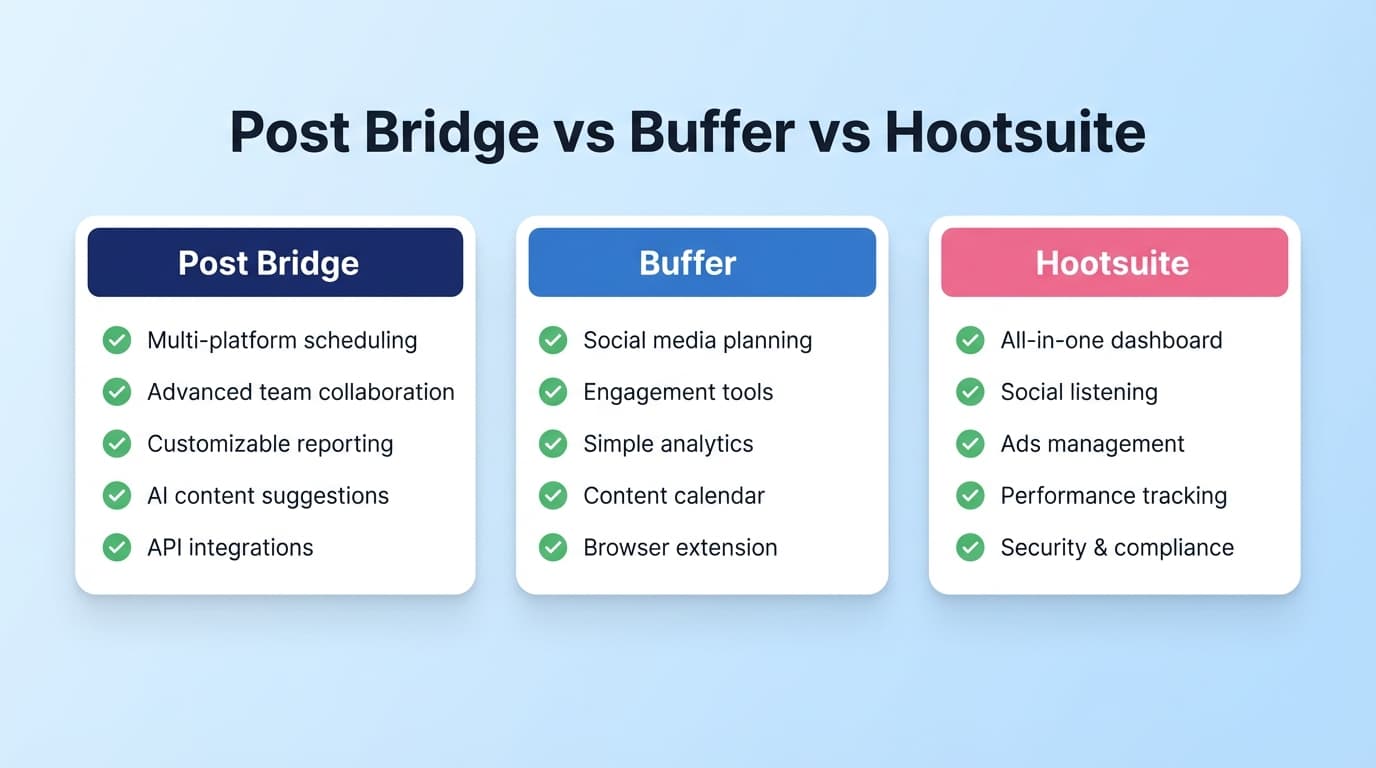
Social Scheduler Comparison

Post Bridge vs Buffer vs Hootsuite: Which Social Media Scheduling Tool Is Right for You?

If you’re comparing Post Bridge vs Buffer vs Hootsuite, you’re likely balancing price, simplicity, and suite-grade features like analytics, inbox workflows, and social listening. This guide breaks down what each tool is best at and where it falls short.

Post Bridge Vs Buffer Vs Hootsuite Feature Comparison

Quick Verdict

  • Choose Post Bridge if you want straightforward cross-posting to many platforms at a mid-tier price and don’t need deep analytics.
  • Choose Buffer if you want simplicity, a real free plan, and lightweight suite features.
  • Choose Hootsuite if you need social listening, inbox workflows, and enterprise-grade analytics and can justify the cost.
  • Consider PostQuickAI if you want AI-assisted creation (text/images/video) plus scheduling across many platforms without enterprise complexity.

TL;DR Comparison (Feature Snapshot)

FeaturePostQuickAIPost BridgeBufferHootsuite
Primary focusAI-first creation + schedulingFast cross-posting + simple schedulingSimple scheduling + free planFull social suite
Supported platforms8+ platforms including X, IG, TikTok, LinkedInX, Instagram, LinkedIn, Facebook, TikTok, YouTube, Bluesky, Threads, PinterestMajor social channelsBroad coverage + enterprise add-ons
AI writingYes (core)LimitedAI AssistantAI tools available
AI images/videosYes (plan limits)Content studio templatesNot coreAvailable by plan
Social listeningNoNoNoYes
Unified inboxNot positionedBasicLight engagement featuresStrong
Best forCreators/SMBs who want AI + schedulingFounders who want cross-postingIndividuals/SMBs who want easy schedulingTeams needing governance and listening
Starting price$8/mo$29/moFree or $5/mo per channel~$99/mo
Free planNot prominently advertisedTrial + limited free usageFree plan (3 channels)Trial-based

Pricing details reflect public info verified on 2026-01-08.

PostQuickAI Overview

PostQuickAI is built for creators who want AI-assisted creation and publishing across multiple platforms without paying enterprise prices. It offers AI text generation, image generation, and video credits within plan limits.

Key Strengths

  • AI-first creation plus scheduling in one tool.
  • Broad platform coverage for creators (including Threads and Bluesky).

Limitations

  • Not a social listening or inbox platform.

Competitor Overviews

Post Bridge Overview

Post Bridge is a social media scheduler for founders focused on fast cross-posting. It highlights support for modern networks, a 7-day free trial, and an API add-on.

Key Strengths

  • Simple cross-posting across many platforms.
  • API add-on for automation workflows.

Limitations

  • Basic collaboration compared to enterprise suites.
  • Less evidence of deep analytics or listening workflows.

Buffer Overview

Buffer is known for an easy UI and a useful free plan. It offers AI assistance and lightweight analytics through Buffer Analyze.

Key Strengths

  • Legit free plan with clear limits.
  • Low learning curve for new schedulers.

Limitations

  • Can feel too simple for teams needing deeper workflows.

Hootsuite Overview

Hootsuite is a full social marketing suite with inbox, analytics, and social listening. It’s best for teams that need governance and deep reporting.

Key Strengths

  • Social listening and robust analytics.
  • Inbox + customer care workflows.

Limitations

  • Higher cost can be hard to justify for solo creators.
  • More complexity and setup time.

Feature-by-Feature Comparison

1) Scheduling & Cross-Posting

Post Bridge is best for fast cross-posting. Buffer is best for a polished scheduler UX. Hootsuite is best if you need publishing plus analytics and inbox workflows. PostQuickAI is best when you want AI-assisted creation alongside scheduling.

2) AI Writing & Content Creation

PostQuickAI is strongest for AI-first creation. Buffer and Hootsuite both offer AI helpers, while Post Bridge focuses more on templates than integrated AI.

3) Analytics & Reporting

Hootsuite is strongest for analytics. Buffer offers lighter analytics. Post Bridge and PostQuickAI are not positioned as reporting-first platforms.

4) Inbox, Community, and Listening

Hootsuite is the clear leader for listening and inbox workflows. Buffer and Post Bridge are lighter; PostQuickAI focuses on creation + scheduling rather than inbox management.

5) Team Collaboration

Hootsuite has the most structured team workflows. Buffer offers lighter collaboration, while Post Bridge and PostQuickAI are best for solo creators or small teams.

6) Integrations & API

Post Bridge’s API add-on is a differentiator. Hootsuite has the broadest enterprise integrations. Buffer has a strong ecosystem. PostQuickAI is best if you want an all-in-one creation + scheduling workflow without APIs.

Pricing Comparison (Verified Public Info)

PlanPostQuickAIPost BridgeBufferHootsuite
Entry / Starter$8/mo (Basic)$29/mo (Creator)$5/mo per channel (annual)~$99/mo
Next tier$40/mo (Pro)$49/mo (Pro)Team (per channel)~$249/mo
Free plan / trialTrial mentionedTrial + limited free usageFree planTrial

Prices were last verified on 2026-01-08 and may change.

Who Should Choose PostQuickAI?

  • Want AI to actively help rewrite, proofread, and match your voice.
  • Care about multi-platform creator distribution beyond the usual networks.
  • Prefer straightforward pricing without per-channel math.

Who Should Choose Post Bridge?

  • Want fast cross-posting to a wide list of platforms.
  • Prefer a tool focused on publishing over enterprise workflows.
  • Need an API add-on for automation.

Who Should Choose Buffer?

  • Want the simplest learning curve and a strong free plan.
  • Need a proven scheduler with clear documentation.
  • Prefer a mainstream tool with a large ecosystem.

Who Should Choose Hootsuite?

  • Need social listening, inbox workflows, and analytics dashboards.
  • Manage social for teams with governance and approvals.
  • Can justify premium pricing because social is a core channel.

Switching Considerations

  • Reconnect social accounts in the new tool.
  • Recreate your content calendar going forward.
  • Confirm team workflows if switching from Hootsuite.

Frequently Asked Questions

It depends on your goal. Post Bridge is better if you want simple cross-posting across many platforms. Buffer is better if you want the easiest UI and a strong free plan.

Hootsuite is worth it when you’ll use social listening, inbox workflows, and deep analytics. If you mainly schedule posts, Hootsuite can be more tool (and cost) than you need.

Buffer is the cheapest starting point with its free plan. Post Bridge is a mid-tier paid option, and Hootsuite usually starts around $99/month.

PostQuickAI is best if you want AI-assisted creation (text/images/video) plus scheduling across many platforms without enterprise complexity.

Full Guide

Post Bridge vs Buffer vs Hootsuite: Which Social Media Scheduling Tool is Right for You?

If you’re comparing Post Bridge vs Buffer vs Hootsuite, you’re probably trying to balance three things that rarely come together: price, simplicity, and “grown-up” features (analytics, inbox, social listening, approvals, etc.).

This page breaks down what each tool is genuinely best at—and where it falls short—so you can pick confidently. I’ll also include PostQuickAI as a practical reference point if you want a scheduler that leans harder into AI creation + multi-platform posting without enterprise complexity.

Quick Verdict: - Choose Post Bridge if you want straightforward cross-posting to many platforms at a mid-tier price and don’t need deep analytics/listening. - Choose Buffer if you want simplicity + a real free plan and are happy with lighter “suite” features. - Choose Hootsuite if you need social listening, inbox/customer care workflows, and enterprise-grade analytics (and you can justify the cost). - Consider PostQuickAI if your priority is AI-assisted creation (text/images/video) + scheduling across many platforms with clear, affordable pricing.


TL;DR Comparison (Feature Snapshot)

Feature PostQuickAI Post Bridge Buffer Hootsuite
Primary focus AI-first creation + scheduling Fast cross-posting + simple scheduling Simple scheduling + light AI + free plan Full social suite (publishing + analytics + inbox + listening)
Supported platforms 8+ platforms (incl. X, Instagram, TikTok, LinkedIn, YouTube, Threads, Bluesky, Pinterest) Twitter/X, Instagram, LinkedIn, Facebook, TikTok, YouTube, Bluesky, Threads, Pinterest Major social channels (varies by feature) Broad coverage + enterprise add-ons
AI writing ✅ Yes (proofread/edit/voice) Limited (more “tools” than in-workflow assistant) ✅ AI Assistant (brainstorm/rewrite) ✅ AI assistant + caption tools
AI images/videos ✅ Yes (plan limits) Content studio mentioned; AI tools exist on site ❌ Not a core feature set ✅ AI tools (varies by plan)
Social listening ❌ No ❌ No ❌ No (not a core capability) ✅ Yes
Unified inbox / engagement Not positioned as a full inbox tool Basic/limited Some engagement features (not enterprise-grade) ✅ Strong (messaging + assignments)
Best for Creators/SMBs who want AI + posting in one place Founders/creators who want simple cross-posting Individuals/SMBs who want easy scheduling + free plan Teams needing governance, listening, and deep reporting
Starting price (public) $8/mo (Basic) $29/mo (Creator) Free, then $5/mo per channel (Essentials, annual) Plans start around $99/mo (Standard)
Free plan Not clearly positioned (pricing page highlights paid tiers) 7-day free trial; site mentions a free usage limit ✅ Free plan (3 channels; 10 scheduled posts/channel) Typically trial-based; no prominent forever-free plan

Pricing and plan details change often—see the Pricing Comparison section for what was verifiably public as of 2026-01-08.


PostQuickAI (Our Product) Overview

PostQuickAI is built for people who want to create content faster and publish consistently across multiple platforms—without paying enterprise prices or managing four separate tools.

Key verified positioning includes: - Posting to 8+ platforms, including X, Instagram, TikTok, LinkedIn (and more).
- AI help to proofread, edit, and match your voice, plus generate text, images, and videos (within plan limits).
- Organization via Content Groups, where each group can have its own brand voice settings and connected accounts.
- Clear pricing: Basic is $8/mo, Pro is $40/mo (details in Pricing section).

Key Strengths

  • AI + scheduling together: Not just “a scheduler with a small AI widget”—it’s designed around AI-assisted creation plus publishing.
  • Multi-platform coverage for creators: Strong for modern creator stacks (e.g., Threads/Bluesky alongside the usual networks).

Limitations (Honest)

  • Not an enterprise social suite: If you need deep governance, social listening, or advanced customer-care workflows, Hootsuite is built for that category.

Competitor Overviews

Post Bridge Overview

Post Bridge positions itself as a social media scheduler for founders, emphasizing fast cross-posting and avoiding bloated enterprise features.

Verified highlights: - Supported platforms explicitly listed: Twitter/X, Instagram, LinkedIn, Facebook, TikTok, YouTube, Bluesky, Threads, Pinterest.
- Pricing page publicly shows Creator ($29/mo) and Pro ($49/mo), with a 7-day free trial.
- A separate API add-on is documented at $5 (add-on) via their support docs.

Key Strengths

  • Simple cross-posting across many platforms (including newer networks like Threads/Bluesky).
  • API add-on available (useful for automations and custom workflows).

Limitations (From research + review signals)

  • Collaboration/approval appears basic compared with team-first platforms (common critique in third-party reviews).
  • Less evidence of deep analytics, listening, or inbox workflows versus enterprise suites.

Buffer Overview

Buffer is known for being easy to use and approachable for individuals and small teams. It also has strong SEO presence through free tools and educational content.

Verified highlights: - Free plan allows up to 3 channels and 10 scheduled posts per channel. - Essentials plan is publicly listed starting at $5/month per channel (annual billing shown on pricing page). - Buffer also offers a free AI social post generator and a broader AI Assistant concept.

Key Strengths

  • Best “true beginner” experience in this group (simple UI, quick to adopt).
  • Legit free plan that’s useful, not just a demo.

Limitations (Commonly cited)

  • Reviews often describe Buffer as too simple if you need advanced engagement, listening, or complex governance/workflows.

Hootsuite Overview

Hootsuite is a full social media marketing and management suite—publishing plus stronger “ops” features: inbox, analytics, and social listening.

Verified highlights: - Hootsuite publicly presents three plans: Standard, Advanced, Enterprise. - Multiple Hootsuite pages and Hootsuite-owned content reference that plans start at $99/month. - Hootsuite emphasizes social listening and a centralized inbox as core differentiators.

Key Strengths

  • Social listening (one of the biggest reasons to pay for Hootsuite).
  • Inbox + customer care workflows and more robust analytics than lightweight schedulers.
  • Cost can be hard to justify for solo creators/very small businesses.
  • Users frequently mention complexity (more features = more setup and training).

Feature-by-Feature Comparison

1) Scheduling, Cross-Posting & Platform Coverage

Post Bridge:
Strong match if your main workflow is “create once, publish everywhere.” It clearly lists support for Twitter/X, Instagram, LinkedIn, Facebook, TikTok, YouTube, Bluesky, Threads, Pinterest and emphasizes quick multi-platform posting.

Buffer:
Excellent scheduling UX, but it’s optimized around mainstream platforms and “clean scheduling,” not necessarily founder-style rapid cross-posting to every emerging network.

Hootsuite:
Scheduling is robust, but it’s typically chosen for what comes after publishing (analytics, inbox, listening). It can be overkill if you only want cross-posting.

PostQuickAI:
Designed for creators who publish across multiple platforms and want AI help to speed up content creation, plus a calendar/workflow that supports consistent posting.

Winner:
- For pure “cross-post fast” simplicity: Post Bridge
- For “simple scheduling + free plan”: Buffer
- For “publishing inside a bigger suite”: Hootsuite
- For “AI-assisted publishing across many platforms”: PostQuickAI


2) AI Writing & Content Creation

Post Bridge:
Post Bridge has multiple free tools (e.g., caption/tag generators) on its site, but that’s different from having an in-workflow AI assistant tightly integrated into your scheduling process.

Buffer:
Buffer offers an AI Assistant and a free AI social post generator (brainstorming/rewriting/platform-specific drafting).

Hootsuite:
Hootsuite markets AI assistance and related tools (caption generation and more), often aligned with a broader marketing suite approach.

PostQuickAI:
AI is a core part of the product: proofread/edit, match voice, and generate text/images/videos (within plan limits).

Winner: PostQuickAI for AI-first creation; Hootsuite can be strong if you want AI inside an enterprise suite.


3) Analytics & Reporting Depth

Post Bridge:
Pricing pages and positioning focus more on publishing and workflow than deep reporting. If analytics are critical, validate whether the metrics you need are included before buying.

Buffer:
Buffer provides analytics, but it’s typically considered “good enough” for many creators/SMBs rather than enterprise-grade.

Hootsuite:
Hootsuite is generally the strongest here—especially for teams that need standardized reporting and performance dashboards.

PostQuickAI:
Primarily positioned around creation + scheduling rather than being an analytics powerhouse.

Winner: Hootsuite


4) Inbox, Community Management, and Social Listening

This is the biggest separator in the entire comparison.

Post Bridge: Not positioned as a customer service inbox or listening tool.
Buffer: Has engagement-focused features, but not positioned as a deep listening platform.
Hootsuite: Explicitly positions Inbox and Social Listening as core features on plans pages and platform pages.
PostQuickAI: Not positioned as a full listening/inbox tool.

Winner: Hootsuite (by a wide margin)


5) Team Collaboration & Approvals

Post Bridge:
You can invite team members (mentioned on pricing), but third-party commentary often notes collaboration is more basic than enterprise tools.

Buffer:
Solid for small teams; often chosen for uncomplicated collaboration.

Hootsuite:
Best for multi-user environments that need assignments, governance, and more formal workflows.

PostQuickAI:
Great for solo creators and small teams organizing brands via Content Groups, but not positioned as an approvals-heavy enterprise tool.

Winner: Hootsuite for structured team workflows; Buffer for lightweight collaboration.


6) Integrations & API

Post Bridge:
A clear differentiator: API add-on is explicitly documented (with a listed add-on fee).

Buffer:
Strong ecosystem and integrations (especially through Zapier and standard connections), though API access specifics vary.

Hootsuite:
Deep integration story, app ecosystem, and enterprise options.

PostQuickAI:
Best if you want “all-in-one creation + scheduling,” not necessarily as an API-first automation platform.

Winner:
- For straightforward API add-on for posting workflows: Post Bridge
- For broad enterprise integrations: Hootsuite


Pricing Comparison (Verified Public Info)

All pricing below reflects what was publicly visible in search snippets and/or official pricing pages at verification time (2026-01-08). Taxes may apply; annual billing can change effective monthly rates.

Plan PostQuickAI Post Bridge Buffer Hootsuite
Entry / Starter $8/mo (Basic) $29/mo (Creator) $5/mo per channel (Essentials, annual shown) From ~$99/mo (Standard, commonly referenced)
Next tier $40/mo (Pro) $49/mo (Pro) Team pricing varies by channels/users (priced per channel) Up to ~$249/mo (Advanced, commonly referenced)
Free plan / trial Not prominently advertised as “forever free” 7-day free trial; site mentions limited free usage Free (3 channels; 10 scheduled posts/channel) Trial-based (pricing page emphasizes plans)
Notes AI image/video uses monthly limits/credits API add-on documented (+$5) Free plan is genuinely usable Enterprise is custom pricing

Value Analysis (Who gets the most for the money?)

  • If you’re cost-sensitive and want something credible today: Buffer Free is the best “start now” option.
  • If you want simple cross-posting across many modern networks: Post Bridge often lands in the sweet spot (Creator/Pro tiers).
  • If you need listening + inbox + deep reporting: Hootsuite can be worth it, but only if you’ll use those features regularly.
  • If you want AI creation + scheduling without enterprise pricing: PostQuickAI offers a low entry price and creator-focused AI features.

Who Should Choose PostQuickAI?

You’ll prefer PostQuickAI if you: - Want AI to actively help (rewrite, proofread, voice matching) while you schedule. - Care about multi-platform creator distribution (not just 2–3 networks). - Want straightforward pricing (e.g., $8/mo Basic, $40/mo Pro) without per-channel math.


Who Should Choose Post Bridge?

You’ll prefer Post Bridge if you: - Want fast cross-posting to a wide list of platforms (including Threads/Bluesky). - Prefer a tool that stays focused on publishing rather than becoming a full enterprise suite. - Want an API add-on for custom workflows and automation.


Who Should Choose Buffer?

You’ll prefer Buffer if you: - Want the simplest learning curve (especially for solo users). - Need a real free plan (3 channels; 10 scheduled posts per channel). - Want a proven, mainstream scheduler with solid documentation and educational content.


Who Should Choose Hootsuite?

You’ll prefer Hootsuite if you: - Need social listening (trend/brand monitoring) and a unified inbox for messages/comments. - Manage social for a team and need governance, assignments, and standardized reporting. - Can justify a higher monthly cost because social is a core revenue/support channel.


Switching Considerations (Post Bridge / Buffer / Hootsuite → PostQuickAI)

There’s no universal “one-click migration” across social schedulers. In practice, switching usually looks like: - Reconnect social accounts in the new tool (most important step). - Recreate your content calendar going forward (many people don’t migrate old scheduled posts). - If you rely on team workflows, confirm you can replicate your process (especially if you’re coming from Hootsuite).

If you’re switching primarily for AI content creation + scheduling, you’ll typically feel the benefit immediately (less time writing, rewriting, and formatting per platform).


FAQ

Is Post Bridge better than Buffer?

It depends on your goal. Post Bridge is often a better fit if you want simple cross-posting across a wide set of platforms and don’t care about a forever-free plan. Buffer is often better if you want the easiest UI and a strong free plan to start.

Is Hootsuite worth it compared to Buffer or Post Bridge?

Hootsuite is worth it when you’ll actually use social listening, inbox/customer care workflows, and deeper analytics. If your workflow is mostly “schedule posts,” Hootsuite can be more tool (and cost) than you need.

Which is cheapest: Post Bridge, Buffer, or Hootsuite?

  • Cheapest starting point: Buffer (free plan).
  • Cheapest paid entry (publicly listed): Buffer Essentials starts at $5/month per channel (annual shown).
  • Higher-cost suite: Hootsuite commonly starts around $99/month and can scale up significantly.

Where does PostQuickAI fit in this comparison?

PostQuickAI is for people who want AI-assisted creation (text/images/video) + scheduling in one place, with clear pricing and broad creator-platform coverage—without stepping into an enterprise suite like Hootsuite.