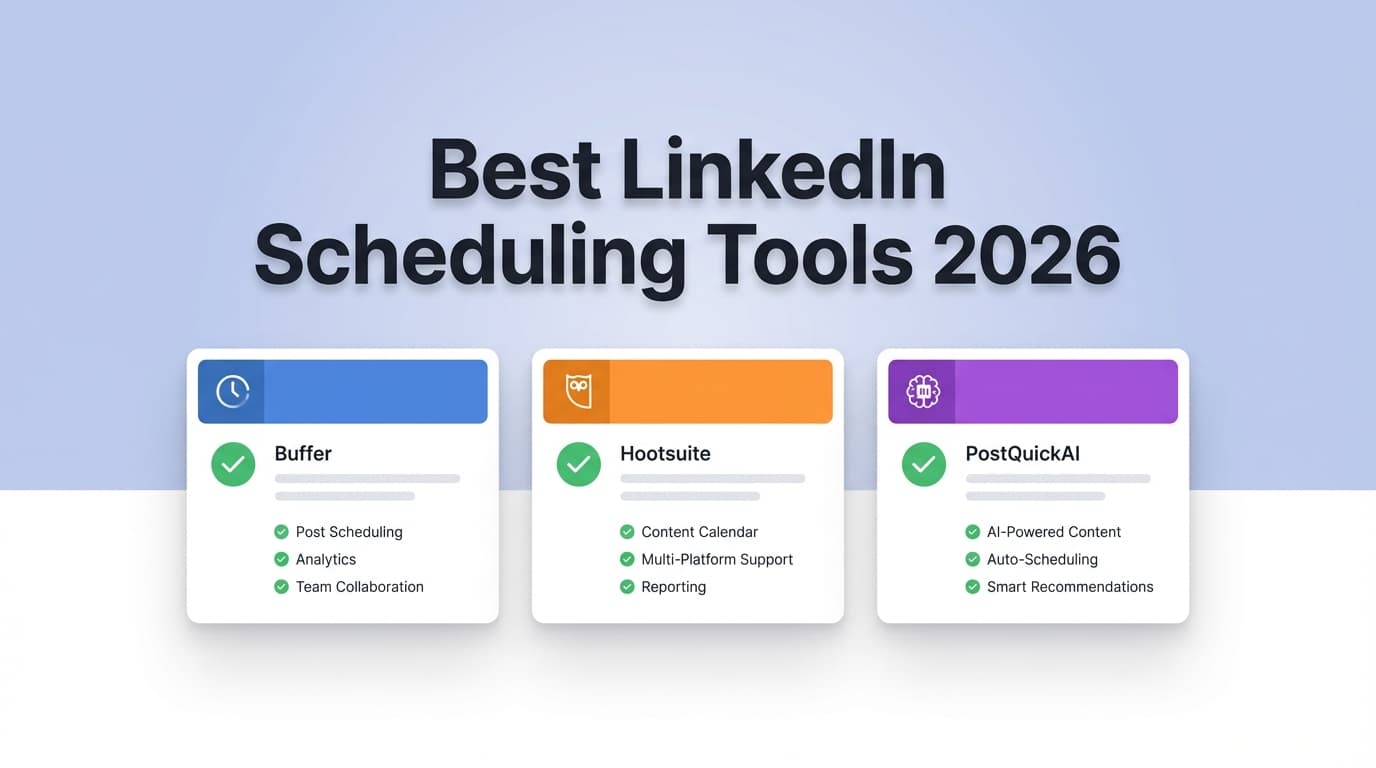
Facebook Scheduling Comparison
If you’re deciding between Meta Business Suite and a third-party Facebook scheduling tool, you’re balancing cost, workflow complexity, and how far beyond Meta’s native ecosystem you need to go. This comparison breaks down the tradeoffs.

| Feature | PostQuickAI | Meta Business Suite | Third-Party Tools (Buffer, Hootsuite, Later, Sprout, SocialBee, FeedHive) |
|---|---|---|---|
| Facebook scheduling | Yes | Yes | Yes |
| Instagram scheduling | Yes (varies by plan/setup) | Yes | Yes |
| Works beyond Meta | Yes (multi-platform positioning) | No (Meta-only) | Yes (most do) |
| Scheduling window | Flexible (tool-dependent) | 20 minutes to 29 days ahead | Often months ahead |
| Approvals & collaboration | Depends on plan | Basic | Strong on team-focused suites |
| Analytics & reporting | Depends on plan | Native insights | Ranges from basic to deep |
| Starting price | ~$10/mo after trial | Free | Free to $199/seat/mo |
| Best for | Fast publishing + simple scheduling | FB/IG-only publishing on a budget | Multi-channel teams and agencies |
PostQuickAI is positioned as an AI-assisted scheduler built to help creators and small teams publish across multiple platforms. It’s priced to be more accessible than enterprise suites while still providing multi-platform scheduling.
Third-party tools connect to Meta via APIs and often support multiple networks. Common options include Buffer (simple scheduling), Hootsuite (team workflows), Later (visual planning), Sprout Social (enterprise analytics), SocialBee (category scheduling), and FeedHive (AI workflows).
Meta Business Suite is Meta’s native tool for Facebook and Instagram scheduling. It’s free and deeply integrated, but it limits scheduling to a 29-day window for Page posts.
Meta Business Suite is Meta-only. Third-party tools (including PostQuickAI) are better if you need Facebook plus other networks. Meta wins if you only need Facebook and Instagram.
Meta Business Suite limits scheduling between 20 minutes and 29 days for Pages. Third-party tools usually allow longer planning horizons. PostQuickAI, like most third-party schedulers, isn’t bound to the 29-day window.
Third-party suites like Hootsuite or Sprout Social win for approvals and governance. PostQuickAI is a better fit for lean teams that want speed without heavy process.
Meta Business Suite provides native insights. Third-party tools offer more report-friendly dashboards, with Sprout and Hootsuite typically strongest. PostQuickAI is better when speed beats reporting depth.
Meta Business Suite is first-party, so it’s often the most resilient to Meta API changes. Third-party tools are still reliable but depend on API updates as Meta evolves.
| Tool / Category | Free Plan | Paid Starting Price | Notes |
|---|---|---|---|
| Meta Business Suite | Yes | $0 | Meta’s free business tool |
| PostQuickAI | Trial | ~$10/mo after trial | Low-cost AI-assisted scheduler |
| Buffer | Yes | From $5/mo | Simple scheduling + free plan |
| Later | Trial | From $18.75/mo (annual) | Plan-based pricing with add-ons |
| Hootsuite | Trial | ~$99/mo | Team and analytics suite |
| Sprout Social | Trial | $199/seat/mo | Enterprise reporting and workflows |
| SocialBee | Trial | From $29/mo | Category scheduling and recycling |
| FeedHive | Trial | From $99/mo | AI/automation oriented |
For many businesses, yes—especially if you only publish to Facebook and Instagram and schedule within Meta’s 29-day window. You’ll outgrow it when you need longer planning horizons, cross-platform scheduling, or deeper reporting.
Typically for multi-platform calendars, team approvals, scheduling beyond Meta’s limits, and reporting that is easier to export or share.
Cost and complexity. Per-seat tools like Sprout Social can add up quickly, and advanced suites require more setup than native Meta tools.
Often yes. Buffer is known for simplicity and offers a free plan with clear limits, which makes it a common first step after Meta Business Suite.
Yes. Many teams keep Meta Business Suite for native tasks while running day-to-day scheduling in a third-party tool.
If you’re trying to decide between Meta Business Suite (Meta’s native scheduler) and a third-party Facebook scheduling tool, you’re usually balancing three things:
1) “Do I really need to pay for scheduling?”
2) “Will a tool save me time (or create new problems)?”
3) “What do I lose by staying native with Meta?”
This page compares PostQuickAI with the broader category of third-party Facebook scheduling tools—and uses Meta Business Suite as the baseline, since that’s what most people start with.
Quick Verdict:
- If you only publish to Facebook + Instagram, want a free tool, and can live with a short scheduling window, Meta Business Suite is hard to beat.
- If you need cross-platform scheduling, approvals, deeper analytics, or a more “marketing workflow” calendar, third-party tools usually win—then it comes down to price, complexity, and your team size.
- If you want a lighter-weight scheduler (without paying enterprise-per-seat pricing), PostQuickAI is typically a better fit than heavyweight suites—especially if you care about moving fast.
| Feature | PostQuickAI | Meta Business Suite | Typical Third-Party Tools (Buffer / Hootsuite / Later / Sprout / SocialBee / FeedHive) |
|---|---|---|---|
| Facebook scheduling | ✅ Yes | ✅ Yes | ✅ Yes |
| Instagram scheduling | ✅ (varies by plan/setup) | ✅ Yes | ✅ Yes |
| Works beyond Meta (TikTok/LinkedIn/etc.) | ✅ Yes (positioned as multi-platform) | ❌ No (Meta ecosystem) | ✅ Yes (most do) |
| Scheduling window | ✅ Typically flexible (tool-dependent) | ⚠️ Official help indicates posts can be scheduled 20 minutes to 29 days ahead (Pages) | ✅ Often months ahead (varies) |
| Approvals & collaboration | ⚠️ Depends on plan (best for solo/lean teams) | ⚠️ Basic | ✅ Strong in “team” tools (especially Sprout/Hootsuite) |
| Social inbox (comments/DMs) | ⚠️ Depends | ✅ Has an inbox for connected assets | ✅ Often strong (Sprout/Hootsuite especially) |
| Analytics & reporting | ⚠️ Depends | ✅ Basic native insights | ✅ Ranges from basic (Buffer) to deep (Sprout/Hootsuite) |
| Starting price | From about $10/mo after a free trial (per PostQuickAI site snippet) | Free | From free (Buffer) to $199/seat/mo (Sprout) |
| Best for | Fast publishing + simple scheduling | FB/IG-only publishing on a budget | Multi-channel teams, agencies, reporting-heavy orgs |
PostQuickAI is positioned as an AI-assisted social media scheduler built to help you create and schedule posts quickly across multiple platforms (not just Facebook). Based on public pricing/site snippets, it offers a free trial and then a low monthly entry price, aiming to stay accessible for creators and small teams.
Third-party Facebook scheduling tools are platforms that connect to Facebook via approved APIs and help you schedule posts (and often manage other networks too). Common options include:
Meta Business Suite is the “native option”—not third-party—but it’s central to the decision because it’s free and deeply integrated with Meta surfaces.
PostQuickAI:
Designed for scheduling beyond just Meta. If your content plan includes Facebook plus other channels, this is often the simplest reason to choose a third-party scheduler.
Third-Party Tools (Buffer/Hootsuite/Later/Sprout/SocialBee/FeedHive):
Most third-party tools support multiple networks and let you keep one content calendar for everything.
Meta Business Suite (baseline):
Strong for Facebook + Instagram, but it’s inherently Meta-only.
Winner: Third-party tools (including PostQuickAI) if you’re cross-posting beyond Meta. Meta wins if you’re strictly FB/IG and want native integration.
Meta Business Suite:
Meta’s own help documentation states that for Facebook Page scheduling you can schedule posts between 20 minutes and 29 days away. For teams building content months ahead (seasonal campaigns, product launches), that window can be a real constraint.
Third-Party Tools:
Many third-party schedulers allow scheduling much further out (varies by product). This is one of the most practical reasons people pay.
PostQuickAI:
Typically, third-party tools don’t enforce the same 29-day ceiling as Meta’s native planner experience (implementation can vary), which can make long-range planning easier.
Winner: Third-party tools (for long-range planning). Meta wins only if 29 days is plenty for your workflow.
PostQuickAI:
Often a good fit if you want a straightforward calendar and faster publishing without heavy process overhead.
Third-Party Tools:
- Sprout Social and Hootsuite are generally stronger for teams that need structured workflows and oversight.
- SocialBee stands out with category-based scheduling and recycling, but reviews often mention a learning curve.
- Later is popular for visual planning and creator-style workflows.
Meta Business Suite:
Useful planning features and a native flow—but generally not the same depth as dedicated team workflow tools.
Winner:
- Teams/agencies: third-party suites (Sprout/Hootsuite/SocialBee-type workflows)
- Solo/lean teams: PostQuickAI or simpler third-party tools
- “Just schedule my FB/IG content”: Meta Business Suite
Meta Business Suite:
Native insights are valuable because they’re closest to the source, and you don’t pay extra. But reporting formats can be limiting if you need client-ready exports or standardized cross-channel dashboards.
Third-Party Tools:
- Sprout Social is positioned as robust reporting (and priced accordingly).
- Buffer tends to be simpler; many reviews describe it as easy to use but less “advanced suite” than heavier platforms.
PostQuickAI:
Best if your priority is creating/scheduling quickly; if you need enterprise reporting, you may outgrow lightweight tools.
Winner:
- Deep analytics + reporting: Sprout/Hootsuite-type tools
- Native-only + free: Meta Business Suite
- Speed + simplicity: PostQuickAI / simpler schedulers
Meta Business Suite:
Because it’s Meta’s own product, it can be the safest bet when Meta changes rules, formats, or APIs. It’s also where new Meta features often show up first.
Third-Party Tools (including PostQuickAI):
Third-party tools depend on platform APIs. That’s normal—but it means that if Meta changes something, some features may lag behind or behave differently until vendors update.
Winner: Meta Business Suite for “first-party” stability. Third-party tools for workflow power (with the trade-off that APIs evolve).
Pricing changes often—so treat this as a snapshot of publicly listed starting points verified on 2026-01-08.
| Tool / Category | Free Plan | Paid Starting Price (public starting point) | Notes |
|---|---|---|---|
| Meta Business Suite | ✅ Yes | $0 | Meta positions it as a free business tool |
| PostQuickAI | ✅ Trial | ~$10/mo after trial | Based on PostQuickAI site snippet (“7-day free trial, then $10/…”) |
| Buffer | ✅ Yes | From $5/mo (pricing page shows $5/mo entry; support docs show free plan limits like 10 scheduled posts per channel) | Strong option for simple scheduling |
| Later | ❌ (commonly trial-based) | $18.75/mo (Starter billed yearly shown on pricing page) | Add-ons can increase cost |
| Hootsuite | Trial (commonly) | Often cited starting around $99/mo (plan pages) | Built for teams; can become expensive |
| Sprout Social | Trial | $199 per seat/month (pricing page) | Powerful, but per-seat cost adds up |
| SocialBee | Trial | Starts around $29/mo (Facebook page mentions starting price) | Category scheduling; learning curve noted in reviews |
| FeedHive | Trial (varies) | Pricing page displays tiers (site snippet shows $99/mo on page) | AI/automation oriented |
Value Analysis (what “cheaper” really means): - If you only need FB/IG scheduling, Meta Business Suite is the cheapest (free). - If you’re solo and want multi-platform publishing, Buffer or PostQuickAI-style tools are often the best ROI. - If you have 5–20 team members and need approvals + reporting, per-seat tools can become a major budget line—but may still pay off in time saved and fewer mistakes.
You’ll prefer PostQuickAI if you: - Want a third-party scheduler feel without jumping straight into expensive enterprise platforms. - Need a multi-platform workflow (not just Facebook/Instagram). - Care more about speed and simplicity than deep org-wide governance and heavy reporting.
You’ll prefer established third-party tools if you: - Need team workflows: approvals, client workspaces, role permissions, reusable templates. - Want cross-channel reporting and more client-ready analytics. - Manage multiple brands or do agency-style work where organization matters as much as publishing.
Where the category clearly beats Meta Business Suite: cross-platform management, longer planning horizons, stronger collaboration, and often better reporting.
Choose Meta Business Suite if you: - Only publish to Facebook + Instagram. - Want to pay $0 for scheduling. - Can live with the official Facebook Page scheduling window of 20 minutes to 29 days ahead. - Want a fully native tool that’s least likely to break due to third-party API changes.
If you’re moving from Meta Business Suite to a third-party scheduler, here’s what to expect:
For many businesses, yes—especially if you only need Facebook/Instagram publishing and you’re scheduling within the ~29-day window referenced in Meta’s help documentation. You’ll typically outgrow it when you need longer-term planning, cross-platform calendars, approvals, or more formal reporting.
Usually for one (or more) of these reasons:
- Scheduling beyond Meta’s planner limits
- Posting to multiple platforms from one calendar
- Team approvals and client workflows
- Reporting that’s easier to export/share
Cost and complexity. Some tools charge per seat (e.g., Sprout Social lists $199/seat/month starting), and more advanced platforms can take time to configure properly.
Often yes. Buffer has a strong reputation for simplicity and a free plan with clear limits (e.g., Buffer support documentation describes free-plan scheduling limits like 10 scheduled posts per channel). It’s a common step up from Meta Business Suite when you add more networks.
Yes. Many teams keep Meta Business Suite for certain native tasks (some inbox actions, troubleshooting, account admin) while doing day-to-day scheduling in a third-party tool.