LinkedIn Scheduling Comparison
Best LinkedIn Scheduling Tools 2026: Buffer vs Hootsuite vs PostQuickAI
The best LinkedIn scheduling tool for you depends on what you want most: simplicity, team workflows or AI help writing posts.
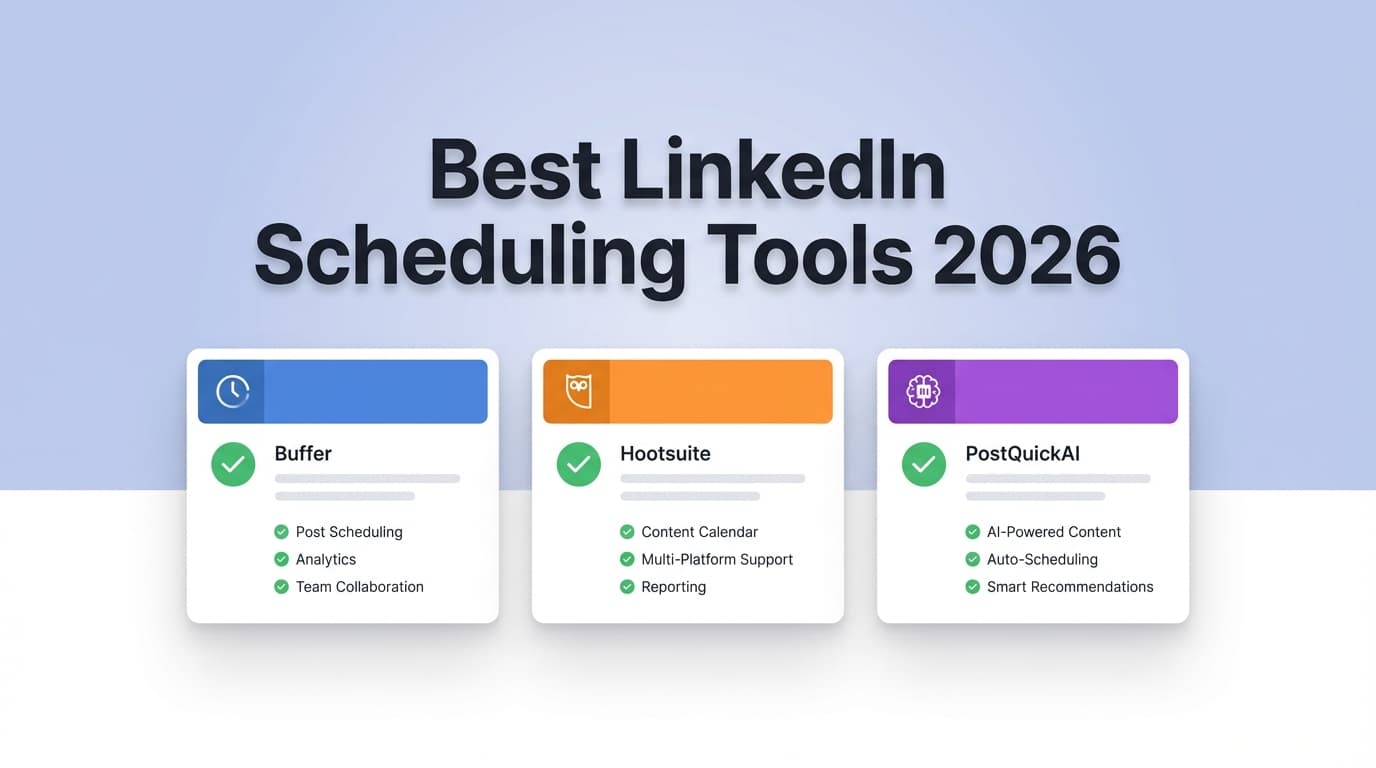
Posting regularly on LinkedIn is hard enough without also having to pick a scheduler. This guide compares PostQuickAI vs Buffer vs Hootsuite for LinkedIn scheduling in 2026, using each vendor's pricing and LinkedIn pages plus common themes from reviews.
Short Answer
- PostQuickAI fits best if you want AI help writing posts plus scheduling at a flat entry price ($15/month), and you don't need enterprise analytics or workflows.
- Buffer fits best if you want the simplest scheduler with a real free plan (up to 3 channels, with limits) and clear LinkedIn support, including carousel and PDF posts.
- Hootsuite fits best if you need strong analytics, best-time-to-publish insights and team or enterprise features, and you're fine paying more.
7-day free trial on your first plan, card required. Cancel before it ends and you pay nothing.
LinkedIn Scheduling at a Glance
| Feature | PostQuickAI | Buffer | Hootsuite |
|---|---|---|---|
| LinkedIn scheduling | ✓ Yes (LinkedIn scheduler page) | ✓ Yes (“Schedule LinkedIn posts” page + Help Center docs) | ✓ Yes (LinkedIn product page) |
| Free plan | ✗ No free plan; paid plans only (7-day free trial on first plan, card required) | ✓ Yes: Free plan supports up to 3 channels (with limits) | ✗ No free plan (paid plans available) |
| Best time to post (LinkedIn) | Not clearly positioned as a LinkedIn “best time” engine (verify in-product) | ✗ Buffer Help Center: “best time to post” in Analyze does not support LinkedIn | ✓ “Best time to publish” via Analytics (heatmap-style feature marketed by Hootsuite) |
| Scheduling limits | Not highlighted publicly as capped on paid tiers | Free plan has scheduling limits | Often promotes unlimited scheduling in plan marketing |
| Analytics depth | Creator/SMB-oriented | Generally “lighter” vs enterprise suites | Strong analytics and reporting focus |
| Team workflows/governance | Not positioned as enterprise | Available on higher tiers | Strong for teams; enterprise-ready |
| Pricing model | Tiered: Basic $15/mo, Pro $39/mo, Ultra $99/mo (API access is included in every plan) | Per-channel pricing (starts around $5–$6/channel/mo) | Premium pricing; commonly cited $99/mo (Standard) and $249/mo (Advanced) |
| Best for | Creators/SMBs who want AI + scheduling at a flat price | Solo creators/small teams who want simple + free plan | Teams/brands needing analytics + governance |
Want AI to draft your LinkedIn posts and schedule them to your profile or company page? PostQuickAI Basic is a flat $15/month.
Compare plansPostQuickAI Overview
PostQuickAI combines AI drafting and scheduling, a visual content calendar and posting streaks. It schedules to LinkedIn profiles and company pages, and has its own LinkedIn Scheduler page.
Plans include unlimited text generation, a monthly allowance of AI image generations, and video credits (amounts depend on the plan).
Key Strengths
- AI writing: helps you write the posts as well as queue them.
- LinkedIn targets: pick your personal profile or a company page for each post.
- Flat starting price: Basic is $15/month, not priced per channel.
- Posting habits: the calendar and streaks help you keep a regular schedule, which matters on LinkedIn.
Limitations
- Not an enterprise suite: it doesn't do social listening, complex inbox workflows or enterprise governance the way Hootsuite does.
- Fewer independent reviews: there are fewer third-party reviews than for Buffer or Hootsuite.
- Some generation features are credit-based: Video credits are included but not unlimited.
Buffer Overview
Buffer is a long-standing social media scheduler known for being simple and easy to start with, and it has a free plan. It has a LinkedIn scheduling page and Help Center articles on what it can do on LinkedIn.
Buffer's LinkedIn page says you can schedule text, image, carousel, PDF, video, and link preview posts.
Key Strengths
- Free plan: Buffer's Free plan supports up to 3 channels (with scheduling limits).
- LinkedIn post types: Buffer advertises scheduling for carousel and PDF posts, plus video and link previews.
- Ease of use: solo creators and small teams often pick it because it's simple.
Limitations (from docs and reviews)
- “Best time to post” limitation for LinkedIn: Buffer Help Center states the “best time to post” feature in Analyze does not support LinkedIn.
- Per-channel pricing: Buffer gets expensive as you add channels or brands.
- Analytics can feel limited: reviewers often want more depth without paying a lot more.
Hootsuite Overview
Hootsuite is a broader social media management platform. It's usually strongest for teams that need analytics, workflow controls and features beyond publishing.
Hootsuite also advertises a “best time to publish” heatmap in Analytics, and has a LinkedIn product page that highlights “LinkedIn analytics” and scheduling.
Key Strengths
- Best time to publish: recommendations and heatmaps inside Analytics.
- Analytics & reporting: one of the main reasons people buy Hootsuite.
- Built for teams: better suited to approvals, governance and many users.
Limitations (from reviews)
- Expensive: cost is the most common complaint on review sites.
- Harder to learn: many users find it complex or clunky next to simpler tools.
- No free plan: Hootsuite only offers paid plans.
Feature-by-Feature Comparison for LinkedIn
1) LinkedIn Scheduling & Supported Post Types
PostQuickAI: Schedules and auto-publishes LinkedIn posts to a profile or company page. Best if you want AI drafting and scheduling in one place.
Buffer: Most explicit about supported LinkedIn post formats on its LinkedIn page: text, image, carousel, PDF, video, and link preview posts.
Hootsuite: Strong on LinkedIn scheduling and analytics, but its marketing page says less about which LinkedIn post types it supports.
Winner: Buffer for clear post-type support, PostQuickAI for AI writing, Hootsuite for enterprise needs.
2) Best Time to Post on LinkedIn (In-App)
PostQuickAI: Offers automation, but doesn't advertise a LinkedIn “best time” analytics feature.
Buffer: Buffer Help Center: “best time to post” in Analyze does not support LinkedIn (which matters if you want the tool to suggest posting times).
Hootsuite: Advertises a “best time to publish” heatmap in Analytics, which helps if you schedule by the data.
Winner: Hootsuite
3) Analytics & Reporting (LinkedIn Performance)
PostQuickAI: Shows views, likes, comments and shares per post where the platform provides them. Best for creators who care more about posting regularly than advanced reporting.
Buffer: Good basic analytics, usually seen as less deep than enterprise suites.
Hootsuite: Puts analytics at the center of its plans and product pages.
Winner: Hootsuite
4) Collaboration, Approvals, and Governance
PostQuickAI: Not built around approvals or governance.
Buffer: Has team features on paid plans, but stays focused on simplicity.
Hootsuite: Built for teams, with stronger controls.
Winner: Hootsuite
Pricing Comparison (checked 2026-01-08)
Prices change, so check vendor pages before you buy. These are the prices we saw on vendor pages and public sources on that date.
| Plan | PostQuickAI | Buffer | Hootsuite |
|---|---|---|---|
| Free | ✗ No free plan (7-day free trial on first plan, card required) | ✓ Free plan: up to 3 channels (limits apply) | ✗ No free plan (paid plans available) |
| Entry paid | $15/mo (Basic) | Starts around $5–$6/channel/mo | Commonly cited $99/mo (Standard) |
| Mid tier | $39/mo (Pro) | Team tier often cited around $12/channel/mo | Commonly cited $249/mo (Advanced) |
| Enterprise | Not positioned as enterprise-custom | Agency tiers exist; pricing varies | ✓ Enterprise: custom |
Which costs least:
- If you schedule LinkedIn and several other channels and want one flat price, PostQuickAI usually costs less.
- If you need a free plan, or want to use one for a long time without paying, Buffer wins.
- If you need best-time insights, reporting, and team workflows, Hootsuite can justify its cost.
Who Should Choose PostQuickAI?
Choose PostQuickAI if you:
- Want AI help writing posts as well as scheduling them.
- Want a flat-priced tool that still covers LinkedIn scheduling (Basic is $15/mo).
- Care more about posting regularly (calendar and streaks) than enterprise reporting.
Who Should Choose Buffer?
Choose Buffer if you:
- Want the simplest LinkedIn scheduler with a real free plan.
- Need clear support for scheduling LinkedIn formats like carousel and PDF posts.
- Don't need in-app “best time to post” optimization for LinkedIn.
Who Should Choose Hootsuite?
Choose Hootsuite if you:
- Need analytics depth and stakeholder reporting.
- Want “best time to publish” insights inside the platform.
- Have a team that needs workflow controls and enterprise readiness.
Switching Tools
- Accounts: in PostQuickAI you connect your LinkedIn profile or company page, and any other networks, once by signing in to each.
- Scheduled posts: most schedulers can't import a competitor's queue in one click. Expect to recreate your next few weeks of LinkedIn posts.
- Media library: re-upload your main media or rebuild your library.
- Workflow changes: Moving from Hootsuite → PostQuickAI/Buffer may mean giving up governance and listening features. Moving from Buffer → Hootsuite usually means more complexity in exchange for analytics and team workflows.
- Trying first: PostQuickAI's first plan starts with a 7-day free trial. You add a card at checkout, and if you cancel before the trial ends you pay nothing.
Plans start at $15/month.
FAQ
Answers to common questions about LinkedIn scheduling tools.
Frequently Asked Questions
It can be if your priority is AI-assisted creation at a flat price. If you want a free plan and very simple scheduling, Buffer is often a better fit.
Yes. Buffer's LinkedIn scheduling page says you can schedule carousel and PDF posts, along with text, images, video and link previews.
No. Buffer's Help Center says the best time to post feature in Analyze does not support LinkedIn.
Yes. Hootsuite advertises a best time to publish feature in Analytics, usually shown as a heatmap you can filter by network.
Buffer is cheapest if you stay on the free plan or only need one or two channels (around $5 to $6 per channel). PostQuickAI Basic is a flat $15/month. Hootsuite usually costs the most, and has more team features to show for it.
Yes. Your first plan starts with a 7-day free trial. You add a card at checkout and are charged when the trial ends, so cancel before it ends and you pay nothing.