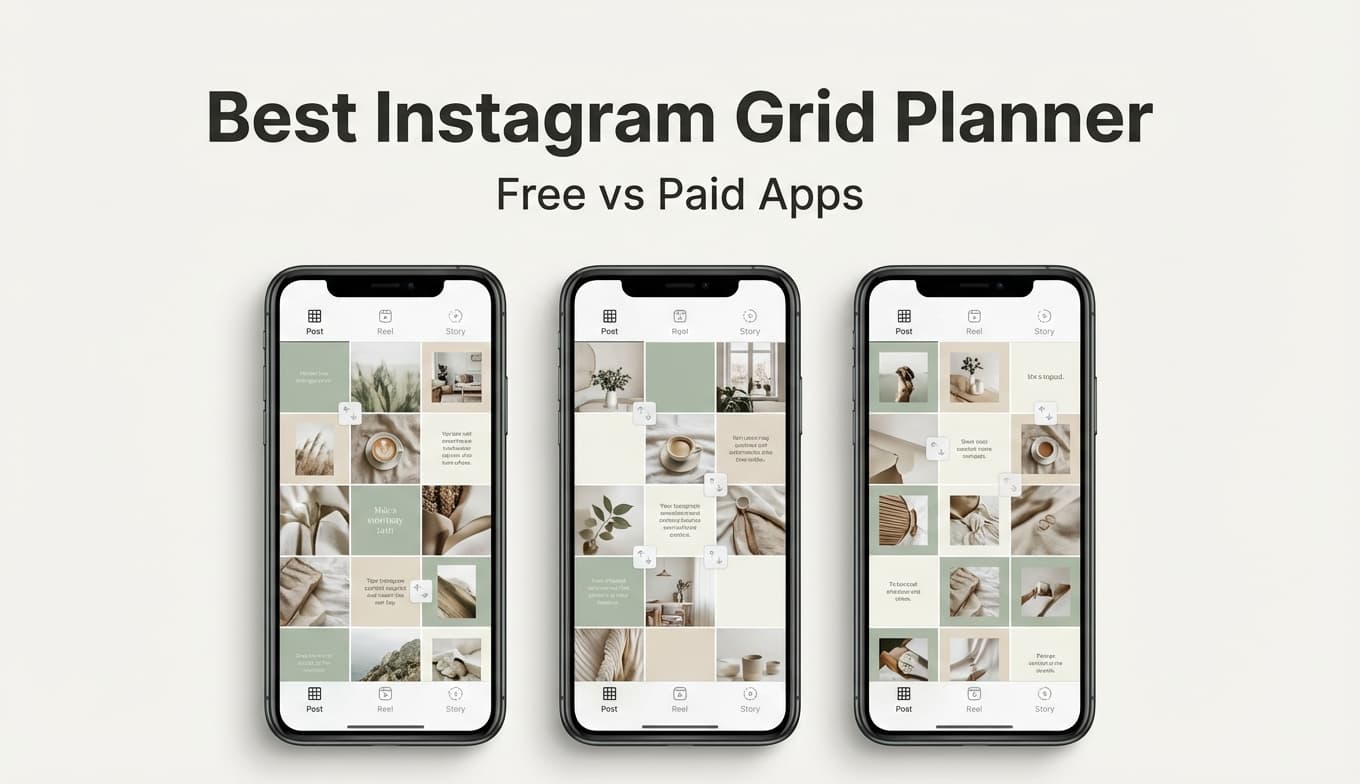
Instagram Grid Planning

PostQuickAI vs Paid Instagram Grid Planner Apps: Which Instagram Grid Planner Is Right for You?

If youre planning a cleaner Instagram aesthetic, you usually hit the same fork in the road: do you just need a simple grid preview, or do you need a full planning + scheduling + analytics workflow? This comparison helps you choose a free grid preview tool versus paid platforms like Later, Planoly, Plann, UNUM, or Preview.

Best Instagram Grid Planner Free Vs Paid Apps Comparison

Quick Verdict

If you only need a fast, no-friction way to preview and reorder a 31 grid, PostQuickAIs free Instagram Feed Planner is the simplest choice. If you need auto-publishing, multi-account management, team collaboration, or analytics, a paid platform like Later, Planoly, Plann, UNUM, or Preview will usually be a better fit.

TL;DR Comparison

FeaturePostQuickAI (Free Tool)Paid Apps (Later / Planoly / Plann / UNUM / Preview)
Grid preview (31)Yes (free Instagram Feed Planner tool)Yes (visual planners are core)
Drag-and-drop reorderingYesYes
Works in a browser (desktop-friendly)YesSome have web apps; many are mobile-first
Auto-publish / schedulingPostQuickAI has a scheduling product, but the free grid tool is focused on planningCommon (especially Later, Planoly, Plann, UNUM, Preview)
AnalyticsNot the goal of the free grid planner toolCommon (varies by plan)
Multi-platform schedulingPostQuickAI supports posting to 8+ platforms (product)Common on social suites; varies by plan
Starting price$0 (grid tool)Typically ~$7$25+/month (varies widely)
Best forQuick, free grid layout decisionsCreators/brands who want an all-in-one workflow

PostQuickAI Overview

PostQuickAI is a broader social media product that includes AI-assisted creation and schedulingplus a set of free tools. The most relevant piece here is the free Instagram Feed Planner: upload images, drag to rearrange a 31 preview, and refine layout before posting.

  • Free Instagram Feed Planner tool: /tools/instagram-feed-planner
  • AI-assisted creation: text, images, and video generation (product workflow).
  • Posting to 8+ platforms including Instagram, TikTok, LinkedIn, and X.

Key Strengths

  • Fast, free grid planning for quick 31 decisions.
  • No signup + no watermarks in the free tools experience.
  • Expandable workflow if you want scheduling + AI creation later.

Limitations

  • Free grid tool is not a full social suite (no auto-publish or analytics in the tool itself).
  • Not a mobile-native grid app; mobile-first planners can feel smoother.

Paid Instagram Grid Planner Apps Overview

Paid apps are a category, not a single competitor. The market leaders include mobile-first grid planners (Preview App) and social media management platforms with visual planners (Later, Planoly, Plann, UNUM).

Key Strengths (Why people pay)

  • Scheduling and auto-publish are core features.
  • Analytics and best-time-to-post insights are common.
  • Multi-account and team workflows are supported.

Limitations (Common themes)

  • Pricing complexity and plan limits (uploads, social sets, per-user pricing).
  • App reliability issues in some app store reviews.
  • Billing/subscription friction reported in third-party reviews.

Feature-by-Feature Comparison

1) Grid Planning & Drag-and-Drop Aesthetic Preview

PostQuickAI: Focuses on the essentials: upload images, see a 31 grid, drag-and-drop the order.

Paid Apps: Provide visual planners with deeper planning views, calendars, and drafts pipelines.

Winner: Tie. PostQuickAI for speed and cost; paid apps for planning depth.

2) Scheduling & Auto-Publishing

PostQuickAI: Scheduling exists in the paid product, but the free grid tool is focused on layout preview.

Paid Apps: Scheduling is core for Later/Planoly/Plann/UNUM/Preview.

Winner: Paid apps for set it and forget it workflows.

3) Analytics & Performance Insights

PostQuickAI: Not the purpose of the free grid planner.

Paid Apps: Analytics is common and built into plan tiers.

Winner: Paid apps.

4) AI Captions / Hashtags / Content Assistance

PostQuickAI: AI help for text, images, and videos; plus free caption/hashtag tools.

Paid Apps: Many include AI writing or caption assistance (varies by plan).

Winner: Depends. PostQuickAI for broader AI generation workflows; paid apps for integrated scheduling + AI.

5) Ease of Use: I just want to plan my next 9 posts

PostQuickAI: Open the tool, build your 31, reorder, done.

Paid Apps: Can feel heavier due to onboarding, plan limits, and dashboards.

Winner: PostQuickAI for quick grid decisions.

Pricing Comparison (Free vs Paid)

Pricing changes frequently. The numbers below were checked via public pricing pages in search results on 2026-01-08.

ToolFree OptionPaid Starting PriceNotes
PostQuickAI (Grid Planner Tool)Yes$0Free Instagram Feed Planner tool at /tools/instagram-feed-planner.
LaterPlans + FAQ on pricing pageStarter $25/mo or $18.75/mo billed yearlyPricing varies by billing term and region.
PlanolyFree plan exists (limited uploads)Starter $16/mo or $14/mo billed annuallyPricing based on uploads and social sets.
PlannFree Forever planPower User $12.5/mo (monthly)Verified via pricing page snippets.
UNUMFree planUNUM Pro $7/mo (lower with annual billing)Pricing pulled from UNUM pricing snippets.
Preview AppMarkets free unlimited postsPaid tiers exist (see Preview pricing page)Exact amounts vary; check thepreviewapp.com/pricing.

Value analysis

  • Choose free (PostQuickAI) if the grid planner is a single-purpose step in your process.
  • Choose paid if planning is part of a system (calendar, approvals, scheduling, analytics, team).

Who Should Choose PostQuickAI?

  • Want a free Instagram grid planner to preview and reorder a 31 layout.
  • Dont want to download an app just to plan your next 9 posts.
  • Prefer a lightweight workflow: plan the grid, then publish in your scheduler of choice.
  • Want the option to grow into a broader AI + scheduling platform later.

Who Should Choose Paid Instagram Grid Planner Apps?

  • Need scheduling and auto-publishing as the core feature.
  • Manage multiple social profiles, brands, or clients.
  • Want analytics dashboards and reporting.
  • Need team workflows (approvals, roles, collaboration).
  • Prefer a mobile-first experience for planning and posting.

Switching (or Combining): A Practical Approach

  1. Use PostQuickAIs free grid planner to finalize the next 9-post aesthetic.
  2. Use a paid scheduler (if needed) for auto-publishing, calendar planning, analytics, and approvals.

Learning curve is low with PostQuickAI; data migration is usually not relevant for a grid-preview tool.

FAQ

Answers to common questions about free vs paid Instagram grid planners.

Frequently Asked Questions

Its one of the best choices if your goal is grid preview and reordering without paying. If you want an all-in-one system (schedule + analytics + team workflows), paid platforms like Later, Planoly, Plann, or UNUM are designed for ongoing management.

A free grid planner helps you answer What will my feed look like? A paid planner runs a full workflow: what youll post, when it publishes, who approves it, and how it performs.

From pricing snippets checked on 2026-01-08, UNUM Pro shows $7/month (and a lower effective monthly price with annual billing), which is lower than many social suite tools. Planoly and Plann typically start higher depending on plan and billing.

Yes. PostQuickAIs free tool supports drag-and-drop reordering of a 31 grid preview, and major paid planners like Later and Planoly also market visual planners with rearranging.

Both are strong for Instagram-first visual planning. Planoly emphasizes grid planning and automation; Later has a broader social scheduling ecosystem. The best choice comes down to posting limits, multi-platform needs, and UI preference.

Full Guide

PostQuickAI vs Paid Instagram Grid Planner Apps: Which Instagram Grid Planner Is Right for You?

If you’re trying to plan a cleaner Instagram aesthetic, you usually hit the same fork in the road:

  • Do you just want a simple grid preview to arrange your next 9 posts?
  • Or do you want a full planning + scheduling + analytics workflow (and you’re willing to pay)?

This page compares PostQuickAI (free tool) with popular paid Instagram grid planner apps—so you can pick what actually matches your workflow (not just the app with the biggest marketing claims).

Quick Verdict:
If you only need a fast, no-friction way to preview and reorder a 3×3 grid, PostQuickAI’s free Instagram Feed Planner is the simplest choice. If you need auto-publishing, multi-account management, team collaboration, or analytics, a paid platform like Later, Planoly, Plann, or UNUM will usually be a better fit.


TL;DR Comparison

Feature PostQuickAI (Free Tool) Paid Apps (Later / Planoly / Plann / UNUM / Preview)
Grid preview (3×3) ✅ Yes (free Instagram Feed Planner tool) ✅ Yes (visual planners are a core feature)
Drag-and-drop reordering ✅ Yes ✅ Yes
Works in a browser (desktop-friendly) ✅ Yes ✅ Some have web apps; many are mobile-first
Auto-publish / scheduling PostQuickAI has a scheduling product, but the free grid tool is focused on planning ✅ Common (especially Later, Planoly, Plann, UNUM, Preview)
Analytics Not the goal of the free grid planner tool ✅ Common (varies by plan)
Multi-platform scheduling PostQuickAI supports posting to 8+ platforms (product) ✅ Common on the “social suite” tools; varies by plan
Starting price $0 (grid tool) Typically ~$7–$25+/month (varies widely)
Best for Quick, free grid layout decisions Creators/brands who want an all-in-one workflow

PostQuickAI Overview

PostQuickAI is a broader social media product that includes AI-assisted creation and scheduling—plus a set of free tools.

For this comparison keyword (“best instagram grid planner free vs paid”), the most relevant piece is:

  • Free Instagram Feed Planner (Grid Preview): a free browser-based tool where you can upload images, drag to rearrange a 3×3 preview, and refine layout before posting. (Source: PostQuickAI tool page snippet in search results: postquick.ai/tools/instagram-feed-planner.)

PostQuickAI also positions itself as a social media platform that can: - Post to 8+ platforms including Instagram, TikTok, LinkedIn, and X - Use AI to proofread/edit and match your voice - Generate text, images, and videos with AI
(Source: PostQuickAI homepage snippet in search results: postquick.ai/)

Key Strengths

  • Fast, free grid planning: Great if you just want to decide “what should my next 9 posts look like?”
  • Low friction: PostQuickAI promotes free tools as no signup required and no watermarks (Source: tools page snippet in search results: postquick.ai/tools).
  • Expandable workflow: If you outgrow grid planning, PostQuickAI also offers scheduling + AI creation features as part of its product (separate from the free tool).

Limitations (Honest)

  • The free grid tool is not a full social suite: If your main need is auto-posting, team approvals, content libraries, and analytics dashboards, you’ll likely want a paid platform built around those workflows.
  • Not a mobile-native grid app: If you prefer planning entirely on your phone (camera roll → planner → publish), mobile-first apps can feel smoother.

“Paid apps” isn’t one competitor—it’s a category. The market leaders usually fall into two buckets:

1) Mobile-first grid planners (aesthetic + feed preview):
- Preview App (thepreviewapp.com) positions itself as a widely-used Instagram planner and highlights scheduling, captions, hashtags, etc. (Verified via page analysis of thepreviewapp.com.)

2) Social media management platforms with visual planners (planning + scheduling + analytics):
- Later has a dedicated “Instagram Planner” page and a pricing page with FAQ schema (Verified via analysis of later.com/instagram-scheduler/visual-instagram-planner/ and later.com/pricing/.) - Planoly has an “Instagram Grid Planner & Automation” solution page (Verified via analysis of planoly.com/solutions/instagram.) - Plann offers tiered pricing and explicitly includes a free plan (Verified via analysis of plannthat.com/pricing/.) - UNUM positions itself as an AI social media assistant and includes pricing tiers (Verified via analysis of unum.la/ and unum.la/pricing.)

Key Strengths (Why people pay)

  • Scheduling and auto-publish are usually core features.
  • Analytics and best-time-to-post insights are common (feature depth varies by plan).
  • Multi-account and team workflows exist on many platforms.

Limitations (Common themes from public review sources)

Because each app is different, complaints vary—but across this category you’ll often see: - Pricing complexity and plan limits (uploads vs posts vs “social sets” vs per-user pricing). - App reliability issues (glitches, login issues) show up in app store reviews for some tools. - Billing/subscription frustration appears in some third-party review sources for some brands (e.g., Planoly has public reviews on Trustpilot/BBB listings surfaced in search results).


Feature-by-Feature Comparison

1) Grid Planning & Drag-and-Drop Aesthetic Preview

PostQuickAI:
- Focuses on the essentials: upload images → see a 3×3 grid → drag-and-drop order.
- Best when you just want to answer: “Does this next row clash?” or “Which photo should be the center tile?”

Paid Apps:
- Also provide visual planners with grid previews and rearranging.
- Some offer deeper planning views (calendar, drafts pipeline, multi-platform content mapping), depending on the app.

Winner: Tie
If you want simple, PostQuickAI wins on speed and cost. If you want planning depth, paid apps win.


2) Scheduling & Auto-Publishing

PostQuickAI:
- PostQuickAI as a product supports scheduling/posting to 8+ platforms (homepage claim).
- But the free grid tool itself is primarily about layout preview—so it’s best treated as a “plan first” step.

Paid Apps:
- Scheduling is a core value prop for Later/Planoly/Plann/UNUM/Preview.
- Later explicitly markets an Instagram planner workflow to create, plan, and schedule (verified via page analysis of Later’s Instagram planner page).

Winner: Paid apps
If your priority is “set it and forget it” publishing, paid tools are built for this.


3) Analytics & Performance Insights

PostQuickAI:
- Not the purpose of the free grid planner.
- If you want analytics, you’ll likely evaluate PostQuickAI’s broader platform (outside the free tool).

Paid Apps:
- Later’s pricing page is structured around plan tiers and feature comparisons (verified via analysis), and the ecosystem is known for analytics features (specific depth depends on plan).

Winner: Paid apps
If you need reporting, content performance tracking, and dashboards, paid apps usually justify the cost here.


4) AI Captions / Hashtags / Content Assistance

PostQuickAI:
- PostQuickAI positions itself around AI help: proofread/edit, voice matching, and generating text, images, and videos with AI (homepage snippet).
- Also offers free AI tools like caption/hashtag generation (tools listing snippet indicates multiple free tools).

Paid Apps:
- Many include some AI writing/caption assistance (varies by product and plan).
- UNUM’s homepage positions itself as an “AI social media assistant” (verified via analysis).

Winner: Depends
- If you want AI content generation as a broader workflow, PostQuickAI may be more compelling.
- If you want AI inside a visual planner + scheduler, UNUM/Later/others may be stronger.


5) Ease of Use: “I just want to plan my next 9 posts”

PostQuickAI:
- Strong fit: open the tool, build your 3×3, reorder, done.

Paid Apps:
- Can feel heavier: onboarding, connecting accounts, plan limits, and feature-rich dashboards.

Winner: PostQuickAI
For quick grid decisions, simpler usually wins.


Pricing Comparison (Free vs Paid)

Pricing changes frequently; the numbers below were checked via public pricing pages in search results on 2026-01-08.

Tool Free Option Paid Starting Price (public pricing pages) Notes
PostQuickAI (Grid Planner Tool) ✅ Yes $0 Free Instagram Feed Planner tool page is available via postquick.ai/tools/instagram-feed-planner.
Later (Pricing page includes plans + FAQ) Starter $25/mo or $18.75/mo billed yearly (pricing page snippet shows yearly discount) Verified via Later pricing page analysis + search results for yearly price display.
Planoly ✅ Free plan exists, but limited (Planoly help articles reference 10 uploads/month on the Personal plan) Starter $16/mo or $14/mo billed annually (pricing snippets) Planoly pricing is often based on “uploads” and “social sets.”
Plann ✅ “Free Forever Plan” (on pricing page) Paid tiers shown as $12.5/mo (Power User, monthly) and higher tiers Verified via Plann pricing page analysis + search snippets listing tier prices.
UNUM ✅ Free plan UNUM Pro $7/mo (and shows $5.25/mo with annual pricing in snippets) Verified via UNUM pricing page search snippets + page analysis.
Preview App ✅ Markets “free unlimited posts” on its App Store listing snippet Pricing tiers exist, but exact $ amounts weren’t reliably extractable from the analyzed page output here Verified that Preview has a pricing page and App Store listing; check thepreviewapp.com/pricing/ for latest exact numbers.

Value Analysis (simple rule of thumb): - Choose free (PostQuickAI) if the grid planner is a single-purpose step in your process. - Choose paid if planning is part of a system (calendar, approvals, scheduling, analytics, team).


Who Should Choose PostQuickAI?

You’ll prefer PostQuickAI if you: - Want a free Instagram grid planner to quickly preview and reorder a 3×3 layout - Don’t want to download an app or commit to a subscription just to plan your next 9 posts - Prefer a lightweight workflow: plan the grid → then publish using Instagram (or your scheduler of choice) - Want the option to grow into a broader AI + scheduling platform later (without starting there)


Who Should Choose Paid Instagram Grid Planner Apps?

You’ll prefer paid apps (Later/Planoly/Plann/UNUM/Preview) if you: - Need scheduling and auto-publishing as the core feature (not optional) - Manage multiple social profiles, brands, or clients - Want analytics dashboards and reporting - Need team workflows (approvals, roles, collaboration) - Prefer a mobile-first experience for planning and posting


Switching (or Combining): A Practical Approach

Most people don’t actually need to “switch” completely. A common workflow is:

  1. Use PostQuickAI’s free grid planner to finalize the next 9-post aesthetic quickly.
  2. Use a paid scheduler (if needed) to handle: - Auto-publishing - Calendar planning - Analytics - Team approvals

Learning curve: Low with PostQuickAI (simple tool).
Data migration: Not usually relevant for a grid-preview tool—since you’re arranging assets, not migrating a content database.


FAQ

Is PostQuickAI really the best Instagram grid planner?

It’s one of the best choices if your goal is grid preview and reordering without paying. If you want an all-in-one system (schedule + analytics + team workflows), “best” often means choosing a paid platform like Later/Planoly/Plann/UNUM that’s designed for ongoing management.

What’s the main difference between a free grid planner and a paid one?

A free grid planner usually helps you answer: “What will my feed look like?”
A paid planner helps you run a workflow: “What will I post, when will it publish, who approves it, and how did it perform?”

Which paid Instagram planner is cheapest (based on public pricing)?

From the pricing snippets checked on 2026-01-08, UNUM Pro shows $7/month (and a lower effective monthly price with annual billing), which is lower than many “social suite” tools. Planoly and Plann typically start higher depending on plan and billing.

Do these tools support drag-and-drop grid planning?

Yes—PostQuickAI’s free tool supports drag-and-drop reordering of a 3×3 grid preview, and major paid planners like Later and Planoly also market visual planners with rearranging.

Should I pick Later or Planoly for Instagram grid planning?

If you mainly care about Instagram-first visual planning, both are strong—Planoly emphasizes grid planning and automation on its Instagram solution page, while Later has an Instagram planner page and a broader social scheduling ecosystem. The best choice usually comes down to (1) your posting volume limits, (2) whether you want multi-platform scheduling, and (3) which UI you prefer.