If you searched "automated twitter posts scheduler for threads," you're likely trying to solve one of these real problems:
PostQuickAI is a social scheduling tool that lets you schedule and auto-publish posts to X and Threads (plus other supported networks) from one workflow. Draft manually or use AI writing tools (caption generation, proofreading, tone analysis/adjustment), then schedule in advance and let server-side publishing do the rest.
Plans start at $8/month
Most tools that "support both" still force you into extra steps: multiple editors, multiple schedules, inconsistent formatting, and no single place to see what's going out.
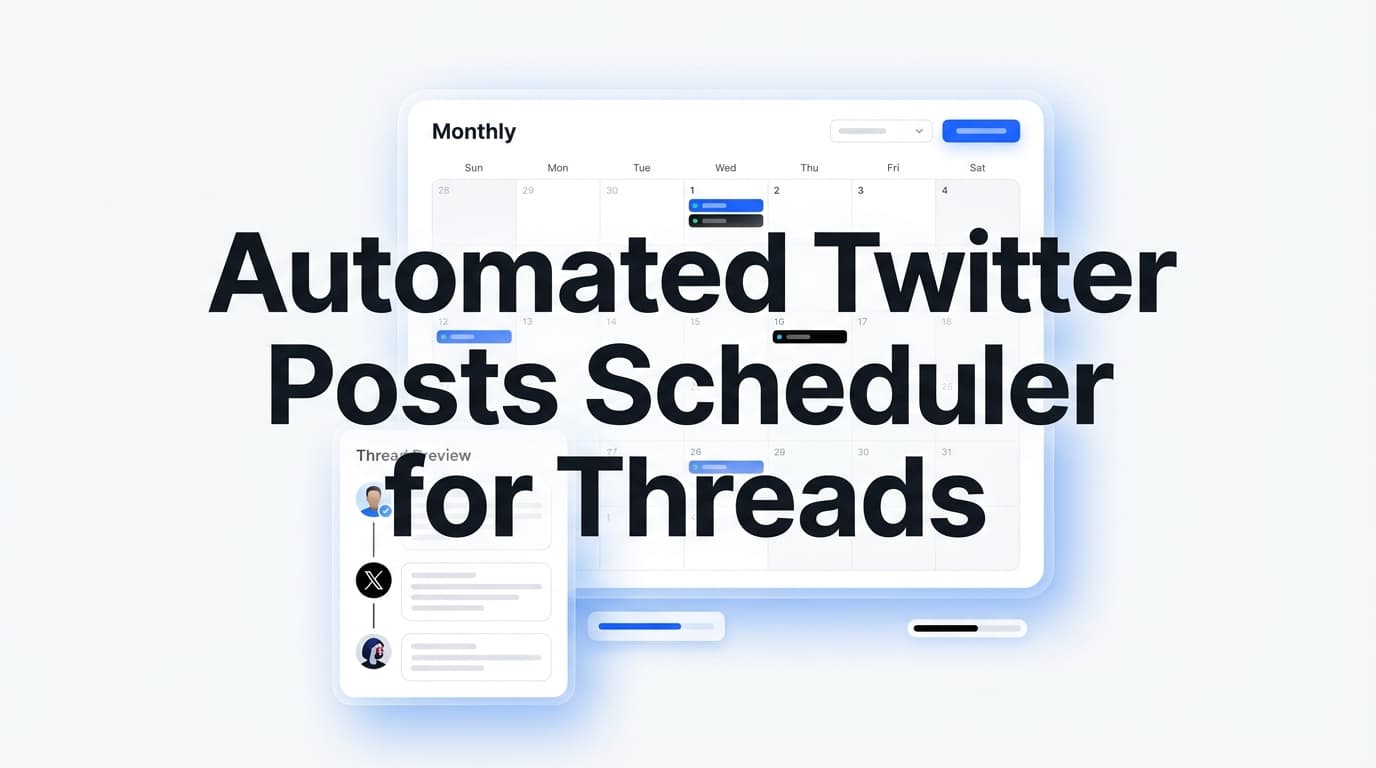
Instead of treating X and Threads as separate projects, PostQuickAI helps you plan content in one calendar and publish to one or both platforms when it makes sense. Use one scheduling flow to publish to multiple platforms and keep your posting cadence consistent across the week.
Scheduled posts publish server-side, which means you can schedule in batches, your posts can publish while you're offline, and you're not relying on browser automation or leaving tabs open.
PostQuickAI supports the content formats most schedulers struggle with across X and Threads:
X (Twitter) publishing:
Threads publishing:
PostQuickAI includes practical AI writing tools you can use when you want help—but you keep control of what gets scheduled:
If you run multiple brands, clients, or "content lines," PostQuickAI supports Content Groups: Basic plan includes 5 Content Groups, Pro includes unlimited Content Groups.
Connect X (Twitter) so PostQuickAI can publish on your behalf. Connect Threads via Meta's connection flow. Once connected, auto-publishing is enabled for scheduled posts.
Draft in your own words, or use AI tools to accelerate the first draft and polish the final version. A common workflow:
Add the media that fits the platform and the message: For X, you can attach up to 4 images or publish a video (up to 512MB). For Threads, you can publish text, image, carousel (2–10 images), or video.
Select the publish time, then choose where it goes: X only (automated Twitter posts), Threads only, or Both X + Threads (cross-post when the idea fits both audiences).
If you want to go beyond simple scheduling: Auto-Gen Workflow can generate drafts automatically based on your instructions. YOLO Mode can generate and publish automatically to selected platforms.
| Feature | What It Does | Why It Matters |
|---|---|---|
| Server-side scheduled publishing | Publishes scheduled posts even when you're offline | Reliable automation without leaving your laptop open |
| X scheduling + auto-publish | Schedule X posts (text, images up to 4, video up to 512MB) | Consistency on X without daily effort |
| Threads scheduling + auto-publish | Schedule Threads text, image, carousel (2–10), or video posts | Build on Threads without manual posting |
| Cross-platform publishing | Publish to multiple platforms from one workflow | Repurpose faster; one content plan, multiple outputs |
| Content calendar workflow | See scheduled posts by date/time | Spot gaps and batch your weekly content |
| AI Caption Generator | Generates multiple caption options | Faster ideation and better hooks |
| Proofreading + tone tools | Polish, rewrite, or shorten | Keep quality high at scale |
| Content Groups | Separate brands/clients/projects | Cleaner workflow for agencies and multi-brand creators |
Different creators have different workflows. Here are three proven approaches:
Best for: founders, consultants, agencies, and anyone with a strong POV.
Why it works: you keep quality high and still get the consistency benefits of automation.
Best for: busy creators and small teams.
Why it works: it eliminates "blank page" time while keeping you in control of what publishes.
Best for: repeatable formats (daily tips, curated insights, simple prompts).
Why it works: for creators with a consistent content format, it reduces operational overhead dramatically.
A scheduler is only as useful as its real publishing support. Here are the key constraints PostQuickAI enforces so you don't accidentally schedule something that can't publish.
This keyword is confusing because "threads" can refer to two different things. Let's clarify:
If you mean the Threads platform, PostQuickAI supports scheduling and publishing Threads posts (text, image, carousel, video). ✓ We support this.
If you mean native X thread publishing as one composed thread, PostQuickAI is not a dedicated "thread composer" as a core feature. You can schedule multiple individual X posts and publish them in sequence manually.
Bottom line: If your primary goal is "Automate my X posting and also publish to the Threads app from one workflow" → PostQuickAI is built for that.
You'll see a few "standard" approaches in the search results. Here's how to evaluate them based on what you actually need.
Pros:
Cons:
Pros:
Cons:
Some tools support both, but the experience varies. The questions that matter:
PostQuickAI's focus is straightforward: reliable scheduling + supported publishing types + optional AI assistance—without claiming outcomes like "guaranteed virality."
PostQuickAI includes a 7-day free trial and then paid plans. Plans start at $8/month.
Yearly: $7.50/month billed annually
Yearly: $16.67/month billed annually
Automated Twitter posts are X posts that publish automatically at a scheduled time. In PostQuickAI, you schedule posts on a calendar and publishing runs server-side.
Yes. Connect your X account, create your post, select a date/time, and PostQuickAI will publish it automatically at the scheduled time.
Yes. PostQuickAI supports scheduling Threads posts, including text, image, carousel (2–10 images), and video posts (after connecting your Threads account via Meta's flow).
PostQuickAI focuses on single X posts. Native thread publishing as a single composed thread is not a core supported feature. You can schedule multiple individual posts and publish them in sequence manually (often by numbering them).
Yes. X image publishing is supported, including multi-image posts (up to 4 images).
Yes. X video publishing is supported, and the publishing flow enforces a 512MB size limit.
No. Scheduled publishing runs server-side, so posts can publish even if you're offline.
Yes. PostQuickAI includes AI tools like caption generation, proofreading, tone analysis, tone adjustment, and concise rewriting. You can also use optional Auto-Gen Workflow and YOLO Mode if you want more automation.
PostQuickAI offers a 7-day free trial, then paid plans starting at $8/month. There is no free plan listed.
Dedicated tool for scheduling and auto-publishing posts to X (Twitter).
Schedule Threads posts (text, image, carousel, video) from one dashboard.
Generate multiple caption options with tone and length controls.
Get optimized hashtag suggestions for X and Threads posts.
Join PostQuickAI today and start scheduling your content in minutes.
If you searched “automated twitter posts scheduler for threads”, you’re likely trying to solve one of these real problems:
PostQuickAI is a social scheduling tool that lets you schedule and auto-publish posts to X and Threads (plus other supported networks) from one workflow. Draft manually or use AI writing tools (caption generation, proofreading, tone analysis/adjustment), then schedule in advance and let server-side publishing do the rest.
CTA: Start here: /x-scheduler and /threads-scheduler
Most tools that “support both” still force you into extra steps: multiple editors, multiple schedules, inconsistent formatting, and no single place to see what’s going out.
PostQuickAI is built for the workflow creators and teams actually use: plan → draft → schedule → auto-publish, with platform constraints handled for you.
Instead of treating X and Threads as separate projects, PostQuickAI helps you plan content in one calendar and publish to one or both platforms when it makes sense.
Scheduled posts publish server-side, which means: - you can schedule in batches - your posts can publish while you’re offline - you’re not relying on browser automation or leaving tabs open
PostQuickAI supports the content formats most schedulers struggle with across X and Threads:
X (Twitter) publishing supports: - Text posts (enforced to 280 characters) - Single image and multi-image posts (up to 4 images) - Video posts (with a 512MB max size limit enforced)
Threads publishing supports: - Text posts - Single image posts - Carousel posts (designed for 2–10 images) - Video posts
PostQuickAI includes practical AI writing tools you can use when you want help—but you keep control of what gets scheduled:
For more automation, PostQuickAI also offers optional modes referenced in-product: - Auto-Gen Workflow (generate drafts on a schedule) - YOLO Mode (generate + publish automatically to selected platforms)
(If you prefer full control, you can ignore these and use PostQuickAI as a straightforward scheduler.)
If you run multiple brands, clients, or “content lines,” PostQuickAI supports Content Groups: - Basic plan includes 5 Content Groups - Pro includes unlimited Content Groups
That means you can keep X + Threads content separated by brand/client—without juggling spreadsheets or mixing drafts.
Once connected, auto-publishing is enabled for scheduled posts.
Draft in your own words, or use AI tools to accelerate the first draft and polish the final version.
A common workflow:
1. Generate 3–5 caption options in the AI Caption Generator
2. Pick the strongest hook
3. Run Proofreading
4. Use Tone Adjustment if you want more direct, more professional, more playful, etc.
Related tool links: - /tools/caption-generator - /tools/hashtag-generator
Add the media that fits the platform and the message:
Select the publish time, then choose where it goes: - X only (automated Twitter posts) - Threads only - Both X + Threads (cross-post when the idea fits both audiences)
If you want to go beyond simple scheduling: - Auto-Gen Workflow can generate drafts automatically based on your instructions. - YOLO Mode can generate and publish automatically to selected platforms.
| Feature | What It Does | Why It Matters |
|---|---|---|
| Server-side scheduled publishing | Publishes scheduled posts even when you’re offline | Reliable automation without leaving your laptop open |
| X scheduling + auto-publish | Schedule X posts (text, images up to 4, video up to 512MB) | Consistency on X without daily effort |
| Threads scheduling + auto-publish | Schedule Threads text, image, carousel (2–10), or video posts | Build on Threads without manual posting |
| Cross-platform publishing | Publish to multiple platforms from one workflow | Repurpose faster; one content plan, multiple outputs |
| Content calendar workflow | See scheduled posts by date/time | Spot gaps and batch your weekly content |
| AI Caption Generator | Generates multiple caption options | Faster ideation and better hooks |
| Proofreading + tone tools | Polish, rewrite, or shorten | Keep quality high at scale |
| Content Groups | Separate brands/clients/projects | Cleaner workflow for agencies and multi-brand creators |
| 7-day free trial + low starting price | Trial + paid plans starting at $8/month | Try it without a long commitment |
This keyword is confusing because “threads” can refer to:
If you mean the Threads platform, PostQuickAI supports scheduling and publishing Threads posts (text, image, carousel, video).
If you mean native X thread publishing as one composed thread, PostQuickAI is not a dedicated “thread composer” as a core feature.
What you can do with PostQuickAI for X-thread-style content: - Schedule multiple individual X posts - Publish them in sequence manually (common method: number them like “1/ … 2/ … 3/ …”)
So if your primary goal is:
“Automate my X posting and also publish to the Threads app from one workflow” → PostQuickAI is built for that.
Best for: founders, consultants, agencies, and anyone with a strong POV.
Why it works: you keep quality high and still get the consistency benefits of automation.
Best for: busy creators and small teams.
Why it works: it eliminates “blank page” time while keeping you in control of what publishes.
Best for: repeatable formats (daily tips, curated insights, simple prompts).
Why it works: for creators with a consistent content format, it reduces operational overhead dramatically.
A scheduler is only as useful as its real publishing support. Here are the key constraints PostQuickAI enforces so you don’t accidentally schedule something that can’t publish.
You’ll see a few “standard” approaches in the search results. Here’s how to evaluate them based on what you actually need.
Pros - No extra tool (sometimes) - Fine for occasional posts
Cons - No unified calendar across X + Threads - More switching between platforms - Harder to batch and maintain a consistent system
If you’re only scheduling once in a while, native tools can be enough. If you’re building consistency across platforms, you’ll feel the friction quickly.
Pros - Great if your #1 workflow is writing long X threads in a dedicated editor
Cons - Your real goal might be cross-platform consistency (X + Threads app), not thread composition - May not match your workflow if you mainly publish single posts + occasional multi-part content
If “compose one long X thread and schedule it as a thread” is your top requirement, a thread-first tool may fit better than PostQuickAI. But if your requirement is automated posting + multi-platform scheduling, PostQuickAI is built for the broader workflow.
Some tools support both, but the experience varies. The questions that matter: - Does it actually auto-publish server-side? - Does it handle the real post formats you use (X images/video, Threads carousels/video)? - Does it give you a workflow that makes repurposing fast (not annoying)?
PostQuickAI’s focus is straightforward: reliable scheduling + supported publishing types + optional AI assistance—without claiming outcomes like “guaranteed virality.”
PostQuickAI includes a 7-day free trial and then paid plans.
See full details here: /pricing
Plan highlights (from the pricing page): - Basic: 5 Content Groups, 2 GB storage, 100 AI image generations/month, 10 monthly video credits, unlimited text generation, unlimited Auto-gen runs - Pro: unlimited Content Groups, 10 GB storage, higher AI image limits, 25 monthly video credits, everything in Basic
Automated Twitter posts are X posts that publish automatically at a scheduled time. In PostQuickAI, you schedule posts on a calendar and publishing runs server-side.
Yes. Connect your X account, create your post, select a date/time, and PostQuickAI will publish it automatically at the scheduled time.
Yes. PostQuickAI supports scheduling Threads posts, including text, image, carousel (2–10 images), and video posts (after connecting your Threads account via Meta’s flow).
PostQuickAI focuses on single X posts. Native thread publishing as a single composed thread is not a core supported feature. You can schedule multiple individual posts and publish them in sequence manually (often by numbering them).
Yes. X image publishing is supported, including multi-image posts (up to 4 images).
Yes. X video publishing is supported, and the publishing flow enforces a 512MB size limit.
No. Scheduled publishing runs server-side, so posts can publish even if you’re offline.
Yes. PostQuickAI includes AI tools like caption generation, proofreading, tone analysis, tone adjustment, and concise rewriting. You can also use optional Auto-Gen Workflow and YOLO Mode if you want more automation.
PostQuickAI offers a 7-day free trial, then paid plans starting at $8/month. There is no free plan listed.
If your goal is simple—automate your X posting and stay consistent on the Threads app from the same calendar—PostQuickAI gives you a reliable scheduling workflow with the real publishing support that matters (X images/video limits, Threads carousels/video, and server-side auto-publishing).
Next step: Start your 7-day free trial, connect X + Threads, and schedule your next week of posts in one sitting.