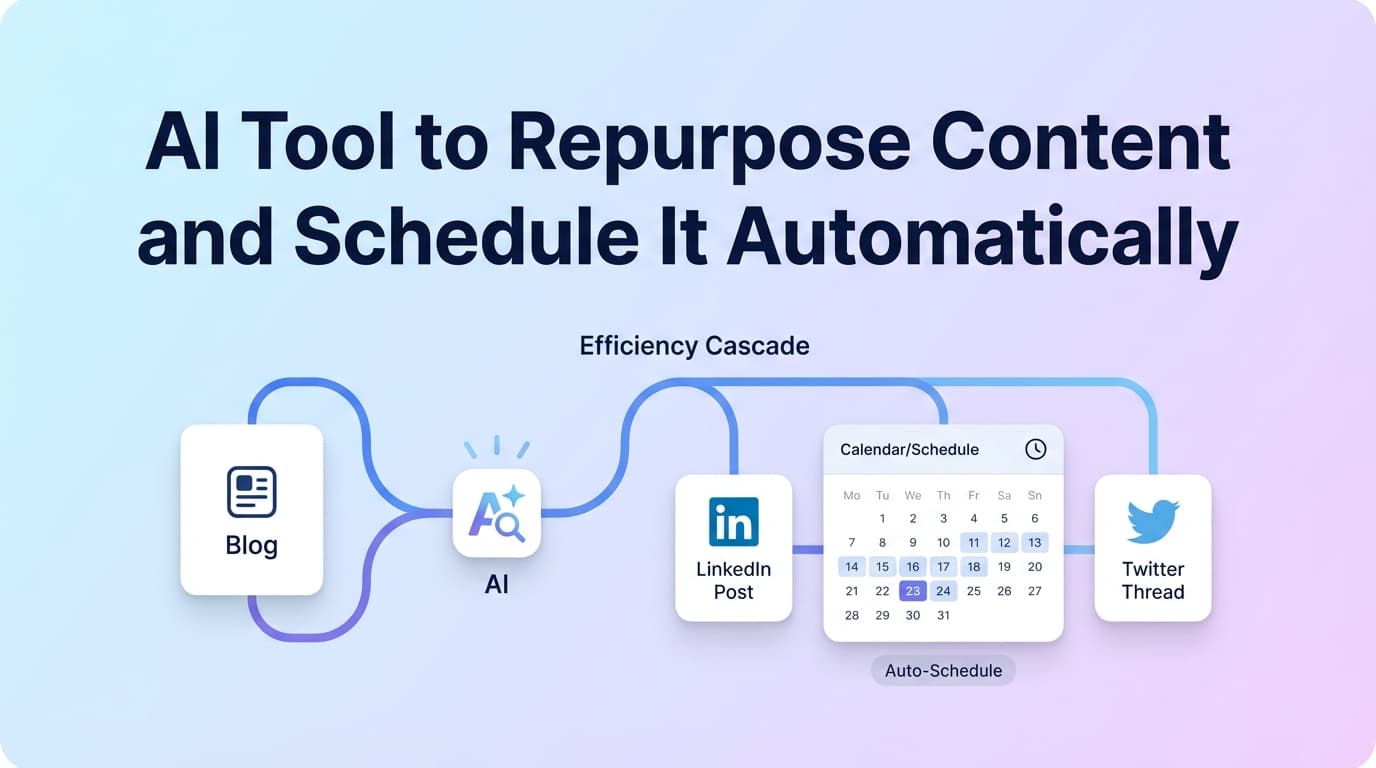
Turn one idea into multiple platform-ready posts with AI, then schedule and auto-publish to Instagram, X, LinkedIn, Facebook Pages, Threads, Bluesky, TikTok, and YouTube—all from one dashboard.
Plans start at $8/month
Most tools force you to choose: great for repurposing or great for scheduling. PostQuickAI does both.
Don't waste time with generic "generate content" buttons. PostQuickAI gives you discrete moves: AI Caption Generation, Tone Analysis, Tone Adjustment, Proofreading, Make Concise (light/moderate/aggressive), and Custom Edit for repeatable patterns.
Repurpose once, distribute across platforms. PostQuickAI handles platform constraints automatically—no more publishing failures or manual format fixes.
Schedule posts once, and they publish at the scheduled time without you babysitting. This is the difference between "planning" and true automation.
If you want hands-free posting, save content instructions and enable Auto-Gen Workflow to generate drafts automatically, or enable YOLO Mode to generate and publish automatically to selected platforms.
Start with what you already have: a caption that performed well, a LinkedIn draft, a weekly tip, a product update, a promo offer, or a video you want to distribute across platforms.
Stack discrete repurposing moves:
Different networks reward different "shapes" of writing. Use the same core idea, but adapt the format: LinkedIn rewards structured + professional; X needs tight + concise; Threads works conversational; Instagram is caption + visual-first.
Pick the date/time. PostQuickAI handles publishing server-side. This is where "automatic" becomes real: you're no longer relying on reminders or manual posting.
Save content instructions, enable Auto-Gen Workflow to generate drafts on schedule. Optionally enable YOLO Mode to publish automatically. This is the fastest path from "I should post more" to "my content publishes consistently."
PostQuickAI handles platform constraints automatically. Here's exactly what you can schedule to each network.
Link: /instagram-scheduler
Link: /facebook-scheduler
Link: /linkedin-scheduler
Link: /x-scheduler
Link: /bluesky-scheduler
Link: /tiktok-scheduler
Best for long-form video distribution
| Feature | What It Does | Why It Matters |
|---|---|---|
| AI Caption Generation | Creates 3 caption options with tone & length controls | Gives you variants to repurpose one idea quickly |
| Tone Analysis + Adjustment | Analyzes tone, rewrites into chosen tone | Keeps repurposed posts on-brand across platforms |
| Proofreading | Cleans up clarity and grammar | Makes drafts publish-ready faster |
| Make Concise (3 levels) | Compresses text: light/moderate/aggressive | Perfect for X-style tight posts from longer originals |
| Custom Edit (instruction-based) | Rewrite per instruction: "rewrite for LinkedIn" etc. | Your fastest repeatable repurposing pattern |
| Multi-platform publishing | Publish to multiple networks in one action | Repurpose once → distribute across platforms |
| Server-side scheduling + auto-publish | Posts publish at scheduled time, offline or online | Removes daily posting friction |
| Auto-Gen Workflow | Generates drafts automatically on schedule | Makes repurposing an ongoing system |
| YOLO Mode (optional) | Generates + publishes automatically | True autopilot when you're ready |
| Content Groups | Separate brands, clients, or topics | Keeps repurposing workflows organized |
One core message becomes 5 posts spread across the week.
Same idea, platform-native outputs.
Build once, distribute smartly.
Drafts (and optionally publishing) happen automatically.
Repurpose-only tools: help you rewrite, but you still paste into a scheduler, adapt formats manually, and manage constraints alone.
PostQuickAI advantage: repurpose + schedule + auto-publish in one workflow.
Schedulers: handle timing, but repurposing is a writing bottleneck. You burn time rewriting the same idea.
PostQuickAI advantage: AI tools reduce rewriting friction while the scheduler handles publishing.
Auto-repost tools: prioritize "post once, publish everywhere"—but that's low-quality cross-posting. Platform fit suffers. You lose nuance and voice.
PostQuickAI advantage: you can cross-post, but you can also tailor per platform quickly (tone, concise, custom edit), then schedule intentionally.
PostQuickAI is a paid product with a 7-day free trial. Plans start at $8/month.
For creators building consistency
For agencies & power users
It's a tool that helps you turn one piece of content into multiple platform-ready versions (repurposing), then schedule those versions so they publish automatically at set times. PostQuickAI supports both: AI rewriting tools plus server-side scheduled publishing.
Yes. Scheduled publishing runs server-side, so posts can publish at the scheduled time even when you're offline.
Yes. Use AI Caption Generation, Tone Analysis + Tone Adjustment, Proofreading, Make Concise, and Custom Edit instructions to create platform-specific versions, then schedule each to the right platform.
Supported platforms include Instagram (feed, carousels, video), Facebook Pages, LinkedIn (profile or company page), X, Threads, Bluesky, TikTok (photo with 2+ images, video), and YouTube.
No. Instagram Stories and Facebook Stories scheduling/publishing are not supported.
Yes. PostQuickAI's repurposing tools (caption generation, tone adjustment, proofreading, custom edit) can be used independently. Scheduling is optional.
Auto-Gen Workflow generates drafts automatically on a schedule from saved instructions. YOLO Mode takes it further: generates and publishes automatically to selected platforms without manual review.
Most content repurposing works well, but some platforms have specific constraints (e.g., X truncates to 280 characters, TikTok photo posts need 2+ images). PostQuickAI handles these constraints automatically.
Yes, using Custom Edit. Tell the editor what to do: 'Rewrite for LinkedIn with a hook and 3 bullets' or 'Tighten for X under 280 characters.' These become your repeatable repurposing patterns.
You can review and customize drafts before scheduling. PostQuickAI's AI tools (caption generation, tone adjustment, proofreading) work independently—you control the final result.
Free tool: generate captions with tone and length controls.
Get optimized hashtag suggestions for any platform.
Schedule posts, carousels, and Reels. Includes grid preview.
Schedule to profile or company page. Multi-platform repurposing.
Schedule posts with automatic character limit handling.
Start your 7-day free trial. No credit card required.
Join PostQuickAI today and start scheduling your content in minutes.
If you’re searching for an ai tool to repurpose content and schedule it automatically, you’re not looking for “another writing assistant.”
You’re looking for a repeatable system:
PostQuickAI does exactly that: it combines AI repurposing tools (captions, rewrites, tone, concise, proofreading, custom edits) with a server-side scheduler that auto-publishes to supported social networks.
Supported publishing + scheduling platforms (implemented): - Instagram (feed single image, carousel, video — you can use it for “Instagram video, including Reels-style video”) - Facebook Pages (text, photo, multi-image, video) - LinkedIn (text, image, multi-image, video; profile or organization page) - X (Twitter) (text, images up to 4, video) - Threads (text, image, carousel 2–10 images, video) - Bluesky (text, images up to 4, video) - TikTok (photo posts require 2+ images; video supported) - YouTube (video upload/publish)
CTA: Start a 7-day free trial → See pricing
Most tools in this category lean hard in one direction:
PostQuickAI is built for the job you’re trying to get done: repurpose content faster, then schedule it to publish automatically.
You get: - Faster repurposing using specific in-app AI actions (not generic “generate content” buttons) - A calendar-based workflow for scheduling and planning - Server-side auto-publishing (scheduled posts can publish even if your computer is off) - Cross-posting / multi-platform publishing in one action (for supported content types)
You don’t get: - “Guaranteed” performance outcomes - Auto-replies to comments/DMs - Instagram Stories / Facebook Stories scheduling - A native “publish this whole X thread as one unit” thread composer
When people search this keyword, “automatically” can mean a few different things. Here’s what PostQuickAI supports—clearly:
PostQuickAI includes: - AI caption generation - Tone analysis - Tone adjustment / rewriting - Proofreading - Make concise (light/moderate/aggressive) - Custom edit (“rewrite this for LinkedIn,” “tighten for X,” etc.)
This is how you turn one idea into multiple platform-ready drafts.
If you want a “set it and forget it” layer, PostQuickAI also supports: - Auto‑Gen Workflow: generates drafts automatically from saved instructions on a schedule - YOLO Mode: generates and publishes automatically to selected platforms
Automation is not: - Auto-replying to DMs/comments - “Guaranteed engagement” - Publishing Instagram Stories or Facebook Stories - Publishing LinkedIn articles/newsletters/polls/documents via PostQuickAI - Publishing a single “thread” object on X in one click
Start with what you already have: - a caption that performed well - a LinkedIn post draft - a weekly tip you reuse - a product update - a promo offer - a carousel concept - a video you want to distribute across platforms
You’re not locked into a single “import” workflow. The practical way to repurpose is: start from the message you already know is worth sharing.
Instead of one giant “make me 30 posts” button, PostQuickAI gives you discrete repurposing moves you can stack:
Why this matters: Repurposing isn’t just rewriting—it’s adapting. These tools let you adapt intentionally while staying fast.
Different networks reward different “shapes” of writing. Use the same idea, but repurpose the format:
You can publish the same core idea across platforms, but you’re not forced to post identical text everywhere.
Pick the date/time. PostQuickAI handles publishing server-side.
This is where “automatic” becomes real: you’re no longer relying on reminders or manual posting.
If your goal is to generate posts on a recurring schedule: 1. Save your content instructions 2. Enable Auto‑Gen Workflow 3. Optionally enable YOLO Mode to publish automatically to selected platforms
This is the fastest path from “I should post more” to “my content publishes consistently.”
| Feature | What It Does | Why It Matters |
|---|---|---|
| AI Caption Generation | Generates multiple caption options | Gives you variants to repurpose one idea quickly |
| Tone Analysis | Evaluates tone of your draft | Helps keep repurposed posts on-brand |
| Tone Adjustment | Rewrites into a chosen tone | Lets you adapt the same idea per platform |
| Proofreading | Cleans up clarity/grammar | Makes drafts publish-ready faster |
| Make Concise (light/moderate/aggressive) | Shortens text intentionally | Especially useful for X-style tight posts |
| Custom Edit (instruction-based) | “Rewrite this for LinkedIn”, etc. | Your fastest repeatable repurposing pattern |
| Multi-platform publishing | Publish to multiple networks in one action | Repurpose once → distribute across platforms |
| Server-side scheduling + auto-publish | Scheduled posts publish while you’re offline | Removes daily posting friction |
| Auto‑Gen Workflow | Generates drafts on a schedule | Makes repurposing an ongoing system |
| YOLO Mode (optional) | Generates + publishes automatically | True autopilot (when you’re ready) |
| Content Groups | Separate brands/clients/topics | Keeps repurposing workflows organized |
This section is intentionally specific—because the fastest way to lose trust is claiming “supports everything.”
You can schedule + auto-publish: - Single-image feed posts - Carousel posts (multi-image) - Video publishing (you can describe this as “Instagram video, including Reels-style video”)
Not supported: - Instagram Stories scheduling/publishing
Helpful internal link: - Instagram scheduling page: /instagram-scheduler - Free grid tool: /tools/instagram-feed-planner
You can schedule + auto-publish to Facebook Pages: - text posts - photo posts (single image) - multi-image posts - video posts
Not supported: - Facebook Stories scheduling/publishing
Helpful internal link: - /facebook-scheduler
You can schedule + auto-publish: - text posts - image posts (single + multi-image) - video posts
Posting target selection is supported (and required): - Personal profile - Organization/company page (you must have access; the system validates)
Not supported: - LinkedIn Articles, Newsletters, Polls, Document uploads via PostQuickAI
Helpful internal link: - /linkedin-scheduler
You can schedule + auto-publish: - text posts (publishing truncates to 280 characters) - image posts (up to 4 images) - video posts (publishing enforces a 512MB max)
Not supported: - Native “publish this thread as one composed thread” feature
Helpful internal link: - /x-scheduler
You can schedule + auto-publish: - text - image - carousel (2–10 images) - video (supported, with best-effort behavior)
You can schedule + auto-publish: - text - images (up to 4) - video
Note: Bluesky connection uses handle + password/app-password (not OAuth).
Helpful internal link: - /bluesky-scheduler
TikTok supports two paths: - Photo posts (carousel): requires 2+ images (otherwise it fails) - Video publishing: supported via the video publishing pipeline
Helpful internal link: - /tiktok-scheduler
You can upload/publish video to YouTube. (Avoid assuming anything is auto-classified as a “Short.”)
Repurposing fails when: - everything gets rewritten into the same bland tone - you lose the original intent - the “repurposed” version doesn’t fit the platform - you spend more time cleaning up AI output than writing yourself
PostQuickAI’s approach is practical: repurpose in small, controllable steps.
Use the built-in AI Caption Generator to produce multiple caption options you can choose from and refine.
Try the public tool (rate-limited): /tools/caption-generator
When you repurpose the same idea across networks, your voice needs to stay consistent even as the format changes.
Use: - Tone Analysis to check how it reads - Tone Adjustment to rewrite into the tone you want
Examples of tone shifts that matter: - “more direct” for X - “more professional” for LinkedIn - “more friendly” for Threads/Instagram captions
If your source is long (LinkedIn-style) and you need a short version (X-style), “Make Concise” is the fastest path: - light = keep most details - moderate = reduce fluff and compress - aggressive = keep only the core message
This is one of the most useful “repurpose like a pro” features: tell the editor what to do.
Examples: - “Rewrite this for LinkedIn with a hook, 3 bullets, and a question.” - “Rewrite this as an X post under 280 characters.” - “Rewrite this to be more direct and remove buzzwords.” - “Turn this into 5 different hooks.”
These are realistic workflows you can use even if you’re running multiple accounts or clients.
Goal: One core message becomes 5 posts spread across the week.
Result: You’re repurposing intentionally, not spamming.
Goal: Same idea, platform-native outputs.
Result: One message, three platform-ready shapes.
Goal: Build once, distribute smartly.
Goal: Drafts (and optionally publishing) happen automatically.
This is ideal if you have recurring content like: - weekly tips - FAQs - product updates - “behind the scenes” prompts - educational threads/posts
Many “schedulers” still depend on: - your phone being online - reminders - manual confirmation steps
PostQuickAI supports server-side scheduled posting, which means: - posts can publish at the scheduled time even when you’re offline - scheduling actually removes day-to-day posting work
If you’re managing multiple accounts, this is the difference between “planning” and “automation.”
| Feature | What It Does | Why It Matters |
|---|---|---|
| Calendar scheduling | Plan posts by date/time | Makes repurposing a system (not a scramble) |
| Auto-publishing | Publishes at scheduled time | “Automatically” means you don’t babysit posting |
| Multi-platform publishing | One post → multiple networks | Distribute repurposed content efficiently |
| Platform constraints handled | e.g., X images ≤ 4, Threads carousel ≤ 10 | Avoids publishing failures and rework |
| LinkedIn target selection | Choose profile vs company page | Prevents “posted to wrong place” mistakes |
| Public tools (optional) | Caption/hashtag tools + IG feed planner | Try workflows before committing to a plan |
Repurpose-only tools help you rewrite, but: - you still paste into a scheduler - you still adapt formats manually - you still manage platform constraints alone
PostQuickAI advantage: repurpose + schedule + auto-publish in one workflow.
Schedulers handle timing, but: - repurposing is still a writing bottleneck - you burn time rewriting the same idea - your “content consistency” fails because creation stays hard
PostQuickAI advantage: AI tools reduce rewriting friction while the scheduler handles publishing.
Some automation tools prioritize “post once, blast everywhere.” That’s fast, but: - it can be low-quality cross-posting - platform fit suffers - you lose nuance and voice
PostQuickAI advantage: you can cross-post, but you can also tailor per platform quickly (tone, concise, custom edit), then schedule intentionally.
PostQuickAI is a paid product for scheduling + in-app creation workflows, with a 7-day free trial shown on the pricing page.
See plans and details: /pricing
Also available: free public tools (no login required), including: - /tools/caption-generator - /tools/hashtag-generator - /tools/instagram-feed-planner
It’s a tool that helps you:
1) turn one piece of content into multiple platform-ready versions (repurposing), and
2) schedule those versions so they publish automatically at set times (auto-publishing).
PostQuickAI supports both: AI rewriting tools plus server-side scheduled publishing.
Yes. Scheduled publishing runs server-side, so posts can publish at the scheduled time even when you’re offline.
Yes. You can generate and rewrite drafts using: - AI Caption Generation - Tone Analysis + Tone Adjustment - Proofreading - Make Concise - Custom Edit instructions
Then schedule each version to the right platform(s).
Supported automatic publishing includes: - Instagram (feed posts, carousels, video) - Facebook Pages (text, photo, multi-image, video) - LinkedIn (text, image, multi-image, video; profile or company page) - X (text, images, video) - Threads (text, image, carousel, video) - Bluesky (text, images, video) - TikTok (photo posts with 2+ images; video) - YouTube (video)
No. Instagram Stories and Facebook Stories scheduling/publishing are not supported.
Yes. LinkedIn publishing supports choosing a posting target (personal profile or organization/company page). Organization posting requires access validation.
PostQuickAI focuses on single X posts. You can schedule multiple posts, but native thread publishing as a single composed thread is not a core supported feature.
PostQuickAI offers a 7-day free trial, then paid plans starting at $8/month. Some public tools are free to use (with rate limits), like the AI caption generator and hashtag generator.
TikTok photo posts are supported with an important constraint: they require at least 2 images.
If you want an AI tool to repurpose content and schedule it automatically, PostQuickAI gives you a complete workflow:
1) Start from one strong idea
2) Repurpose it with AI (tone, concise, proofreading, custom edits)
3) Schedule it on a calendar
4) Auto-publish server-side to supported platforms
5) Optional: run Auto‑Gen + YOLO Mode for true autopilot
Next step: View pricing and start your 7-day free trial.