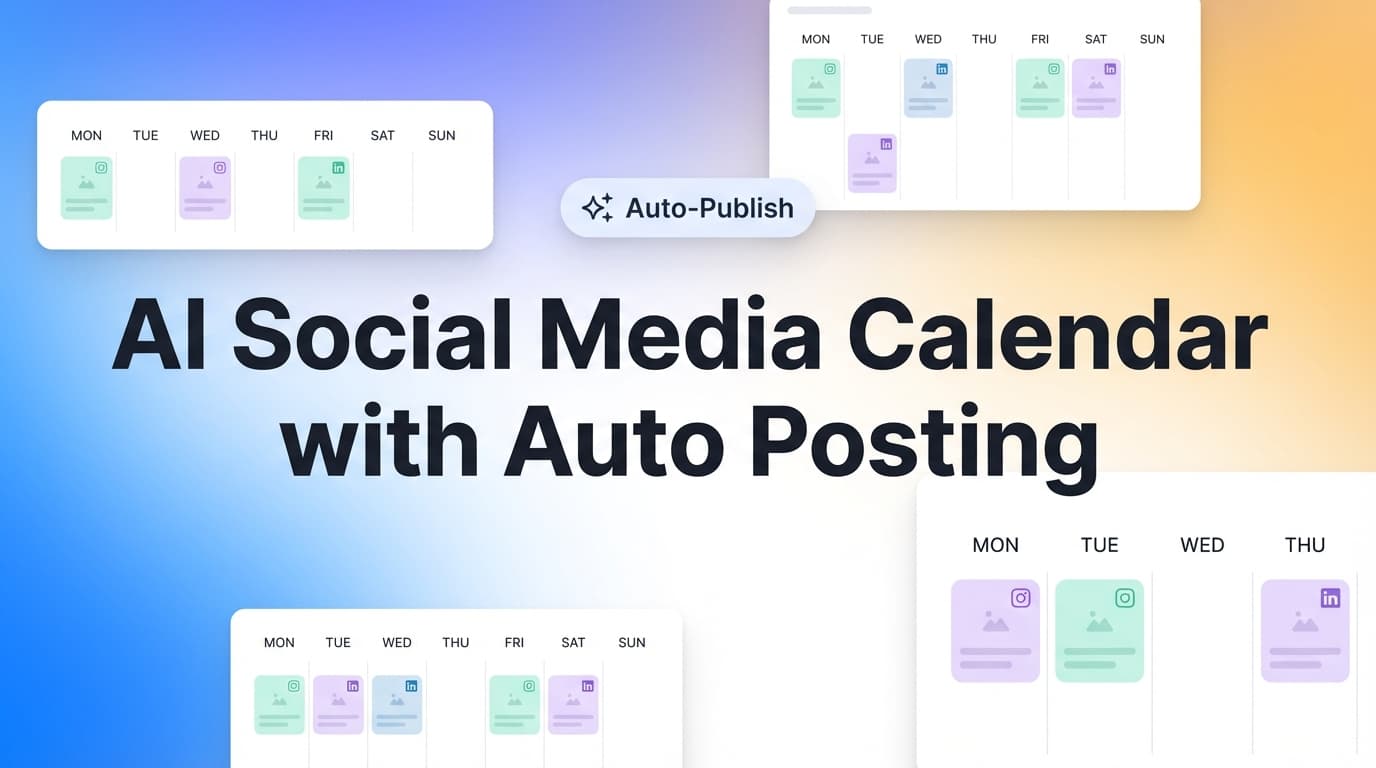
Ai Social Media Calendar With Auto Posting

AI Social Media Calendar With Auto Posting: Plan Once, Publish Everywhere (On Schedule)

If you want an AI social media calendar with auto posting, you're usually trying to solve two problems at once: (1) planning what to post, and (2) actually getting it posted without being online at the exact time.

PostQuickAI combines a visual content calendar with server-side scheduled publishing—so you can draft, schedule, and auto-publish supported post types across multiple platforms.

Plan Once Auto-Publish Multi-Platform

Plans start at $8/month after 7-day free trial

Why Choose PostQuickAI for an AI Content Calendar + Auto Posting?

A "content calendar" is only useful if it reliably turns planned posts into published posts. PostQuickAI is built around a simple workflow: Create → Schedule → Auto‑Publish, with a calendar view that helps you see your week (or month) at a glance.

  • True Auto-Posting (Server-Side) — No "Leave Your Browser Open"

    Many "planner" tools still rely on reminders or last-minute manual steps. PostQuickAI runs scheduled publishing server-side, so your scheduled posts can publish even if your laptop is closed.

  • Clear, Honest Platform Support (What's Supported vs. Not Supported)

    A common frustration with auto-posting tools is vague promises like "auto-post everywhere," followed by surprise limitations. PostQuickAI is explicit about supported formats for Instagram, Facebook, LinkedIn, X, Threads, TikTok, YouTube, and Bluesky.

  • AI That Helps You Fill the Calendar Faster

    PostQuickAI includes AI tools to speed up creation: AI caption generation, tone analysis + adjustment, proofreading, make concise, custom edits, AI image generation, and AI video generation (8 seconds). Use AI to get drafts and options quickly—then you decide what goes on the calendar.

  • Built for Multi-Brand Workflows with Content Groups

    If you're an agency or you manage multiple brands, organization matters as much as automation. PostQuickAI supports Content Groups to separate brands/clients: Basic includes 5 Content Groups; Pro includes unlimited.

How PostQuickAI's AI Social Media Calendar With Auto Posting Works

1

Connect Your Social Accounts

Connect the platforms you want to publish to. PostQuickAI supports scheduling/publishing across Instagram, Facebook Pages, LinkedIn (profile + organization/company pages), X, Threads, TikTok, YouTube, and Bluesky.

2

Create a Post (Manual or AI-Assisted)

Start with your own draft—or use PostQuickAI's AI tools to generate and refine content:

  • • Generate caption options in the AI Caption Generator
  • • Generate hashtags with the Hashtag Generator
  • • Improve clarity with proofreading, tone adjustments, and "make concise"
  • • Add media if needed (images or video)
3

Schedule It on Your Calendar

Pick the date/time you want it to go live. Your calendar becomes the single place to see what's scheduled, avoid gaps, and balance content types (educational vs. promo vs. community posts).

4

Auto-Posting Happens Server-Side

At publish time, PostQuickAI publishes your scheduled content automatically—so you don't need to keep a browser tab open.

5

(Optional) Use "Autopilot" Generation Features for More Automation

PostQuickAI also supports automation modes: Auto-Gen Workflow (generate drafts on a schedule based on your instructions) and YOLO Mode (generate + publish automatically to selected platforms). These are optional—if you prefer full editorial control, use PostQuickAI purely for planning + scheduling.

Supported Auto-Posting by Platform (What You Can Publish)

Below is a practical "planner-friendly" breakdown—so you can build a calendar that actually auto-posts.

Instagram

Supported:

  • Feed posts: single image
  • Feed posts: carousels (multi-image)
  • Feed posts: video
  • Reels publishing

Not Supported:

Stories publishing

View Instagram Scheduler →

Facebook Pages

Supported:

  • Page text posts
  • Photo posts (single + multi-image)
  • Video posts
  • Page targeting for multiple Pages

Not Supported:

Stories publishing

View Facebook Scheduler →

LinkedIn

Supported:

  • Text posts
  • Image posts (single + multi)
  • Video posts
  • Profiles & company pages

Not Supported:

Documents, polls, newsletters, articles

View LinkedIn Scheduler →

X (Twitter)

Supported:

  • Text posts (up to 280 characters)
  • Image posts (up to 4 images)
  • Video posts (up to 512MB)
View X Scheduler →

Threads

Supported:

  • Text posts
  • Single-image posts
  • Carousel (2–10 images)
  • Video posts

TikTok

Supported:

  • Video publishing
  • Photo carousel (2+ images)

Not Supported:

Single-image photo posts, text-only posts

View TikTok Scheduler →

Key Features for "AI Social Media Calendar With Auto Posting"

FeatureWhat It DoesWhy It Matters
Visual content calendarPlan scheduled + published posts by dateHelps you stay consistent and spot gaps before they happen
Server-side scheduled publishingAuto-posts without your laptop openReal "auto posting," not reminders
Multi-platform publishingPublish to supported platforms from one workflowOne calendar instead of 7 tabs
AI Caption GeneratorCreates multiple caption optionsFill your calendar faster with better starting drafts
Tone analysis + adjustmentEvaluate and rewrite tone (professional, friendly, etc.)Keep brand voice consistent across accounts
Proofreading + make conciseClean up drafts quicklyBetter clarity, less editing time
AI image generationGenerate images (within plan limits)Faster creative iteration without switching tools
AI video generationGenerate 8-second videos (credit-based)Quick video assets for social testing
Content GroupsSeparate brands/clientsCleaner workflow for agencies and multi-brand teams

How to Build a Calendar That Actually Converts (Without Burning Out)

A calendar with auto posting should reduce stress—not create more content pressure. Here's a practical weekly structure you can run inside PostQuickAI's calendar.

A Simple Weekly Posting Mix (Example)

  • 2–3 educational posts (tips, mini tutorials, frameworks)
  • 1–2 proof posts (case studies, testimonials, before/after)
  • 1 community post (question, poll-style question as a standard post)
  • 1 promo post (offer, lead magnet, product update)

Then Tailor the Same Idea Across Platforms:

  • • Turn the "framework" into a LinkedIn professional post
  • • Convert it to a shorter punchy X post
  • • Make it a carousel for Instagram
  • • Post a condensed variant to Threads and Bluesky

PostQuickAI helps here because you can draft once, use AI tone tools to create variants, and schedule everything on one calendar.

Spreadsheet Calendar + Reminders vs. PostQuickAI

Spreadsheet calendars are great for planning—but they don't solve publishing. Here's the difference:

Spreadsheet-Only Workflow

  • Plan dates in a sheet
  • Set reminders
  • Copy/paste into each platform at posting time
  • Miss posts when you're busy
  • Lose consistency (and momentum)

PostQuickAI Workflow

  • Plan posts on a visual calendar
  • Draft faster with AI tools (optional)
  • Schedule once
  • Auto-publish server-side
  • Keep brands separated with Content Groups

Simple, Affordable Pricing

PostQuickAI is a paid subscription with a 7-day free trial. Plans start at $8/month.

Basic

$8/mo

Or $7.50/mo billed annually

  • 5 Content Groups
  • 2 GB storage
  • 100 AI image generations/month
  • 10 monthly video credits
  • Unlimited text generation

Pro

$20/mo

Or $16.67/mo billed annually

  • Unlimited Content Groups
  • 10 GB storage
  • High AI image limits
  • 25 monthly video credits
  • Everything in Basic
View Full Pricing & Details

Frequently Asked Questions about Social Media Calendar

It's a content calendar that helps you plan posts and publish them automatically at scheduled times. In PostQuickAI, you schedule posts on a calendar and scheduled publishing happens server-side—so posts can go live even when you're offline.

PostQuickAI can help you generate and refine drafts using AI tools (captions, tone rewriting, proofreading, and more). You can then schedule those posts in the calendar. PostQuickAI also supports Auto-Gen Workflow (generate drafts on a schedule) and YOLO Mode (generate + publish automatically to selected platforms), if you want more hands-free automation.

PostQuickAI supports scheduling/auto-publishing for multiple platforms, including Instagram (feed posts/carousels/video + Reels publishing), Facebook Pages, LinkedIn (profile + company pages), X, Threads, TikTok (video + photo carousels), YouTube (video), and Bluesky. Availability depends on post type and each platform's constraints.

No. Instagram Stories publishing is not supported. PostQuickAI supports Instagram feed posts (single image, carousels, video) and Reels publishing.

No. PostQuickAI supports LinkedIn text, image, multi-image, and video posts. Documents, polls, newsletters, and articles are not supported and should be published directly inside LinkedIn.

Yes. PostQuickAI runs scheduled publishing server-side, so you don't need to keep your browser open.

Yes. Use the free Instagram Feed Planner to drag-and-drop a grid preview before scheduling posts.

PostQuickAI includes a 7-day free trial. After that, plans start at $8/month.

Ready to Automate Your Social Media?

Join PostQuickAI today and start scheduling your content in minutes.

Full Guide

AI Social Media Calendar With Auto Posting: Plan Once, Publish Everywhere (On Schedule)

If you want an AI social media calendar with auto posting, you’re usually trying to solve two problems at once: (1) planning what to post, and (2) actually getting it posted without being online at the exact time.

PostQuickAI combines a visual content calendar with server-side scheduled publishing—so you can draft, schedule, and auto-publish supported post types across multiple platforms. When writing is the bottleneck, PostQuickAI also includes AI helpers (caption generation, tone tools, proofreading, hashtag generation, and more) so you can fill your calendar faster—without handing over control of what gets posted.

Start with a 7-day free trial. Plans start at $8/month after the trial.


Why Choose PostQuickAI for an AI Content Calendar + Auto Posting?

A “content calendar” is only useful if it reliably turns planned posts into published posts. PostQuickAI is built around a simple workflow: Create → Schedule → Auto‑Publish, with a calendar view that helps you see your week (or month) at a glance.

1) True auto-posting (server-side) — no “leave your browser open”

Many “planner” tools still rely on reminders or last-minute manual steps. PostQuickAI runs scheduled publishing server-side, so your scheduled posts can publish even if your laptop is closed.

2) Clear, honest platform support (what’s supported vs. not supported)

A common frustration with auto-posting tools is vague promises like “auto-post everywhere,” followed by surprise limitations.

PostQuickAI is explicit about supported formats. Examples: - Instagram: feed posts (single image), carousels, video feed posts, and Reels publishing are supported. Stories are not supported. - Facebook: publishing to Facebook Pages is supported (text, photo, multi-image, video). Facebook Stories are not supported. - LinkedIn: text, image, multi-image, and video posts are supported to both profiles and company pages—but you must choose the posting target (no silent defaults). Documents/polls/newsletters/articles are not supported.

That clarity matters when you’re building a repeatable calendar.

3) AI that helps you fill the calendar faster (without “guaranteed results” claims)

PostQuickAI includes AI tools to speed up creation: - AI caption generation - Tone analysis + tone adjustment/rewrite - Proofreading - Make concise - Custom edits (rewrite with your instruction) - AI image generation - AI video generation (generated videos are 8 seconds)

Use AI to get drafts and options quickly—then you decide what goes on the calendar and what gets published.

4) Built for multi-brand workflows with Content Groups

If you’re an agency or you manage multiple brands, organization matters as much as automation.

PostQuickAI supports Content Groups to separate brands/clients: - Basic: 5 Content Groups
- Pro: Unlimited Content Groups


How PostQuickAI’s AI Social Media Calendar With Auto Posting Works

Step 1: Connect your social accounts

Connect the platforms you want to publish to. PostQuickAI supports scheduling/publishing across:

  • Instagram
  • Facebook Pages
  • LinkedIn (profile + organization/company pages)
  • X (Twitter)
  • Threads
  • TikTok (video publishing + photo carousels)
  • YouTube (video uploads/publishing)
  • Bluesky

Step 2: Create a post (manual or AI-assisted)

Start with your own draft—or use PostQuickAI’s AI tools to generate and refine content: - Generate caption options in the AI Caption Generator: /tools/caption-generator
- Generate hashtags with the Hashtag Generator: /tools/hashtag-generator
- Improve clarity with proofreading, tone adjustments, and “make concise”

Then add media if needed (images or video), depending on the platform and format.

Step 3: Schedule it on your calendar

Pick the date/time you want it to go live. Your calendar becomes the single place to: - see what’s scheduled - avoid gaps (or over-posting) - balance content types (educational vs. promo vs. community posts)

Step 4: Auto-posting happens server-side

At publish time, PostQuickAI publishes your scheduled content automatically—so you don’t need to keep a browser tab open.

Step 5 (Optional): Use “Autopilot” generation features when you want more automation

PostQuickAI also supports automation modes designed for creators and multi-account operators: - Auto-Gen Workflow: generate drafts on a schedule (based on your instructions) - YOLO Mode: generate + publish automatically to selected platforms (you choose the platforms)

These are optional. If you prefer full editorial control, you can use PostQuickAI purely for planning + scheduling.


Key Features for “AI Social Media Calendar With Auto Posting”

Feature What It Does Why It Matters
Visual content calendar Plan scheduled + published posts by date Helps you stay consistent and spot gaps before they happen
Server-side scheduled publishing Auto-posts without your laptop open Real “auto posting,” not reminders
Multi-platform publishing Publish to supported platforms from one workflow One calendar instead of 7 tabs
AI Caption Generator Creates multiple caption options Fill your calendar faster with better starting drafts
Tone analysis + tone adjustment Evaluate and rewrite tone (professional, friendly, etc.) Keep brand voice consistent across accounts
Proofreading + make concise Clean up drafts quickly Better clarity, less editing time
AI image generation Generate images (within plan limits) Faster creative iteration without switching tools
AI video generation Generate 8-second videos (credit-based) Quick video assets for social testing
Instagram Feed Planner (free tool) Drag-and-drop grid preview Plan your visual grid before scheduling posts
Content Groups Separate brands/clients Cleaner workflow for agencies and multi-brand teams

Supported Auto-Posting by Platform (What You Can Publish)

Below is a practical “planner-friendly” breakdown—so you can build a calendar that actually auto-posts.

Instagram (auto-publish supported formats)

Supported: - Feed posts: single image - Feed posts: carousels (multi-image) - Feed posts: video - Reels publishing (video)

Not supported: - Instagram Stories publishing (not available in PostQuickAI)

Helpful note for planners: If Stories are part of your strategy, you can still plan them in your calendar externally—but you’ll need to publish Stories natively in Instagram.

Relevant page: /instagram-scheduler


Facebook (Pages)

Supported: - Facebook Page text posts - Facebook Page photo posts (single image) - Facebook Page multi-image posts - Facebook Page video posts - Page targeting when you manage multiple Pages

Not supported: - Facebook Stories publishing

Relevant page: /facebook-scheduler


LinkedIn (profiles + company pages)

Supported: - Text posts - Image posts (single image) - Multi-image posts - Video posts - Posting to personal profiles and organization/company pages (you choose the target before publishing)

Not supported: - Documents - Polls - Newsletters - Articles

Why that matters: a lot of “LinkedIn automation” confusion is really about unsupported formats. PostQuickAI focuses on the post types it can publish reliably.

Relevant page: /linkedin-scheduler


X (Twitter)

Supported: - Text posts (up to 280 characters) - Image posts (up to 4 images) - Video posts (size limit enforced up to 512MB)

Not supported as a “core feature”: - Native “thread publishing” as one composed thread object (you can schedule multiple single posts, but native thread publishing is not positioned as a core supported feature)

Relevant page: /x-scheduler


Threads

Supported: - Text posts - Single-image posts - Carousel (2–10 images) - Video posts


TikTok

Supported: - Video publishing (requires your TikTok publishing settings such as privacy/duet/stitch, etc.) - Photo carousel posts (requires 2+ images)

Not supported: - Single-image TikTok photo posts - Text-only TikTok posts

Planner detail: TikTok photo publishing requires at least 2 images, and images are processed to meet TikTok requirements (e.g., JPEG-only acceptance in the publishing flow).

Relevant page: /tiktok-scheduler


YouTube

Supported: - Video uploads/publishing

Not supported: - Custom thumbnail upload via PostQuickAI


Bluesky

Supported: - Text posts - Image posts (up to 4 images) - Video posts


How to Build a Calendar That Actually Converts (Without Burning Out)

A calendar with auto posting should reduce stress—not create more content pressure. Here’s a practical weekly structure you can run inside PostQuickAI’s calendar.

A simple weekly posting mix (example)

Use your calendar to balance types of posts: - 2–3 educational posts (tips, mini tutorials, frameworks) - 1–2 proof posts (case studies, testimonials, before/after) - 1 community post (question, poll-style question as a standard post where supported) - 1 promo post (offer, lead magnet, product update)

Then tailor the same idea across platforms: - Turn the “framework” into a LinkedIn professional post - Convert it to a shorter punchy X post - Make it a carousel for Instagram - Post a condensed variant to Threads and Bluesky

PostQuickAI helps here because you can draft once, use AI tone tools to create variants, and schedule everything on one calendar.


AI Social Media Calendar With Auto Posting vs. “Just Use a Spreadsheet + Reminders”

Spreadsheet calendars are great for planning—but they don’t solve publishing.

Spreadsheet-only workflow (common pain)

  • Plan dates in a sheet
  • Set reminders
  • Copy/paste into each platform at posting time
  • Miss posts when you’re busy
  • Lose consistency (and momentum)

PostQuickAI workflow

  • Plan posts on a visual calendar
  • Draft faster with AI tools (optional)
  • Schedule once
  • Auto-publish server-side
  • Keep brands separated with Content Groups

If your goal is consistency without daily manual work, the difference is execution.


Pricing

PostQuickAI is a paid subscription with a 7-day free trial.

  • Basic: $8/month (or $7.50/mo billed annually)
    Includes: 5 Content Groups, 2 GB storage, 100 AI image generations/month, 10 monthly video credits, unlimited text generation, unlimited Auto-gen runs.

  • Pro: $20/month (or $16.67/mo billed annually)
    Includes: Unlimited Content Groups, 10 GB storage, high AI image generation limits, 25 monthly video credits, and everything in Basic.

See details: /pricing


Frequently Asked Questions

What is an AI social media calendar with auto posting?

It’s a content calendar that helps you plan posts and publish them automatically at scheduled times. In PostQuickAI, you schedule posts on a calendar and scheduled publishing happens server-side—so posts can go live even when you’re offline.

Can AI generate my social media posts and schedule them?

PostQuickAI can help you generate and refine drafts using AI tools (captions, tone rewriting, proofreading, and more). You can then schedule those posts in the calendar. PostQuickAI also supports Auto-Gen Workflow (generate drafts on a schedule) and YOLO Mode (generate + publish automatically to selected platforms), if you want more hands-free automation.

Which platforms support auto posting inside PostQuickAI?

PostQuickAI supports scheduling/auto-publishing for multiple platforms, including Instagram (feed posts/carousels/video + Reels publishing), Facebook Pages, LinkedIn (profile + company pages), X, Threads, TikTok (video + photo carousels), YouTube (video), and Bluesky. Availability depends on post type and each platform’s constraints.

Can I auto-post Instagram Stories from PostQuickAI?

No. Instagram Stories publishing is not supported. PostQuickAI supports Instagram feed posts (single image, carousels, video) and Reels publishing.

Can I schedule LinkedIn documents, polls, newsletters, or articles?

No. PostQuickAI supports LinkedIn text, image, multi-image, and video posts. Documents, polls, newsletters, and articles are not supported and should be published directly inside LinkedIn.

Does auto posting work if my computer is off?

Yes. PostQuickAI runs scheduled publishing server-side, so you don’t need to keep your browser open.

Can I preview my Instagram grid while planning my calendar?

Yes. Use the free Instagram Feed Planner to drag-and-drop a grid preview before scheduling: /tools/instagram-feed-planner

Is PostQuickAI free?

PostQuickAI includes a 7-day free trial. After that, plans start at $8/month.


Get Started With PostQuickAI Today

If you’re looking for an AI social media calendar with auto posting, PostQuickAI gives you a reliable system:

  • Plan your content in a visual calendar
  • Create faster with AI writing and editing tools
  • Schedule once, then auto-publish server-side
  • Stay organized with Content Groups (great for agencies and multi-brand operators)

Start your 7-day free trial → /login
View pricing → /pricing